Microsoft Loop

Microsoft Loop

ダウンロード: App Storeダウンロード: Google Play
Spark by MWM logo
ロゴ: Microsoft Loop

Microsoft Loop: 共に考え、計画し、創造する

現代のハイブリッドチームのために設計された、流動的な共同作成スペース。Microsoft 365 アプリ全体で同期し続けるライブコンポーネントで、アイデア、タスク、コンテンツに焦点を当てましょう。

開発元

Microsoft Corporation

カテゴリ

Productivity

ダウンロード

966K+

ユーザー評価

4.5/5

評価数

7K+

対応言語

33

あなたのワークスペースが再考されました

このインターフェースを利用する 966K+ 人のユーザー.

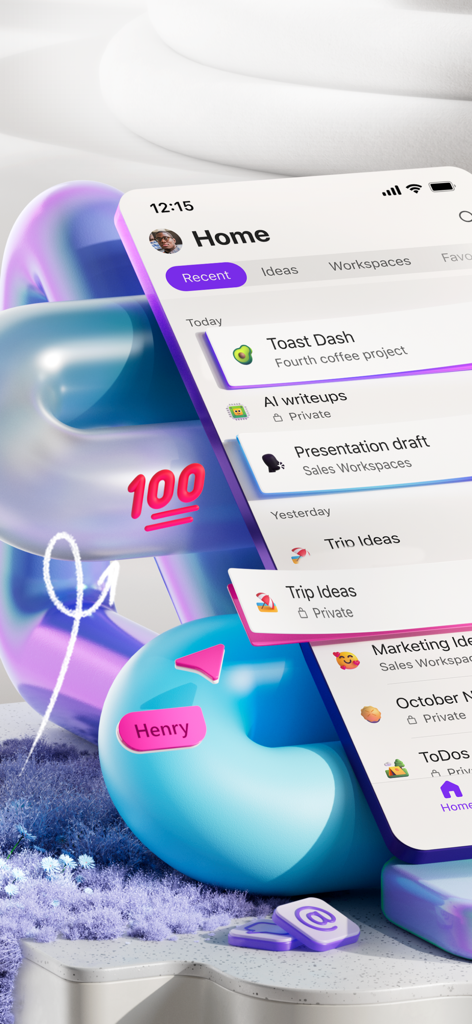
Microsoft Loop モバイルアプリのホーム画面。さまざまなプロジェクトワークスペースと共同メモが表示されています。

Microsoft Loop モバイルアプリのホーム画面。さまざまなプロジェクトワークスペースと共同メモが表示されています。

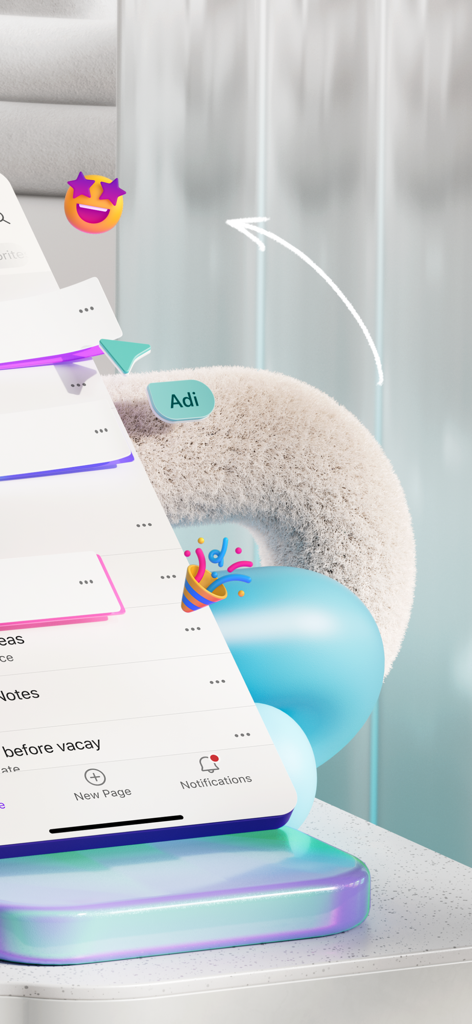
共同タスクと遊び心のある絵文字を備えた Microsoft Loop モバイルインターフェイスの抽象的な表現。

共同タスクと遊び心のある絵文字を備えた Microsoft Loop モバイルインターフェイスの抽象的な表現。

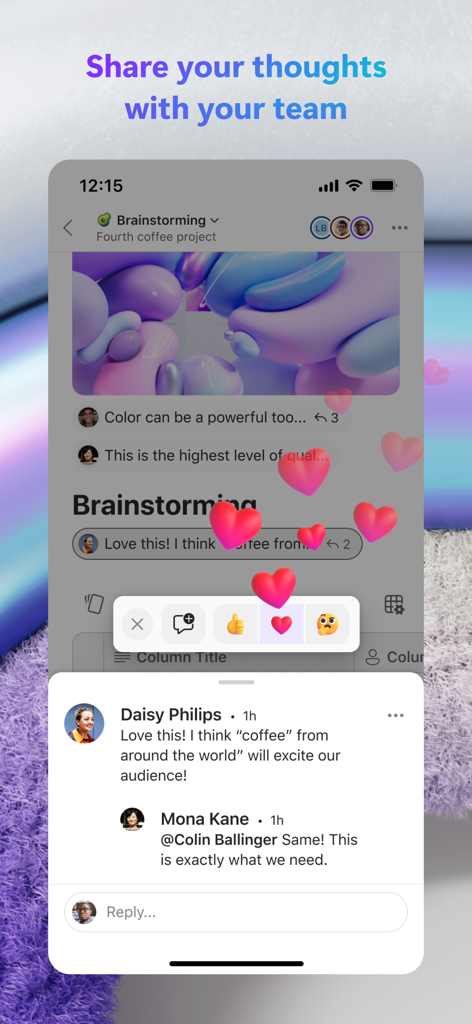
チームのコメントとハートの絵文字リアクションを示す Microsoft Loop アプリインターフェイス。

チームのコメントとハートの絵文字リアクションを示す Microsoft Loop アプリインターフェイス。

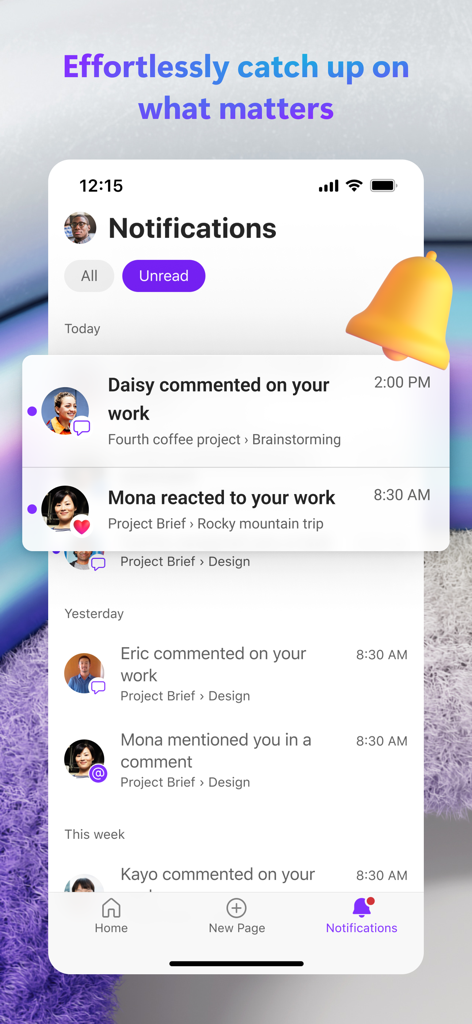
プロジェクトに関するコメントやリアクションを含むチームアクティビティのリストを示す Microsoft Loop アプリの通知センター。

プロジェクトに関するコメントやリアクションを含むチームアクティビティのリストを示す Microsoft Loop アプリの通知センター。

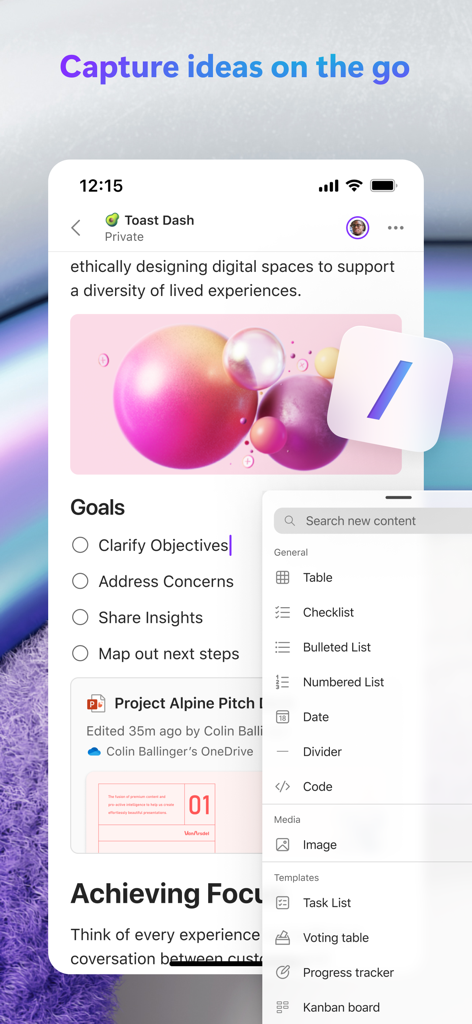
共同タスクリストとコンテンツ作成ツールを示す Microsoft Loop モバイルアプリインターフェイス。

共同タスクリストとコンテンツ作成ツールを示す Microsoft Loop モバイルアプリインターフェイス。

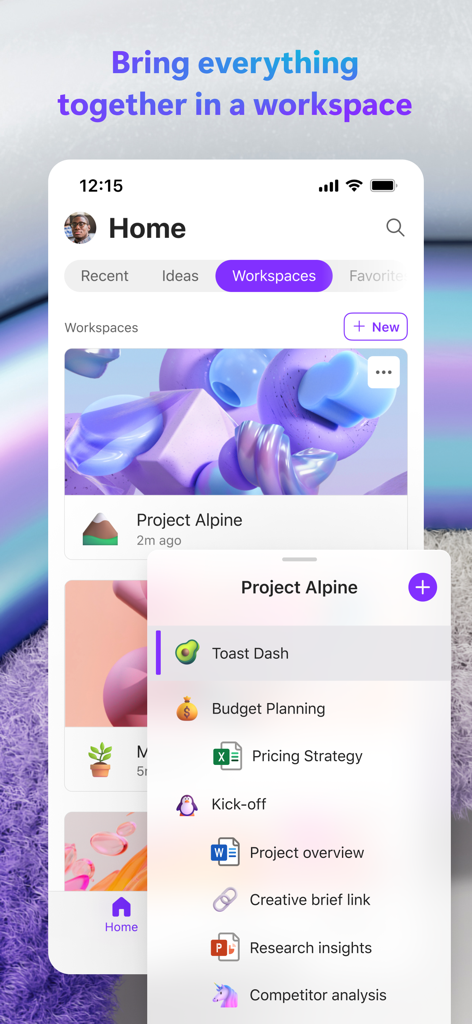
統合されたファイルとチームコラボレーションツールを備えたプロジェクトワークスペースを示す Microsoft Loop アプリ。

統合されたファイルとチームコラボレーションツールを備えたプロジェクトワークスペースを示す Microsoft Loop アプリ。

必要なすべてを、すべて 1 つの流れで

このアプリを際立たせるツール、 966K+ 人のユーザーが選択.

🔄

ポータブルな Loop コンポーネント

Teams や Outlook を超えて、ライブリストやテーブルを共有できます。 1 か所でデータを更新すると、すべての場所で即座に反映されます。

リアルタイムでの共同作成

移動中にチームとブレインストーミングや反復作業を行います。写真、コメント、リアクションを追加して、どのデバイスからでも勢いを維持しましょう。

📂

統合されたプロジェクトワークスペース

チームの思考とタスクを 1 つの柔軟なキャンバスに整理します。集中力を維持し、さまざまなアプリを切り替えるのをやめましょう。

世界中のユーザーに愛されています

Trusted by 966K+ 人がこのアプリを愛用しています.

"

"Microsoft Loop は、チームの同期方法を完全に変えました。無限のメールチェーンを掘り下げる必要はもうありません。Teams にライブコンポーネントをドロップして、それが全体で更新されるのを見ることは、生産性にとってまさにゲームチェンジャーです。"

Sarah Jenkins, Marketing Director
"

"モバイルアプリの柔軟性は信じられないほどです。通勤中に簡単なブレインストーミングをキャプチャし、写真を追加して、仕事を開始するまでにデスクトップで準備できます。構造と創造的な自由の完璧なブレンドです。"

David Chen, Senior Product Designer

レビュー分析

ユーザーレビューの分析.

感情スコア

24%
ネガティブ

概要

This mobile app is recognized for its strong underlying concept and significant future potential, especially concerning collaboration and efficient organization of notes and tasks. Users frequently laud its performance and feature set on desktop and web platforms, as well as its ability to facilitate cross-device data transfer and integrate within the broader Microsoft ecosystem. However, the iOS and iPadOS versions are consistently criticized for severe instability, including frequent crashes, persistent sign-in loops, and pervasive lag with typing and cursor control. A major point of dissatisfaction is also the mobile app's limited functionality compared to its web counterpart and competitors like Notion, lacking essential features such as advanced task management, subpage creation, and adequate support for PDFs and various languages.

主なテーマ

Future Potential(7)
Collaboration & Organization(5)
Desktop/Web Experience(4)
Microsoft Ecosystem Integration(3)
Cross-Device Data Transfer(1)
Content Creation Tools(1)

アプリについて

について知っておくべきこと Microsoft Loop.

説明

Think, plan and create together with Loop on the go. Microsoft Loop is a transformative co-creation experience that brings together teams, content and tasks across your tools and devices. Designed for the way you work, Loop can help you think, plan, and create together. • Capture ideas, create task lists, and insert photos to your Loop pages to express your thoughts. • Bring all your project content into a Loop workspace to help your team focus on what matters. • Comment and react in the app to quickly collaborate on the go. • Get only the notifications you care about and jump right back into what needs the most attention. • Edit and share Loop components across Microsoft 365 to help your team be on the same page in one place. To get started, download Loop, and sign in with your Microsoft Account or the account assigned to you by your work or school. This app is provided by either Microsoft or a third-party app publisher and is subject to a separate privacy statement and terms and conditions. Data provided through the use of this store and this app may be accessible to Microsoft or the third-party app publisher, as applicable, and transferred to, stored and processed in the United States or any other country where Microsoft or the app publisher and their affiliates or service providers maintain facilities. Please refer to the End User License Terms for Microsoft Loop. By installing the app, you agree to these terms and conditions. Privacy terms: https://aka.ms/privacy Please refer to the Microsoft Software License Terms, see “License Agreement” under Information. By installing the app, you agree to these terms and conditions.

最新バージョン

2.105

サイズ

180.7 MB

リリース日

2023年10月24日

チームのワークフローを変革する準備はできましたか?

外出先でアイデアを捉え、共同作成する 100 万人近くのプロフェッショナルに加わりましょう。今すぐ Microsoft Loop をダウンロードして、すべてのツールとデバイスでチームを同期させましょう。

ダウンロード: App Storeダウンロード: Google Play
FAQ

よくある質問

について知っておくべきこと Microsoft Loop

Microsoft Loopとは何ですか?

Microsoft Loopは、ツールやデバイスを横断してチーム、コンテンツ、タスクを連携させる、革新的な共同作成エクスペリエンスです。ユーザーは協力して考え、計画し、作成することができます。

Microsoft Loopの利用を開始するにはどうすればよいですか?

まず、Microsoft Loopアプリをダウンロードしてサインインしてください。Microsoftアカウント、または職場や学校から提供されたアカウントを使用します。

Microsoft Loopはどのような共同作成機能を提供していますか?

Microsoft Loopは、アプリ内コメントやリアクションを通じて共同作成を促進します。また、Microsoft 365全体でLoopコンポーネントの編集と共有を可能にし、チームを同期させます。

Microsoft Loopはプロジェクトコンテンツの整理に役立ちますか?

はい、Microsoft Loopはプロジェクトコンテンツの整理に役立ちます。ユーザーは、すべてのプロジェクト資料を専用のLoopワークスペースに取り込み、重要なタスクや情報に集中できます。

Microsoft LoopはMicrosoft 365と連携しますか?

はい、Microsoft LoopはMicrosoft 365と連携します。ユーザーはMicrosoft 365アプリケーション全体でLoopコンポーネントを編集および共有でき、チームメンバーが同じ認識を保つことができます。

ユーザーはMicrosoft Loopページにどのような種類のコンテンツを追加できますか?

ユーザーは、アイデア、タスクリスト、写真など、さまざまなコンテンツをMicrosoft Loopページに追加できます。この機能は、考えを表現し、情報を視覚的に整理するのに役立ちます。

Microsoft Loopはチームアクティビティの通知を提供しますか?

はい、Microsoft Loopは通知を提供します。関連性の高いアラートのみを配信するため、ユーザーは注意が必要なタスクに迅速に再エンゲージできます。これは通知画面に表示されています。

Microsoft Loopはモバイルユーザーにも利用できますか?

はい、Microsoft Loopはモバイルユーザーにも利用できます。このアプリは、外出先での共同作成のために設計されており、ユーザーはモバイルデバイスから協力して考え、計画し、作成することができます。

Microsoft Loopのプライバシー規約はどこで見ることができますか?

Microsoft Loopのプライバシー規約は https://aka.ms/privacy で入手できます。このアプリは、個別のプライバシーステートメントと利用規約の対象となります。