Smartsheet: Projects & Teams

Smartsheet: Projects & Teams

ダウンロード: App Storeダウンロード: Google Play
Spark by MWM logo
ロゴ: Smartsheet: Projects & Teams

Smartsheet:チームが構築、自動化、スケールアップするための力を与える

スプレッドシートの乱雑さをなくしましょう。インパクトの高いプロフェッショナル向けに設計された、エンタープライズで信頼されるノーコードプラットフォームで、プロジェクトを管理し、ワークフローを自動化し、リアルタイムの可視性を獲得しましょう。

ダウンロード: App Store

開発元

Smartsheet Inc.

カテゴリ

Business

ダウンロード

3M+

ユーザー評価

4.8/5

評価数

131K+

対応言語

8

効率を可視化

このインターフェースを利用する 3M+ 人のユーザー.

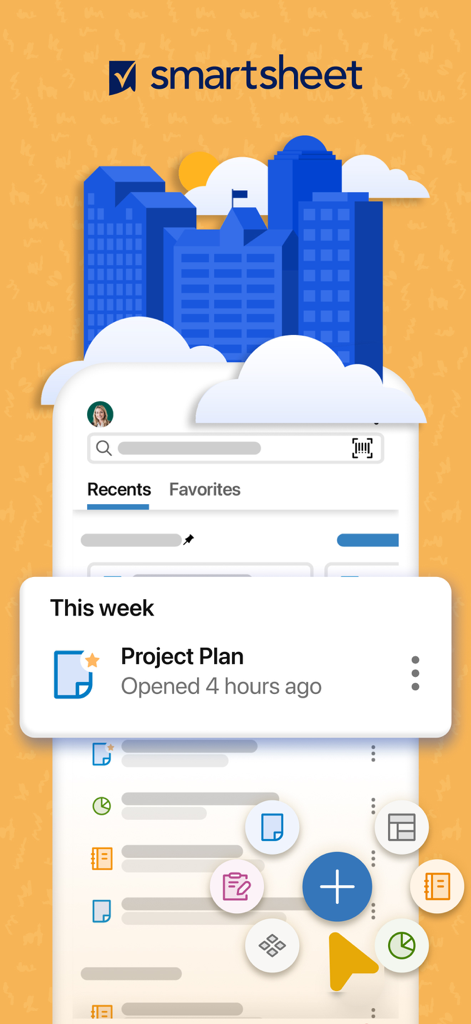
Smartsheetモバイルアプリのインターフェース。プロジェクト計画とタスク管理のショートカットが表示されています。

Smartsheetモバイルアプリのインターフェース。プロジェクト計画とタスク管理のショートカットが表示されています。

「どこでも作業を管理」というテキストとともに、プロジェクトデータを分析するプロフェッショナルを描いたグラフィック。

「どこでも作業を管理」というテキストとともに、プロジェクトデータを分析するプロフェッショナルを描いたグラフィック。

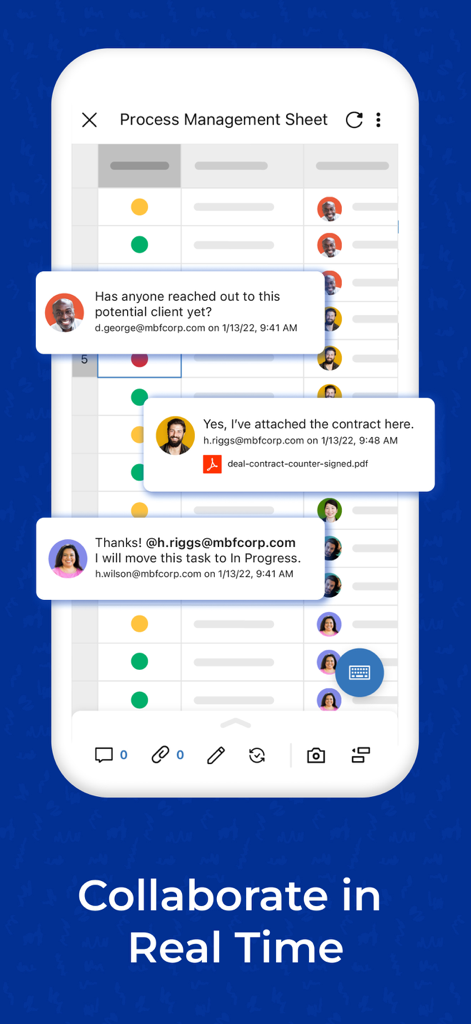
Smartsheetのモバイルインターフェース。プロセス管理シートでのリアルタイムコメントによるチームメンバーのコラボレーションが表示されています。

Smartsheetのモバイルインターフェース。プロセス管理シートでのリアルタイムコメントによるチームメンバーのコラボレーションが表示されています。

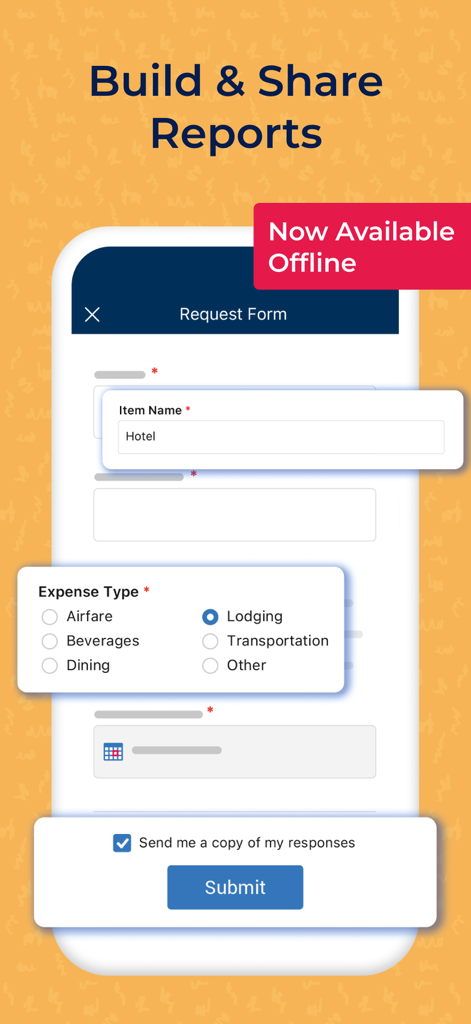
オフライン経費報告用のSmartsheetモバイルアプリリクエストフォーム。

オフライン経費報告用のSmartsheetモバイルアプリリクエストフォーム。

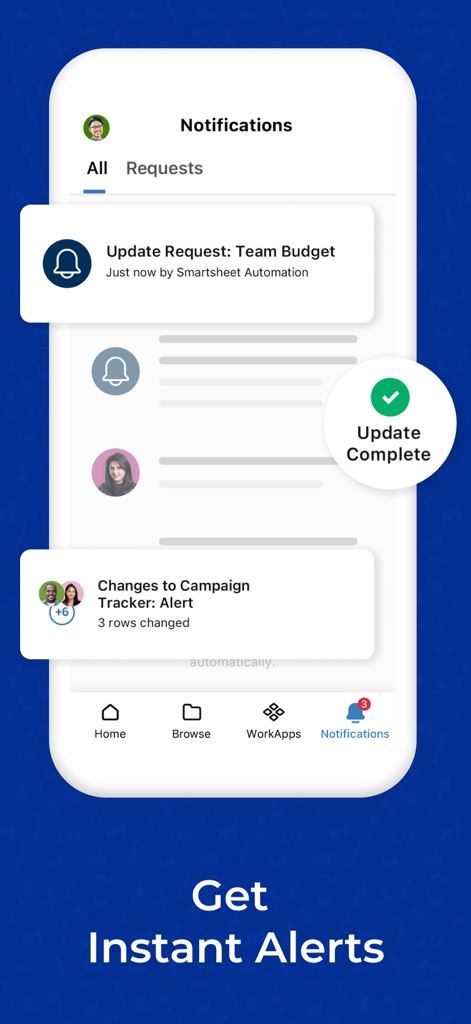
プロジェクトアラートと予算更新リクエストを示すSmartsheet通知センターのモバイルスクリーンショット。

プロジェクトアラートと予算更新リクエストを示すSmartsheet通知センターのモバイルスクリーンショット。

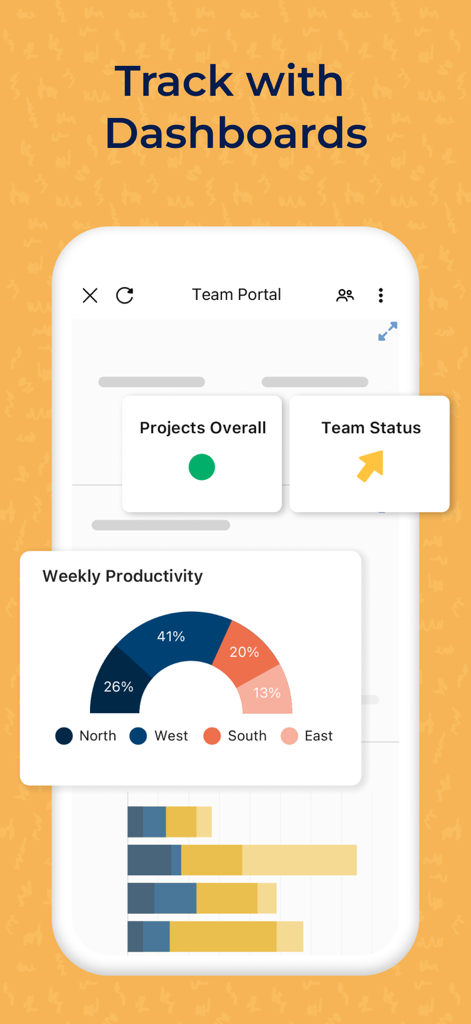
チームの生産性とプロジェクトステータスダッシュボードを表示するSmartsheetモバイルインターフェース。

チームの生産性とプロジェクトステータスダッシュボードを表示するSmartsheetモバイルインターフェース。

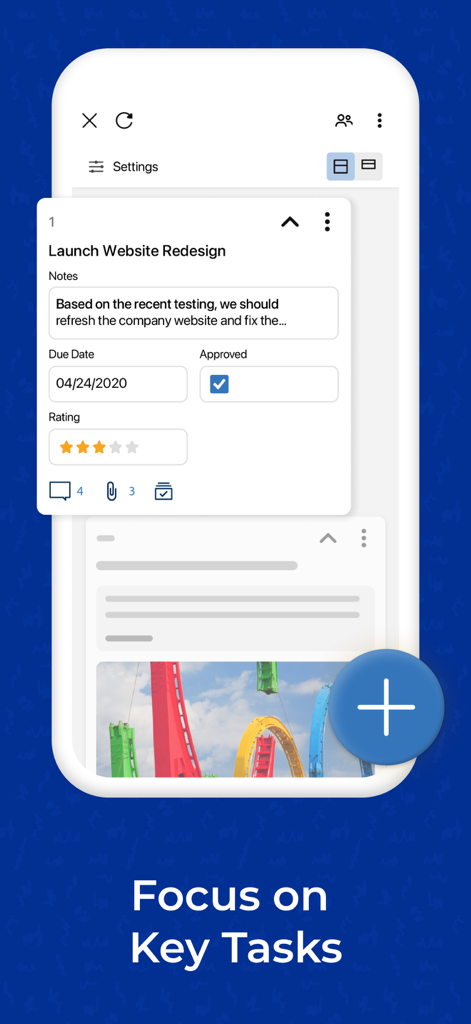
期日と承認ステータスが表示されたプロジェクトタスクカードを示すSmartsheetモバイルアプリインターフェース。

期日と承認ステータスが表示されたプロジェクトタスクカードを示すSmartsheetモバイルアプリインターフェース。

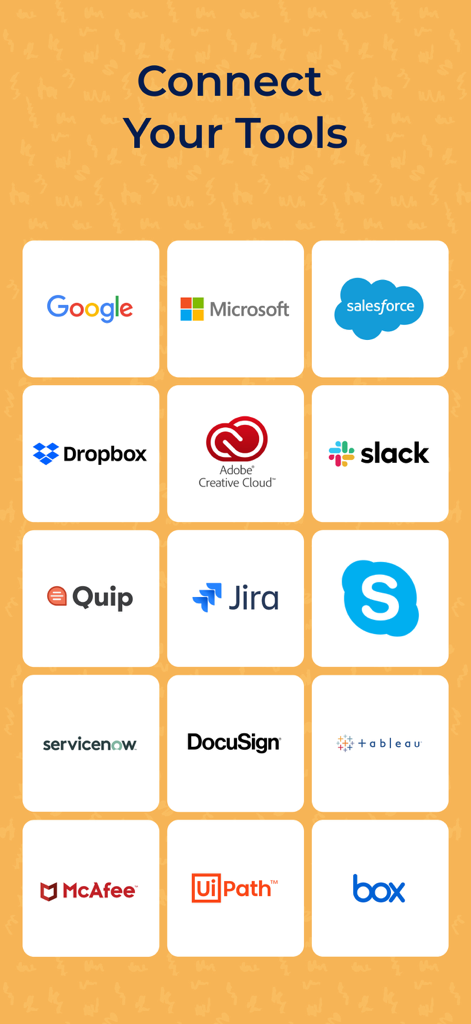
Google、Microsoft、Salesforce、Slackなどの人気ツールとの統合を示すSmartsheetアプリ画面。

Google、Microsoft、Salesforce、Slackなどの人気ツールとの統合を示すSmartsheetアプリ画面。

混沌を精度に変える

このアプリを際立たせるツール、 3M+ 人のユーザーが選択.

退屈な作業を自動化

承認リクエストやリマインダーを数分で設定できます。反復的なタスクやステータス会議をなくし、推進力のある仕事に集中しましょう。

📱

外出先でも経営陣レベルの可視性

iPhoneまたはiPadからライブダッシュボードにアクセスし、プロジェクトの健全性を追跡します。すべての重要な更新に関するリアルタイムプッシュ通知で常に情報を把握しましょう。

🔄

あらゆるニーズに対応するダイナミックビュー

グリッド、ガント、カードビューを即座に切り替えます。フィールドチームと経営陣の両方を一致させるために、データの表示方法をカスタマイズします。

世界中のユーザーに愛されています

Trusted by 3M+ 人がこのアプリを愛用しています.

"

"Smartsheetは、私たちの「スプレッドシートの乱雑さ」を完全に排除しました。コーディングなしで数分でカスタム自動化ワークフローを構築したところ、チームはステータス会議に費やす時間を40%削減しました。毎朝、iPadで最初にチェックして、リアルタイムのプロジェクトの健全性を確認します。"

Sarah Miller, Director of Operations
"

"モバイルフォームとバーコードスキャンは、私のフィールドチームにとってゲームチェンジャーです。現場でデータをキャプチャすると、オフィスに戻るとすぐにマスターシートに反映されます。ガントチャートとカンバンボードをポケットに入れておけば、どこにいても、遅れることはありません。"

Marcus Chen, Senior Project Lead

アプリについて

について知っておくべきこと Smartsheet: Projects & Teams.

説明

Getting started is easy! Either sign in with your existing Smartsheet account or enter your email to sign up for a free 30-day trial. Join millions of other innovative users and upgrade to a paid account at any time. Use Smartsheet, a dynamic workspace that empowers teams to manage projects, automate workflows, and rapidly build new solutions—using no-code tools they love, and backed by the security IT needs. Smartsheet is trusted by companies of all sizes, across 190 countries — including over 90% of Fortune 100 companies, and over 80% of Fortune 500 companies. Manage projects and tasks, automate workflows, collaborate with your team, and maximize productivity, anytime, anywhere! With Smartsheet you can: COLLABORATE WITH YOUR TEAM • Seamlessly create, share, and collaborate with your team on projects, wherever you are, from your Mac, iPad, or iPhone. • Access your projects, tasks, workflows, and sheets anytime. • Get business collaboration tools on your mobile device. • Review and edit documents and sheets that your team is working on. ORGANIZE PROJECTS & TASKS • Use sheets to oversee tasks and workflows, plan projects, and maximize the productivity of your team. • Add assignees, due dates, followers, checklists, predecessors, and files to your tasks and follow the progress of your projects. • Choose how to visualize tasks switching between grid, card, Gantt, and calendar views with the same data. • Keep everyone on the same page. Attach files from Google Drive, OneDrive, Dropbox, and more. AUTOMATE WORKFLOWS • Implement simple and powerful automated workflows in minutes. • Send automated update and approval requests to streamline work and reduce the need for meetings. • Automate repetitive processes by sending alerts, setting reminders, automatically moving, copying, or locking rows, and assigning work based on sheet changes and preset times. • Use card view to create kanban boards to manage your agile work. WORK IN ONE PLACE • See work alongside key conversations, decisions, and rationale in one place—improve project visibility across your organization. • Share spreadsheets with others to view, edit, or add comments, and collaborate anywhere. COLLECT INFORMATION WITH FORMS • Collect data from the field with forms, capture and upload images, or scan barcodes with your mobile device. • Easily collect and act on error-free, consistent data from internal and external stakeholders. • Quickly create forms that automatically map to the columns in your sheets. • Ask the right people the right questions with conditional logic in forms. • Provide easy access by embedding forms on dashboards and websites, or by sharing a unique link. VIEW WORK STATUS IN REAL TIME • Easily view and manage your dashboards, sheets, and more in real-time from your phone, so you always know the status of work. • Get notifications to your Inbox or through push notifications about the projects, and tasks you’re following. • Rapidly adapt to changing conditions and identify trends with easy-to-use widgets that display live data, charts, and key metrics. • Easily customize Smartsheet to show and share what matters with an easy-to-use drag-and-drop UI in dashboards. WORK SEAMLESSLY WITH YOUR FAVORITE APPS • Smartsheet's out-of-the-box integrations enable real-time synchronization and visibility with many of your favorite apps from Google, Microsoft, Salesforce, and more, so you can easily track tasks, compile data in spreadsheets, and collaborate with your team, all in one place. • Seamlessly connect your enterprise ecosystem of apps like Slack, Jira, DocuSign, Microsoft Teams, Gmail, Box, and more with Smartsheet. BUILD PURPOSE BUILT APPS WITHOUT CODING Smartsheet is the leading platform for dynamic work, built for the enterprise, empowering teams like IT, Marketing, and Operations with a no-code tool for project management, workflow automation, and solution creation.

最新バージョン

26.0

サイズ

113.9 MB

リリース日

2012年10月18日

ワークフローを変革する準備はできましたか?

Fortune 100企業の90%に参加し、Smartsheetの力でチームをリードしましょう。今すぐダウンロードして、30日間の無料トライアルを開始し、混沌を明確に変えましょう。

ダウンロード: App Storeダウンロード: Google Play
FAQ

よくある質問

について知っておくべきこと Smartsheet: Projects & Teams

Smartsheet: Projects & Teams の利用を新規ユーザーはどうやって開始できますか?

新規ユーザーは、既存のSmartsheetアカウントでサインインするか、メールアドレスを入力して30日間の無料トライアルにサインアップできます。有料アカウントへのアップグレードはいつでも可能です。

Smartsheet はプロジェクトやタスクのリアルタイム共同作業を許可しますか?

はい、Smartsheet はチームが Mac、iPad、または iPhone からドキュメントやシートを作成、共有、レビュー/編集できるようにすることで、シームレスな共同作業を可能にします。

Smartsheet はどのようなプロジェクト編成機能を提供しますか?

Smartsheet はシートを使用してプロジェクトやタスクを編成します。ユーザーは担当者、期日、フォロー担当者、チェックリスト、ファイルを , グリッド、カード、ガント、またはカレンダービューでタスクを視覚化できます。

Smartsheet アプリ内でワークフローを自動化できますか?

はい、Smartsheet は、更新/承認リクエスト、アラート、リマインダー、自動行アクションを通じてワークフローを自動化します。また、カードビューでのアジャイルワークのためのカンバンボードもサポートしています。

Smartsheet は情報の収集にどのように役立ちますか?

Smartsheet は、フォームを使用してフィールドからデータを収集できます。これらのフォームは、画像アップロード、バーコードスキャン、条件付きロジックをサポートし、埋め込み可能または一意のリンクを介して共有できます。

Smartsheet は他の一般的なビジネスアプリケーションと統合されますか?

はい、Smartsheet は Google、Microsoft、Salesforce、Slack、Jira、DocuSign、Box などの一般的なアプリと統合されており、プラットフォーム全体でリアルタイムの同期と可視性を提供します。

コードを書かずに Smartsheet を使用してカスタムアプリケーションを構築できますか?

はい、Smartsheet はノーコードツールであり、IT、マーケティング、オペレーションなどのチームがプロジェクト管理、ワークフロー自動化、ソリューション作成のための専用アプリケーションを構築できるようにします。

Smartsheet はプロジェクトステータスのリアルタイム監視をサポートしていますか?

はい、Smartsheet はダッシュボード、シート、プッシュ通知を通じてリアルタイムの可視性を提供します。ユーザーはライブデータウィジェットとカスタマイズ可能なダッシュボードを使用して、変更に適応し、トレンドを特定できます。

Smartsheet はモバイルデバイスで利用できますか?

はい、Smartsheet アプリは Mac、iPad、iPhone で利用できます。ユーザーはモバイルデバイスからいつでも、どこでもプロジェクト、タスク、ワークフロー、シートにアクセスできます。

Smartsheet フォームはオフラインで使用できますか?

はい、Smartsheet フォームはオフラインで使用できます。これにより、ユーザーはインターネット接続がない場合でもデータを収集して処理できます。