Miro: your visual workspace

Miro: your visual workspace

ダウンロード: App Store
Spark by MWM logo
ロゴ: Miro: your visual workspace

Miro:分散したイノベーションのためのビジュアルワークスペース

無限のキャンバスで最高のアイデアを形にしましょう。Apple Pencilを使ってiPadでブレインストーミングをしたり、外出先でアジャイルワークフローを管理したり。どこからでもチームとシームレスにコラボレーションできます。

ダウンロード: App Store

開発元

Realtimeboard Inc.

カテゴリ

Productivity

ダウンロード

6M+

ユーザー評価

4.7/5

評価数

26K+

対応言語

8

イノベーションにフォーカス

このインターフェースを利用する 6M+ 人のユーザー.

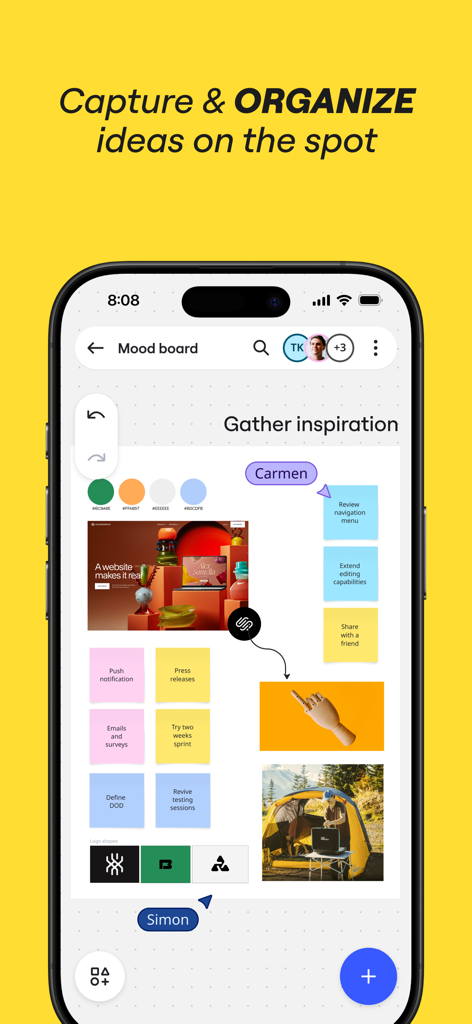
付箋や画像を使ってアイデアを整理する共同ムードボードを表示したMiroモバイルアプリのインターフェース。

付箋や画像を使ってアイデアを整理する共同ムードボードを表示したMiroモバイルアプリのインターフェース。

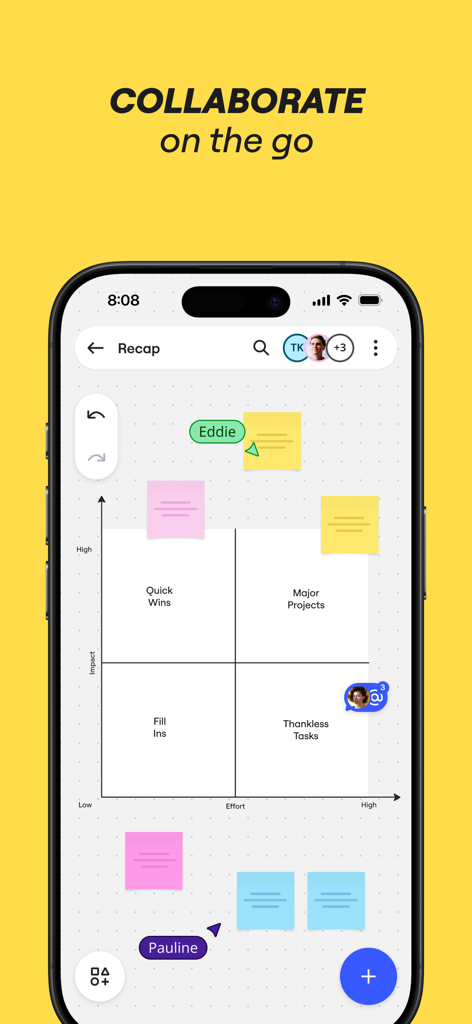
カラフルなデジタル付箋を使用した、インパクト対エフォート(労力)のマトリックスを表示したMiroモバイルアプリ。

カラフルなデジタル付箋を使用した、インパクト対エフォート(労力)のマトリックスを表示したMiroモバイルアプリ。

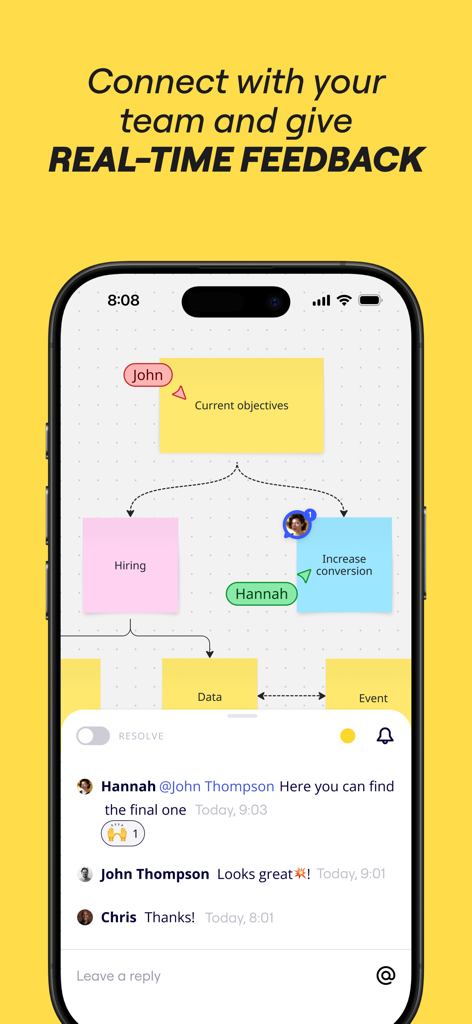
付箋とリアルタイムのチームコメントスレッドを表示した、共同ビジュアルボードを表示するMiroモバイルアプリ。

付箋とリアルタイムのチームコメントスレッドを表示した、共同ビジュアルボードを表示するMiroモバイルアプリ。

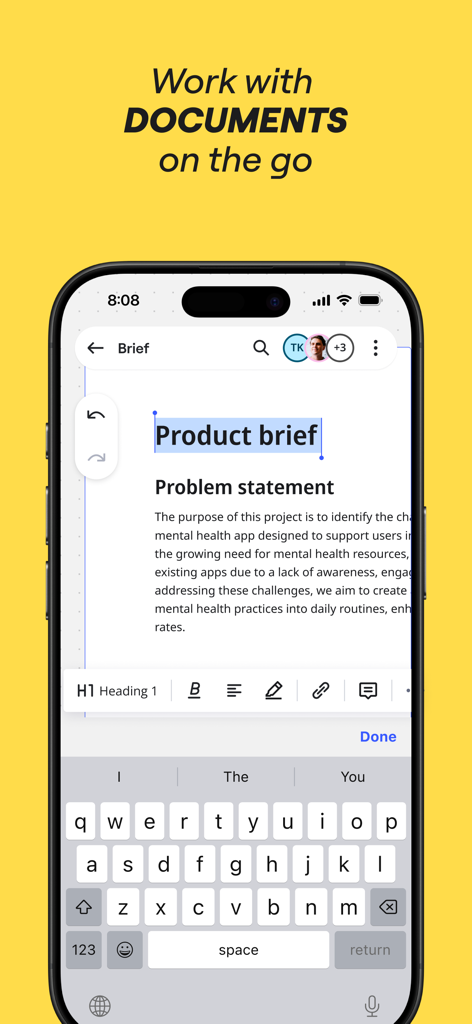
iPhoneで製品概要を編集しているMiroモバイルアプリのインターフェース。

iPhoneで製品概要を編集しているMiroモバイルアプリのインターフェース。

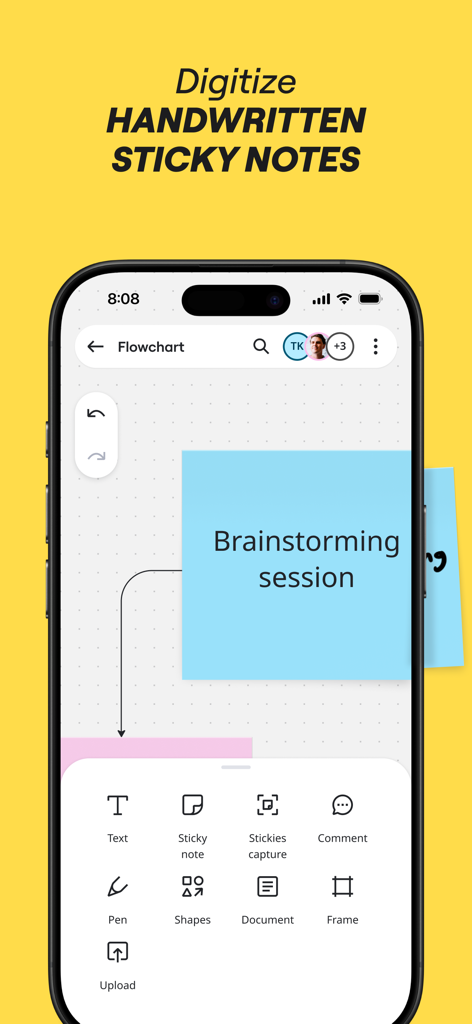
ブレインストーミング用に手書きのメモをキャプチャしてデジタル化するオプションと、デジタルの青い付箋を表示したiPhone上のMiroアプリ。

ブレインストーミング用に手書きのメモをキャプチャしてデジタル化するオプションと、デジタルの青い付箋を表示したiPhone上のMiroアプリ。

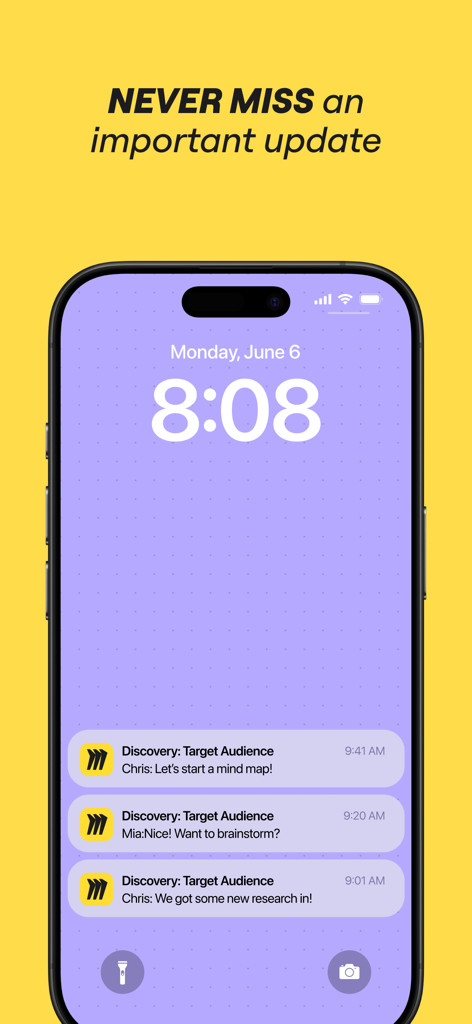
リアルタイムのチームコラボレーションの更新を表示する、iPhoneロック画面上のMiroモバイルアプリの通知。

リアルタイムのチームコラボレーションの更新を表示する、iPhoneロック画面上のMiroモバイルアプリの通知。

現代のチームのためのビジュアルコラボレーション

このアプリを際立たせるツール、 6M+ 人のユーザーが選択.

✏️

Apple Pencilでスケッチ

インテリジェントな図形認識とスタイラスの最適化により、手書きのコンセプトを瞬時にプロフェッショナルな図表に変換します。

📸

付箋のインスタントデジタル化

タップひとつで紙のメモを編集可能なオブジェクトとしてスキャンし、物理的なワークショップとデジタルボードの橋渡しをします。

🔄

シームレスなアジャイルワークフロー

200以上の既製テンプレートを活用して、振り返りの管理、ユーザージャーニーの構築、ステークホルダーとのリアルタイムな連携を迅速に実行します。

世界中のユーザーに愛されています

Trusted by 6M+ 人がこのアプリを愛用しています.

"

"Miroは、私たちのデザインチームのブレインストーミングの方法を完全に変えました。Apple Pencilに対応したiPadアプリは非常に自然な使い心地で、ワイヤーフレームやフローチャートをスケッチすると、デバイス間で即座に同期されます。私のクリエイティブな落書きと最終的なプロジェクトロードマップをつなぐ完璧な架け橋です。"

エレナ・ロドリゲス、リードUXデザイナー
"

"分散したチームを管理するアジャイルコーチとして、Miroは私にとって最も欠かせないツールです。ハイブリッドセッション中に物理的な付箋をスキャンしてデジタル化できる機能には本当に助けられています。これにより、リモートでのスプリントの振り返りも、同じ部屋にいるときと同じくらいインタラクティブで活気のあるものになります。"

マーカス・ソーン、シニア製品マネージャー

レビュー分析

ユーザーレビューの分析.

感情スコア

28%
ネガティブ

概要

The app receives largely negative feedback, with many users reporting widespread performance and loading issues, including the app failing to launch, getting stuck on loading screens, or boards not opening. A significant number of users also experience bugs specific to iPads and Apple Pencil functionality, such as trackpad issues, unresponsive gestures, and editing problems across various models. These problems, coupled with complaints about confusing billing practices related to free plan limitations and difficulties accessing large boards or previously saved content, severely hinder the user experience. Several critical issues, including loading failures and Apple Pencil malfunctions, are directly attributed by users to recent app updates (e.g., version 26) and new iOS versions.

主なテーマ

App Loading & Performance(25)
iPad & Apple Pencil Specific Bugs(10)
Intuitive & Feature-Rich(6)
Billing & Free Plan Limitations(5)
Board Size & Data Access(5)
Comments Feature Issues(2)
Login Difficulties(2)

アプリについて

について知っておくべきこと Miro: your visual workspace.

説明

Miro is a visual workspace for innovation that enables distributed teams of any size to dream, design, and build the future together. With the magic of Miro's Intelligent Canvas™, visualizing concepts, ideas, and solutions as a team can happen anywhere — no dry-erase markers needed. Sync, flow, and feel the connection of working side by side with your team — even in remote, distributed, or hybrid work environments. The Miro app for iPad and iPhone gives you the tools to collaborate with boards that put projects and context all in one place. Our customers love using Miro to: • Run online meetings and team workshops • Brainstorm new ideas and designs on a limitless board • Edit, annotate and mark up documents and PDFs • Take digital notes with an Apple Pencil (and reduce paper use!) • Easily collect resources, photos, docs, links, and references • Plan and manage agile workflows and scrum rituals • Create user journeys, map processes, and develop personas • Teach and facilitate interactive classes in a collaborative space • Create a vision board of ideas and inspiration Miro allows you to create anytime, anywhere. With over 200+ pre-made templates, a drag-and-drop interface, and no limit on collaborators, working on a Miro board is fast and fun. With Miro’s mobile app, you can: • Scan paper post-it notes and convert them into editable digital notes • Create, view, and edit all your boards • Capture and organize your ideas on the go • Share boards publicly or invite team members to edit • Upload images, pictures, docs, spreadsheets, and more • Share boards and invite team members to edit • Review, add and resolve comments On tablets, you can also use Miro to: • Draw concepts and sketch new design ideas with an Apple Pencil • Convert pencil or stylus drawings into shapes, notes, and diagrams • Set up your tablet as the second screen with Zoom or Microsoft Teams - Create Mind Maps to visualize your ideas • Use Lasso to select and move sketches, drawings, or text anywhere on the board • Use Highlighter to capture the attention of your team during a meeting If you enjoy using Miro for collaboration, please leave us a review. If something’s not working right or if you have a question or comment, get in touch with us using this form: https://help.miro.com/hc/en-us/requests/new?referer=store

最新バージョン

3.25.30240969

サイズ

47.2 MB

リリース日

2017年1月3日

次の大きなプロジェクトを構築する準備はできていますか?

Miroを使って共に描き、デザインし、構築している600万人以上のイノベーターの仲間に加わりましょう。アプリをダウンロードして、お使いのiPadを無限のビジュアルワークスペースに変えましょう。

ダウンロード: App Store
FAQ

よくある質問

について知っておくべきこと Miro: your visual workspace

Miroとは何ですか?

Miroは、分散されたチームが共に夢を描き、デザインし、構築することを可能にする、イノベーションのためのビジュアルワークスペースです。コンセプト、アイデア、ソリューションを視覚化するためのインテリジェントキャンバス™を提供します。

Miroはチームコラボレーションに使用できますか?

はい、Miroはチームコラボレーションのために構築されており、分散されたチームが並んで作業することを可能にします。リアルタイムのフィードバックをサポートし、ボード上で複数の共同作業者を許可します。

Miroは手書きのメモをデジタル化できますか?

はい、Miroのモバイルアプリを使用すると、紙のポストイットメモをスキャンして編集可能なデジタルメモに変換できます。この機能は、物理的なアイデアをデジタルで整理するのに役立ちます。

iPadまたはiPhoneでMiroを使用できますか?

はい、MiroはiPadとiPhoneの両方のアプリとして利用可能で、モバイルデバイスからボードと共同作業し、プロジェクトを管理するためのツールを提供します。

モバイルユーザー向けのMiroの主な機能は何ですか?

Miroのモバイル機能には、ボードの作成、表示、編集、外出先でのアイデアのキャプチャ、ボードの共有、さまざまなメディアのアップロード、コメントのレビュー/解決が含まれます。

Miroアプリ内で直接ドキュメントを編集できますか?

はい、Miroアプリを使用すると、ドキュメントやPDFを直接編集、注釈付け、マークアップできます。これには、外出先でのさまざまなドキュメントタイプの作業が含まれます。

Miroはボード用の既製のテンプレートを提供していますか?

はい、Miroは、より迅速かつ効率的なボード作成を促進するために、200以上の既製のテンプレートを提供しています。これらのテンプレートは、さまざまなユースケースとワークフローをサポートします。

Miroはマインドマッピングに使用できますか?

はい、タブレットでは、Miroを使用してマインドマップを作成し、アイデアを視覚化できます。この機能は、思考と複雑な情報を視覚的に整理するのに役立ちます。

Miroは重要な更新または変更の通知をユーザーに送信しますか?

はい、Miroは、ユーザーがボード上の重要な更新または変更を見逃さないように通知を提供します。これにより、チームメンバーはリアルタイムで情報を把握できます。

タブレットでMiroにApple Pencilを使用できますか?

はい、タブレットでは、MiroはApple Pencilをサポートしており、コンセプトを描画したり、新しいデザインアイデアをスケッチしたり、デジタルノートを取ったりできます。描画を図形に変換することもできます。