Authenticator App - FastOTP

Authenticator App - FastOTP

다운로드: App Store
Spark by MWM logo
로고: Authenticator App - FastOTP

인증 앱 - FastOTP: 올인원 디지털 보안 제품군

2단계 인증으로 1,000개 이상의 계정을 보호하고, 비밀번호를 관리하고, 내장 VPN으로 비공개로 검색하세요. Face ID로 보호되는 디지털 생활의 궁극적인 마음의 평화.

개발사

MATECHMOBILE SOFTWARE JOINT STOCK COMPANY

카테고리

Productivity

다운로드

2M+

사용자 평점

4.5/5

총 평가 수

6K+

지원 언어

12

한눈에 보는 보안

이 인터페이스를 사용하는 2M+ 명의 사용자.

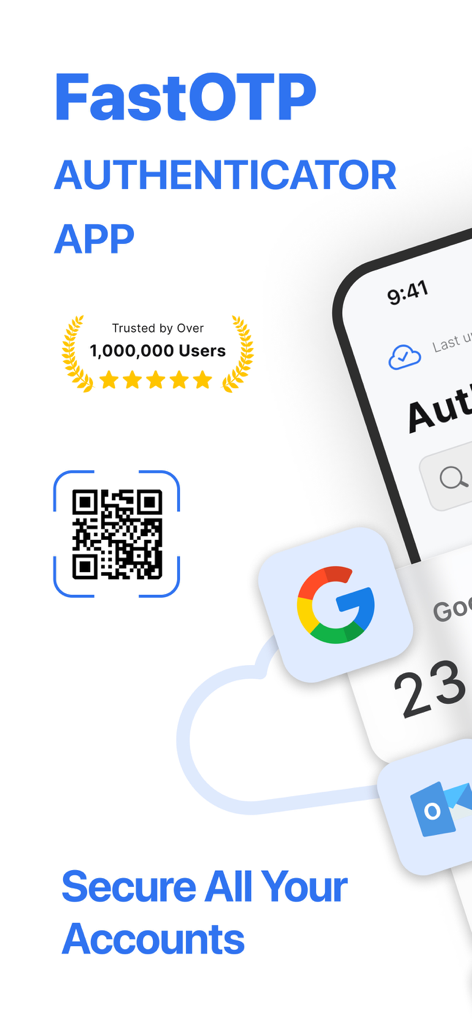
FastOTP 인증 앱 인터페이스, QR 코드 스캔 및 사용자 계정에 대한 안전한 2단계 인증 로그인 보호 기능.

FastOTP 인증 앱 인터페이스, QR 코드 스캔 및 사용자 계정에 대한 안전한 2단계 인증 로그인 보호 기능.

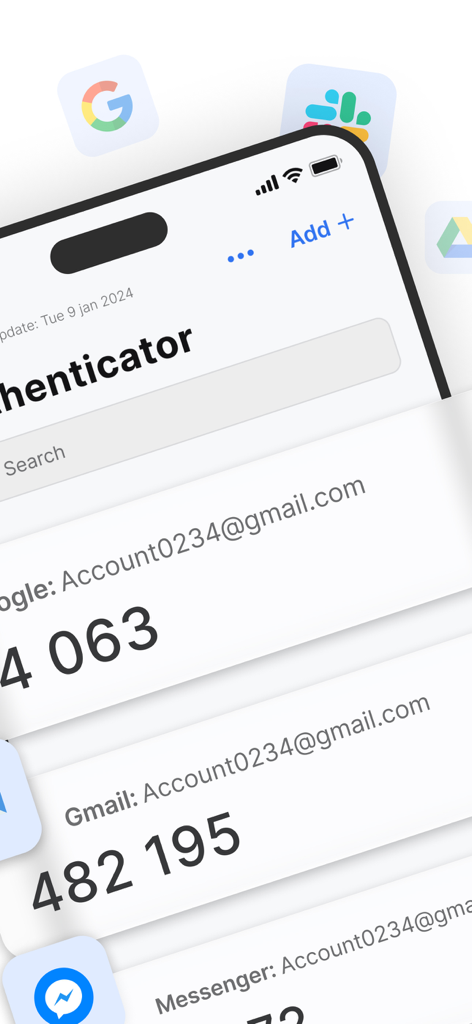
FastOTP 인증 앱 인터페이스, 다양한 온라인 계정에 대한 2단계 인증 확인 코드 목록 표시.

FastOTP 인증 앱 인터페이스, 다양한 온라인 계정에 대한 2단계 인증 확인 코드 목록 표시.

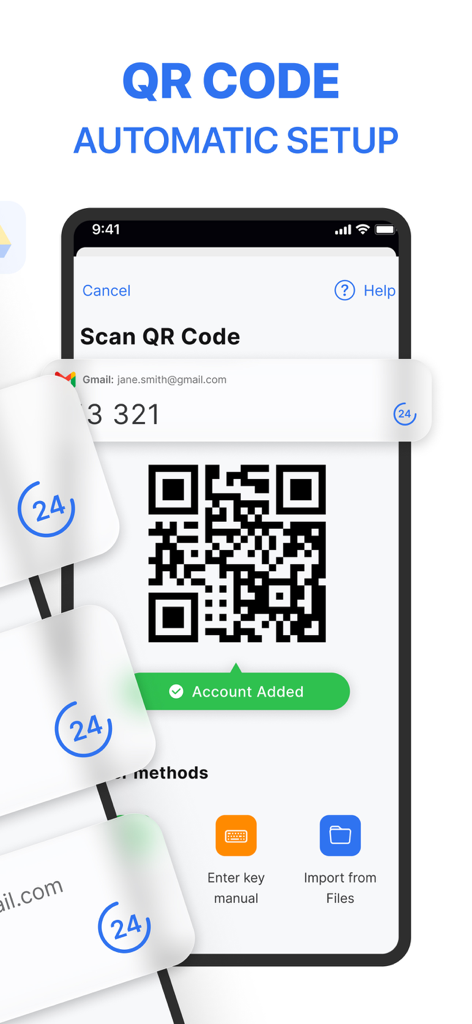
FastOTP 앱 인터페이스, 스마트폰에서 QR 코드 스캔을 통한 자동 계정 설정 표시.

FastOTP 앱 인터페이스, 스마트폰에서 QR 코드 스캔을 통한 자동 계정 설정 표시.

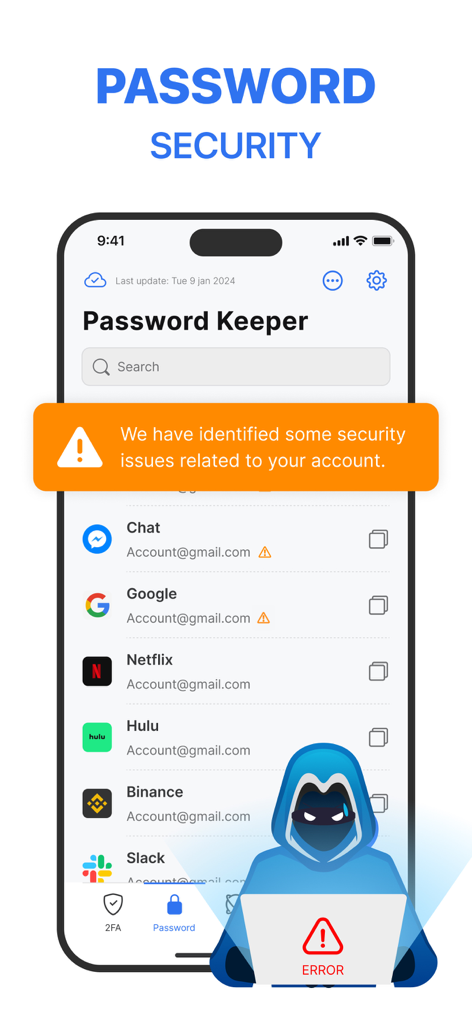
비밀번호 보안 경고와 잠재적 유출이 있는 계정 목록을 보여주는 모바일 화면.

비밀번호 보안 경고와 잠재적 유출이 있는 계정 목록을 보여주는 모바일 화면.

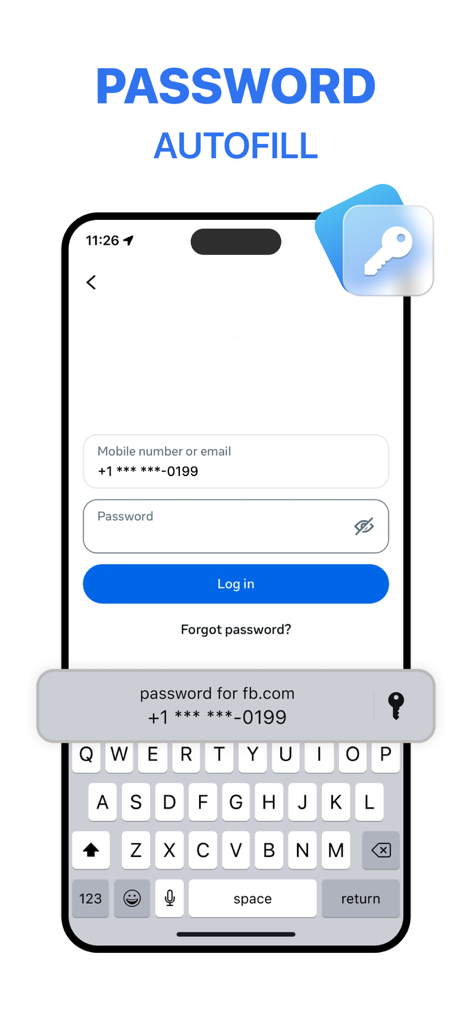
FastOTP 인증 앱을 사용한 Facebook 로그인에 대한 비밀번호 자동 완성 기능을 보여주는 iPhone 화면.

FastOTP 인증 앱을 사용한 Facebook 로그인에 대한 비밀번호 자동 완성 기능을 보여주는 iPhone 화면.

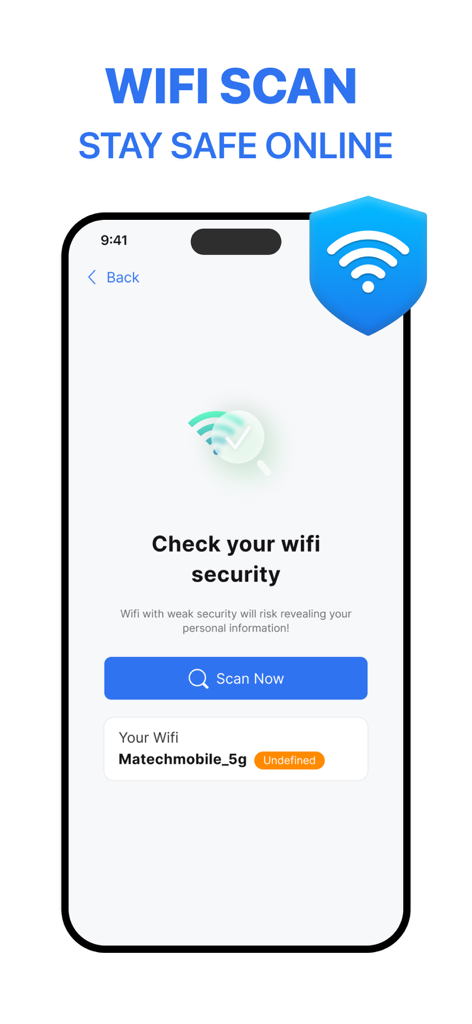
네트워크 보안 검사를 보여주는 FastOTP 인증 앱의 Wi-Fi 보안 스캔 인터페이스.

네트워크 보안 검사를 보여주는 FastOTP 인증 앱의 Wi-Fi 보안 스캔 인터페이스.

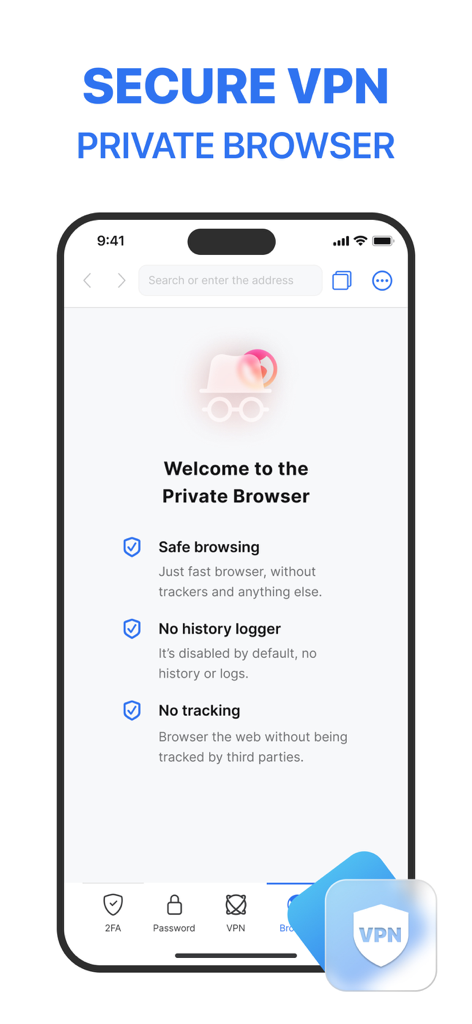
안전한 검색 및 기록 로거 없는 기능이 있는 개인 정보 보호 브라우저를 보여주는 FastOTP 인증 앱의 인터페이스.

안전한 검색 및 기록 로거 없는 기능이 있는 개인 정보 보호 브라우저를 보여주는 FastOTP 인증 앱의 인터페이스.

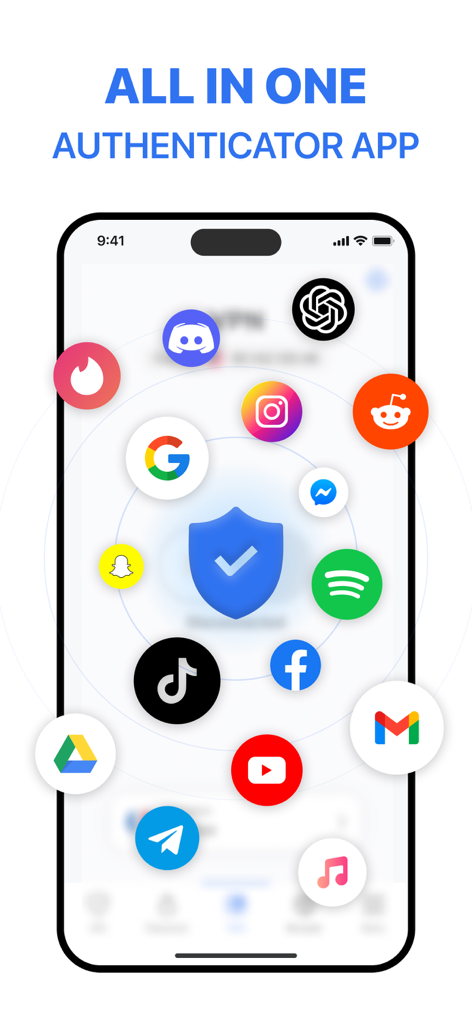
다양한 인기 모바일 애플리케이션에 대한 보안을 보여주는 인증 앱 FastOTP 인터페이스

다양한 인기 모바일 애플리케이션에 대한 보안을 보여주는 인증 앱 FastOTP 인터페이스

올인원 보안 제어 센터

이 앱을 돋보이게 하는 도구, 2M+ 명의 사용자가 선택.

☁️

안전한 클라우드 백업

로그인 불가에 대한 두려움을 없애세요. 2단계 인증 코드와 비밀번호를 안전하게 백업하여 휴대폰을 분실해도 디지털 생활을 즉시 복구할 수 있습니다.

🛡️

능동적 신원 보호

기본 2단계 인증을 넘어서세요. 자격 증명 유출을 모니터링하고 통합 VPN을 사용하여 공용 Wi-Fi에서도 데이터를 암호화 상태로 유지하세요.

원탭 스마트 로그인

궁극의 효율성을 경험하세요. 워크플로우를 방해하지 않고 Face ID 또는 Apple Watch 위젯을 통해 비밀번호와 액세스 코드를 자동 완성하세요.

전 세계 사용자들에게 사랑받는 앱

Trusted by 2M+ 명이 이 앱을 사랑합니다.

"

"커피숍을 계속 오가는 원격 관리자로서 VPN, Wi-Fi 스캐너, 2단계 인증이 하나의 앱에 있다는 것은 정말 큰 도움이 됩니다. 세 가지 다른 구독을 대체했으며 Face ID 통합으로 로그인이 완벽하게 원활하게 느껴집니다."

Sarah Jenkins, 마케팅 이사
"

"클라우드 백업과 비밀번호 유출 감지는 제게 엄청난 마음의 평화를 줍니다. 계정 접근을 잃을까 봐 걱정했지만, 이 앱 덕분에 보안이 쉬워졌습니다. 자동 완성 기능은 제가 시도해본 다른 어떤 것보다 빠르고 안정적입니다."

David Chen, 소프트웨어 엔지니어

리뷰 분석

사용자 리뷰 인사이트.

감정 점수

15%
부정적

요약

This mobile app receives overwhelmingly negative feedback, primarily due to widespread issues with unexpected and unauthorized charges, fraudulent free trial claims, and extreme difficulty in cancelling subscriptions or obtaining refunds. Many users report the app failing to function as advertised, including problems with authentication code delivery, persistent unskippable advertisements blocking content, and non-recognition of paid memberships. While a small number of users appreciate its security features and ease of use, and some describe their overall experience as positive, the majority express frustration over unresponsive customer support and allegations of scamming, particularly after system upgrades or when trying to access previously registered accounts.

주요 테마

App Performance(3)
Security Features(1)
Ease of Use(1)
Customer Service Responsiveness(1)
Overall Service Reliability(1)

앱 소개

에 대해 알아야 할 모든 것 Authenticator App - FastOTP.

설명

MFA Authenticator App – Your All-in-One Security Solution! Enhance your online security with MFA Authenticator App, a simple yet powerful tool for protecting your accounts. Manage your two-factor authentication (2FA) codes and passwords effortlessly, and add an extra layer of security to over 1,000 apps. KEY FEATURES: 1. Easy Setup with QR Code Scanning Secure your accounts in seconds. Simply scan a QR code to enable 2FA and enjoy instant, time-sensitive security codes. 2. Protect Over 1,000 Apps From Gmail to Facebook, Instagram, Twitter, and more, our app integrates with over 1,000 apps. Secure all your accounts effortlessly with one tap. 3. Password Leak Detection: Be notified if any of your passwords have been compromised online. When you set a password on any website, the app checks for data breaches to keep you safe. 4. VPN Protection: Stay private and secure on any network. When you connect to public Wi-Fi or browse the internet, the app encrypts your traffic and hides your IP address to protect your identity. 5. Password & Account AutoFill Easily log in to your favorite websites and apps with one tap. Our smart AutoFill system securely fills in your saved usernames and passwords — no need to memorize or type again. 6. Cloud Backups for Peace of Mind Never lose access to your accounts. Our secure cloud backup ensures your data is safe and accessible whenever you need it. 7. Advanced Security with Face ID and Touch ID Add another layer of protection with Face ID, Touch ID, or a strong password. Keep unauthorized users out with ease. 8. Organize Your Apps with Folders Manage your apps efficiently. Create folders to keep everything organized and find your 2FA-secured apps faster. BUILT-IN PRIVACY TOOLS Quick Access with Widgets: Add the app to your widget for instant access to your 2FA codes without needing to open the app. Password Manager: Store and manage all your passwords securely. Private Browsing: Keep your online activity safe from prying eyes. Wi-Fi Security Scanner: Detect and avoid unsafe networks, protecting your data from breaches. Why Choose MFA Authenticator App? We go beyond basic 2FA. Our app is designed for simplicity, security, and efficiency. Whether you're securing personal or professional accounts, MFA Authenticator App has you covered. Take Control of Your Online Security: Effortlessly manage your logins and passwords. Stay safe online with Wi-Fi scanning and private browsing. Protect your accounts from unauthorized access with multi-factor authentication. Download MFA Authenticator App today and experience the ultimate peace of mind with effortless security! Subscription Pricing & Terms: Payment is charged to your iTunes account upon confirmation. Manage subscriptions and turn off auto-renewal in Account Settings. Auto-renewal is charged 24 hours before the end of the current period unless canceled. Canceled subscriptions remain active until the period ends; no refunds are issued. Unused portions of free trials are forfeited upon subscription purchase. For support, contact us at contact.matechmobile@gmail.com. Terms of service: https://matechmobile.org/infor/term.html Privacy policy: https://matechmobile.org/infor/privacy.html

최신 버전

2.6.1

크기

236.1 MB

출시일

2024년 3월 31일

몇 초 만에 디지털 세계를 보호하세요

2단계 인증, 클라우드 백업, 신원 보호를 위해 FastOTP를 신뢰하는 2백만 명 이상의 전문가와 함께하세요. 오늘 궁극의 마음의 평화를 경험하세요.

다운로드: App Store
FAQ

자주 묻는 질문

에 대해 알아야 할 모든 것 Authenticator App - FastOTP

인증 앱 - FastOTP는 무엇인가요?

인증 앱 - FastOTP는 2단계 인증(2FA) 코드와 비밀번호를 관리하는 올인원 보안 솔루션입니다. 1,000개 이상의 온라인 계정에 추가적인 보안 계층을 제공합니다.

인증 앱 - FastOTP는 2단계 인증을 어떻게 설정하나요?

인증 앱 - FastOTP는 QR 코드를 스캔하여 간편하게 2FA를 설정할 수 있습니다. 이 방식은 즉각적이고 시간 제한이 있는 보안 코드를 제공하여 계정 보안 프로세스를 간소화합니다.

인증 앱 - FastOTP는 많은 애플리케이션을 보호하나요?

네, 인증 앱 - FastOTP는 1,000개 이상의 앱과 통합됩니다. Gmail, Facebook, Instagram, Twitter와 같은 인기 서비스를 보호하여 모든 계정을 손쉽게 안전하게 보호합니다.

인증 앱 - FastOTP에는 비밀번호 유출 감지 기능이 포함되어 있나요?

네, 인증 앱 - FastOTP에는 비밀번호 유출 감지 기능이 있습니다. 데이터 유출을 확인하여 온라인에서 비밀번호가 손상되었는지 사용자에게 알립니다.

인증 앱 - FastOTP는 내 온라인 검색을 보호할 수 있나요?

네, 인증 앱 - FastOTP는 VPN 보호 기능을 제공합니다. 이 기능은 트래픽을 암호화하고 모든 네트워크(공용 Wi-Fi 포함)에서 IP 주소를 숨김으로써 개인 정보 보호 및 보안을 보장합니다.

인증 앱 - FastOTP는 비밀번호 자동 완성 기능을 제공하나요?

네, 인증 앱 - FastOTP에는 비밀번호 및 계정 자동 완성 기능이 포함되어 있습니다. 이 스마트 시스템은 저장된 사용자 이름과 비밀번호를 안전하게 채워 웹사이트 및 앱에 원탭 로그인을 가능하게 합니다.

인증 앱 - FastOTP로 내 데이터가 백업되나요?

네, 인증 앱 - FastOTP는 안전한 클라우드 백업을 제공합니다. 이 기능은 데이터가 안전하고 접근 가능하도록 보장하여 계정에 대한 액세스 손실을 방지합니다.

인증 앱 - FastOTP 자체에 대한 액세스를 어떻게 보호할 수 있나요?

인증 앱 - FastOTP는 Face ID, Touch ID 또는 강력한 비밀번호와 같은 고급 보안 옵션을 제공합니다. 이는 앱에 대한 무단 액세스를 방지하여 추가적인 보호 계층을 제공합니다.

인증 앱 - FastOTP는 비공개 검색 기능을 제공하나요?

네, 인증 앱 - FastOTP에는 비공개 검색 기능이 포함되어 있습니다. 추적기나 기록 로그가 없는 빠른 브라우저를 제공하여 온라인 활동을 엿보는 시선으로부터 안전하게 보호합니다.

인증 앱 - FastOTP는 구독을 어떻게 처리하나요?

인증 앱 - FastOTP에 대한 결제는 확인 시 iTunes 계정으로 청구됩니다. 계정 설정에서 구독 및 자동 갱신을 관리하세요. 취소하지 않으면 기간 종료 24시간 전에 자동 갱신됩니다.

인증 앱 - FastOTP는 Wi-Fi 네트워크를 스캔하여 보안을 확인할 수 있나요?

네, 인증 앱 - FastOTP에는 Wi-Fi 보안 스캐너가 포함되어 있습니다. 이 도구는 안전하지 않은 네트워크를 감지하고 피하는 데 도움이 되어 잠재적인 유출로부터 데이터를 보호합니다.