Screen Mirroring – Chromecast

Screen Mirroring – Chromecast

다운로드: App Store다운로드: Google Play
Spark by MWM logo
로고: Screen Mirroring – Chromecast

Screen Mirroring – Chromecast: 구독 없이 iPhone 화면을 큰 화면으로

동영상, 게임, 프레젠테이션을 위한 낮은 지연 시간 HD 미러링을 경험하세요. iOS 기기와 Google TV, Sony, Vizio 간의 완벽한 연결, 월별 요금은 없습니다.

개발사

Kraus und Karnath GbR 2Kit Consulting

카테고리

Utilities

다운로드

3M+

사용자 평점

4.0/5

총 평가 수

54K+

지원 언어

1

실제로 작동하는 모습을 확인하세요

이 인터페이스를 사용하는 3M+ 명의 사용자.

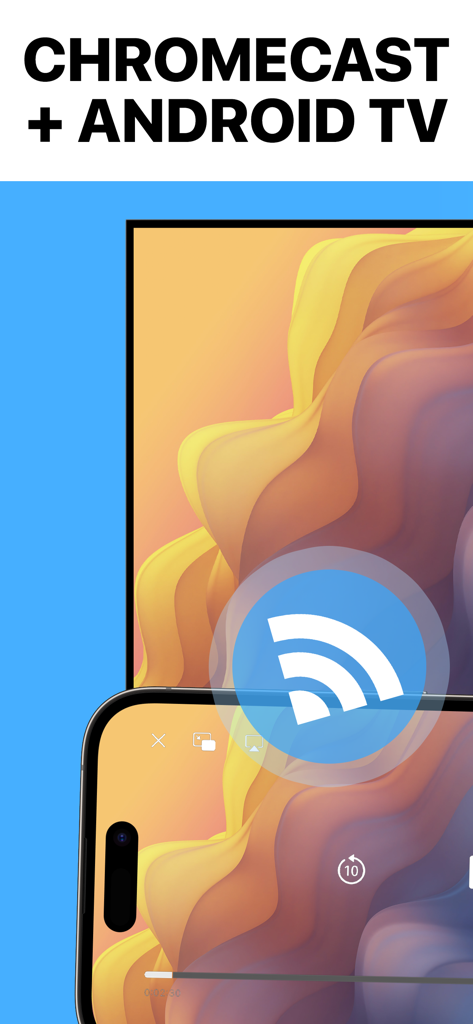
iPhone 화면을 Chromecast 및 Android TV로 미러링

iPhone 화면을 Chromecast 및 Android TV로 미러링

Screen Mirroring 앱 홍보 화면, 5백만 사용자 및 별 5개 평점 포함

Screen Mirroring 앱 홍보 화면, 5백만 사용자 및 별 5개 평점 포함

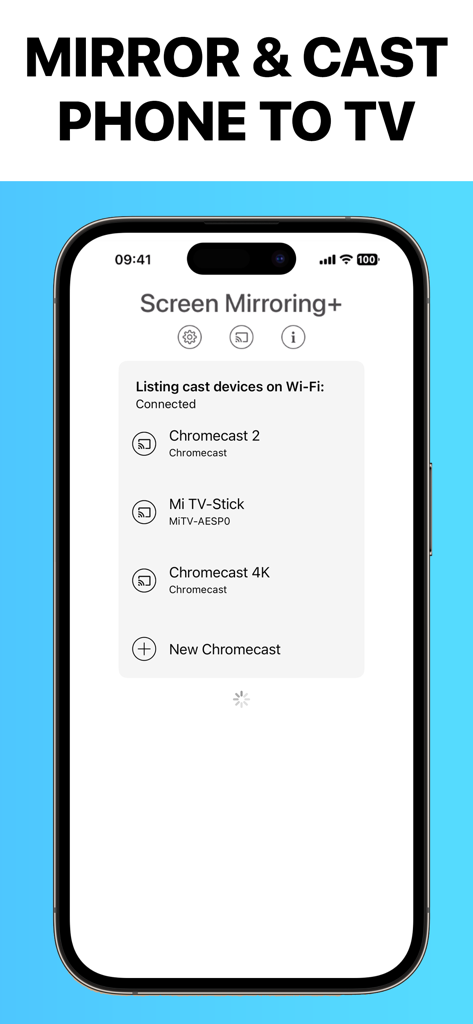
iPhone 화면에 Screen Mirroring 앱 인터페이스가 표시되고 사용 가능한 Chromecast 및 Google TV 장치 목록이 표시됨

iPhone 화면에 Screen Mirroring 앱 인터페이스가 표시되고 사용 가능한 Chromecast 및 Google TV 장치 목록이 표시됨

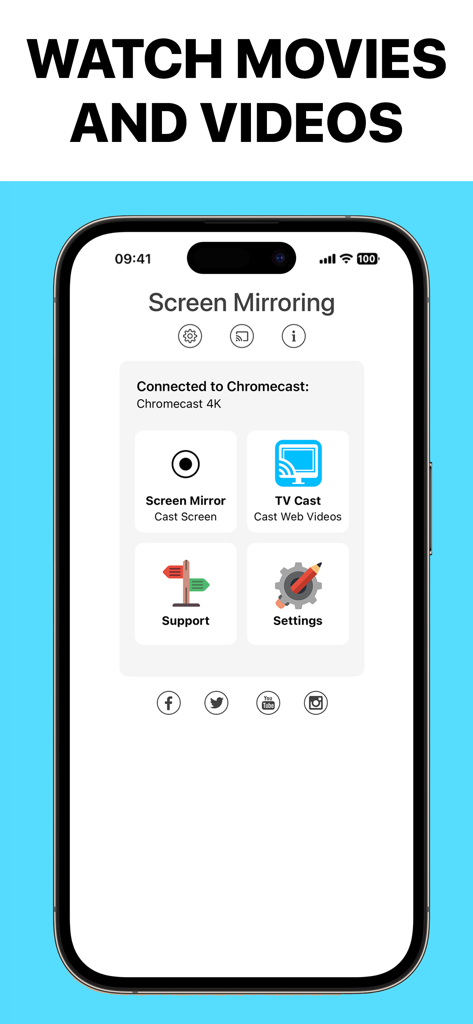
iPhone의 Screen Mirroring 앱 인터페이스, 화면 및 웹 동영상을 Chromecast 4K 장치로 전송하는 옵션 표시

iPhone의 Screen Mirroring 앱 인터페이스, 화면 및 웹 동영상을 Chromecast 4K 장치로 전송하는 옵션 표시

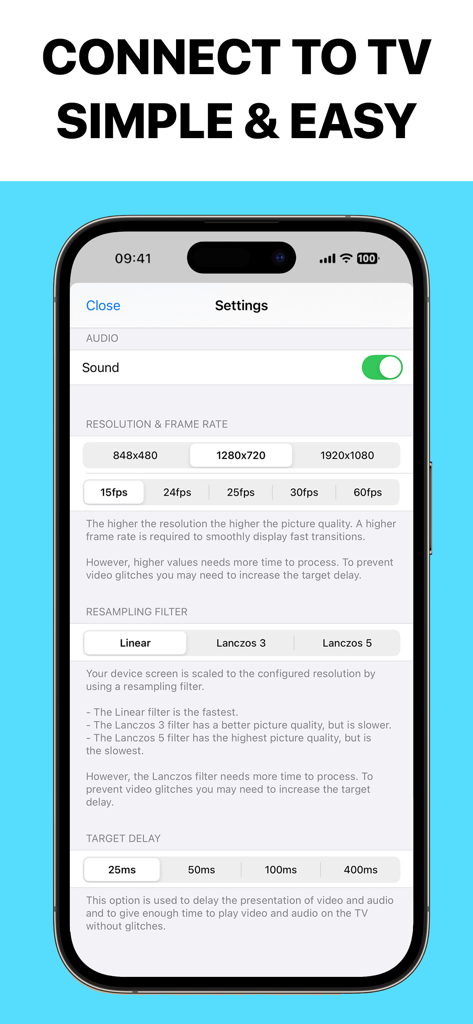
Screen Mirroring 앱의 설정 화면, 오디오, 해상도, 프레임 속도 및 대상 지연 옵션 표시

Screen Mirroring 앱의 설정 화면, 오디오, 해상도, 프레임 속도 및 대상 지연 옵션 표시

제한 없는 강력한 화면 미러링

이 앱을 돋보이게 하는 도구, 3M+ 명의 사용자가 선택.

초저지연 성능

동기화된 사운드와 전체 HD 품질로 끊김 없는 지연 없는 경험을 즐기세요. 게임이나 실시간 스크롤에 완벽합니다.

💸

숨겨진 구독료 없음

기본 유틸리티에 대한 주간 요금 지불을 중단하세요. 무료로 전송하거나 단 한 번의 저렴한 구매로 프리미엄 기능을 영원히 잠금 해제하세요.

📺

올인원 콘텐츠 공유

사진, 웹사이트, 문서, 앱을 포함한 모든 것을 iPhone 또는 iPad에서 Google TV 또는 Chromecast로 직접 전송하세요.

전 세계 사용자들에게 사랑받는 앱

Trusted by 3M+ 명이 이 앱을 사랑합니다.

"

"비싼 Apple TV 박스를 사지 않고 iPhone 사진을 Sony TV로 공유할 수 없어서 정말 답답했습니다. 이 앱은 정말 도움이 되었습니다! 설정은 몇 초 걸렸고 지연 시간은 거의 없습니다. 전체 HD로 가족 동영상을 보여주는 데 완벽합니다."

Sarah J.
"

"마침내 주간 구독에 가입하라고 강요하지 않는 미러링 앱이 나왔습니다! 저는 매일 아침 운동 앱을 iPad에서 차고에 있는 Chromecast로 전송하는 데 사용합니다. 부드럽고 안정적이며 추가 기능에 대한 일회성 업그레이드는 완전히 가치가 있습니다."

Mike D.

앱 소개

에 대해 알아야 할 모든 것 Screen Mirroring – Chromecast.

설명

Chromecast Mirroring & Remote mirrors your iPhone or iPad screen with sound, full HD quality and low-latency to Chromecast and Google TV Streamer. You can mirror videos, websites, photos, games, apps, presentations, spreadsheets and documents and to your Chromecast. You can also remote control your Chromecast. * Supported devices: Chromecast, Google TV Streamer and TVs with Chromecast built-in or Google Cast. * Supported TVs and streaming players: Xiaomi MI Box, NVIDIA Shield TV and all TVs with Google Cast or Chromecast built-in, e.g. Sony, TCL, Vizio, Sharp, Philips, Hisense, Skyworth, Soniq. * Your iPhone/iPad and your Chromecast must be connected to the same Wi-Fi to make screen mirroring work. * Latency is very low (below 1 second) when you have good Wi-Fi network conditions. * The app has no hidden subscriptions or costs and mirroring can be used for free and without time limitations. Some extra features are available as a upgrade and can be purchased for a small one-time fee. * If a third party app, for example Spotify, does not mirror sound correctly, please FORCE CLOSE and restart Spotify while the mirroring session is active. Please check the Apple Support page to learn how to FORCE CLOSE an app: https://support.apple.com/en-us/HT201330. * Black screen problems: Some third party apps don not allow screen mirroring. When you try to mirror their content, a black screen will appear on your TV, for example with Amazon Prime, HBO and other services. This is a restriction chosen by the content providers. * This unique app is developed and maintained since 2019. With every update we improve the quality of the app. * Our support team is here to help you via email. Please don't hesitate to reach out if there's anything we could do to improve the app for you. Disclaimer: This app is not affiliated with Google or any other trademark mentioned here. Chromecast and Google TV Streamer are trademarks of Google LLC.

최신 버전

3.5

크기

56.1 MB

출시일

2019년 2월 5일

iPhone을 전체 HD로 전송할 준비가 되셨나요?

3백만 명의 사용자와 함께 오늘 Chromecast로 낮은 지연 시간 스트리밍을 즐기세요. 소리와 함께 가장 안정적인 화면 공유를 경험하고 숨겨진 구독료는 없습니다.

다운로드: App Store다운로드: Google Play
FAQ

자주 묻는 질문

에 대해 알아야 할 모든 것 Screen Mirroring – Chromecast
Screen Mirroring – Chromecast는 무엇인가요?

Screen Mirroring – Chromecast는 iPhone 또는 iPad 화면을 사운드, 전체 HD 품질 및 낮은 지연 시간으로 Chromecast 및 Google TV 스트리머 장치로 미러링하며, 원격 제어 기능도 포함합니다.

Screen Mirroring – Chromecast와 호환되는 기기는 무엇인가요?

Screen Mirroring – Chromecast는 Chromecast, Google TV 스트리머, Xiaomi MI Box, NVIDIA Shield TV 및 Sony, TCL, Vizio와 같은 브랜드의 모든 Google Cast 또는 Chromecast 내장 TV와 호환됩니다.

Screen Mirroring – Chromecast 앱은 무료로 사용할 수 있나요?

네, Screen Mirroring – Chromecast는 숨겨진 비용이나 시간 제한 없이 무료 미러링을 제공합니다. 일부 추가 기능은 소액의 일회성 요금으로 구매 가능한 업그레이드로 제공됩니다.

Screen Mirroring – Chromecast는 타사 앱의 사운드를 어떻게 처리하나요?

Spotify와 같은 타사 앱에서 사운드가 올바르게 미러링되지 않는 경우, 사용자는 미러링 세션이 활성 상태일 때 해당 앱을 강제 종료하고 다시 시작해야 합니다. 이 조치가 문제를 해결합니다.

Screen Mirroring – Chromecast로 미러링할 때 일부 앱에서 검은 화면이 나오는 이유는 무엇인가요?

Amazon Prime 또는 HBO와 같은 특정 타사 앱에서 검은 화면 문제가 발생하는 이유는 콘텐츠 제공업체가 화면 미러링을 제한하기 때문입니다. 이는 앱 결함이 아니라 콘텐츠 제공업체의 제한입니다.

Screen Mirroring – Chromecast에 필요한 Wi-Fi 설정은 무엇인가요?

Screen Mirroring – Chromecast가 화면 미러링 연결을 설정하고 유지하려면 iPhone/iPad와 Chromecast 장치가 모두 동일한 Wi-Fi 네트워크에 연결되어 있어야 합니다.

사용자는 Screen Mirroring – Chromecast에서 해상도와 프레임 속도를 조절할 수 있나요?

네, Screen Mirroring – Chromecast를 사용하면 앱 설정 내에서 미러링 해상도(예: 1920x1080)와 프레임 속도(예: 60fps)를 조절할 수 있습니다. 높은 설정은 품질을 향상시킵니다.

Screen Mirroring – Chromecast는 미러링을 위해 낮은 지연 시간을 제공하나요?

네, Screen Mirroring – Chromecast는 양호한 Wi-Fi 네트워크 조건이 있을 때 일반적으로 1초 미만의 매우 낮은 지연 시간을 제공합니다. 이는 원활하고 반응성이 뛰어난 미러링을 보장합니다.

Screen Mirroring – Chromecast는 어떤 종류의 콘텐츠를 미러링할 수 있나요?

Screen Mirroring – Chromecast는 동영상, 웹사이트, 사진, 게임, 앱, 프레젠테이션, 스프레드시트 및 문서를 iPhone 또는 iPad에서 Chromecast 지원 TV로 직접 미러링할 수 있습니다.