Teleprompter Pro

Teleprompter Pro

다운로드: App Store
Spark by MWM logo
로고: Teleprompter Pro

Teleprompter Pro: 완벽한 비디오 및 프레젠테이션을 위한 업계 표준 도구

Netflix, ABC, BBC와 같은 스튜디오 및 100만 명 이상의 크리에이터와 함께하세요. 모든 스크립트를 자신 있게 전달하고, 한 번의 촬영으로 녹화하며, Apple Watch, iPhone 또는 게임 컨트롤러를 통해 원격으로 스크롤을 제어할 수 있습니다.

개발사

Teleprompter Apps Ltd

카테고리

Productivity

다운로드

1M+

사용자 평점

4.7/5

총 평가 수

22K+

지원 언어

10

모든 프레임의 전문성

이 인터페이스를 사용하는 1M+ 명의 사용자.

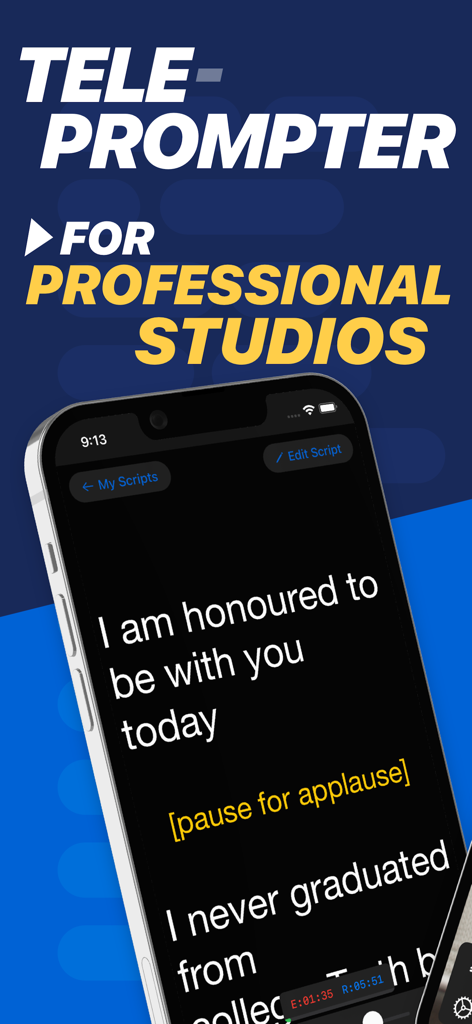
전문 스튜디오용 iPhone에서 연설 스크립트를 표시하는 Teleprompter Pro 앱

전문 스튜디오용 iPhone에서 연설 스크립트를 표시하는 Teleprompter Pro 앱

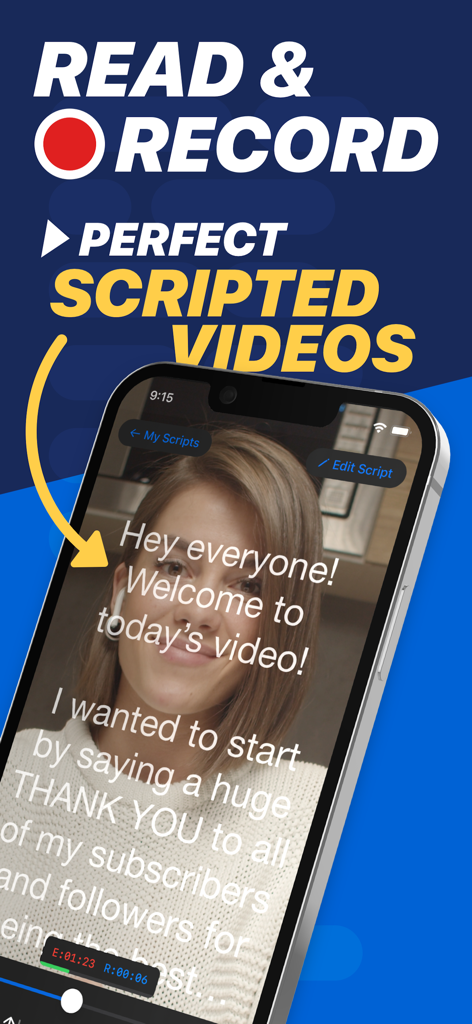
여성이 iPhone의 Teleprompter Pro 앱을 사용하여 비디오 녹화 중 스크립트를 읽고 있음

여성이 iPhone의 Teleprompter Pro 앱을 사용하여 비디오 녹화 중 스크립트를 읽고 있음

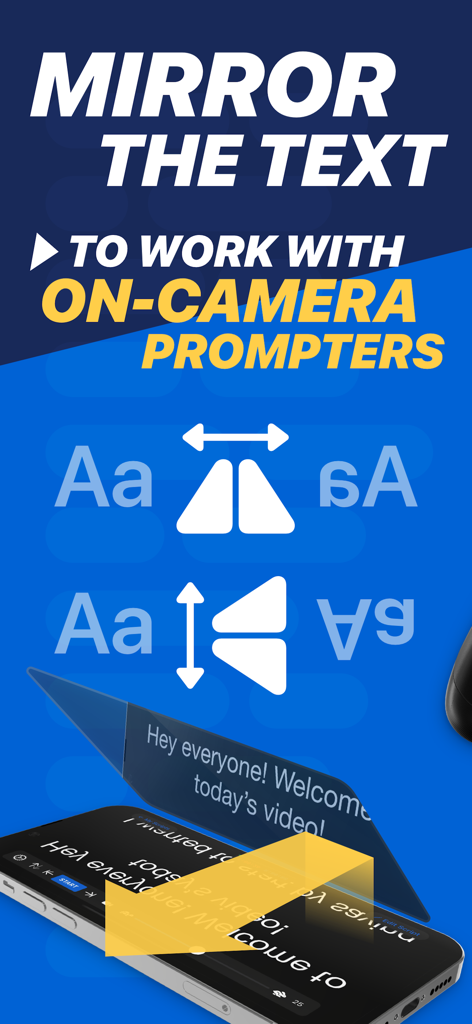
전문 카메라 내장 텔레프롬프터 리그에 사용하기 위한 가로 및 세로 텍스트 미러링 옵션을 보여주는 그래픽

전문 카메라 내장 텔레프롬프터 리그에 사용하기 위한 가로 및 세로 텍스트 미러링 옵션을 보여주는 그래픽

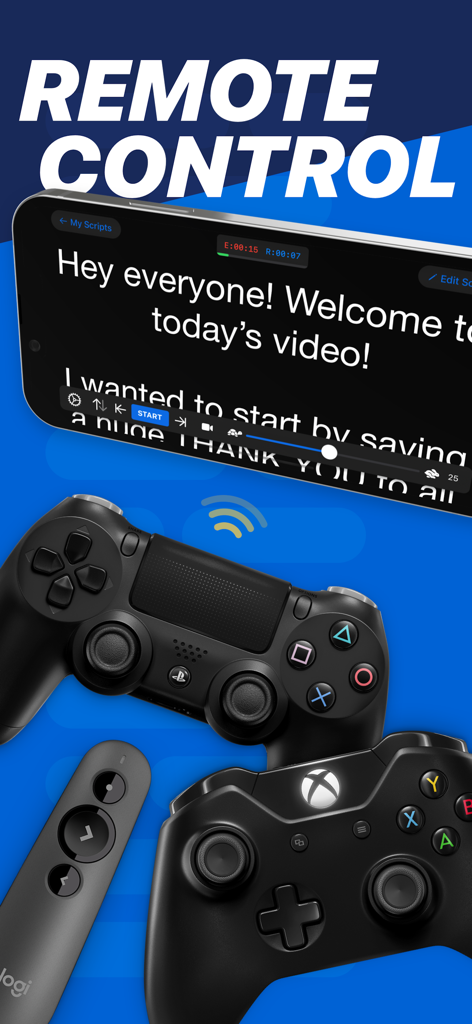
원격 작동을 위해 Xbox, PlayStation 및 프레젠테이션 컨트롤러가 있는 iPhone에서 스크립트를 보여주는 Teleprompter Pro 앱

원격 작동을 위해 Xbox, PlayStation 및 프레젠테이션 컨트롤러가 있는 iPhone에서 스크립트를 보여주는 Teleprompter Pro 앱

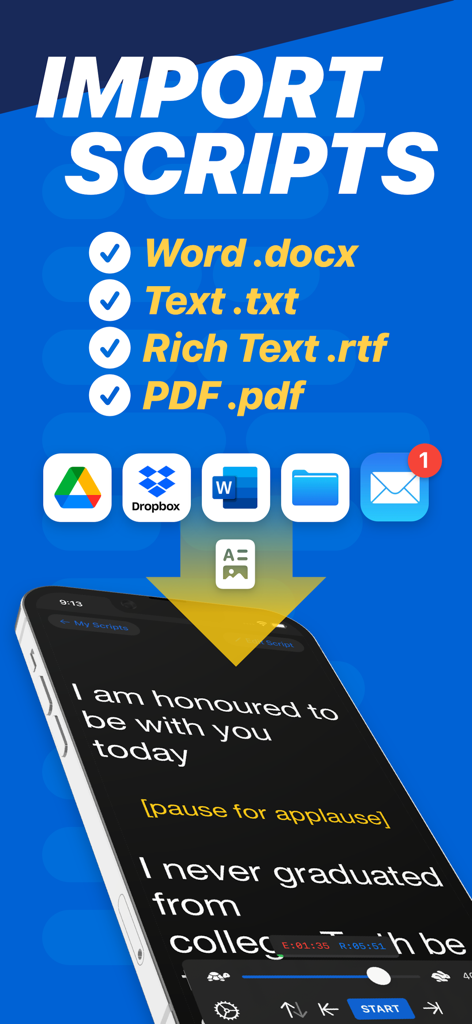
Google Drive 및 Dropbox와 같은 클라우드 스토리지 및 Word, PDF용 스크립트 가져오기 옵션을 보여주는 Teleprompter Pro 앱 인터페이스

Google Drive 및 Dropbox와 같은 클라우드 스토리지 및 Word, PDF용 스크립트 가져오기 옵션을 보여주는 Teleprompter Pro 앱 인터페이스

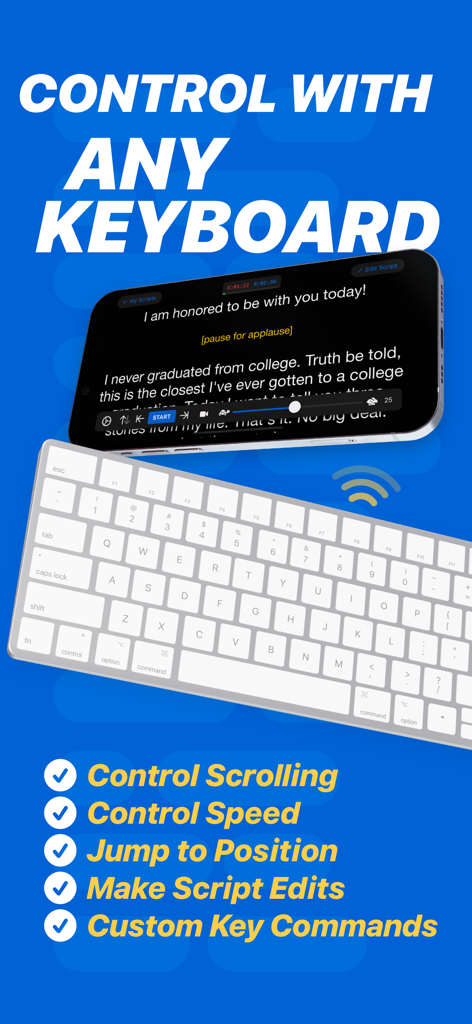
Teleprompter Pro 앱에서 스크롤 및 속도를 원격으로 제어하는 데 사용되는 무선 키보드

Teleprompter Pro 앱에서 스크롤 및 속도를 원격으로 제어하는 데 사용되는 무선 키보드

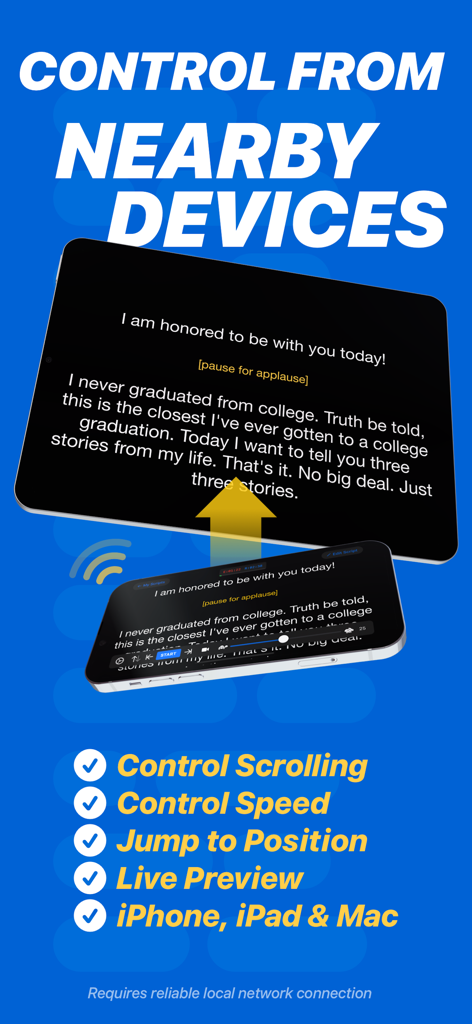
iPhone에서 iPad의 스크립트 스크롤을 원격으로 제어하는 Teleprompter Pro 앱 인터페이스

iPhone에서 iPad의 스크립트 스크롤을 원격으로 제어하는 Teleprompter Pro 앱 인터페이스

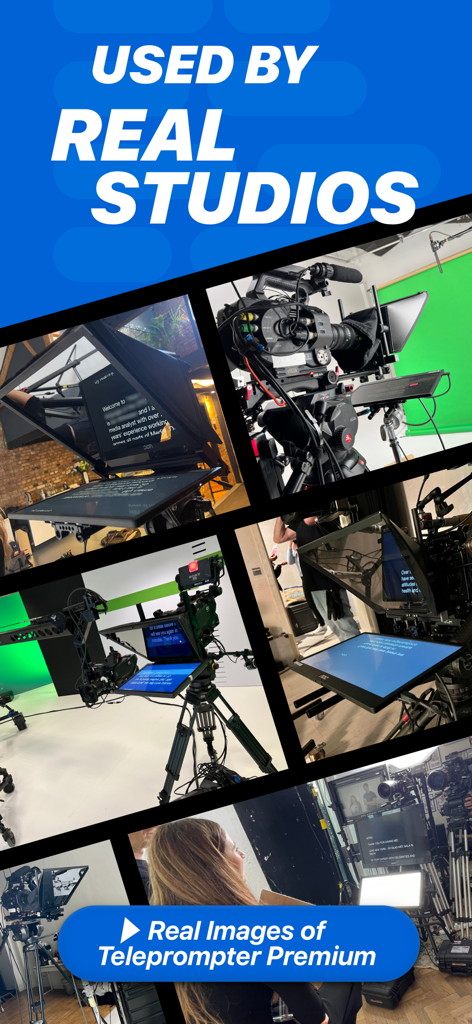
고급 카메라 장비를 갖춘 Teleprompter Pro를 사용하는 전문 스튜디오의 실제 사진

고급 카메라 장비를 갖춘 Teleprompter Pro를 사용하는 전문 스튜디오의 실제 사진

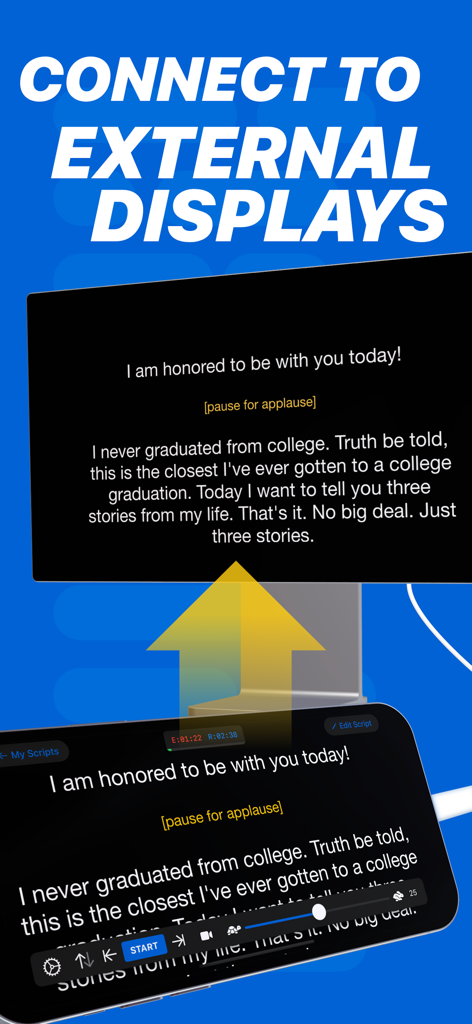
스마트폰에서 대형 외부 모니터로 스크립트를 미러링하는 Teleprompter Pro 앱

스마트폰에서 대형 외부 모니터로 스크립트를 미러링하는 Teleprompter Pro 앱

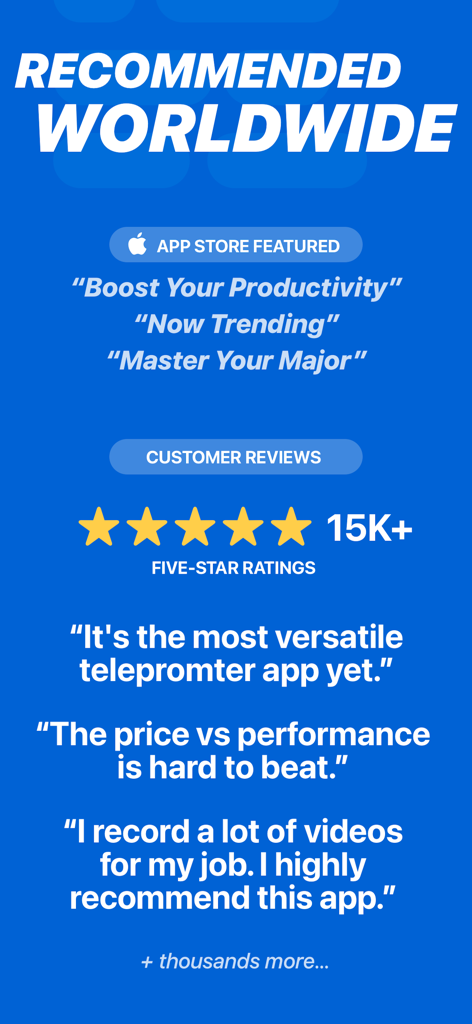
5성 등급, 고객 리뷰 및 앱 스토어 추천 상태를 보여주는 Teleprompter Pro 홍보 화면.

5성 등급, 고객 리뷰 및 앱 스토어 추천 상태를 보여주는 Teleprompter Pro 홍보 화면.

매 촬영마다 완벽한 전달력을 마스터하세요

이 앱을 돋보이게 하는 도구, 1M+ 명의 사용자가 선택.

끊김 없는 원격 제어

Apple Watch, iPhone 또는 게임 컨트롤러에서 직접 스크립트 속도와 스크롤을 제어하여 자연스러운 흐름을 유지하세요.

📹

녹화 및 자동 자막

읽으면서 전문적인 비디오를 캡처하고 SRT 자막을 자동으로 생성하여 지루한 후반 작업 시간을 절약하세요.

🔄

프로 리그 미러링

전문 유리 리그를 위한 즉각적인 텍스트 미러링을 활성화하고 Word 또는 PDF에서 스크립트를 가져와 항상 렌즈를 직접 바라보도록 하세요.

전 세계 사용자들에게 사랑받는 앱

Trusted by 1M+ 명이 이 앱을 사랑합니다.

"

"기업 강사로서 원격 프레젠테이션 중 아이 컨택 유지는 매우 중요합니다. Teleprompter Pro는 제 워크플로우에 혁신을 가져왔습니다. 복잡한 모듈을 한 번의 촬영으로 전달할 수 있으며, Apple Watch 원격 제어 덕분에 iPad를 어색하게 잡을 필요가 없습니다. 제 장비 중 가장 세련된 생산성 도구입니다."

Marcus Thorne
"

"모든 텔레프롬프터 앱을 사용해 봤지만, 전문 리그를 쉽게 다룰 수 있는 앱은 이 앱이 유일합니다. 미러링 기능은 완벽하며, Word에서 직접 스크립트를 가져올 수 있어 매주 시간을 절약할 수 있습니다. 대형 스튜디오에서 사용하는 이유가 분명합니다. 스크롤이 매우 부드럽고 자동 자막은 제 소셜 클립에 생명의 은인입니다."

Elena Rodriguez

앱 소개

에 대해 알아야 할 모든 것 Teleprompter Pro.

설명

Teleprompter Pro (formerly known as Teleprompter Premium) is industry recommended Teleprompter app. Used by television and movie studios including Netflix, ABC, CBS, BBC, Fox, ITV, Channel 4, UKTV and many more. With 141K+ five-star ratings worldwide, Teleprompter Pro is widely considered the best Teleprompter app. Teleprompter Pro is the most versatile and professional teleprompter app for your iPad and iPhone. The best Teleprompter app for iPhone, iPad and Mac! Upgrade to Pro to access extra features: • Import PDF, Word, Powerpoint, txt and rtf files instantly from any of your favourite apps • Enable 'Mirroring' to reflect/reverse the text for use in professional teleprompter rigs • Use your device camera to record your scripts as you read from the Teleprompter • Control scrolling and speed of the Teleprompter remotely with a keyboard, handheld remote or gaming controller (with customisable button/key assignments) • Compatible with PlayStation and Xbox Controllers • Use other iOS devices monitor and control scrolling and speed of your scripts remotely • Use IKAN Elite Remote to control scrolling and speed of the Teleprompter • Mirror/reverse your script full screen on a connected display or AirPlay TV • Export your scripts as Rich Text (.rtf) files to edit on any computer, tablet of smartphone • Auto Captions: Automatically generate '.srt' captions and subtitles for your videos. (Pro subscription required) Other features available without upgrading: • Scripts scroll smoothly and clearly on the display • Display your scripts full screen by hiding the controls while scrolling • Control the Teleprompter from any web browser on the same WiFi network • Control your script full screen on a connected display or AirPlay TV • Compose and manage unlimited scripts • Customise the text size and colour of your scripts • Customise the background colour behind your script • Adjustable side margins • Select between "Continuous" or "Paging" scroll modes • Add cue points to your scripts • Re-arrange your scripts by title, date or arrange them in a custom order • AirDrop your saved scripts to nearby devices • Export and share your scripts with others quickly • Use Timed Scrolling to have the Teleprompter scroll from start to end in a specified amount of time • Easily export all of your script and settings to share with others, or as a backup file • Use Apple Watch to control the scrolling of your script on your connected iPhone ... and much more! Pro Upgrade: The Teleprompter Pro upgrade is available as a one-time in-app purchase forever, or as a subscription for extra features. If you chose to subscribe (optional), you can cancel anytime within the app, or from your Apple ID account settings. Terms of service are available at: https://joeallenpro.com/legal/ Teleprompter Premium has been renamed to Teleprompter Pro from Late 2023 onwards. • "The price vs performance is hard to beat. I own several software many times more expensive than this. This does the job well." • "This app is the one thing that was missing from my professional home setup for recording videos. Friends of mine have bought actual Teleprompters and are now returning them after I told them about how great this app is! It’s easy to use, and inexpensive – 100% worth it!" • "Over the decades I’ve used many prompters. This one is my favourite. Used it for a critical broadcast with an attentive audience, where I needed to maintain eye contact and yet be word-perfect. Worked a treat." Teleprompter is designed for presentations, lectures, broadcasters, filmmakers, YouTubers, vlogging, speeches, music & singing, business professionals, or public speaking!

최신 버전

3.57.0

크기

58.6 MB

출시일

2015년 2월 17일

전문가들과 함께 다음 촬영을 성공시키세요

Netflix와 같은 스튜디오 및 전 세계 100만 명 이상의 크리에이터가 신뢰하는 Teleprompter Pro를 지금 다운로드하여 iPad 또는 iPhone을 전문 스튜디오 장비로 변환하세요.

다운로드: App Store
FAQ

자주 묻는 질문

에 대해 알아야 할 모든 것 Teleprompter Pro

Teleprompter Pro란 무엇인가요?

Teleprompter Pro는 iPad, iPhone 및 Mac을 위한 업계에서 추천하는 텔레프롬프터 앱입니다. Netflix 및 BBC와 같은 주요 스튜디오에서 사용합니다. 141,000개가 넘는 별점 5개 평가를 통해 최고의 텔레프롬프터 앱으로 널리 인정받고 있습니다.

Teleprompter Pro를 사용하면서 나 자신을 녹화할 수 있나요?

네, Teleprompter Pro를 사용하면 기기의 카메라를 사용하여 텔레프롬프터에서 스크립트를 읽으면서 녹화할 수 있습니다. 이 녹화 기능은 Pro 업그레이드의 일부로 제공됩니다.

Teleprompter Pro는 원격 제어를 지원하나요?

네, Teleprompter Pro는 광범위한 원격 제어 기능을 제공합니다. 사용자는 키보드, 핸드헬드 리모컨, 게임 컨트롤러(PlayStation 및 Xbox 포함) 또는 다른 iOS 장치를 사용하여 스크롤 및 속도를 제어할 수 있습니다.

Teleprompter Pro에서 어떤 파일 형식을 가져올 수 있나요?

Teleprompter Pro는 Pro 업그레이드를 통해 PDF, Word(.docx), Powerpoint, 일반 텍스트(.txt) 및 Rich Text(.rtf) 파일을 즉시 가져올 수 있습니다. 이러한 파일은 다양한 즐겨찾는 앱에서 가져올 수 있습니다.

Teleprompter Pro는 전문 스튜디오 사용에 적합한가요?

네, Teleprompter Pro는 전문 스튜디오 사용에 적합합니다. 텔레프롬프터 리그를 위한 미러링 기능을 제공하며 전 세계 주요 텔레비전 및 영화 스튜디오에서 추천하고 활용하고 있습니다.

Teleprompter Pro는 자동 자막을 생성할 수 있나요?

네, Teleprompter Pro에는 동영상에 대한 '.srt' 자막 및 부제를 자동으로 생성하는 "자동 자막" 기능이 포함되어 있습니다. 이 특정 기능은 Pro 구독이 필요합니다.

Teleprompter Pro의 가격은 얼마인가요?

Teleprompter Pro는 Pro 업그레이드를 영구적인 액세스를 위한 일회성 인앱 구매 또는 추가 기능(자동 자막 포함)을 위한 선택적 구독으로 제공합니다. 사용자는 언제든지 구독을 취소할 수 있습니다.

Teleprompter Pro를 외부 디스플레이 또는 AirPlay TV에 연결할 수 있나요?

네, Teleprompter Pro를 사용하면 사용자가 외부 연결 디스플레이 또는 AirPlay TV에서 스크립트를 전체 화면으로 미러링하거나 반전할 수 있습니다. 이 기능은 Pro 업그레이드 기능의 일부입니다.

Teleprompter Pro에서 스크립트에 사용할 수 있는 사용자 지정 옵션은 무엇인가요?

Teleprompter Pro는 텍스트 크기, 텍스트 색상 및 배경 색상을 조절할 수 있는 다양한 스크립트 사용자 지정 옵션을 제공합니다. 사용자는 또한 측면 여백을 설정하고 '연속' 또는 '페이지' 스크롤 모드 중에서 선택할 수 있습니다.

Teleprompter Pro는 Apple Watch와 호환되나요?

네, Teleprompter Pro는 Apple Watch와 호환됩니다. 사용자는 iPhone에 연결된 스크립트의 스크롤을 원격으로 제어하기 위해 Apple Watch를 사용할 수 있습니다.