Adobe Fresco: Draw & Paint App

Adobe Fresco: Draw & Paint App

Download on App Store
Spark by MWM logo
Logo of Adobe Fresco: Draw & Paint App

Adobe Fresco: Reimagining Digital Illustration and Animation

Harness the power of professional-grade live brushes and motion tools on your iPad and iPhone. Designed for creators who want to sketch, paint, and share their process effortlessly.

Publisher

Adobe Inc.

Category

Graphics & Design

Downloads

12M+

User Rating

4.7/5

Total Ratings

193K+

Locales

19

Art in Every Stroke

Discover the interface used by 12M+ users.
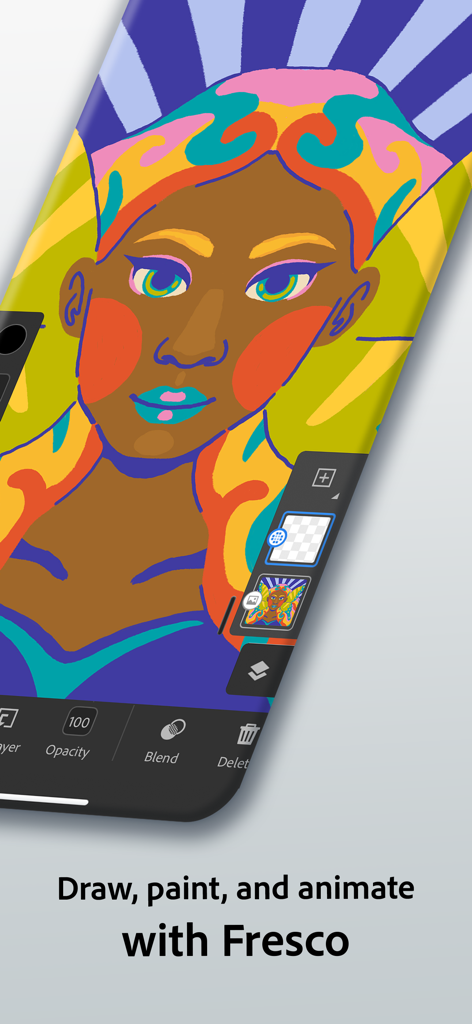
Digital illustration of a woman in the Adobe Fresco app on a smartphone

Digital illustration of a woman in the Adobe Fresco app on a smartphone

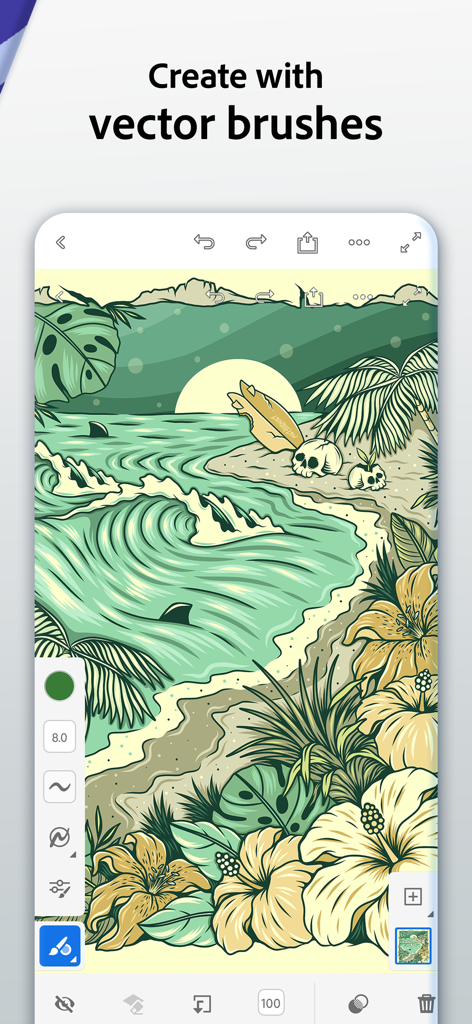
Adobe Fresco app interface showing a tropical beach illustration created with vector brushes.

Adobe Fresco app interface showing a tropical beach illustration created with vector brushes.

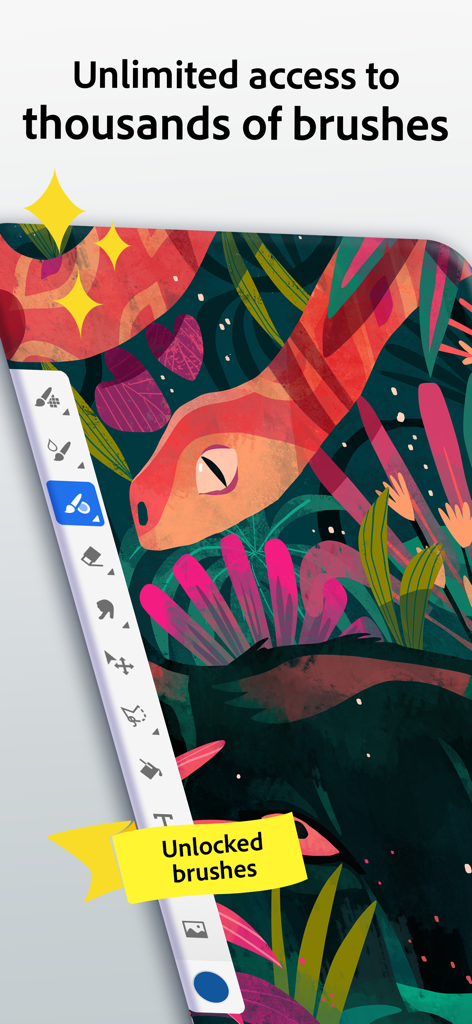
Adobe Fresco app interface showing a colorful snake illustration and a sidebar with thousands of drawing brushes

Adobe Fresco app interface showing a colorful snake illustration and a sidebar with thousands of drawing brushes

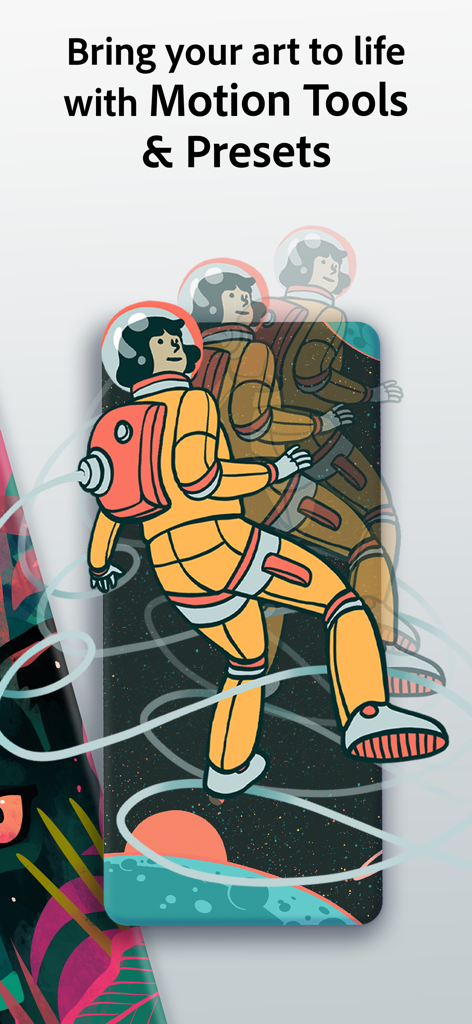
Adobe Fresco app screenshot showing motion tools with astronaut animation artwork

Adobe Fresco app screenshot showing motion tools with astronaut animation artwork

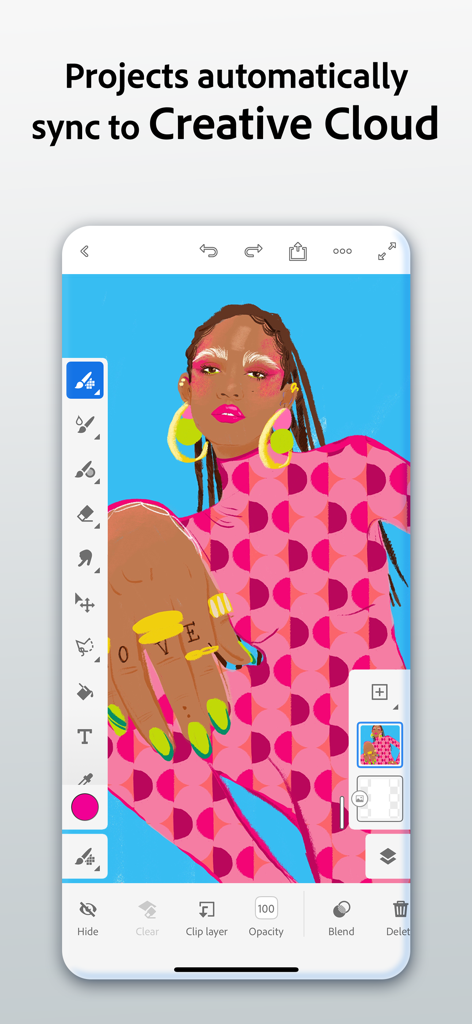
Adobe Fresco mobile app interface showing a colorful digital illustration and cloud synchronization feature

Adobe Fresco mobile app interface showing a colorful digital illustration and cloud synchronization feature

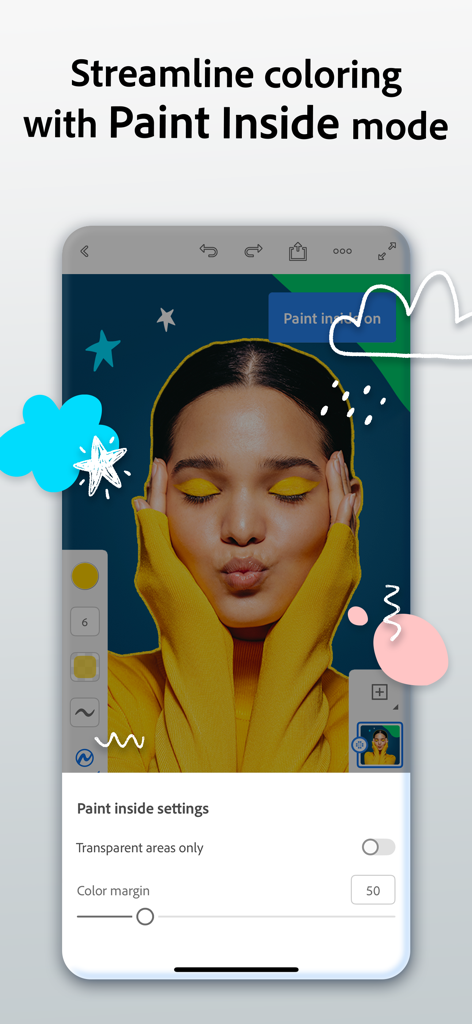
Adobe Fresco app interface showing the Paint Inside mode feature for precise coloring on a portrait

Adobe Fresco app interface showing the Paint Inside mode feature for precise coloring on a portrait

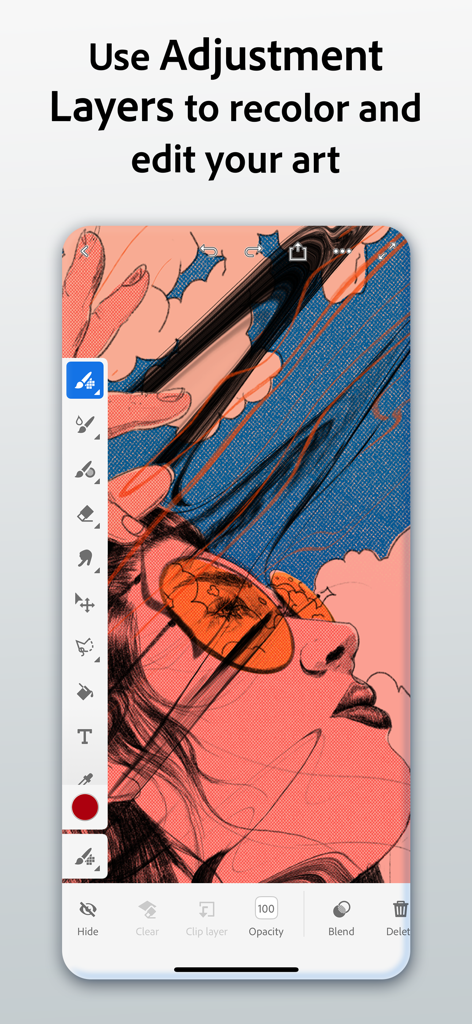
Adobe Fresco interface showing how to use adjustment layers to recolor digital art on a mobile device.

Adobe Fresco interface showing how to use adjustment layers to recolor digital art on a mobile device.

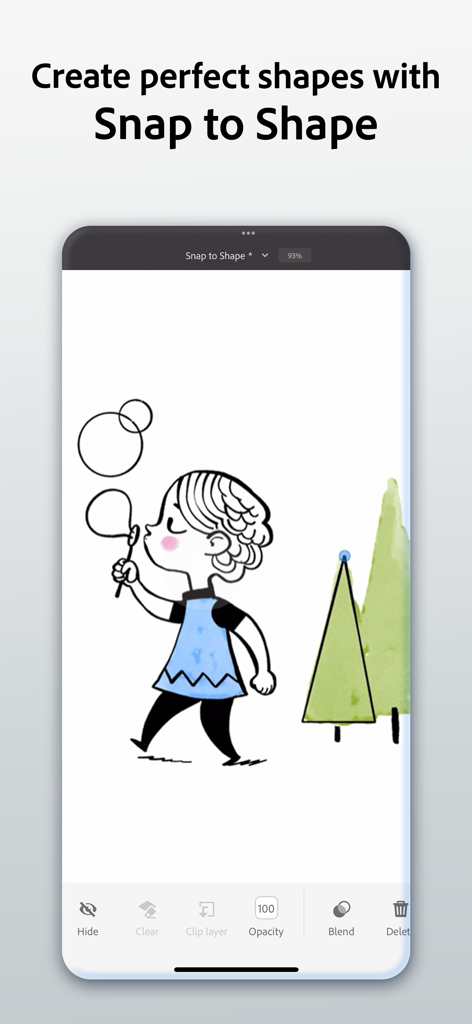
Adobe Fresco interface demonstrating the Snap to Shape tool used on a digital illustration of a girl and trees

Adobe Fresco interface demonstrating the Snap to Shape tool used on a digital illustration of a girl and trees

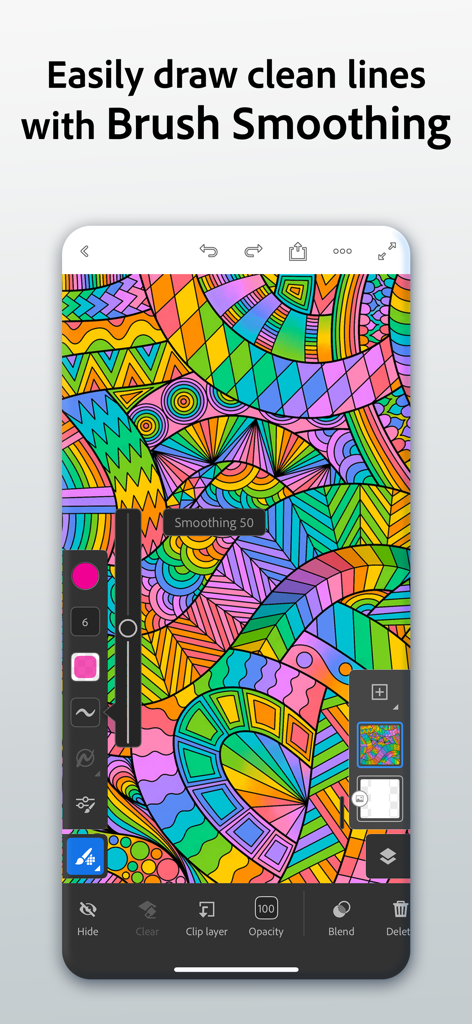
Adobe Fresco interface showing brush smoothing tool on a colorful abstract digital illustration

Adobe Fresco interface showing brush smoothing tool on a colorful abstract digital illustration

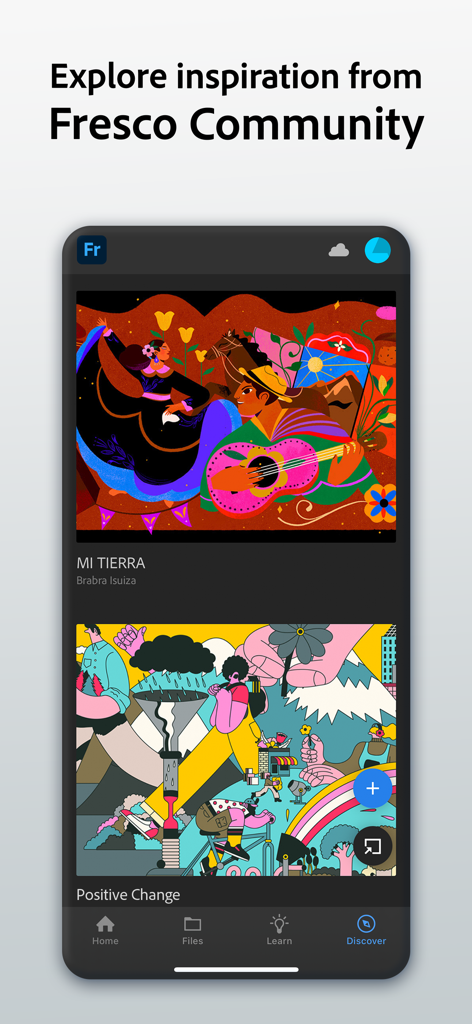
Adobe Fresco app interface showing the Discover tab with digital illustrations from the community for creative inspiration

Adobe Fresco app interface showing the Discover tab with digital illustrations from the community for creative inspiration

Master Your Craft Anywhere

The tools that make this app stand out, trusted by 12M+ users.

🎨

Realistic Live Brushes

Experience digital paint that acts like the real thing. Watch watercolors bleed and blend or layer thick oils to create stunning, textured masterpieces with physics-based precision.

Art in Motion

Turn your illustrations into eye-catching content. Use simple motion paths and frame-by-frame tools to animate your work for TikTok, Instagram Reels, or professional portfolios.

🔄

Seamless Pro Workflow

Stop worrying about file formats. Your projects sync automatically across devices and open perfectly in Photoshop and Illustrator, keeping your creative momentum going.

Loved by users worldwide

Trusted by 12M+ people who love this app.

"

"Adobe Fresco's Live Brushes are incredible; the watercolors blend exactly like the real thing on my iPad. I love that I can start a sketch on my commute and then open the layered file in Photoshop at the studio without any hassle."

Chloe R.
"

"The motion tools are exactly what I needed to make my art stand out on social media. Creating animations is so intuitive with the motion paths, and being able to export a high-quality time-lapse of my work has really helped grow my following."

Marcus T.

About the app

Everything you need to know about Adobe Fresco: Draw & Paint App.

Description

Adobe Fresco is a free drawing and painting app designed for digital artists. Built for iPad and iPhone with Apple Pencil Pro compatibility, Fresco offers a wide variety of brushes and features to help you create your next masterpiece. Take your artwork to the next level by adding motion with Fresco’s suite of animation and motion path tools. Explore frame-by-frame animation and revolutionary motion paths. Draw and paint with rotational and reflective symmetry guides. Paste photos from your clipboard or your camera roll to practice your form. Show off your process by exporting a time-lapse video of your process. Explore hundreds of tutorials and inspiration pieces from the Fresco Community. Plus, brushes and projects follow you across devices so you can work wherever and whenever inspiration strikes. • Brush variety — Paint with thousands of pixel brushes, vector brushes, and exclusive Live Brushes. You can also import your favorite Photoshop brushes as .abr files • Unlimited layers — Create like a pro and discover infinite possibilities with unlimited layers. • Symmetry — Draw stunning symmetrical artwork quickly and easily with new reflective & rotational guides. • Snap to shape – Hold down at the end of your stroke to snap a perfect circle, polygon, line, or arc into place. • Paint inside mode – Speed up coloring by constraining your brush strokes to your line art. • Color palettes – Fresco automatically creates a color palette when you import any artwork. • Recolor your artwork — Photoshop-like adjustment layers allow you to easily test and apply changes to brightness, hue/saturation, and color balance. • Text — Add stylish text to your artwork using Adobe’s expansive collection of free fonts. • Multicolor swatches — Pick up the elements of any piece of artwork to paint with multiple colors at once using any pixel brush or Live Brush. • Motion tools — Adding motion to your artwork is as easy as drawing a stroke. Create an animation using frame by frame or motion paths for a GIF or MP4 movie file. • Time-lapse — Export a video that replays the creation of your artwork from start to finish. • Magic wand, liquify and free transform — Easily select your artwork with the magic wand tool and use liquify and other free transform tools to alter any object. • Learn content — Strengthen your skills with step-by-step tutorials and built-in video tutorials. • Drawing aids — Trace along the edges of a ruler, circle, square or polygon with a brush or fill inside or outside of a shape with the Fill tool. • Guides & grids — Align your artwork easily and create perspective grids from an imported photo. • Share your artwork — Export in popular formats like PNG, JPG and layered PSD files. • Seamless integration with Photoshop and Illustrator — Open documents in either app without importing or exporting. Send your layered vector illustrations directly to Illustrator for desktop or iPad for finishing touches. Terms & Conditions: Your use of this application is governed by the Adobe General Terms of Use http://www.adobe.com/go/terms_linkfree_en and the Adobe Privacy Policy http://www.adobe.com/go/privacy_policy_linkfree_en Do not sell or share my personal information: www.adobe.com/go/ca-rights-linkfree

Latest Version

7.1.0

Size

894.4 MB

First Released

Sep 24, 2019

Your portable studio is just a tap away.

Join over 12 million creators and start painting for free with the world's most realistic brushes. Bring your ideas to life on iPad and iPhone whenever inspiration strikes.

Download on App Store
FAQ

Frequently Asked Questions

Everything you need to know about Adobe Fresco: Draw & Paint App

What is Adobe Fresco?

Adobe Fresco is a free drawing and painting application. It is designed for digital artists and is compatible with iPad and iPhone, including Apple Pencil Pro.

Is Adobe Fresco a free app?

Yes, Adobe Fresco is a free drawing and painting application.

What devices support Adobe Fresco?

Adobe Fresco supports iPad and iPhone devices. It offers compatibility with Apple Pencil Pro for an enhanced drawing experience.

Can I animate my artwork in Adobe Fresco?

Yes, Adobe Fresco includes motion tools and motion path capabilities. Users can create frame-by-frame animations, GIFs, and MP4 movie files.

What types of brushes does Adobe Fresco offer?

Adobe Fresco offers thousands of pixel brushes, vector brushes, and exclusive Live Brushes. Users can also import Photoshop .abr files.

Does Adobe Fresco support layers?

Yes, Adobe Fresco supports unlimited layers. This feature allows users to create complex artwork with infinite possibilities.

Can I sync my Adobe Fresco projects across devices?

Yes, Adobe Fresco projects automatically sync to Creative Cloud. This ensures users can access and work on their art across devices.

How does 'Snap to shape' work in Adobe Fresco?

Adobe Fresco's 'Snap to shape' feature allows users to hold down at the end of a stroke. This action snaps a perfect circle, polygon, line, or arc into place.

Can Adobe Fresco export time-lapse videos of artwork creation?

Yes, Adobe Fresco exports time-lapse videos. This feature replays the creation of artwork from start to finish, showcasing the artistic process.

What file formats does Adobe Fresco support for export?

Adobe Fresco supports exporting artwork in popular formats including PNG, JPG, and layered PSD files. It offers seamless integration with Photoshop and Illustrator.

Does Adobe Fresco have a 'Paint inside mode'?

Yes, Adobe Fresco features a 'Paint inside mode'. This mode speeds up coloring by constraining brush strokes to the line art, streamlining the process.

How can I adjust colors in Adobe Fresco?

Adobe Fresco includes Photoshop-like adjustment layers. These allow users to easily test and apply changes to brightness, hue/saturation, and color balance.

Does Adobe Fresco offer drawing tutorials?

Yes, Adobe Fresco offers learning content with step-by-step and video tutorials. Users can also explore inspiration from the Fresco Community.