ibis Paint X

ibis Paint X

Download on App StoreDownload on Google Play
Spark by MWM logo
Logo of ibis Paint X

ibis Paint X: Professional Digital Art Tools in the Palm of Your Hand

Join over 460 million creators and transform your device into a professional studio with 47,000+ brushes, recording features, and advanced manga tools designed for the next generation of artists.

Download on App Store

Publisher

ibis inc.

Category

Graphics & Design

Downloads

92M+

User Rating

4.7/5

Total Ratings

902K+

Locales

19

Your Creative Sanctuary

Discover the interface used by 92M+ users.
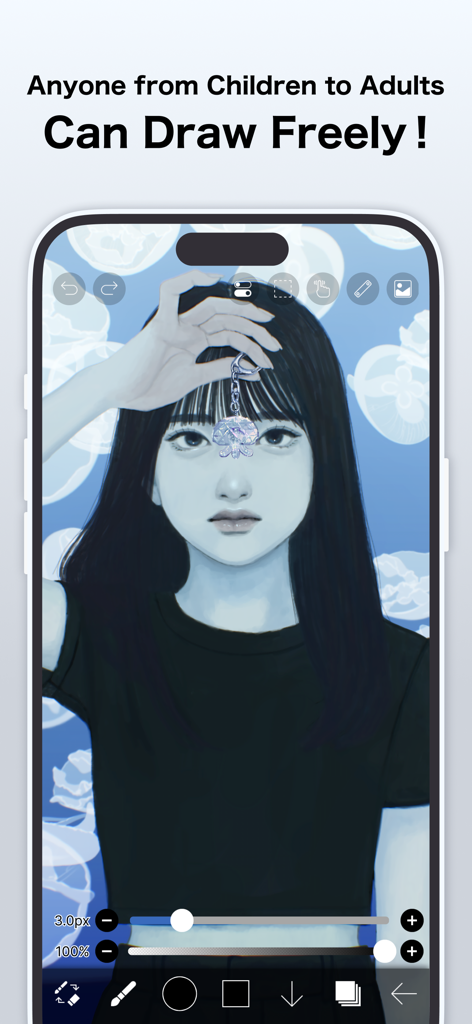
ibis Paint X mobile app interface showing a detailed digital illustration of a girl with black hair and a jellyfish background

ibis Paint X mobile app interface showing a detailed digital illustration of a girl with black hair and a jellyfish background

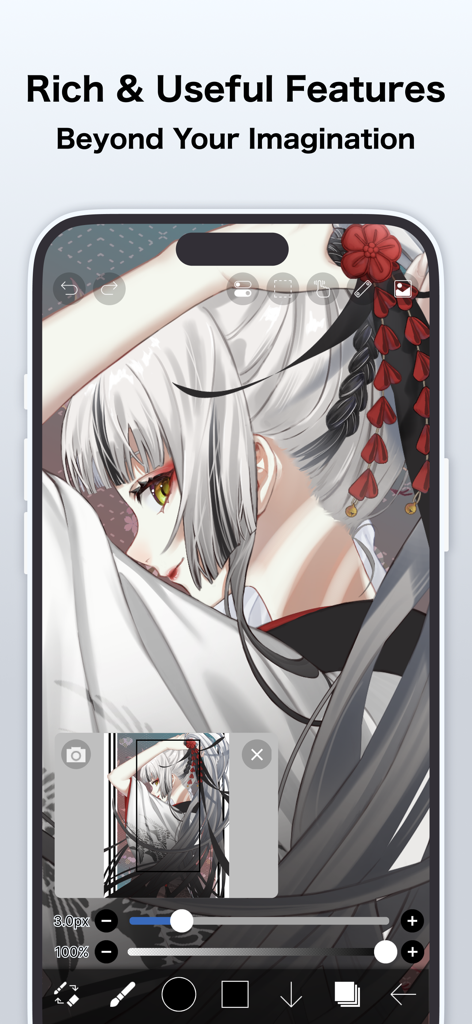
ibis Paint X interface showing a professional anime character illustration with various drawing tools and adjustment sliders

ibis Paint X interface showing a professional anime character illustration with various drawing tools and adjustment sliders

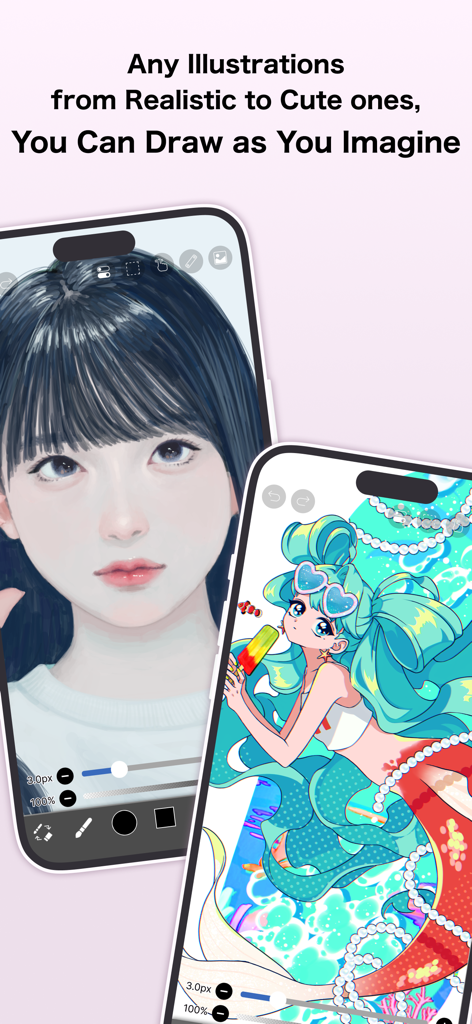
Realistic and cute anime illustrations created on smartphones using ibis Paint X

Realistic and cute anime illustrations created on smartphones using ibis Paint X

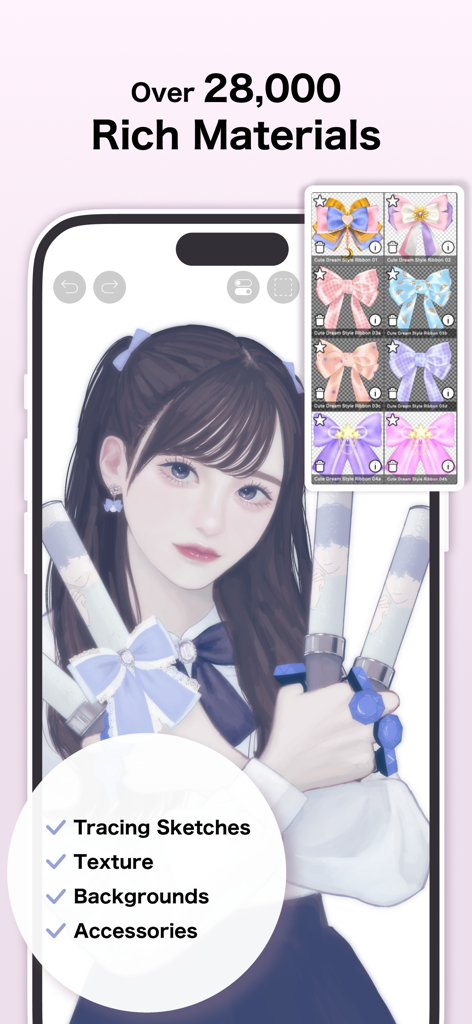
Anime character illustration in ibis Paint X highlighting the digital materials library with various ribbon accessories

Anime character illustration in ibis Paint X highlighting the digital materials library with various ribbon accessories

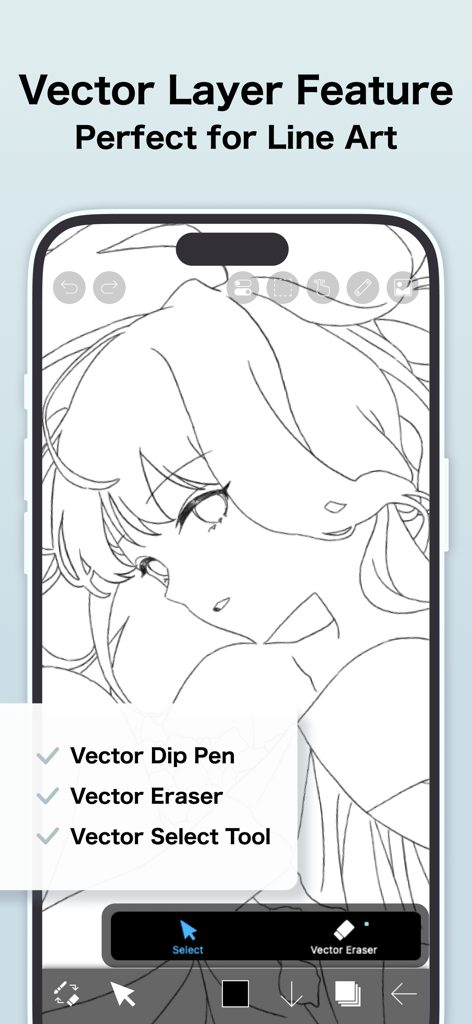
ibis Paint X app interface showing vector layer tools and a manga character line art illustration

ibis Paint X app interface showing vector layer tools and a manga character line art illustration

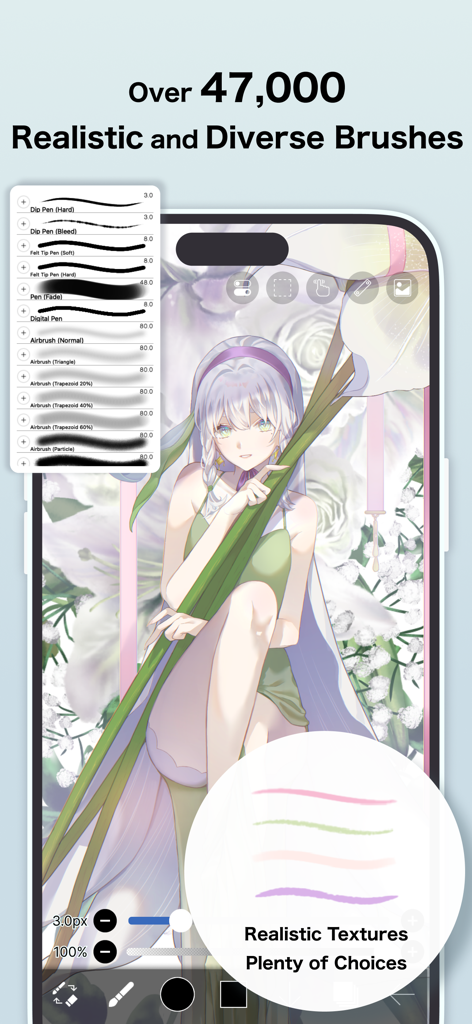
A smartphone screen displaying an anime girl illustration with the ibis Paint X brush selection menu showing various pen and airbrush options

A smartphone screen displaying an anime girl illustration with the ibis Paint X brush selection menu showing various pen and airbrush options

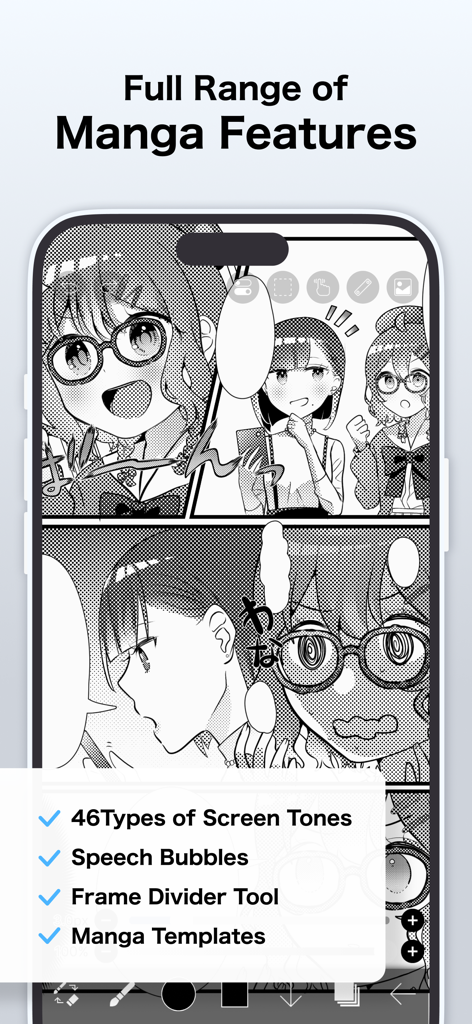
Screenshot showing ibis Paint X manga features like screen tones, speech bubbles, and frame dividers on a digital comic illustration.

Screenshot showing ibis Paint X manga features like screen tones, speech bubbles, and frame dividers on a digital comic illustration.

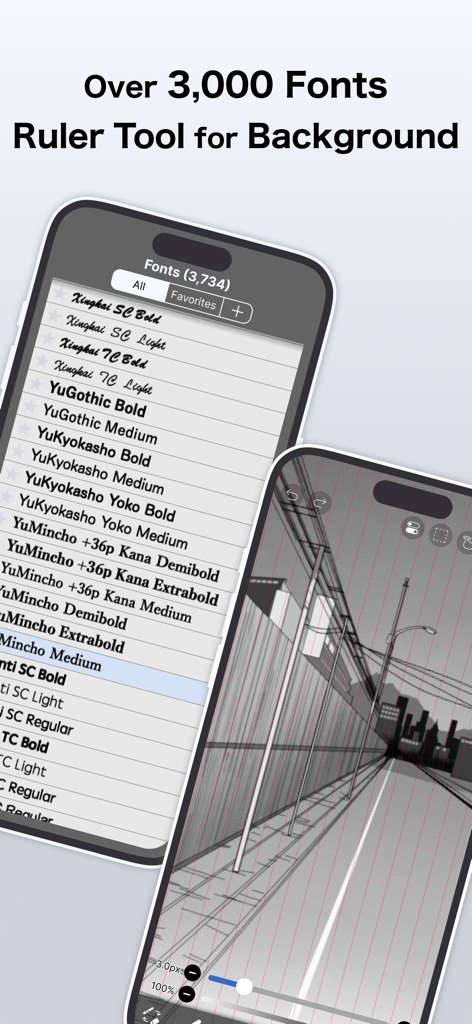
Two iPhones displaying ibis Paint X features including a list of over 3,000 fonts and a city street background being drawn with a perspective ruler tool.

Two iPhones displaying ibis Paint X features including a list of over 3,000 fonts and a city street background being drawn with a perspective ruler tool.

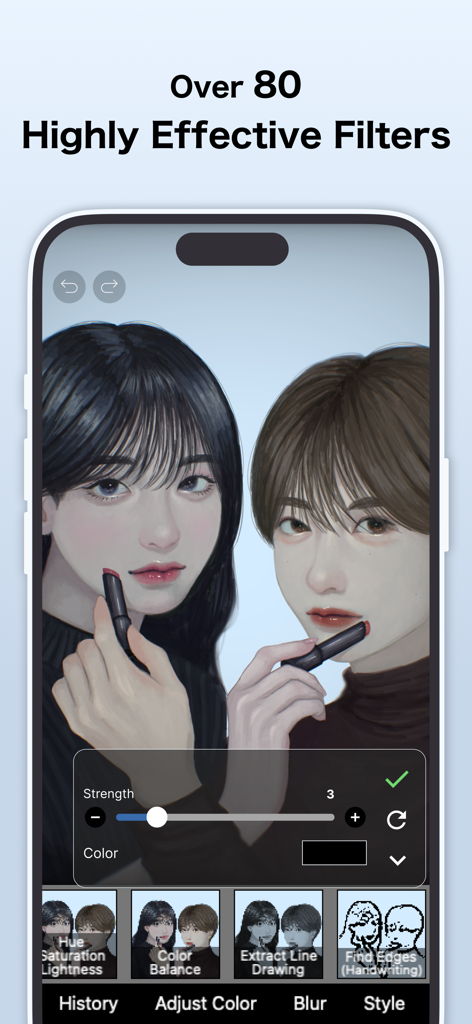
Interface of ibis Paint X showing professional filters applied to a digital anime illustration on a smartphone

Interface of ibis Paint X showing professional filters applied to a digital anime illustration on a smartphone

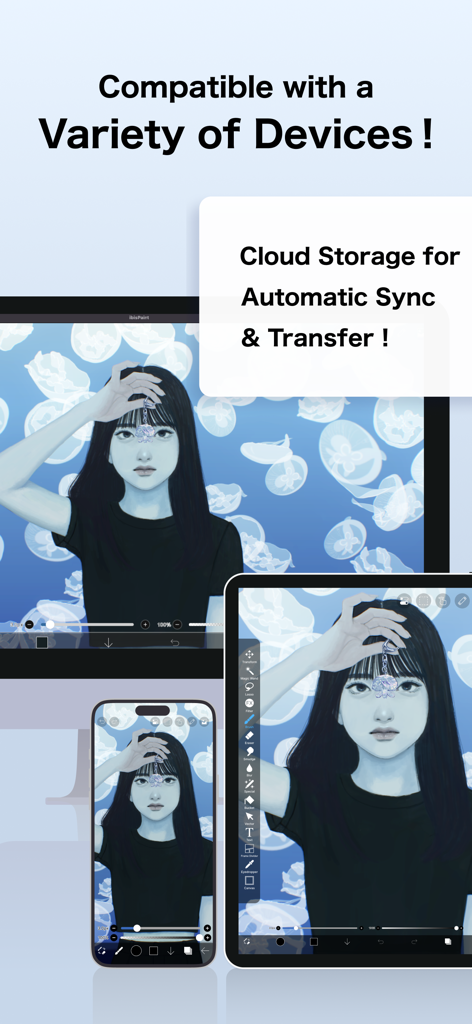
Digital illustration synchronized across smartphone tablet and computer devices using ibis Paint X cloud storage

Digital illustration synchronized across smartphone tablet and computer devices using ibis Paint X cloud storage

Everything You Need to Create Without Limits

The tools that make this app stand out, trusted by 92M+ users.

🎨

47,000+ Professional Brushes

Express yourself with an endless library of pens, pencils, and textures to achieve any style you can imagine.

📱

Pro Studio in Your Pocket

Ditch the expensive PC. Get unlimited layers, blending modes, and precision tools designed for drawing on the go.

🎥

Go Viral with Speedpaints

Automatically record your entire creative process and export time-lapse videos ready for TikTok and Reels.

Loved by users worldwide

Trusted by 92M+ people who love this app.

"

"I honestly thought I needed a professional tablet and a PC to make 'real' digital art, but ibis Paint X totally changed that. I do all my illustrations on my iPhone now! The time-lapse recording feature is a game-changer—I can post my speedpaints to TikTok in seconds. It’s easily the most intuitive app I've ever used for drawing."

Chloe V., Student & Digital Creator
"

"As a manga artist, the specialized tools here are incredible. The screentones, frame dividers, and the massive library of over 47,000 brushes give me everything I need to create professional-grade panels on the go. It’s like having a complete desktop studio right in my pocket. I can’t recommend the symmetry rulers enough!"

Jace (Lunar_Ink), Freelance Illustrator

About the app

Everything you need to know about ibis Paint X.

Description

ibis Paint X is a popular and versatile drawing app downloaded more than 460 million times in total as a series, which provides over 47000 brushes, over 27000 materials, over 2100 fonts,84 filters, 46 screentones, 27 blending modes, recording drawing processes, stroke stabilization feature, various ruler features such as radial line rulers or symmetry rulers, clipping mask features. *YouTube channel Many tutorial videos on ibis Paint are uploaded to our YouTube channel. Subscribe it! https://youtube.com/ibisPaint *Concept/Features - A Highly functional and professional features surpassing that of desktop drawing apps. - Smooth and comfortable drawing experience realized by OpenGL technology. - Recording your drawing process as a video. - SNS feature where you can learn drawing techniques from other users' drawing process videos. *Feedback from users We receive many good reputations from users. - I could have never assumed that I can draw such a beautiful drawings on smartphones! - Easiest to use among all drawing apps! - I have learned how to draw digital drawings without Mac or PC! *Features ibis Paint has high functionality as a drawing app along with features of sharing drawing processes with other users. [Brush Features] - Smooth drawing at up to 120 fps. - Over 47000 kinds of brushes including dip pens, felt tip pens, digital pens, air brushes, fan brushes, flat brushes, pencils, oil brushes, charcoal brushes, crayons and stamps. [Layer Features] - You can add layers as many as you need with no limit. - Layer parameters that can be set to each layers individually such as layer opacity, alpha blending, adding, subtracting, and multiplying. - A handy clipping feature for clipping images, etc. - Various layer commands such as layer duplication, import from the photo library, horizontal inversion, vertical inversion, layer rotation, layer moving, and zooming in/out. - A feature for setting layer names to distinguish different layers. [Manga Features] - Advanced text tool function featuring Vertical, Horizontal, Stroke, Font select, and Multiple text functions. *About ibis Paint purchase plan The following purchase plans are available for ibis Paint: - ibis Paint X (free version) - ibis Paint (paid version) - Remove Ads Add-on - Prime Membership (Monthly plan / Yearly plan) There is no difference in features other than the presence or absence of advertisements for the paid version and the free version. If you purchase the Remove Ads Add-on, the ads will not be displayed and there will be no difference from the paid version of ibis Paint. In order to use more advanced functions, the following Prime Membership (Monthly plan / Yearly plan) contracts are required. [Prime Membership] A prime member can use the prime features. Only for the first time, a 7-day or 1-month free trial is available. Prime membership entitles you to the following features. - 20GB of cloud storage capacity - Vector tool(*1) - Prime Materials - Prime Canvas Papers - Prime Fonts - Tone Curve filter - Gradation Map filter - Levels Adjustment filter - Prime Adjustment Layers - Surrounding Fill・Surrounding Eraser - AI Disturbance - Artwork folder feature - Import original brush patterns - Remove watermark from videos - No advertisements displayed - Plus many other features exclusive to Prime Membership! (*1) You can try it for free for up to 1 hour per day. * After you become a Prime Membership with a free trial, renewal fee will be charged automatically unless you cancel your Prime Membership at least 24 hours before the end of the free trial period. * We will add premium features in future, please look out for them. *Questions and support Questions and bug reports in reviews will not be responded to, so please contact ibis Paint support. https://ssl.ibis.ne.jp/en/support/Entry?svid=25 *ibisPaint's terms of service https://ibispaint.com/agreement.jsp

Latest Version

13.1.17

Size

108.7 MB

First Released

Aug 1, 2011

Ready to Level Up Your Art?

Join 460 million creators and turn your phone into a pro-grade studio. Access 47,000+ brushes and start your first speedpaint today.

Download on App StoreDownload on Google Play
FAQ

Frequently Asked Questions

Everything you need to know about ibis Paint X

What is ibis Paint X?

ibis Paint X is a versatile drawing app providing over 47,000 brushes, 27,000 materials, 2,100 fonts, filters, screentones, and blending modes. It allows recording drawing processes and offers professional features for digital art creation.

How many brushes does ibis Paint X offer?

ibis Paint X offers over 47,000 kinds of brushes. These include dip pens, felt tip pens, digital pens, air brushes, fan brushes, oil brushes, and charcoal brushes, supporting smooth drawing at up to 120 fps.

Does ibis Paint X have layer features?

Yes, ibis Paint X includes comprehensive layer features. Users can add unlimited layers, adjust opacity, blending modes, and utilize clipping features. It also provides layer commands like duplication, inversion, rotation, and import from the photo library.

Can I record my drawing process in ibis Paint X?

Yes, ibis Paint X allows users to record their drawing process as a video. This feature also enables sharing drawing technique videos with other users via its SNS functionality.

What is the difference between ibis Paint X (free) and ibis Paint (paid)?

The primary difference between ibis Paint X (free version) and ibis Paint (paid version) is the presence or absence of advertisements. They offer identical features, and purchasing the Remove Ads Add-on for ibis Paint X eliminates ads.

What benefits does the Prime Membership offer in ibis Paint X?

Prime Membership in ibis Paint X offers 20GB cloud storage, Vector tool, Prime Materials, Prime Canvas Papers, Prime Fonts, Tone Curve filter, Gradation Map filter, Levels Adjustment filter, Prime Adjustment Layers, and no advertisements.

Is there a free trial for the ibis Paint X Prime Membership?

Yes, ibis Paint X offers a 7-day or 1-month free trial for the Prime Membership for first-time users. After the trial, the renewal fee is automatically charged unless canceled 24 hours prior.

Does ibis Paint X support manga creation features?

Yes, ibis Paint X offers a full range of manga features. These include 46 types of screentones, a text tool with vertical, horizontal, stroke, and font selection functions, speech bubbles, and frame divider tools.

Can I use vector tools in ibis Paint X?

Yes, ibis Paint X includes a vector tool as a Prime Membership feature. Users can try the vector tool for free for up to 1 hour per day. It is perfect for line art, including Vector Dip Pen, Vector Eraser, and Vector Select Tool.

How many materials and fonts are available in ibis Paint X?

ibis Paint X provides over 28,000 materials and over 3,000 fonts. The materials include tracing sketches, textures, backgrounds, and accessories, while fonts support diverse text functionalities.

How does ibis Paint X ensure a smooth drawing experience?

ibis Paint X ensures a smooth and comfortable drawing experience through the implementation of OpenGL technology. This technology optimizes performance, allowing for fluid strokes and responsiveness during creative work.

Does ibis Paint X include filters for artwork enhancement?

Yes, ibis Paint X includes over 80 highly effective filters for artwork enhancement. Prime Membership further unlocks advanced filters such as Tone Curve, Gradation Map, Levels Adjustment, and Prime Adjustment Layers.

Is ibis Paint X compatible with multiple devices and offers cloud storage?

Yes, ibis Paint X is compatible with a variety of devices. It also offers cloud storage for automatic sync and transfer of artwork, with Prime Membership providing 20GB of cloud storage capacity.