
AJournal - Planner & Journal


Transform your iPad into a beautiful, personalized sanctuary. Seamlessly blend your digital calendar with the creative freedom of handwriting to organize your days, track habits, and design your dream life.
Publisher
Category
LifestyleDownloads
1M+User Rating
Total Ratings
10K+Locales
19Discover the interface used by 1M+ users.
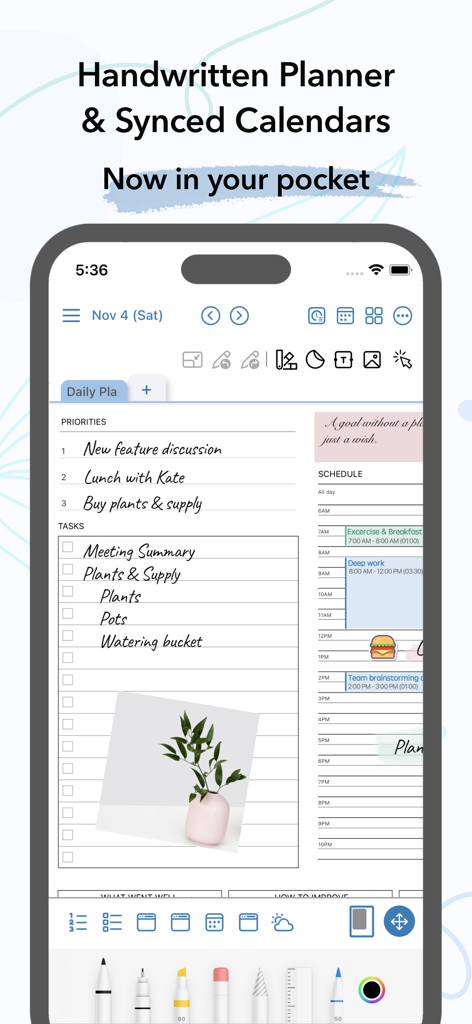
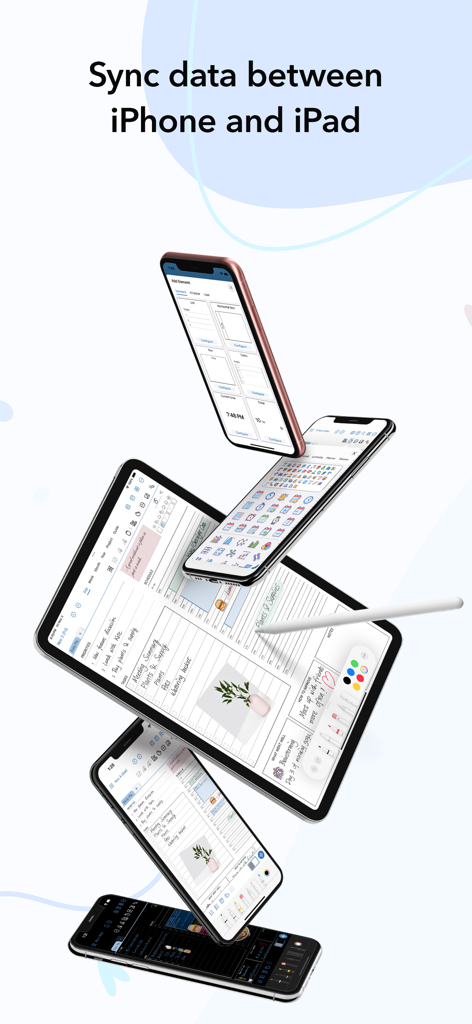
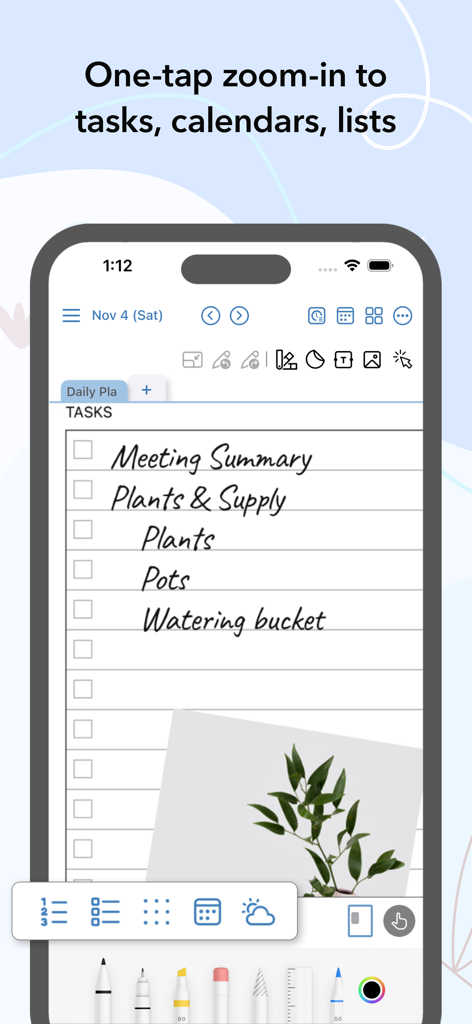
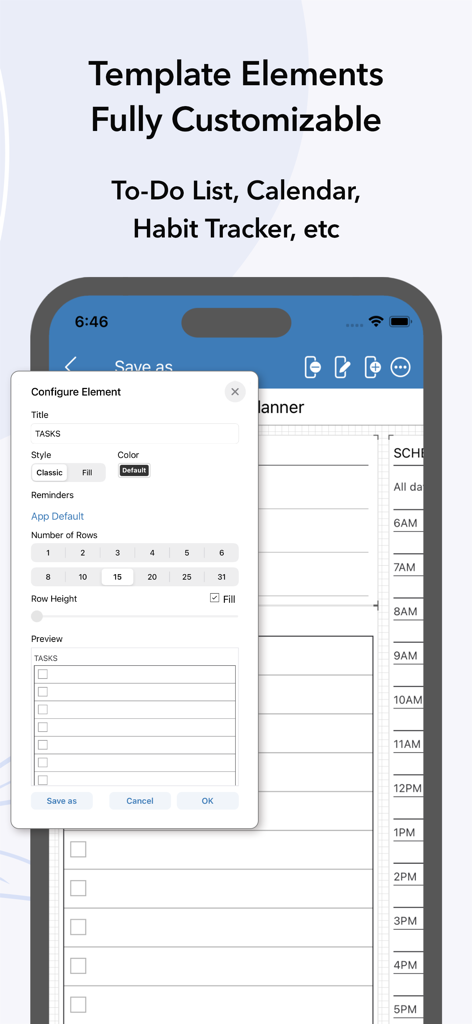
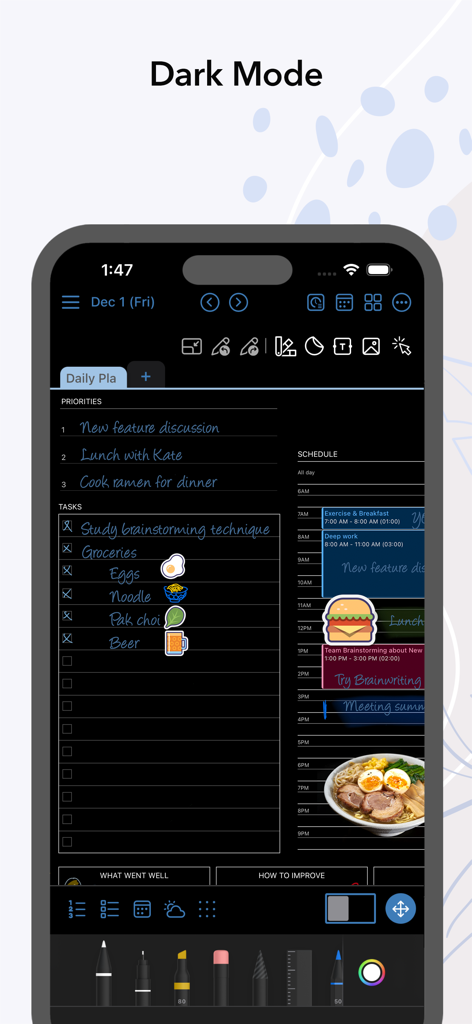
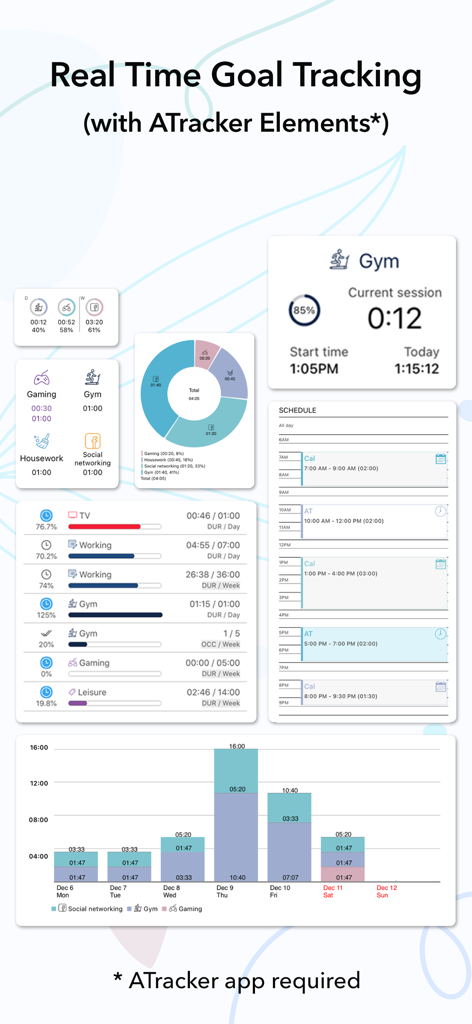
The tools that make this app stand out, trusted by 1M+ users.
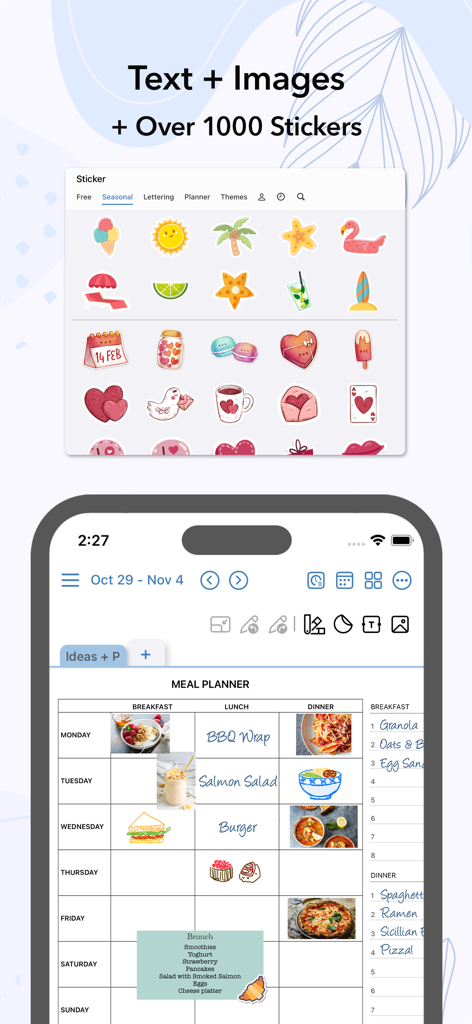
Express yourself freely with Apple Pencil support. Use over 2,500 stickers and aesthetic templates to make your planner as beautiful as it is functional.
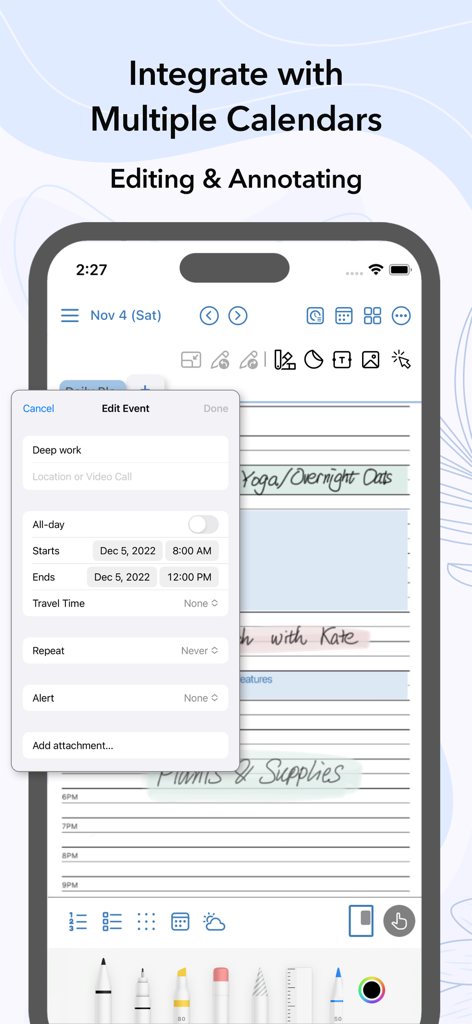
Never miss a beat. Sync your Apple Calendar and Reminders directly into your daily pages to bridge the gap between your schedule and your thoughts.
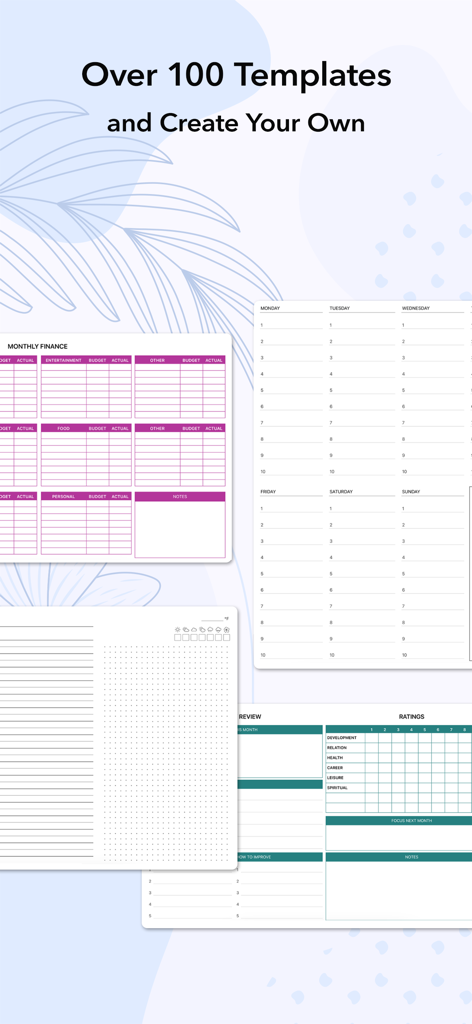
Visualize your growth with 100+ professional templates. Track habits, finances, and projects in real-time to turn your aspirations into achievements.
Trusted by 1M+ people who love this app.
"AJournal is exactly what my iPad was missing. I used to carry heavy paper planners, but now I have everything in one place. The templates are so aesthetic, and being able to use my Apple Pencil to handwrite my daily reflections while my classes sync from Apple Calendar is a game-changer for my productivity!"
"As a freelance designer, I need both creative freedom and strict organization. AJournal bridges that gap perfectly. I love how it integrates with ATracker so I can visualize my billable hours right alongside my habit trackers. It’s the first digital planner that actually feels as intuitive as paper."
Everything you need to know about AJournal - Planner & Journal.
Description
Latest Version
9.7
Size
118.8 MB
First Released
Dec 16, 2021
Join over 1 million users who have transformed their iPad into the ultimate aesthetic planner. Download AJournal today and enjoy a 7-day free trial of the most powerful blend of handwriting and digital organization.
Everything you need to know about AJournal - Planner & Journal
Yes, AJournal supports handwriting and drawing with Apple Pencil or finger for creating and customizing planners and journal pages.
Yes, AJournal templates are fully customizable. Users can add, remove, rearrange elements, and set colors or headers. They can also save personalized pages as new templates.
Yes, AJournal data can be synced via iCloud, allowing use on devices like the iPhone. An active subscription is required for iCloud sync functionality.
Yes, users can try AJournal without any limitation with a 7-day free trial. This allows full access to features before committing to a subscription.
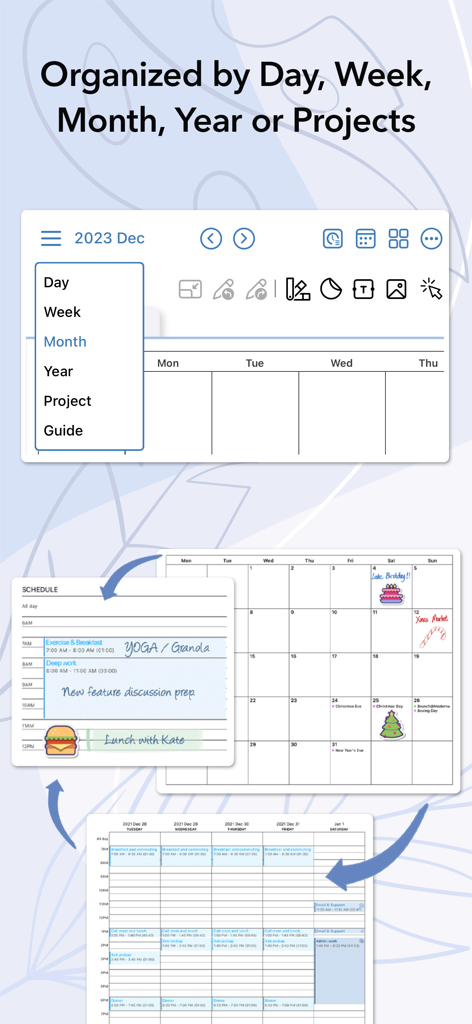
Yes, AJournal connects with any digital calendar to display all events within daily/weekly planners. Users can write, scribble, or type alongside these integrated events.
Yes, AJournal integrates with ATracker. This optional integration allows users to follow up on their task and goal progress from ATracker in real time within AJournal.
Yes, users can export their journals and planners as PDFs. This feature allows for reading content in other tools or for safekeeping.
Yes, AJournal supports a dark mode interface. This option provides a different visual theme for user preference and reduced eye strain.
AJournal provides over 100 professionally designed templates. These cover various needs including daily, weekly, monthly, project, finance, meal, fitness, and habit trackers.
Yes, AJournal allows users to add images, resize, rotate, or crop them. It also offers over 2500 stickers and the option to save personal images as stickers.
Apps with similar features and user experience

1381802 Ontario Inc.

Hangzhou Tensorart Technology Co., Ltd

MAXEYE US INC.

Soysauce Lab

User Camp Inc.

Kairoos Solutions S.L.

ZIIKR Pte. Ltd.

Kairoos Solutions S.L.

伟典 苏