Notes Writer Pro 2026

Notes Writer Pro 2026

Download on App Store
Spark by MWM logo
Logo of Notes Writer Pro 2026
Notes Writer Pro 2026: The Ultimate All-in-One Workspace for Professionals and Students

From distraction-free writing and Markdown to advanced PDF annotation and signing—everything you need to research, draft, and organize in one powerful, paperless office.

Download on App Store

Publisher

Kairoos Solutions S.L.

Category

Productivity

Downloads

379K+

User Rating

4.5/5

Total Ratings

12K+

Locales

10

Efficiency in Action

Discover the interface used by 379K+ users.
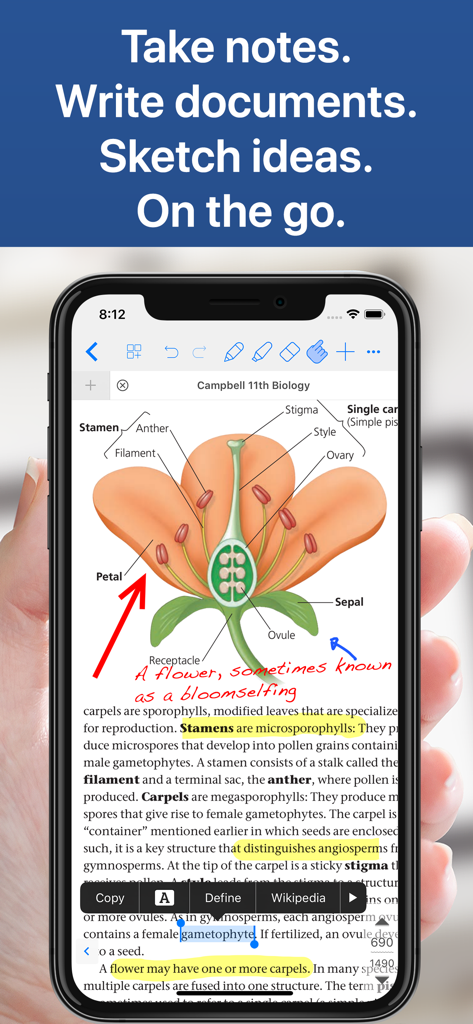
Notes Writer Pro app on iPhone displaying a biology textbook with handwritten annotations and highlights.

Notes Writer Pro app on iPhone displaying a biology textbook with handwritten annotations and highlights.

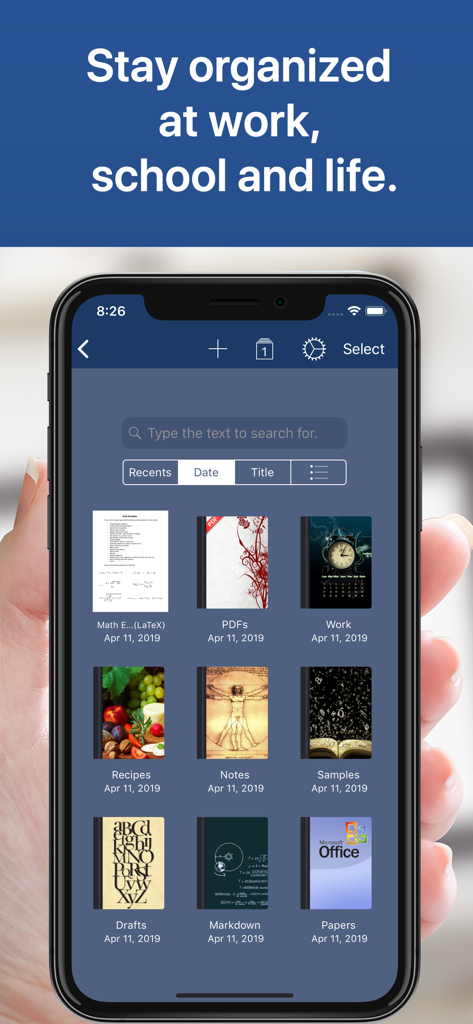
Smartphone screen displaying organized digital notebooks in the Notes Writer Pro app

Smartphone screen displaying organized digital notebooks in the Notes Writer Pro app

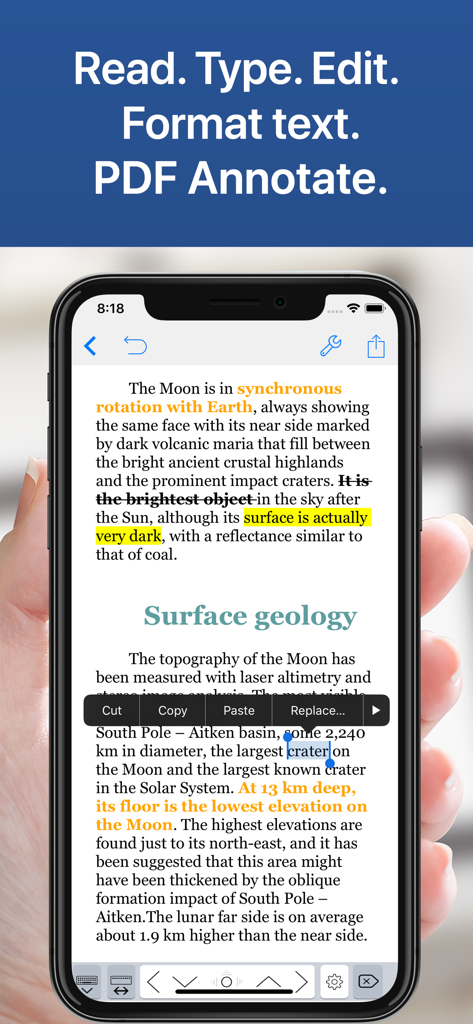
iPhone screen showing Notes Writer Pro app with text highlighting, strikeout, and editing options on a document about the moon.

iPhone screen showing Notes Writer Pro app with text highlighting, strikeout, and editing options on a document about the moon.

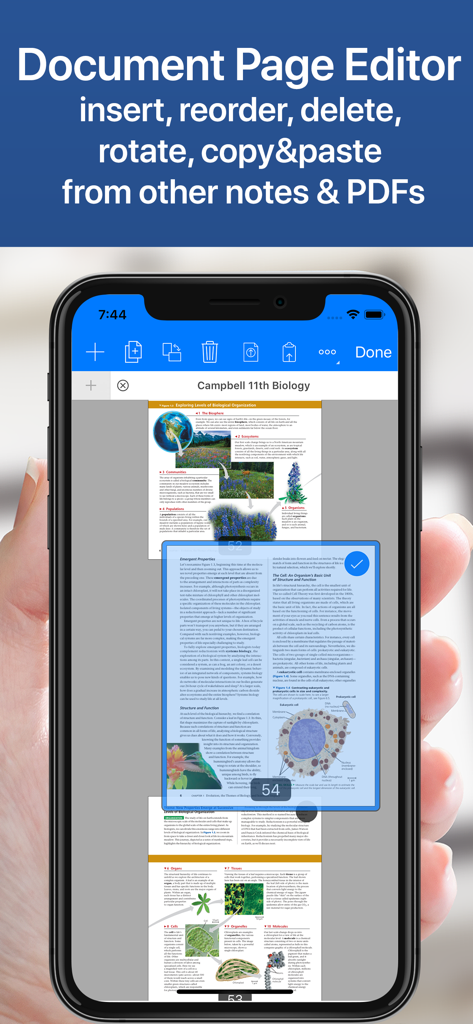
iPhone showing the document page editor in the Notes Writer Pro app for reordering and deleting PDF pages

iPhone showing the document page editor in the Notes Writer Pro app for reordering and deleting PDF pages

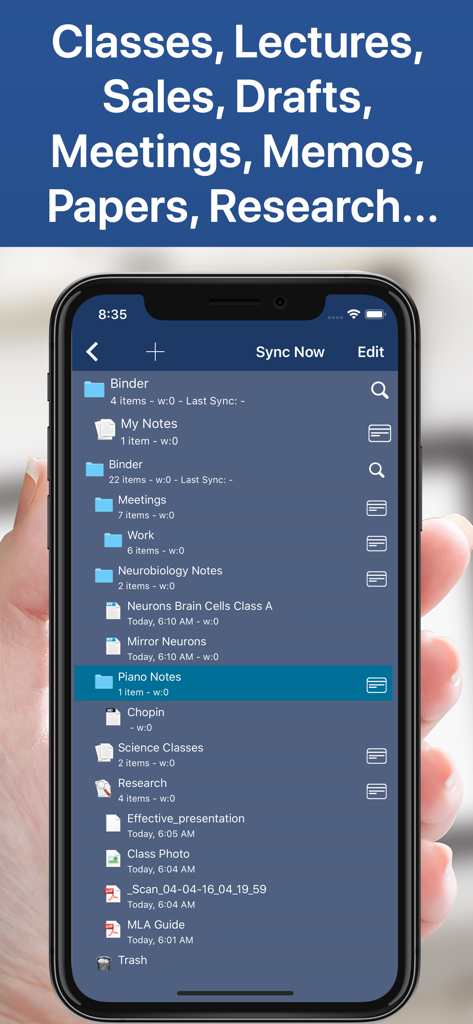
A smartphone screen displaying the organized file and folder hierarchy of the Notes Writer Pro app for notes and documents.

A smartphone screen displaying the organized file and folder hierarchy of the Notes Writer Pro app for notes and documents.

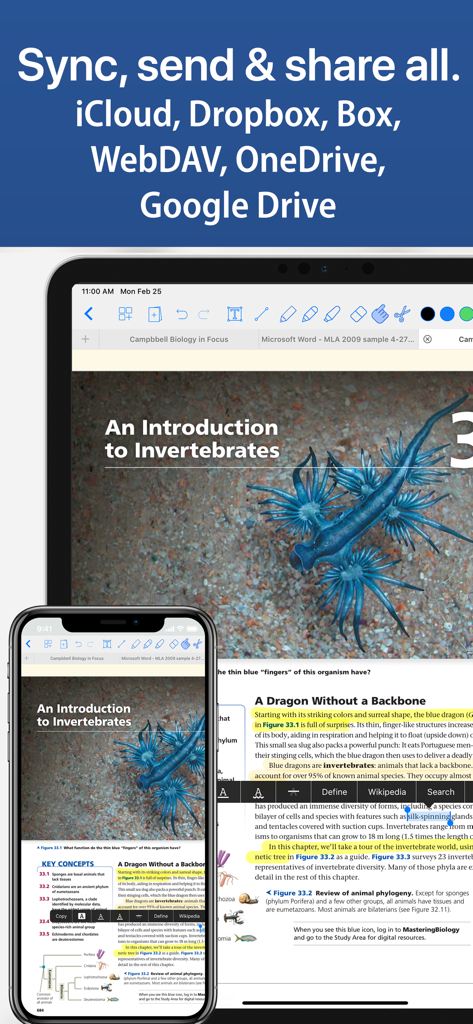
Notes Writer Pro app showing document syncing between iPhone and iPad using cloud services

Notes Writer Pro app showing document syncing between iPhone and iPad using cloud services

Master Your Workflow

The tools that make this app stand out, trusted by 379K+ users.

✍️

Distraction-Free Writing

Draft papers or journals in a clean workspace with Markdown support, live counters, and built-in APA/MLA formatting styles.

📑

Complete PDF Power

Highlight textbooks, sign legal contracts, and fill forms instantly. Use Split View to research and take notes side-by-side.

🗂️

Your Professional Archive

Securely organize unlimited projects in a nested folder structure. Sync via iCloud or Dropbox to keep your office in your pocket.

Loved by users worldwide

Trusted by 379K+ people who love this app.

"

"Notes Writer Pro is the ultimate academic powerhouse. I can have my research paper and notes open side-by-side in split view while annotating PDFs with my Apple Pencil. The APA formatting tools and Markdown support have saved me hours on my latest publication."

Dr. Elena Rossi, Research Scientist
"

"I've ditched my laptop for an iPad thanks to this app. The Typewriter mode keeps me focused during long-form writing, and the ability to scan documents and sign contracts on the fly is a game-changer for my workflow. It's truly a complete digital office."

James Thornton, Investigative Journalist

About the app

Everything you need to know about Notes Writer Pro 2026.

Description

You have lecture notes to take, a story to tell, article to publish, whether it’s today’s journal entry, tomorrow’s thesis, highlight important things in ebooks and PDFs, fill out a PDF form or get the most from your business meetings. Notes Writer is an excellent assistant in study and business, also being effective for writing down your ideas and thoughts and sharing them! Students, teachers, writers, doctors, journalists, scholars and business professionals use Notes Writer daily to store notes, annotations, memos, signed PDFs, papers, highlighted PDF text-books, lectures and more. With Notes Writer Pro you can: + WRITE. EDIT. FORMAT · Write Everywhere: Use Notes Writer as an stand-alone writing app even if you don’t have a computer or you are offline in the wilds · Create rich text format (RTF) and advanced Markdown (MD) documents · Define margins, headers/footers, paper sizes, MLA and APA style format · Live counters: characters, words, sentences, lines, Avg. Word length, Words per sentence & reading time · Text to Speech for proofreading · Dictation lets you speak text instead of typing · Typewriter: Distraction-Free mode, letting you focus on what you’re writing · Over 30 languages typing support including Japanese, Chinese, Arabic & Hebrew · Extra keys: tab, forward delete, cursor up/down/left/right, etc. + ANNOTATE PDFs. FILL FORMS. SIGN DOCUMENTS. · PDF Annotations: highlight, strikeout, underline, notes, voice notes, pencil, stamp, sign... · Fill out forms. Supports PDF AcroForms standard · Sign with your own signature documents, contracts, forms · Digital Signature Validation + ORGANIZE. STRUCTURE. FIND. · Organize your work in unlimited notebooks, folders and subfolders · Create notebooks and projects in your own tree-like structure: Sections, Classes, Lectures, Grades, Drafts, Folders, Chapters, Research, etc. · Design the cover of your notebooks · Full-text search your library of documents and projects + SCAN NOTES. RESEARCH. PDF LIBRARY · Split view: Open two PDFs or handwritten notes simultaneously on screen. Compare or use them as book and paper · Full PDF reader and manager included for reference files, text books, ebooks, articles, resources, papers, etc. · Use the camera of your iPad/iPhone to scan documents, notes, recipes, tickets, etc. as PDF · Open PowerPoint, Word and Excel files + SHARE NOTES. EXPORT PDF, HTML… · Open attachments directly from the Mail app · Sync via iCloud, Dropbox, Box, WebDAV and Google Drive · Convert to multiple formats RTF, Markdown, PDF, ePub, HTML, RTFD, TXT, etc. · Zip folders/notebooks and email them + AUTOMATIC BACKUPS. BE SAFE. PROTECT YOUR WORK · Protect your work with an app security passcode · Protect any folder or project with a passcode · Automatic Backups of your notes and notebooks Notes Writer is more than an innovative, fast and reliable note-taking, PDF annotator and writing app designed for anyone who take notes or writes. This is a smart notepad and writing workspace for your iPad and iPhone. Privacy Policy http://www.noteswriter.com/Kairoos_Privacy_Policy.html EULA https://www.apple.com/legal/internet-services/itunes/dev/stdeula/

Latest Version

18.7.0

Size

362.4 MB

First Released

Aug 15, 2018

Ready to Master Your Paperless Workflow?

Join over 379,000 students and professionals who have transformed their iPad into the ultimate distraction-free workspace. Download Notes Writer Pro today and elevate your writing, research, and productivity.

Download on App Store