Bear - Markdown Notes

Bear - Markdown Notes

Download on App Store
Spark by MWM logo
Logo of Bear - Markdown Notes
Bear - Your Thoughts, Beautifully Organized

The award-winning Markdown app for creative professionals who value focus. Capture ideas, build your personal wiki, and write distraction-free across all your Apple devices.

Publisher

Shiny Frog Ltd.

Category

Productivity

Downloads

4M+

User Rating

4.6/5

Total Ratings

31K+

Locales

11

Elegance in Every Pixel

Discover the interface used by 4M+ users.
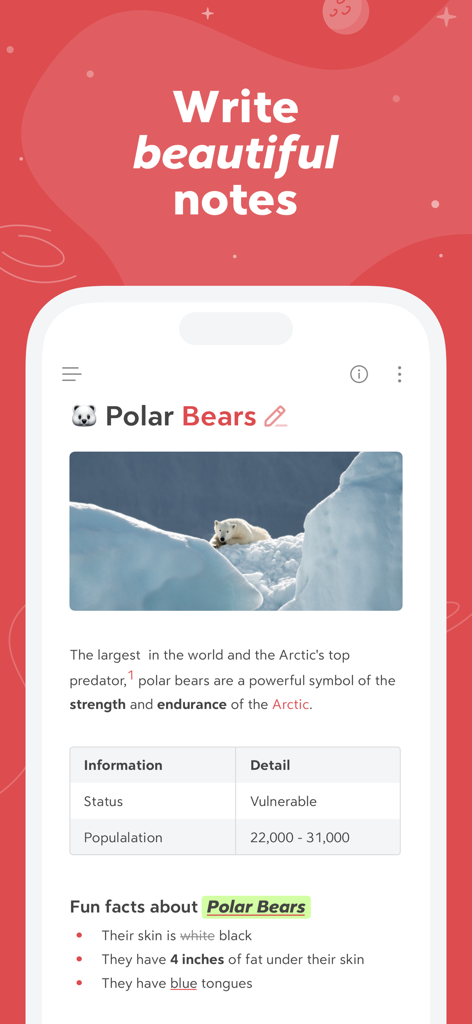
Smartphone screen showing the Bear app with a formatted note about polar bears including an image and table

Smartphone screen showing the Bear app with a formatted note about polar bears including an image and table

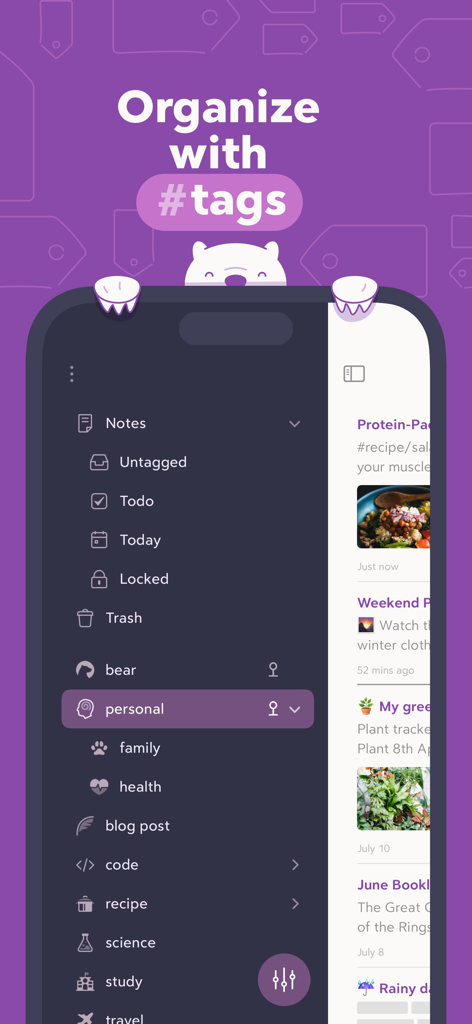
Bear app interface showing note organization using nested hashtags in a dark mode sidebar

Bear app interface showing note organization using nested hashtags in a dark mode sidebar

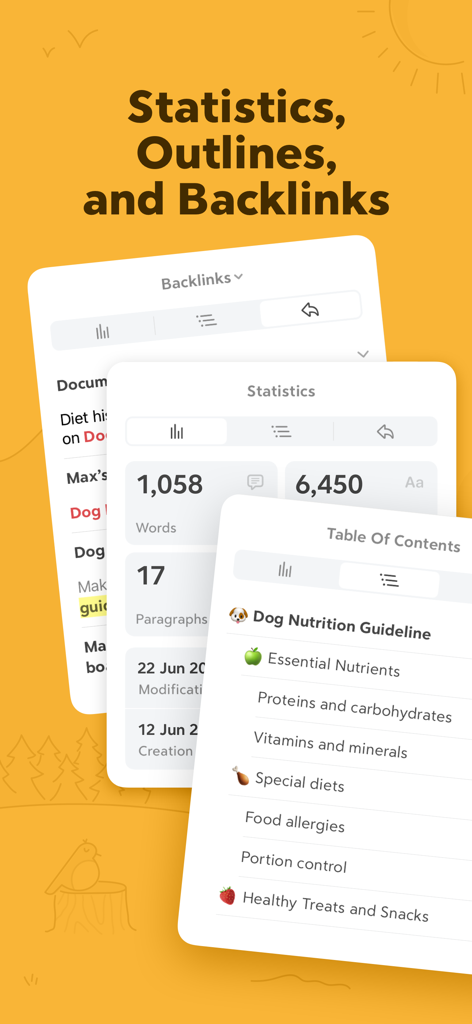
Bear app interface showing word count statistics table of contents and backlink panels

Bear app interface showing word count statistics table of contents and backlink panels

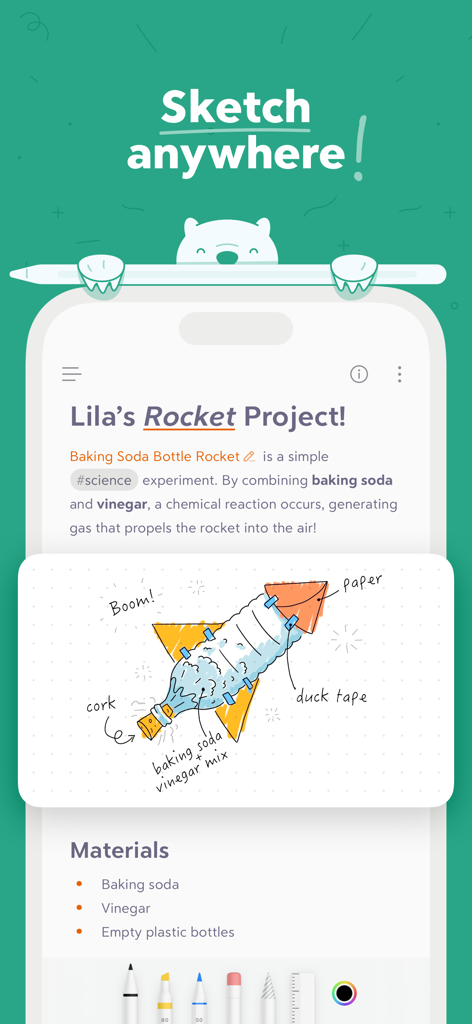
Bear app interface showing a science project note with a hand-drawn rocket illustration

Bear app interface showing a science project note with a hand-drawn rocket illustration

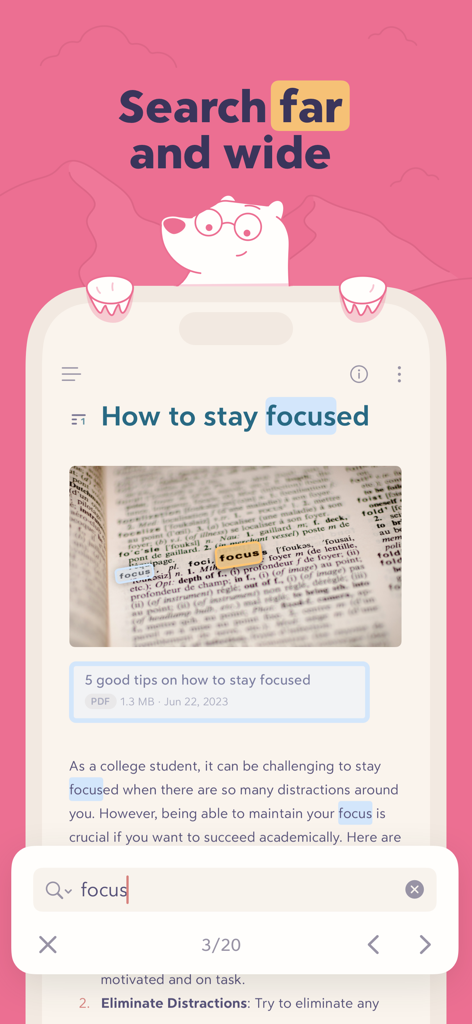
Bear app interface demonstrating search results for the word focus highlighted within text and images

Bear app interface demonstrating search results for the word focus highlighted within text and images

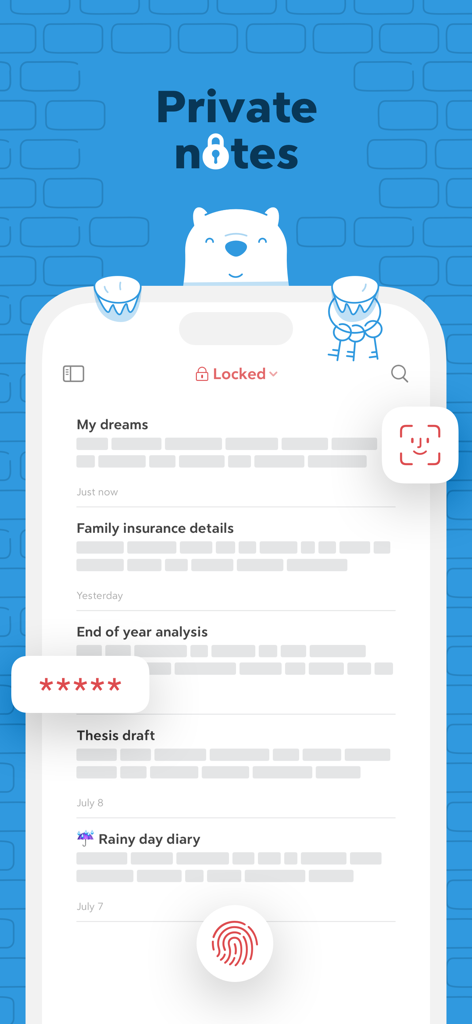
Bear app interface showing private notes protected by Face ID Touch ID and password encryption

Bear app interface showing private notes protected by Face ID Touch ID and password encryption

Elevate Your Digital Craft

The tools that make this app stand out, trusted by 4M+ users.

🖋️

Distraction-Free Writing

A beautiful, clean canvas that hides technical markdown syntax, letting you enter a flow state with gorgeous typography and themes.

🏷️

Fluid Tag-Based Organization

Replace rigid folder structures with flexible nested tags and WikiLinks to build a personal knowledge base that grows with your ideas.

🔒

Privacy-First Syncing

No accounts and no tracking. Your notes sync seamlessly across your iPhone, iPad, and Mac via iCloud, keeping your data private and secure.

Loved by users worldwide

Trusted by 4M+ people who love this app.

"

"I have spent years looking for a 'Second Brain' tool that doesn't feel like a chore to use. Bear is the perfect balance: it has the power of Markdown and WikiLinks for my research, but with a minimalist design that actually helps me focus. The nested tagging system is a total game-changer for organizing complex projects without the clutter of traditional folders."

Sarah Chen, Software Engineer
"

"As a writer, the environment where I work matters as much as the words themselves. Bear is the most beautiful writing app I’ve ever used. The themes are gorgeous, the typography is spot-on, and the transition from sketching ideas on my iPad to drafting on my Mac is completely seamless. It’s professional-grade power wrapped in a stunning, private package."

Julian Ross, Freelance Journalist

About the app

Everything you need to know about Bear - Markdown Notes.

Description

Bear is a beautiful, powerfully simple Markdown app to capture, write, and organize your life. ​ Take notes, plan your day, journal thoughts, organize tables, create lists and tasks, sketch ideas, link notes together, write a book, and much more. Bear is used by writers, lawyers, chefs, CEOs, teachers, doctors, engineers, students, parents.. you get the picture. Getting started couldn’t be faster—no signup and no account. Just open a note and write naturally. ​ "My journaling app of choice is Bear" - Kit Eaton, New York Times ​ * 2017 Apple Design Award * 2016 App Store App of the Year * Editors' choice for 7 consecutive years * Most of our parents love it ​ ## BEAUTIFUL. SIMPLE. POWERFUL. PRIVATE - Tools stay out of your way so you can just write - Sketch ideas on iPad with an extendable canvas and Apple Pencil (and other styli) - Clip web pages and other content with Bear’s app extension - The redesigned Info Panel now with Table of Contents and Backlinks - Use Apple Watch to dictate and append to recent notes - Support for all the scripts including RTL languages like Arabic, Hebrew, and Persian - Easily create notes with Siri and Shortcuts - Your notes, not ours - Bear is private at its core: We cannot see your notes, tags, or anything else ​ ## FLEXIBLE MARKDOWN ​ - Work in plain text - easy to move between apps - Still use formatting like bold, italics, strikethrough, links, tables, and more with Markdown - Combine text styles like bold and underline, even in headings - Markdown hides for a clean reading experience - Use WikiLinks to connect notes and build a personal wiki or knowledge management tool ​ ## GET ORGANIZED with #tags, tasks, and more ​ - Add #tags, #multi-word tags# and even #multiple/nested/tags anywhere in a note for quick organization - Pin important tags to the top of the Sidebar - Make important tags stand out in the Sidebar with TagCons - Add tasks to notes and easily view all notes that include tasks - Fold sections to get them out of the way ​ ## SHARING MADE EASY ​ - Export notes to plain text, Markdown, TextBundle, Bear note, and rich text - Export notes to HTML, DocX, PDF, JPG, and ePub (Bear Pro required) - Easily share your notes to any third-party app with the Share Sheet ​ ## SEARCH FAR AND WIDE ​ - Use Spotlight to search your notes from anywhere - Search for text inside photos and PDFs (Bear Pro required) - Focus on specific types of notes with powerful Special Searches like @todo, @images, and @yesterday ​ ## CREATE YOUR COZY SPACE ​ * Pick from nearly 30 themes for the perfect writing space in both Light and Dark Mode (Bear Pro required) * Choose an app icon that speaks to your personality (Bear Pro required) * Set your own fonts for plain text, headings, and code * Set line height and width, paragraph spacing, and more ​ ## GET MORE WITH BEAR PRO ​ One subscription enables a variety of features on all your devices and keeps the Bear hugs coming. ​ - Sync notes between your iPhone, iPad, and Mac via iCloud - Encrypt individual notes with a password that is entirely private to you - Lock Bear with Face/Touch ID - Export to more formats including HTML, DocX, PDF, JPG, and ePub - Search for text inside images and PDFs in Bear notes - Over 30 beautiful app themes & app icons ​ $2.99 monthly $29.99 yearly 14-day free trial ​ ----- Price may vary by location. Subscriptions will be charged to your credit card through your App Store account. Your subscription will automatically renew unless canceled at least 24 hours before the end of the current period. You will not be able to cancel the subscription once activated. After purchase, manage your subscriptions in App Store Account Settings. Any unused portion of a free trial period will be forfeited when the user purchases a subscription. ----- ​ bear@shinyfrog.net Twitter: BearNotesApp Reddit: reddit.com/r/BearApp Facebook: BearNotes Instagram: BearNotesApp Privacy Policy: http://www.bear.app/privacy/ Terms of Service: http://www.bear.app/terms/

Latest Version

2.6.4

Size

143.5 MB

First Released

Nov 2, 2016

Elevate your writing ritual.

Join over 4 million creatives and professionals who trust Bear for their most important thoughts. Beautiful, private, and ready whenever you are—no account needed.

Download on App Store
FAQ

Frequently Asked Questions

Everything you need to know about Bear - Markdown Notes

What is Bear - Markdown Notes?

Bear is a powerfully simple Markdown app for capturing, writing, and organizing life. It allows users to take notes, plan, journal, create lists, sketch ideas, and link notes.

Do I need an account to use the Bear app?

No, Bear does not require a signup or account. Users can open the app and start writing immediately without any initial setup steps.

Can I sketch ideas with an Apple Pencil in Bear?

Yes, Bear supports sketching ideas on iPad with an extendable canvas and Apple Pencil, as well as other styli.

Does the Bear app use Markdown for formatting?

Yes, Bear utilizes flexible Markdown. Users can work in plain text and apply formatting like bold, italics, strikethrough, links, and tables. Markdown hides for a clean reading experience.

How can I organize notes in the Bear app?

Bear allows organization with #tags, #multi-word tags#, and #nested/tags. Users can also pin important tags and add tasks directly into notes for easy management.

Is the Bear - Markdown Notes app private?

Yes, Bear is private at its core. The developers confirm they cannot see users' notes, tags, or any other content, ensuring user privacy.

What are the pricing options for Bear Pro?

Bear Pro costs $2.99 monthly or $29.99 yearly. Prices may vary by location and are charged through your App Store account.

Does Bear Pro offer a free trial?

Yes, Bear Pro includes a 14-day free trial. Any unused portion of the trial is forfeited if a user purchases a subscription.

Can Bear Pro sync notes across multiple devices?

Yes, Bear Pro enables note synchronization between iPhone, iPad, and Mac via iCloud, ensuring notes are accessible across all your devices.

How can I lock individual notes in the Bear app?

Bear Pro allows users to encrypt individual notes with a private password. It also enables locking the entire Bear app with Face or Touch ID for enhanced security.

What export formats are available in Bear Pro?

Bear Pro supports exporting notes to HTML, DocX, PDF, JPG, and ePub formats. The free version exports to plain text, Markdown, TextBundle, Bear note, and rich text.

Can Bear app search for text within images and PDFs?

Yes, Bear Pro allows searching for text inside photos and PDFs within Bear notes. This advanced search feature requires a Bear Pro subscription.

How do I cancel my Bear Pro subscription?

Users manage Bear Pro subscriptions in their App Store Account Settings after purchase. Automatic renewal must be canceled at least 24 hours before the current period ends.

Does Bear app support right-to-left (RTL) languages?

Yes, Bear supports all scripts, including right-to-left (RTL) languages such as Arabic, Hebrew, and Persian, ensuring broad language compatibility.

Can I customize themes and app icons in Bear?

Yes, Bear Pro offers nearly 30 themes for writing spaces in both Light and Dark Mode, and allows users to choose app icons to personalize their experience.