Boost Family Guard

Boost Family Guard

Download on App StoreDownload on Google Play
Spark by MWM logo
Logo of Boost Family Guard

Boost Family Guard: Complete Peace of Mind for Your Digital Family

Track your child’s real-time location, set safety zones, and manage screen time effortlessly. The all-in-one solution designed to keep your kids safe, online and off.

Download on App Store

Publisher

Smith Micro Software, Inc.

Category

Lifestyle

Downloads

2K+

User Rating

4.8/5

Total Ratings

0

Locales

2

Safety at a Glance

Discover the interface used by 2K+ users.

Boost Family Guard app screen showing a man using a phone with the text Digital Parenting Made Easy

Boost Family Guard app screen showing a man using a phone with the text Digital Parenting Made Easy

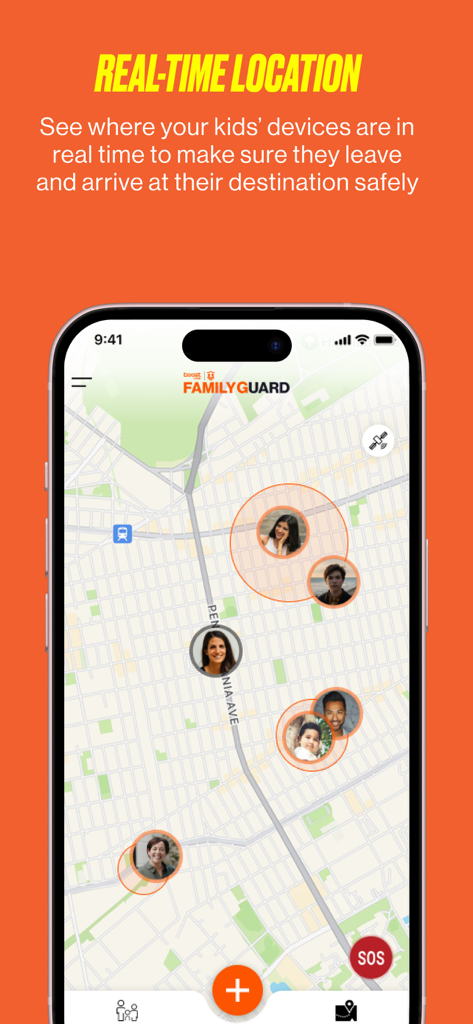
A smartphone showing the Boost Family Guard app with a real-time map displaying the locations of family members

A smartphone showing the Boost Family Guard app with a real-time map displaying the locations of family members

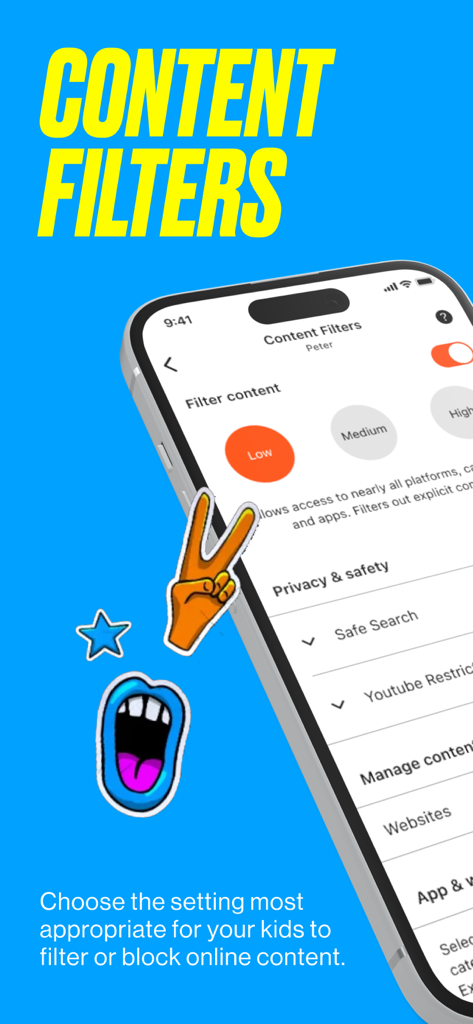
A screenshot of the Boost Family Guard app showing content filter settings with options for low, medium, and high restriction levels for a child profile.

A screenshot of the Boost Family Guard app showing content filter settings with options for low, medium, and high restriction levels for a child profile.

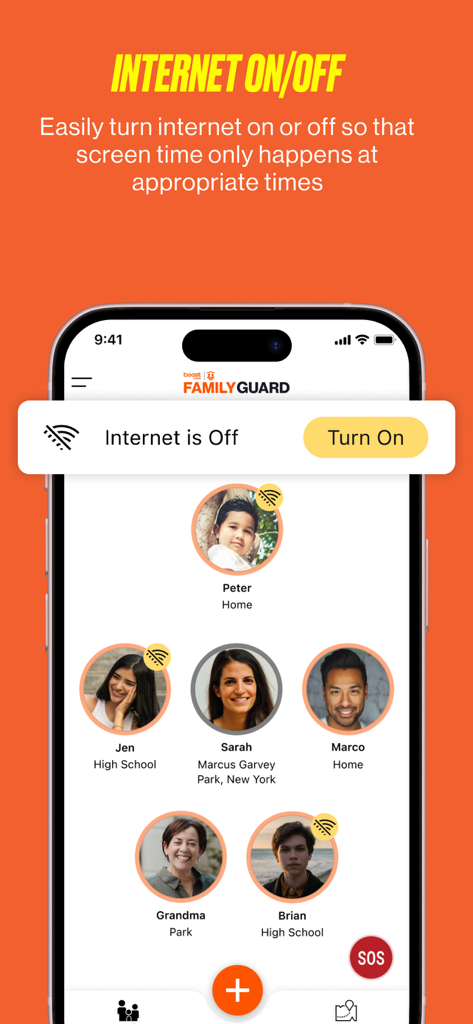
Boost Family Guard app interface displaying the internet on and off toggle feature for managing family screen time

Boost Family Guard app interface displaying the internet on and off toggle feature for managing family screen time

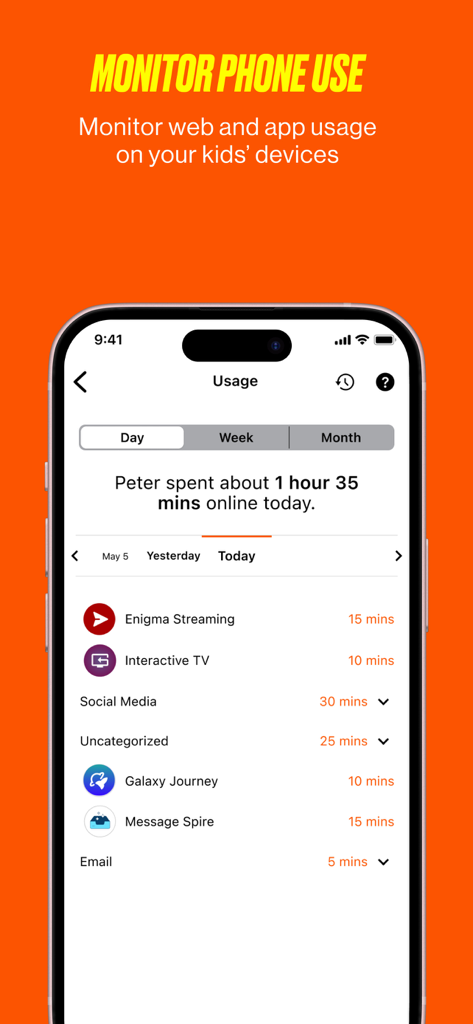
A mobile phone screen displaying the Boost Family Guard app usage page with a daily breakdown of a child's app activity and total time spent online

A mobile phone screen displaying the Boost Family Guard app usage page with a daily breakdown of a child's app activity and total time spent online

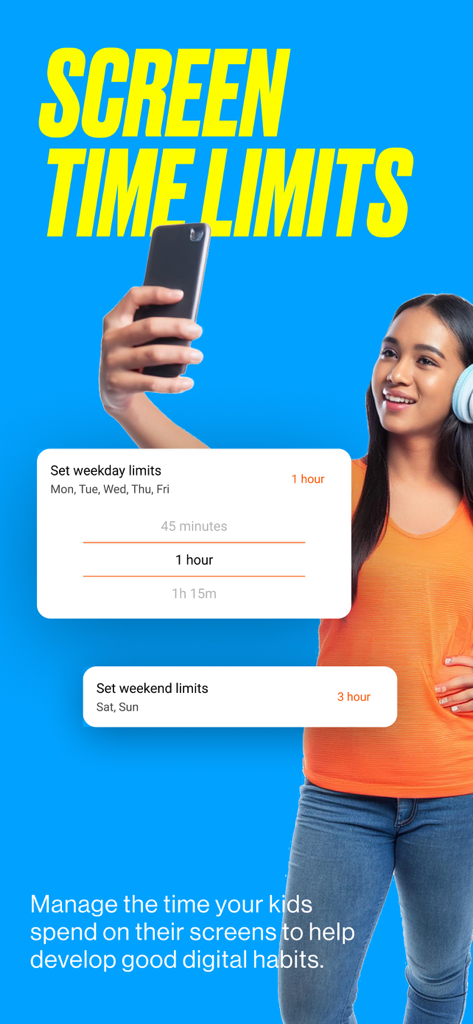
interface showing weekday and weekend screen time limit settings in the boost family guard app

interface showing weekday and weekend screen time limit settings in the boost family guard app

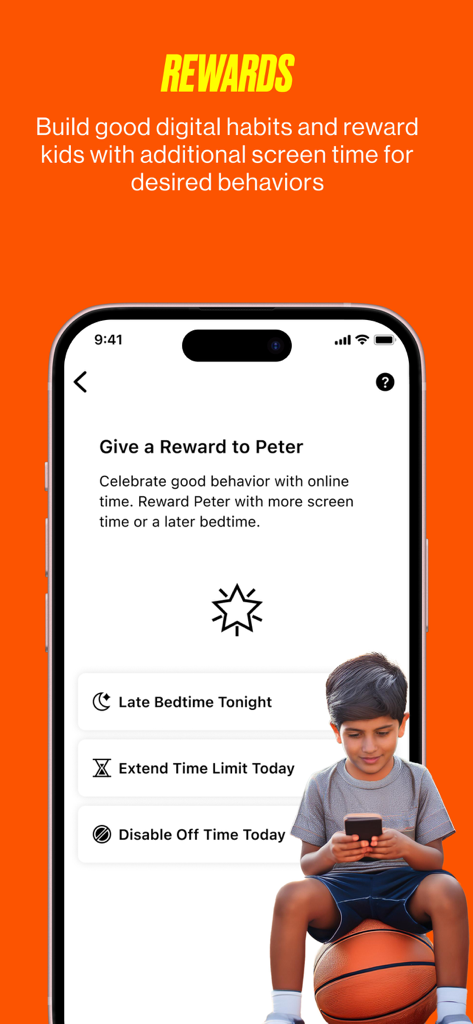
Boost Family Guard app interface for giving rewards like extra screen time or a later bedtime to children.

Boost Family Guard app interface for giving rewards like extra screen time or a later bedtime to children.

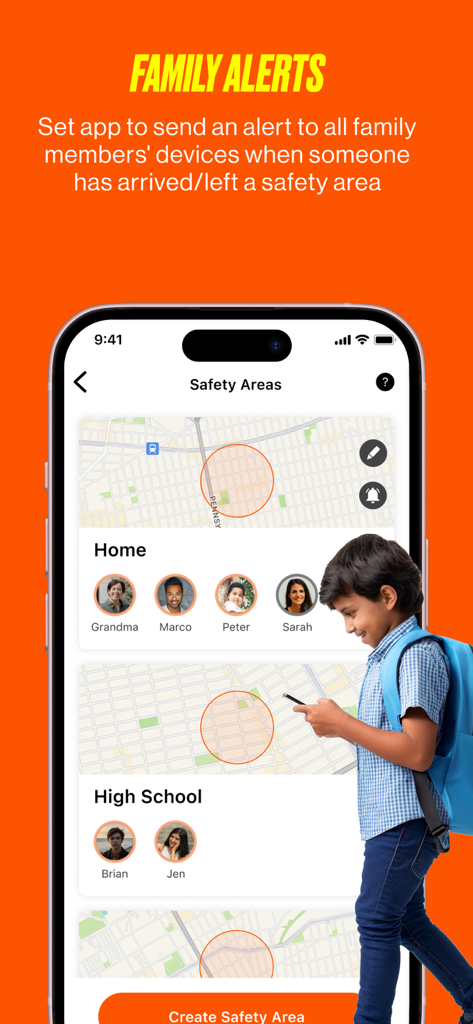
Boost Family Guard app interface showing safety area geofencing and family location alerts on a map.

Boost Family Guard app interface showing safety area geofencing and family location alerts on a map.

Smart Protection for Your Modern Family

The tools that make this app stand out, trusted by 2K+ users.

šŸ“

Real-Time Location Tracking

Get instant peace of mind with live map tracking and automatic alerts when your kids arrive at school, home, or practice.

ā³

Healthy Screen Time Habits

End the bedtime battles by scheduling downtime, blocking distracting apps, and setting daily internet limits with ease.

šŸ†˜

Emergency Safety Net

Empower your children with an SOS panic button for emergencies and use the 'Ring' feature to find lost devices in seconds.

Loved by users worldwide

Trusted by 2K+ people who love this app.

"

"As a working mom, the safety zone alerts are a lifesaver. I get a notification the second my daughter gets home from school, so I don't have to worry while I'm at the office. Plus, the screen time scheduler finally ended our nightly arguments about phone usage at bedtime."

Sarah M.
"

"With four kids and a dozen devices, managing digital habits was a nightmare until Boost Family Guard. The SOS feature gives us huge peace of mind during their soccer trips, and I love that I can filter content for different age groups all in one place."

David L.

About the app

Everything you need to know about Boost Family Guard.

Description

Boost Family Guard is an ideal solution for parents and guardians who desire peace of mind while monitoring their kid's mobile device usage. Our app enables you to easily track your kid's real-time device location, view location history, receive scheduled location alerts, and establish safety zones for seamless location sharing. Additionally, our digital parenting tools empower you to effectively manage screen time by blocking apps, websites, and games, filtering content, controlling internet access, monitoring device usage, and scheduling downtime. TRACK YOUR KID’S MOBILE DEVICE LOCATION *Real-time device tracker to locate your kid’s device on the family map *Get location alerts at a scheduled time, or when your kid’s device enters/leaves safety areas CONTROL YOUR KID’S SCREEN TIME & BLOCK CONTENT *Limit screen time during certain hours, while at school or bedtime *Track kid device usage across websites and Internet-based apps *Filter content based on age-appropriate settings to efficiently restrict entire groups of apps and websites *Set time limits for overall Internet use, weekday versus weekend, or restricted to specific apps *Block or allow Internet access for a kid profile or a particular device WELL-BEING IN THE PHYSICAL AND DIGITAL WORLDS *Kids and parents can send an SOS alert to all family members *Locate a lost phone via the ā€œRingā€ feature of any managed device *Help kids develop good digital habits via screen time management *Parents get the peace of mind they need; Kids get the freedom they want Manage up to 10 devices per account (supported devices include smartphones and tablets). Legal Disclaimers: To use the Boost Family Guard service, you must download the Boost Family Guard Parent App on the parent’s or guardian’s device and download the Boost Family Guard Companion App on the kid’s device. The service is free for the first 14 days. After your trial ends, your service will automatically renew and you will be billed $10/month unless canceled. You may cancel the service at any time. Trial available for new subscribers only. The Boost Family Guard service is available to DISH Wireless customers and their families, including customers served by the Boost Mobile and other DISH Wireless brands. Install the Boost Family Guard Companion App on your kid’s device and pair it with the Parent App on your device. Pairing is required to access all features. Only authorized users have permission to use the App to locate a family member’s device. The Accessibility Service API is required to help parents prevent their child from uninstalling the Boost Family Guard Companion app without your permission and potentially disabling parental control features. Use of the Boost Family Guard service is subject to the terms of service and privacy policy found at https://www.boostmobile.com/support/legal/general-terms-and-conditions and https://privacy.boostmobile.com/ Boost Mobile is a trademark or registered trademark of DISH Wireless L.L.C. and SafePath is a registered trademark of Smith Micro Software, Inc.

Latest Version

1.2.0

Size

145.5 MB

First Released

May 15, 2024

Ready for Total Peace of Mind? Start Your 14-Day Free Trial.

Join thousands of parents who have found the perfect balance between digital safety and independence. Secure up to 10 devices and start protecting what matters most today.

Download on App StoreDownload on Google Play