Parental Control App Kids360

Parental Control App Kids360

Download on App StoreDownload on Google Play
Spark by MWM logo
Logo of Parental Control App Kids360

Kids360: Transform Screen Time into Healthy Habits

Stop the power struggles and empower your child to earn playtime through learning and exercise. Manage apps, track GPS location, and ensure digital safety with the parental control app kids actually love.

Download on App Store

Publisher

ANKO SOLUTIONS LLC

Category

Utilities

Downloads

3M+

User Rating

4.5/5

Total Ratings

48K+

Locales

31

See Balance in Action

Discover the interface used by 3M+ users.

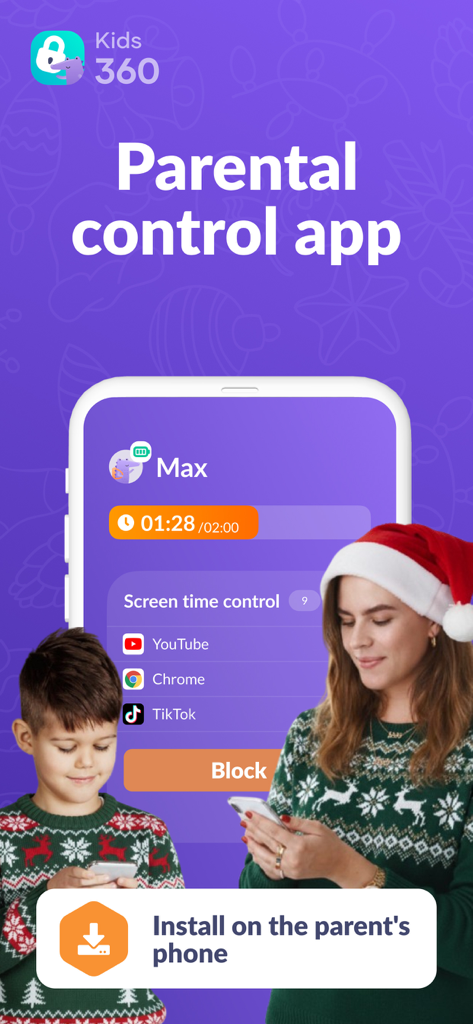
Mother and son using the Kids360 parental control app to manage screen time during the holidays

Mother and son using the Kids360 parental control app to manage screen time during the holidays

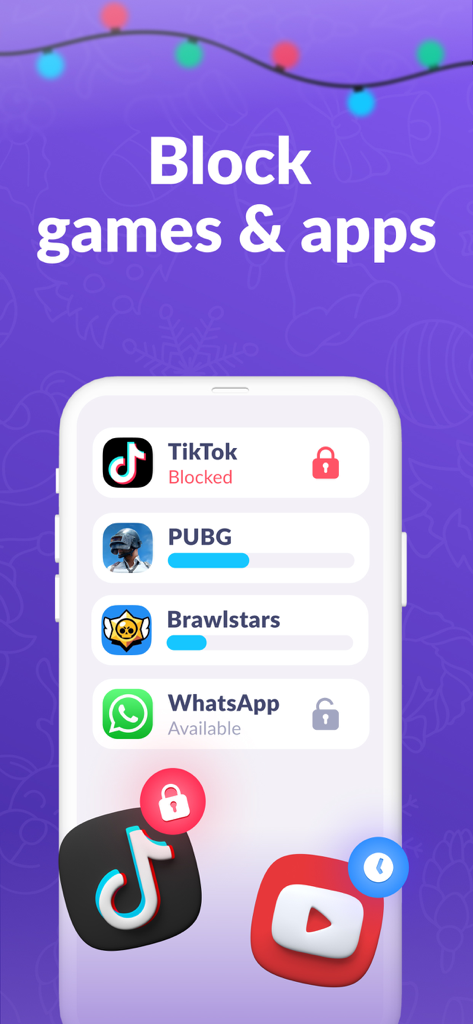
Mobile interface of Kids360 app showing a list of blocked and restricted games and social media applications

Mobile interface of Kids360 app showing a list of blocked and restricted games and social media applications

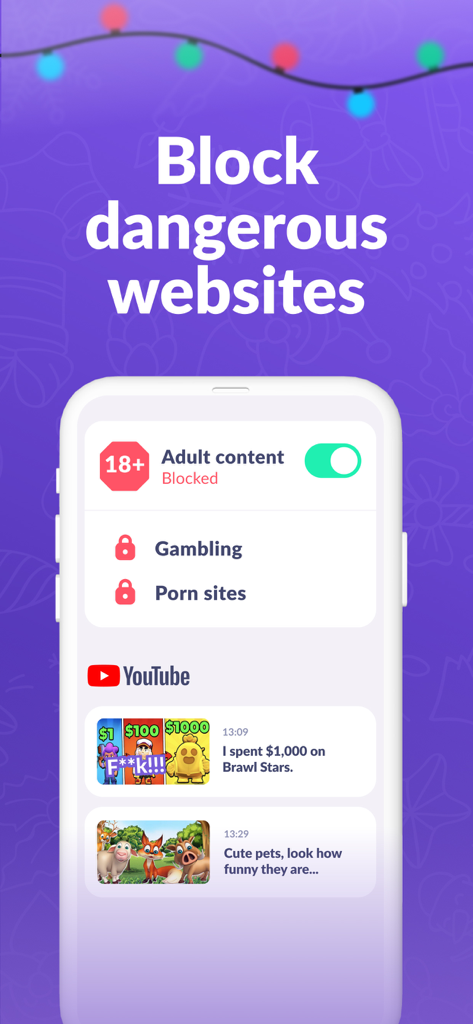
Kids360 app interface showing how to block adult content and monitor child YouTube history

Kids360 app interface showing how to block adult content and monitor child YouTube history

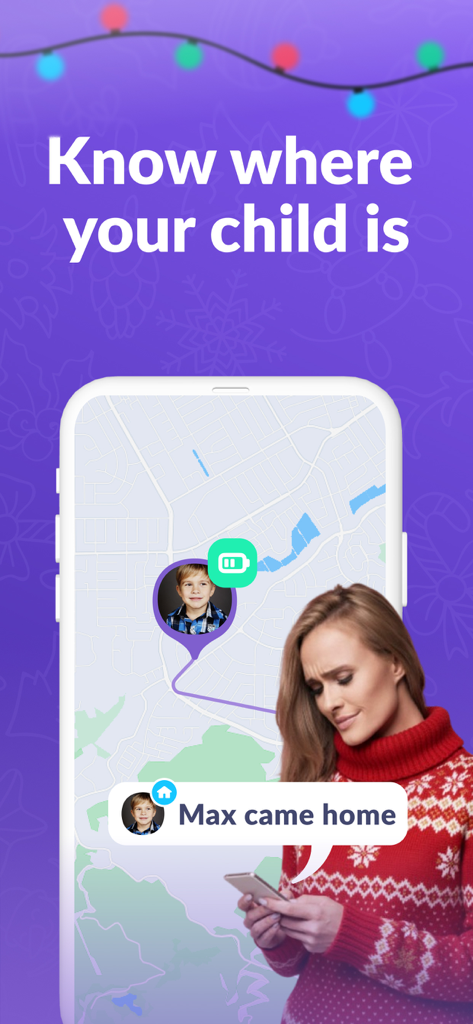
Smartphone screen showing Kids360 app GPS tracking map and notification that child arrived home

Smartphone screen showing Kids360 app GPS tracking map and notification that child arrived home

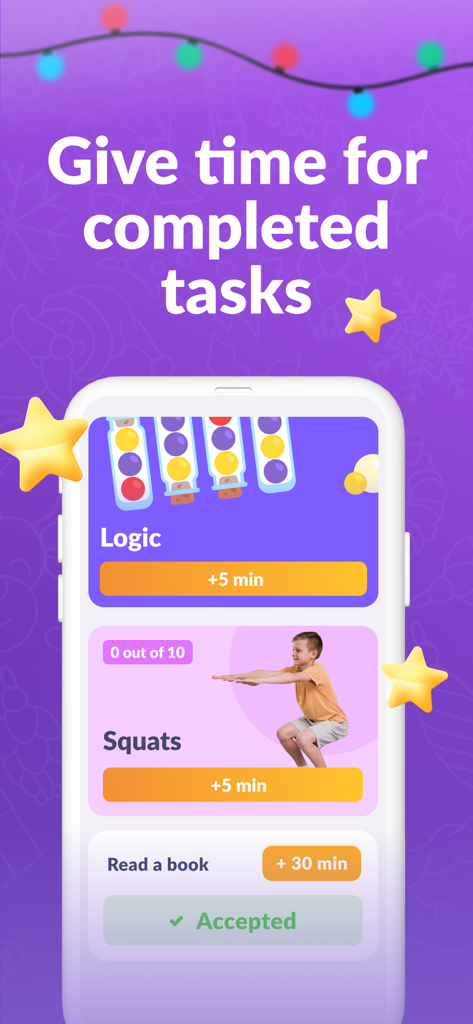
Kids360 app interface showing screen time rewards for physical and educational tasks

Kids360 app interface showing screen time rewards for physical and educational tasks

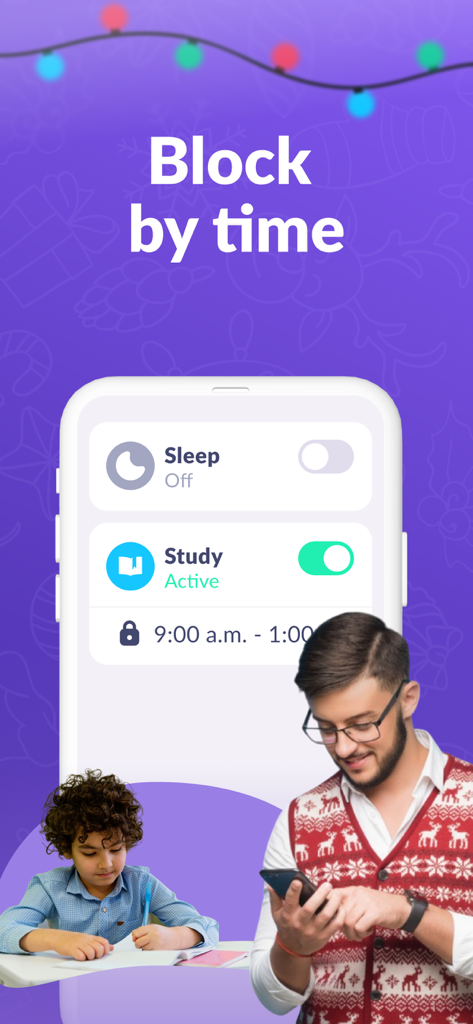
Parent using the Kids360 app to schedule screen time limits while their child studies

Parent using the Kids360 app to schedule screen time limits while their child studies

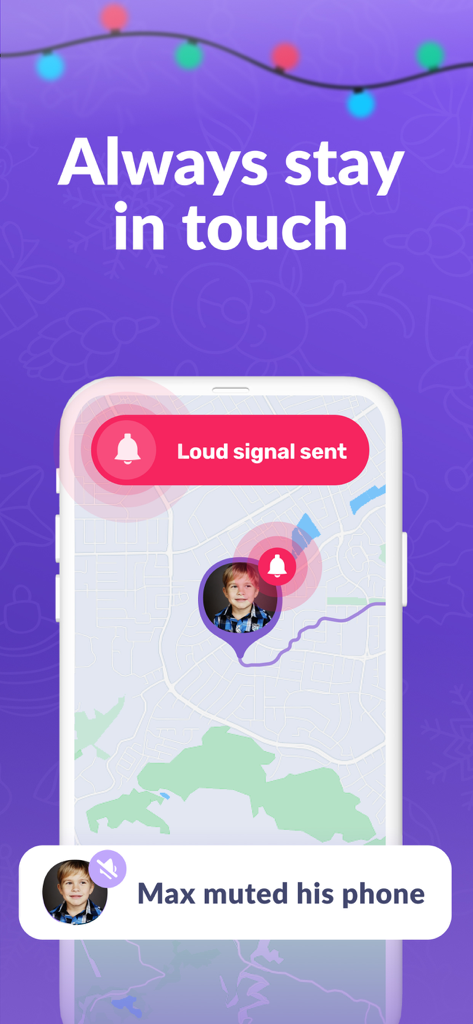
Smartphone screen of Kids360 app sending a loud signal to a childs muted phone on a map

Smartphone screen of Kids360 app sending a loud signal to a childs muted phone on a map

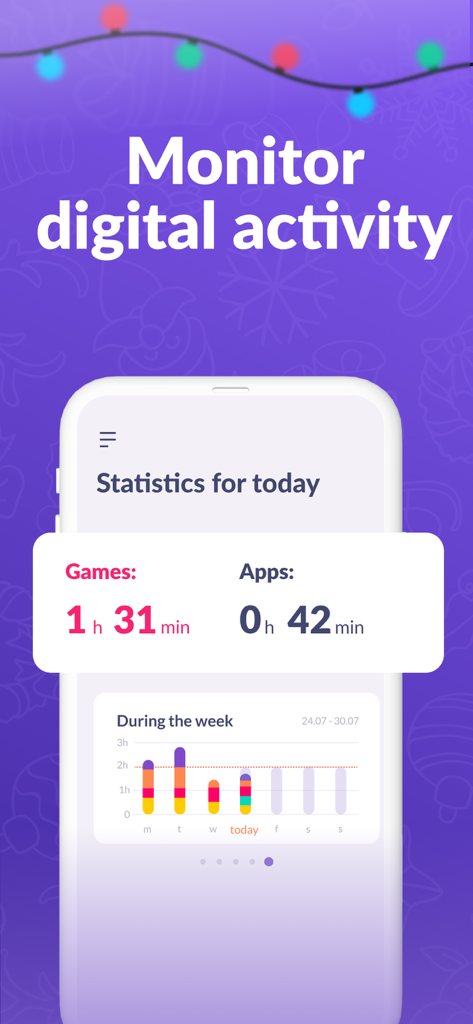
Kids360 app interface showing daily and weekly screen time statistics for games and apps

Kids360 app interface showing daily and weekly screen time statistics for games and apps

Turn Screen Time into a Positive Habit

The tools that make this app stand out, trusted by 3M+ users.

🧠

Earned Play Time

Replace daily arguments with incentives. Kids earn gaming minutes by completing educational tasks and logical puzzles, teaching them valuable time management skills.

🏃‍♂️

Active Screen Breaks

Our AI motion-tracking technology rewards physical activity with extra phone time, ensuring your child stays active and healthy even during digital play.

📍

Stay Connected Always

Track real-time GPS location and use the 'Loud Signal' to reach them instantly, even when their phone is on silent, providing you total peace of mind.

Loved by users worldwide

Trusted by 3M+ people who love this app.

"

"Kids360 has completely transformed our daily routine. Instead of me being the 'bad guy' who takes the phone away, my son now earns his gaming time by doing squats or solving math puzzles. It is the first app that actually teaches him how to manage his own time while keeping him active. I also love the peace of mind I get from the real-time GPS tracking."

Sarah Jenkins
"

"I've tried several parental control tools, but this is the most intuitive by far. The 'Loud Signal' feature is a lifesaver when my daughter leaves her phone on silent, and the educational tasks ensure she's learning something productive before jumping onto social media. It feels like a collaborative tool for our family rather than just a restriction app."

David Miller

Review Analysis

Insights from user reviews.

Sentiment Score

15%
Negative

Summary

The app receives overwhelmingly negative feedback from users, with many reporting that core parental control features, such as blocking apps, setting time limits, and tracking usage, do not function correctly or are easily bypassed by children. Users express frustration with billing practices, including unexpected charges, difficulty canceling subscriptions, and the app requiring payment for almost all functionalities. Furthermore, customers frequently complain about poor customer support and the app's inflexibility in managing specific applications. While a few users offered general positive remarks, the majority of reviews highlight significant performance and financial concerns.

Common Themes

Core Functionality Issues(21)
Subscription and Billing Problems(18)
Child Bypass Methods(7)
Poor Customer Support(7)
Lack of Granular Control(7)
Positive User Experience(5)

About the app

Everything you need to know about Parental Control App Kids360.

Description

Kids360 is the first parental control app that kids love. Easily manage your child's time on the phone and instill healthy habits through educational tasks. By completing tasks, your child earns time for games and learns to manage it wisely. Set time limits on the phone and block apps, track your child's GPS location on a map in real time, and ensure safety on the Internet. Install the Kids360 app on your phone and the Alli360 app on your child's phone. Control features that take care of your child's personal boundaries: Phone time limit - set a limit on the time your child can spend on the phone. App blocking - completely restrict access to unwanted apps if your child spends too much time on the phone. Daily schedules - select the time when games on your child's phone will be blocked - for example, during nap time or lessons. GPS geolocation – check your child’s location on the map in real time and always know where they are. Safe Internet – view browser history and YouTube views. Block dangerous sites and 18+ content on your child’s phone. Educational tasks – logical exercises, math problems and other educational games that help your child develop and get extra time on the phone. Physical exercises – artificial intelligence recognizes movements through the camera and records how many repetitions your child has done. Perform 10 squats or jumps – automatically get 10 minutes to play! Loud signal – send a loud call to your child’s phone, even if the child’s phone is on silent mode. The application cannot be installed secretly. Use is permitted only with the consent of the child. Personal data is stored in strict accordance with the law and GDPR policy. Install Alli360 on your child’s smartphone: the app will work on your child’s phone in app tracker mode and your child will not be able to delete it just like that. How to start using Kids360: • Install Kids360 on your phone. • Install Alli360 on your child’s phone and enter the code you see in Kids360. • Allow monitoring of your child’s smartphone in the Kids360 app. The Kids360 Parental Control app requests the following permissions: • Draw over other apps – to block apps when time is up. • Special access – to limit screen time. • Access to usage data – to collect statistics on app running time. • Autostart – to constantly run the tracker app on your child’s device. • Device administrator – to protect against unauthorized deletion and save the mode for children. If you have any technical issues, you can always contact the Kids360 24/7 support team by email at support@kids360.app. Always know how much time your children spend on social networks and set time limits on entertainment applications and games using parental controls If you have technical problems, you can always contact Kids360's 24/7 support team by email support@kids360.app Privacy policy: https://kids360.app/docs/privacy_policy_en.pdf Terms of Use (EULA): https://kids360.app/docs/term_of_use_en.pdf

Latest Version

1.78.3

Size

215.5 MB

First Released

Jan 21, 2022

Ready to turn screen time into a win-win?

Join over 3 million parents who use Kids360 to swap power struggles for healthy habits. Download now to start rewarding your child's growth, activity, and safety.

Download on App StoreDownload on Google Play
FAQ

Frequently Asked Questions

Everything you need to know about Parental Control App Kids360
What is the Kids360 app?

Kids360 is a parental control app that helps parents manage their child's screen time, block apps, track location, and ensure internet safety. Children earn extra screen time by completing educational and physical tasks.

How do I install and start using the Kids360 parental control app?

First, install Kids360 on your phone. Then, install Alli360 on your child's phone and enter the code displayed in Kids360. Finally, allow smartphone monitoring within the Kids360 app.

Does Kids360 allow parents to block specific applications on a child's phone?

Yes, Kids360 allows parents to completely restrict access to unwanted apps. This feature is part of managing screen time if a child spends too much time on their phone.

Can I track my child's GPS location using the Kids360 app?

Yes, Kids360 provides GPS geolocation, allowing you to check your child’s location on a map in real time. This ensures you always know their whereabouts.

What internet safety features does the Kids360 parental control app include?

Kids360 offers safe internet features, including viewing browser and YouTube history. It also blocks dangerous sites and 18+ content on your child’s phone.

How can children earn additional screen time using the Kids360 app?

Children can earn extra screen time by completing educational tasks like logical exercises and math problems. They can also perform physical exercises, with AI recognizing movements, to gain play time.

Is it required to have the child's consent to install the Kids360 app?

Yes, Kids360 strictly requires the child's consent for installation. The application cannot be installed secretly, and personal data storage complies with GDPR policy.

Can the Kids360 app send a loud signal to a child's phone even if it is on silent mode?

Yes, Kids360 features a loud signal function. It sends a loud call to your child’s phone, overriding silent mode, ensuring you can always reach them.

What specific permissions does the Kids360 Parental Control app request?

Kids360 requests permissions like 'Draw over other apps' for blocking, 'Special access' for screen time limits, 'Usage data' for statistics, 'Autostart' for the tracker, and 'Device administrator' for protection against deletion.

Can Kids360 monitor and provide statistics on a child's daily app usage?

Yes, Kids360 monitors digital activity and provides statistics for games and apps. It displays daily and weekly usage breakdowns, allowing parents to track screen time.