Parental Control App: AirDroid

Parental Control App: AirDroid

Download on App StoreDownload on Google Play
Spark by MWM logo
Logo of Parental Control App: AirDroid

AirDroid Parental Control: The Ultimate Digital Guardian for Your Child’s Safety

Protect your children with real-time screen mirroring, precise GPS tracking, and AI-powered content filtering. Gain total peace of mind while your kids explore the digital world with the most advanced safety tools for modern parents.

Download on App Store

Publisher

SAND STUDIO CORPORATION LIMITED

Category

Lifestyle

Downloads

1M+

User Rating

4.7/5

Total Ratings

10K+

Locales

15

Safety at a Glance

Discover the interface used by 1M+ users.

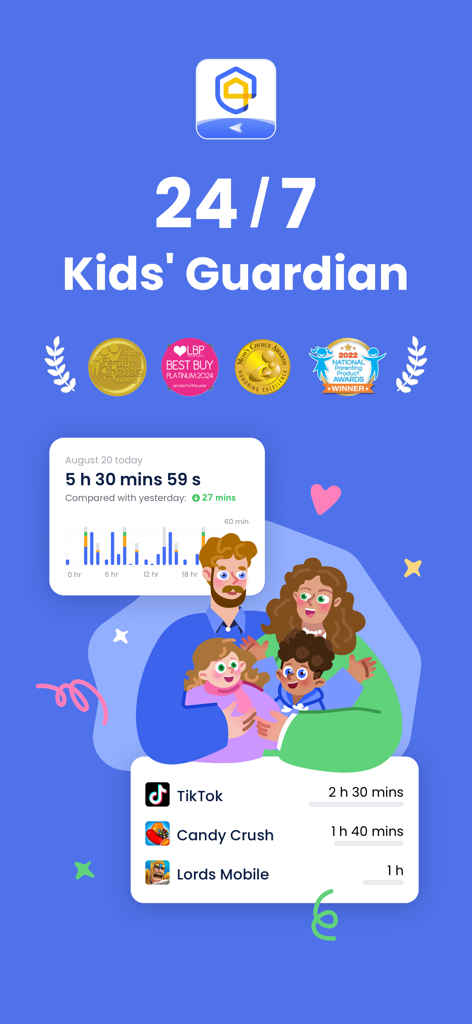
AirDroid Parental Control dashboard displaying screen time statistics and specific app usage tracking for parents

AirDroid Parental Control dashboard displaying screen time statistics and specific app usage tracking for parents

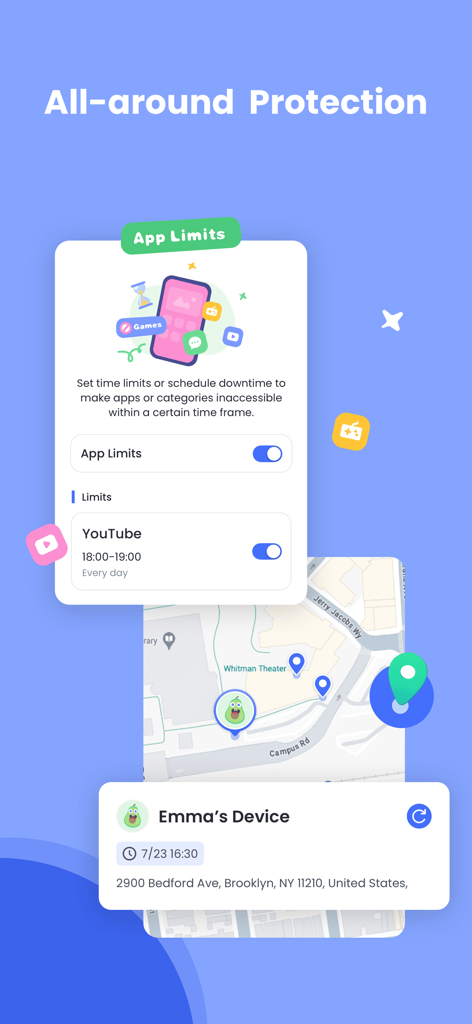
AirDroid Parental Control interface showing app time limits for YouTube and real-time GPS location tracking on a map

AirDroid Parental Control interface showing app time limits for YouTube and real-time GPS location tracking on a map

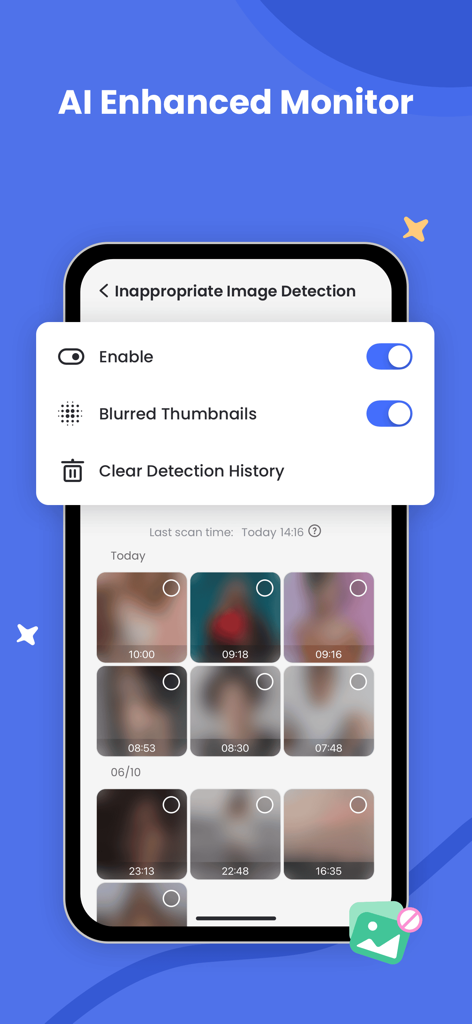
AirDroid Parental Control screen showing AI inappropriate image detection with blurred photo thumbnails

AirDroid Parental Control screen showing AI inappropriate image detection with blurred photo thumbnails

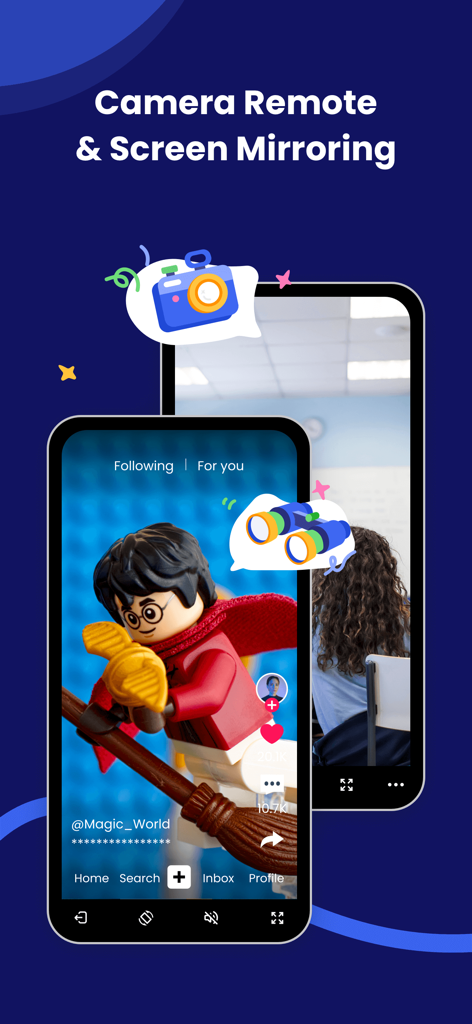
AirDroid app interface showcasing camera remote and screen mirroring features for parental monitoring

AirDroid app interface showcasing camera remote and screen mirroring features for parental monitoring

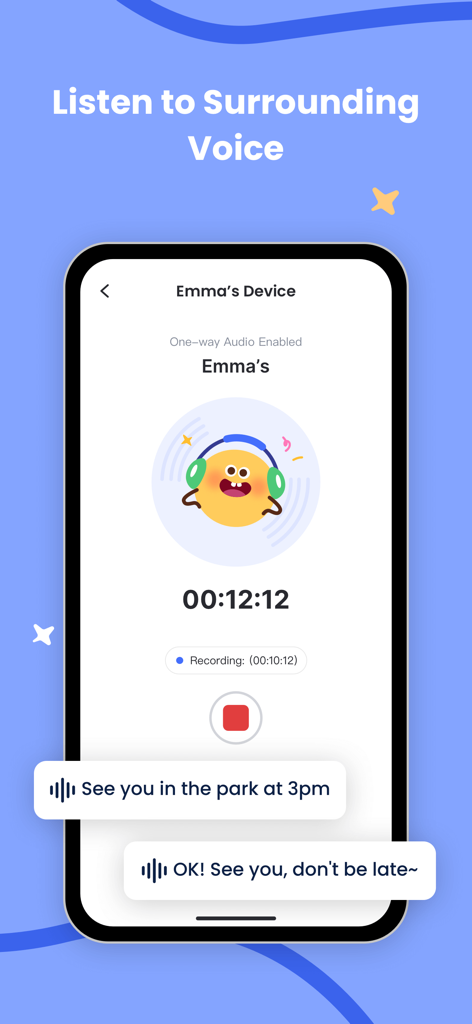
Smartphone screen showing the AirDroid Parental Control feature to listen to the child's surrounding voice with a recording timer and voice message bubbles

Smartphone screen showing the AirDroid Parental Control feature to listen to the child's surrounding voice with a recording timer and voice message bubbles

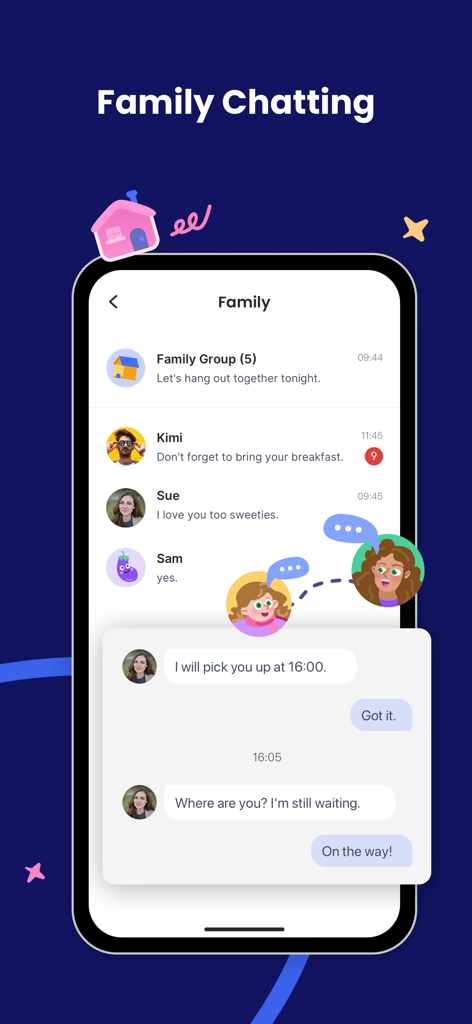
Interface of the AirDroid Parental Control app showing the family chatting feature with messages between a parent and child.

Interface of the AirDroid Parental Control app showing the family chatting feature with messages between a parent and child.

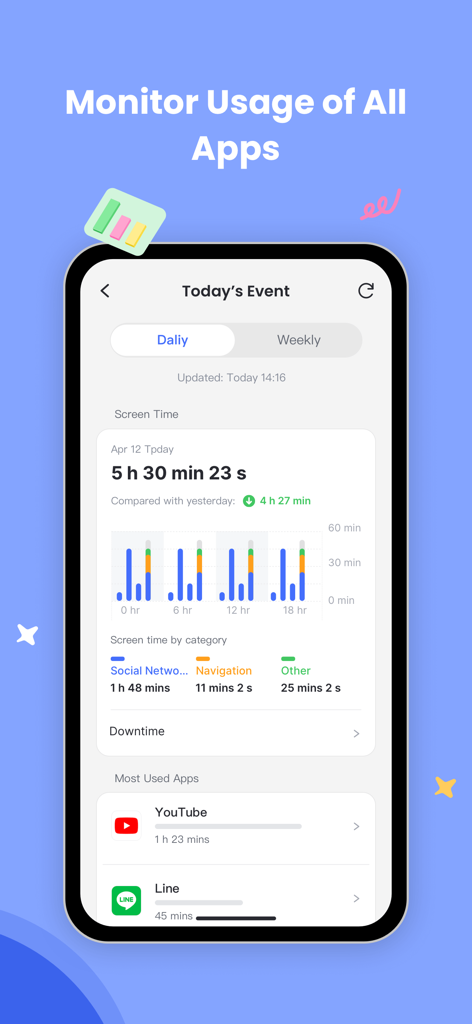
Screenshot of AirDroid Parental Control app displaying daily screen time and most used apps monitoring

Screenshot of AirDroid Parental Control app displaying daily screen time and most used apps monitoring

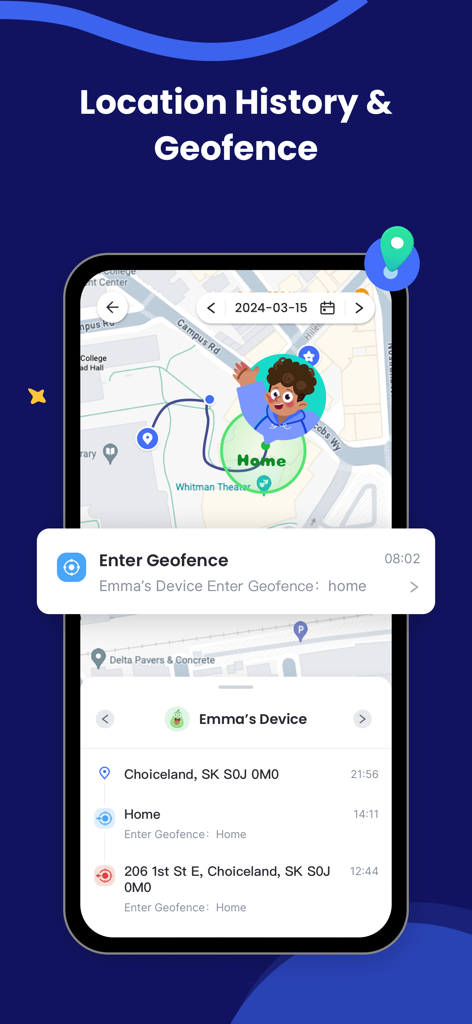
AirDroid Parental Control app showing location history and geofence alerts on a smartphone

AirDroid Parental Control app showing location history and geofence alerts on a smartphone

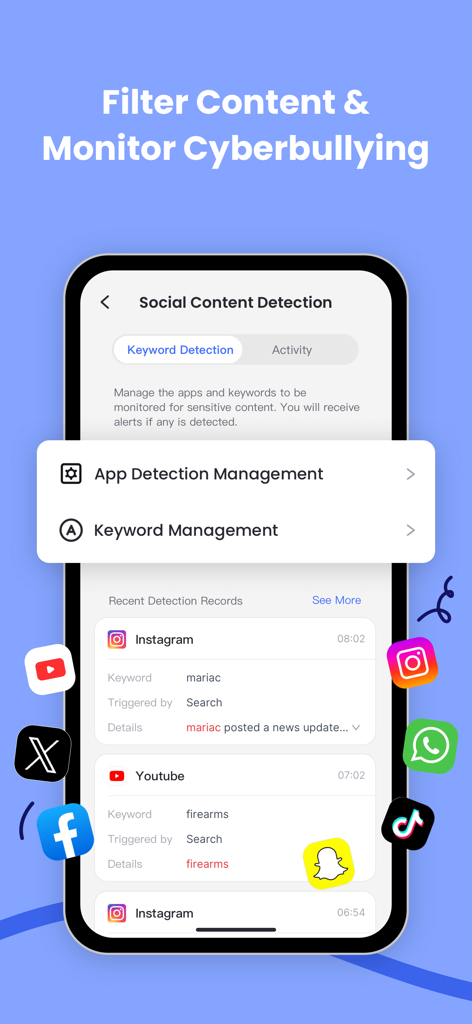
AirDroid app screen displaying social content detection and keyword monitoring to prevent cyberbullying

AirDroid app screen displaying social content detection and keyword monitoring to prevent cyberbullying

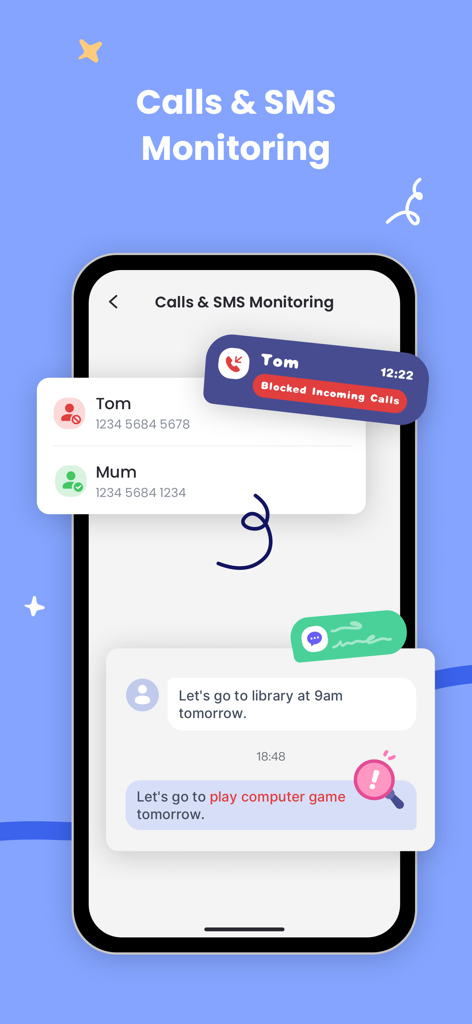
Interface showing call blocking and SMS monitoring features for parental oversight

Interface showing call blocking and SMS monitoring features for parental oversight

Total Protection for Your Child’s Digital Journey

The tools that make this app stand out, trusted by 1M+ users.

📱

Real-Time Screen Monitoring

See exactly what they see. Cast your child’s device screen to your phone instantly to monitor app usage and intervene if they encounter inappropriate content.

🛡️

Social Media & Safety Alerts

Protect them from cyberbullying. Sync notifications from apps like Instagram, Snapchat, and Messenger to stay informed about their social interactions and digital wellbeing.

📍

Live GPS & Safe Zones

Always know they are safe. Track their location in real-time and set custom geofences to receive instant alerts when they arrive at school or leave home.

Loved by users worldwide

Trusted by 1M+ people who love this app.

"

"AirDroid has completely changed how we handle tech in our house. Setting downtime during school hours ensures my kids stay focused on their studies, and the real-time screen casting gives me peace of mind that they are safe online. It is the most comprehensive parental tool I have found."

Mark T., Father of two
"

"I finally feel like I can breathe when my son is out with friends. The geofencing alerts let me know the second he arrives at soccer practice, and being able to sync notifications helps me protect him from cyberbullying before it starts. It is an essential app for any modern parent."

Sarah J., Middle School Mom

About the app

Everything you need to know about Parental Control App: AirDroid.

Description

AirDroid Parental Control App is designed for your child's safety as a priority. With the high safety features provided by AirDroid Parental Control, you can easily contact your child when they are not around you or they can't respond to you on time. Find your child in a tap, extremely easy! The latest AI-enhanced content control system is now live, delivering more precise and intelligent filtering of inappropriate content. We're able to access iOS devices now, including features like: • Daily downtime and app limits are set by the Parent App. • Website and app usage monitoring on the child’s device. • App blocking like inappropriate browsers, games, and social apps on the child’s device • Website blocking and category blocking such as games, gambling, and lockout of unwanted content on the child’s device • Safe search and custom black-and-white list on the child’s device • Location tracking of the child's device • Advanced reporting provided to parents • Real-time alerts sent to parents A new family chat feature is online now: text & voice chat for group or one-on-one conversations. Stay connected! Online monitor, content filter, and anti-cyberbullying functions have been released, which could improve the performance of kids' safeguards and ensure your loved child is always under perfect protection built by you. What makes you choose AirDroid Parental Control: · Real-time monitoring - Cast your child's device screen to your phone in real-time to find out what apps they're using in school and the frequency of use to prevent them from getting addicted to their phone. · Sync app notification - Real-time sync function helps you to know more about your child's chat on social media like Facebook, Instagram, Messenger, etc. Help your child to stay far away from cyberbullying and online fraud. · Screen time - Set up a unique schedule for your child to limit their use time and prevent them from focusing on it while having class. · App blocker - Set up phone access permission to ensure your child can only access the permitted app, also you will get an alert when your child tries to install or delete apps. · GPS location tracker - With the high-accuracy location tracker, you can track your child's location on the map and see their historical route for the day. Ensure your child is safe and they won't visit any high-risk places. · Location alert - Custom Geofence to your child, you will receive alerts when they pass, just like a 24/7 guard to follow and protect your child. · Battery check - Monitor your child's device charging status, once the device's power is running low, a notification will be sent to their phone to remind them to charge their phone in time, always stay in touch! To activate AirDroid Parental Control would be super easy: 1. Install 'AirDroid Parental Control' on your phone. 2. Connect your kids' devices by the invited link or code. 3. Install 'AirDroid Kids' successfully. 4. Link your account with your kid's device, then it works. To use AirDroid Parental Control you will need to download the app onto each device you wish to control. AirDroid Parental Control app offers a 3-day free trial of all Premium features. When the trial ends, access to features requires a subscription, with discounts for longer commitments. The cost of a subscription will be debited from your iTunes account. The subscription will automatically be renewed at chosen intervals unless canceled more than 24 hours before the end of the subscription period. Subscription management is available in the settings of your iTunes account after purchase. Privacy Policy: https://kids.airdroid.info/#/Privacy Terms of Service: https://kids.airdroid.info/#/Eula Payment Terms: https://kids.airdroid.info/#/Payment Contact Us: support@airdroid.com

Latest Version

2.7.0

Size

97.4 MB

First Released

Jun 7, 2022

Ready to Secure Your Child’s Digital World?

Join over 1 million parents who trust AirDroid for peace of mind. Start your 3-day free trial today and experience real-time safety at your fingertips.

Download on App StoreDownload on Google Play
FAQ

Frequently Asked Questions

Everything you need to know about Parental Control App: AirDroid
Is AirDroid Parental Control designed for child safety?

Yes, AirDroid Parental Control is designed to prioritize your child's safety with high safety features, ensuring you can connect with your child and find their location easily.

Does AirDroid Parental Control work on iOS devices?

Yes, AirDroid Parental Control supports iOS devices. It includes features like daily downtime, app limits, website blocking, location tracking, and real-time alerts for iOS users.

What features does AirDroid Parental Control offer?

AirDroid Parental Control offers features such as real-time screen monitoring, social media notification sync, screen time management, app blocking, GPS tracking, geofencing, and battery checks.

Can AirDroid Parental Control limit app usage and screen time?

AirDroid Parental Control allows parents to set daily downtime and specific app limits, like restricting YouTube usage during certain hours, to manage screen time effectively.

Does AirDroid Parental Control provide location tracking?

Yes, AirDroid Parental Control includes GPS location tracking, allowing parents to track their child's real-time location on a map and view their historical routes for the day.

Does AirDroid Parental Control use AI for content filtering?

Yes, AirDroid Parental Control features AI-enhanced content control for precise and intelligent filtering of inappropriate content, including inappropriate image detection.

Does AirDroid Parental Control include a family chat function?

Yes, AirDroid Parental Control has a family chat feature for group or one-on-one text and voice conversations, allowing families to stay connected.

How do I set up AirDroid Parental Control on my devices?

To activate AirDroid Parental Control, install the app on your phone, connect your child's device via an invited link or code, install 'AirDroid Kids' on their device, and link accounts.

Is there a free trial for AirDroid Parental Control?

Yes, AirDroid Parental Control offers a 3-day free trial for all its Premium features. A subscription is required to access features after the trial period.

Can AirDroid Parental Control help with cyberbullying prevention?

AirDroid Parental Control can monitor and filter content, detect keywords, and sync app notifications from social media to help prevent cyberbullying and online fraud.