Google Family Link

Google Family Link

Download on App StoreDownload on Google Play
Spark by MWM logo
Logo of Google Family Link

Google Family Link: Empowering Your Family to Build Healthy Digital Habits

Set screen time limits, manage app permissions, and stay connected with real-time location tracking. Gain peace of mind with the tools you need to guide your child in today's digital world.

Download on App Store

Publisher

Google LLC

Category

Utilities

Downloads

34M+

User Rating

4.6/5

Total Ratings

1M+

Locales

56

Safety at a Glance

Discover the interface used by 34M+ users.
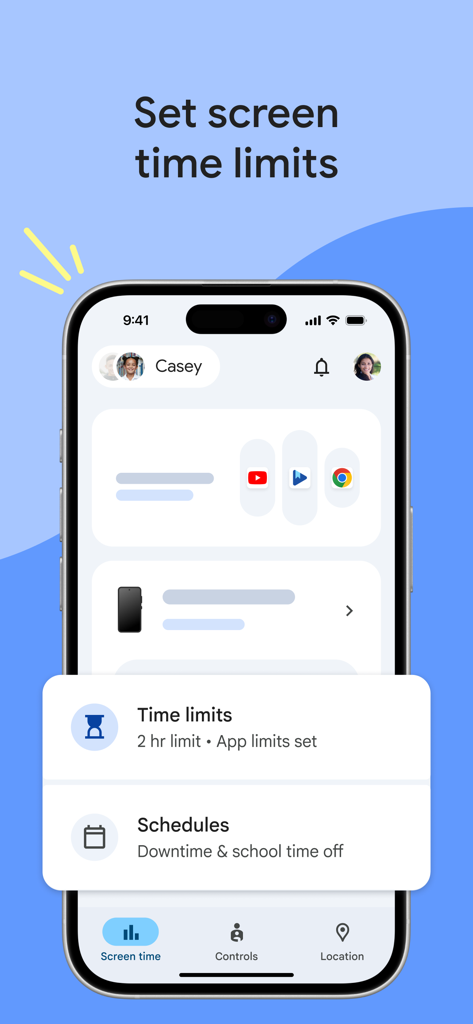
Google Family Link interface showing daily screen time limits and schedules for children

Google Family Link interface showing daily screen time limits and schedules for children

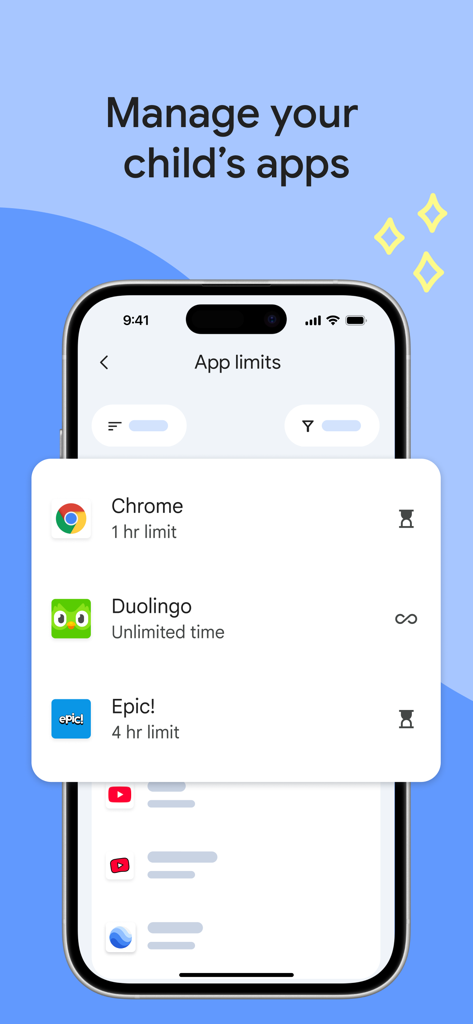
Google Family Link interface showing parental controls for child app time limits

Google Family Link interface showing parental controls for child app time limits

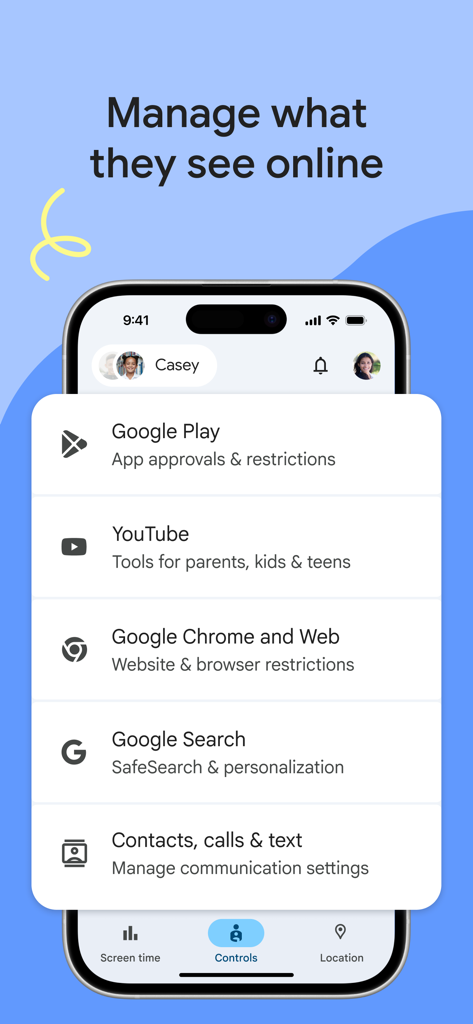
Google Family Link app interface showing parental control settings for YouTube and Google Search

Google Family Link app interface showing parental control settings for YouTube and Google Search

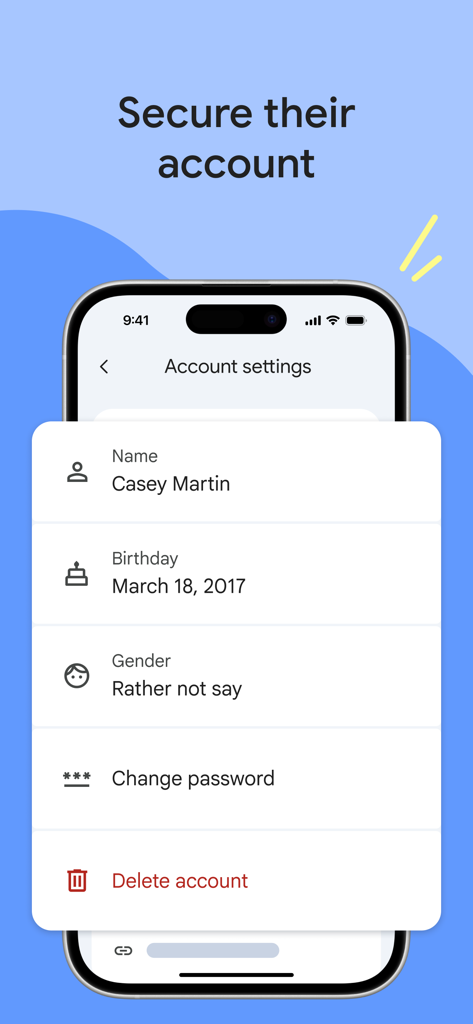
A smartphone displaying Google Family Link account settings for managing a child profile including password and privacy options

A smartphone displaying Google Family Link account settings for managing a child profile including password and privacy options

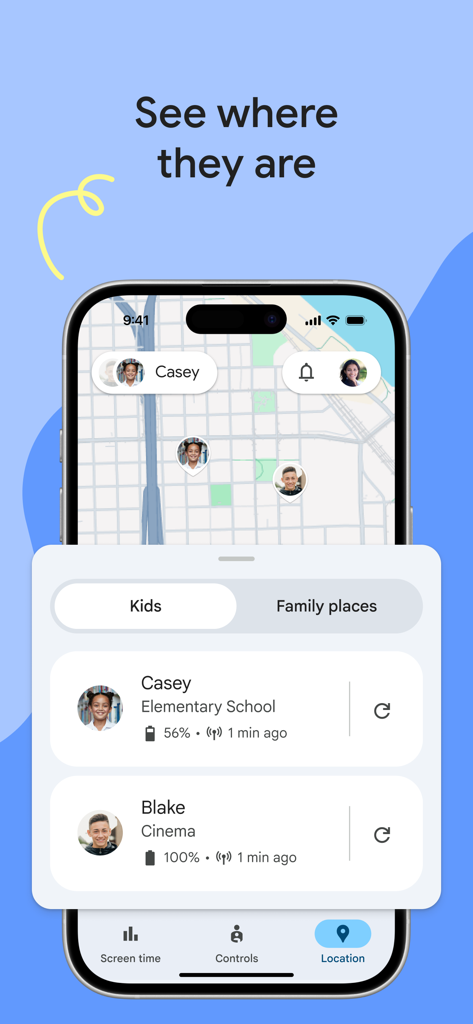
Google Family Link app interface showing real-time GPS location of children on a map with battery status.

Google Family Link app interface showing real-time GPS location of children on a map with battery status.

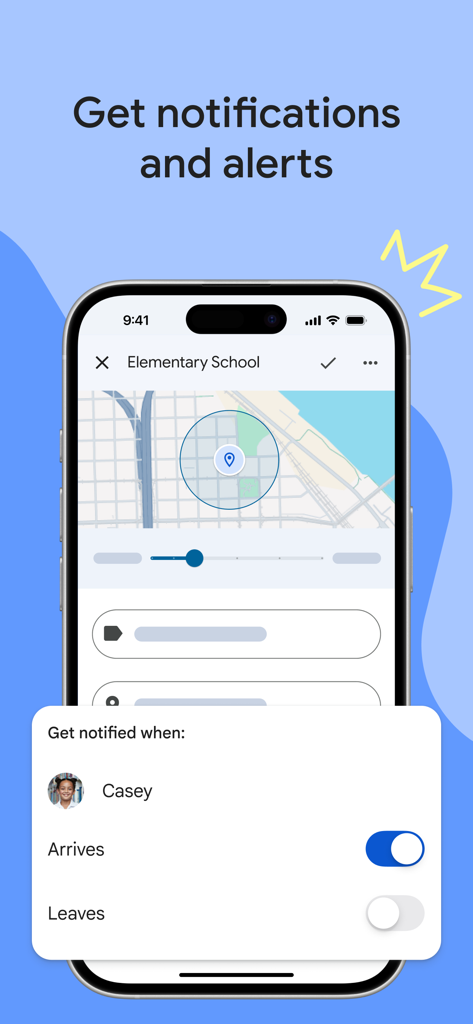
Google Family Link interface showing a map and options to receive notifications when a child arrives or leaves a location

Google Family Link interface showing a map and options to receive notifications when a child arrives or leaves a location

Build Healthy Digital Habits Together

The tools that make this app stand out, trusted by 34M+ users.

Smart Screen Time Limits

Set daily usage caps and downtime schedules to ensure technology doesn't interfere with sleep, study, or family time.

📍

Real-Time Location Tracking

View your child's location on a private map and receive instant alerts when they arrive at or leave frequent places.

App & Content Control

Remotely approve or block app downloads and filter web content to create a safe, age-appropriate digital playground.

Loved by users worldwide

Trusted by 34M+ people who love this app.

"

"Family Link has been a total game-changer for our family. Being able to see that my daughter made it to her soccer practice safely gives me such peace of mind. Plus, setting daily limits means we no longer have to argue about when it's time to put the phone away for dinner."

Sarah Jenkins
"

"As a tech-literate parent, I love how easy it is to manage app approvals right from my own device. It allows my son to explore his interests on his tablet while I rest easy knowing he's only accessing age-appropriate content. It's the perfect training wheels for the digital world."

David Chen

About the app

Everything you need to know about Google Family Link.

Description

Google Family Link is a parental controls app that helps you keep your family safer online. Every family’s relationship with technology is unique, so we built tools for you to choose the right balance for your family, and help them create healthy digital habits. You can use the app to see how your child is spending time on their device, see their device location, manage privacy settings, and more. With Family Link, you can: Establish digital ground rules • Set screen time limits — Find the screen time that works best for your child. Family Link lets you set daily time limits, with school time and downtime schedules for their devices, so you can help your child find a healthy balance. • Manage your child’s apps — Give your child the flexibility they need when it comes to app usage. Set individual app time limits, and unlimited time for educational or regularly used apps. You can block apps, too. Manage content filters and security & privacy • Manage what they see online — Set up parental controls on Google services like Chrome, Play, YouTube, and Search. Family Link allows you to block inappropriate sites, require approval for new apps, manage permissions for apps and websites, and more. • Secure their account — Family Link gives you access to manage your child’s account and data settings. As a parent, you can help change or reset your child’s password if they forget it, edit their personal information or even delete their account if you feel necessary.* *Children over the applicable age can manage their own account. Stay connected on the go • See where they are — It’s helpful to be able to find your family when they’re on the go. With Family Link, you can locate your children on one map, as long as they’re carrying their device. • Get notifications and alerts — Family Link delivers critical notifications including when your child arrives or leaves a certain location. You can also ring devices and view the device’s remaining battery life. Important Information • Family Link’s tools vary depending on your child’s device. See a list of compatible devices at https://families.google/familylink/device-compatibility/ • While Family Link helps you manage your child’s purchases and downloads from Google Play, they will not need approval to install app updates (including updates that expand permissions), apps you have previously approved, or apps that have been shared in Family Library. In addition, purchase approvals will apply only when your child makes a purchase through Google Play’s billing system and will not apply to purchases made through alternate billing systems. Parents should regularly review their child’s installed apps and app permissions in Family Link. • You should carefully review the apps on your child’s supervised device and disable those you don’t want them to use. Note that you may not be able to disable some pre-installed apps such as Play, Google, etc. • To see the location of your child or teen’s device, the device must be powered on, recently active, and connected to the internet through data or wifi. • Family Link parental controls are only available for supervised Google accounts. With supervised Google Accounts, children get access to Google products like Search, Chrome, and Gmail, and parents can set up basic digital ground rules to supervise them. • While Family Link provides tools to manage your child’s online experience and keep them safer online, it does not make the internet safe. Family Link can not determine the content on the internet, but it can give parents the opportunity to make decisions about how their child spends time on their device, and determine what path to online safety looks best for your family.

Latest Version

2.69.34421

Size

205.0 MB

First Released

Apr 13, 2017

Ready to Find Your Family’s Digital Balance?

Join over 34 million parents using Google Family Link to create a safer online space and set healthy boundaries for your children today.

Download on App StoreDownload on Google Play
FAQ

Frequently Asked Questions

Everything you need to know about Google Family Link

What is Google Family Link?

Google Family Link is a parental controls app designed to help families manage their children's online experience. It allows parents to set screen time limits, manage apps, filter content, track device location, and secure their child's Google account.

Can parents set screen time limits with Google Family Link?

Yes, parents can set daily screen time limits using Google Family Link. The app also allows for specific school time and downtime schedules for their children's devices.

How does Google Family Link manage a child's apps?

Google Family Link enables parents to set individual time limits for apps, designate unlimited time for educational apps, and block specific applications on their child's device.

Does Google Family Link allow parents to manage online content filters?

Yes, Google Family Link provides tools to set parental controls on Google services such as Chrome, Play, YouTube, and Search. It can block inappropriate sites and require approval for new apps.

Can I track my child's device location with Google Family Link?

Yes, Google Family Link allows parents to locate their children on a map, provided the child's device is powered on, recently active, and connected to the internet.

How can Google Family Link help secure my child's Google account?

Google Family Link provides parents with access to manage their child’s account settings. Parents can change or reset their child’s password, edit personal information, or delete the account if necessary.

Does Google Family Link require approval for all app purchases?

No, purchase approvals apply only when a child makes a purchase through Google Play’s billing system. It does not apply to app updates, previously approved apps, or purchases made via alternate billing systems.

What kind of notifications does Google Family Link provide?

Google Family Link delivers critical notifications, including alerts when a child arrives at or leaves a specific location. Parents can also ring devices and view the device's remaining battery life.

Is Google Family Link compatible with all devices?

No, Google Family Link's tools vary depending on the child's device. A list of compatible devices is available on the Google Families website.

Does Google Family Link guarantee internet safety for children?

No, Google Family Link does not guarantee internet safety. It provides tools for parents to manage their child's online experience and make decisions, but it cannot determine all content on the internet.