
CAD Reader-View & Measure DWG


Streamline your workflow from the office to the job site with the ultimate mobile toolkit. Access drawings instantly, take precise measurements, and annotate blueprints with voice or photos—all in a fully AutoCAD-compatible environment.
Publisher
Category
ProductivityDownloads
12M+User Rating
Total Ratings
4K+Locales
3Discover the interface used by 12M+ users.
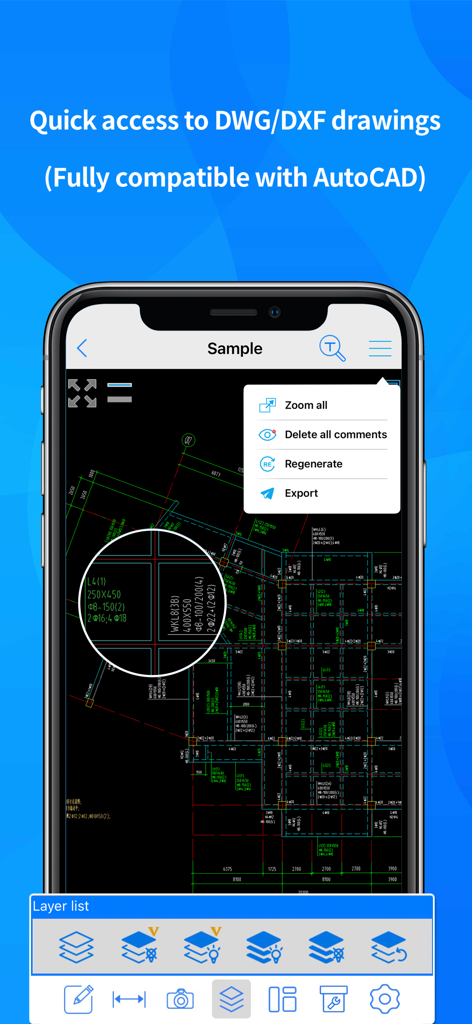
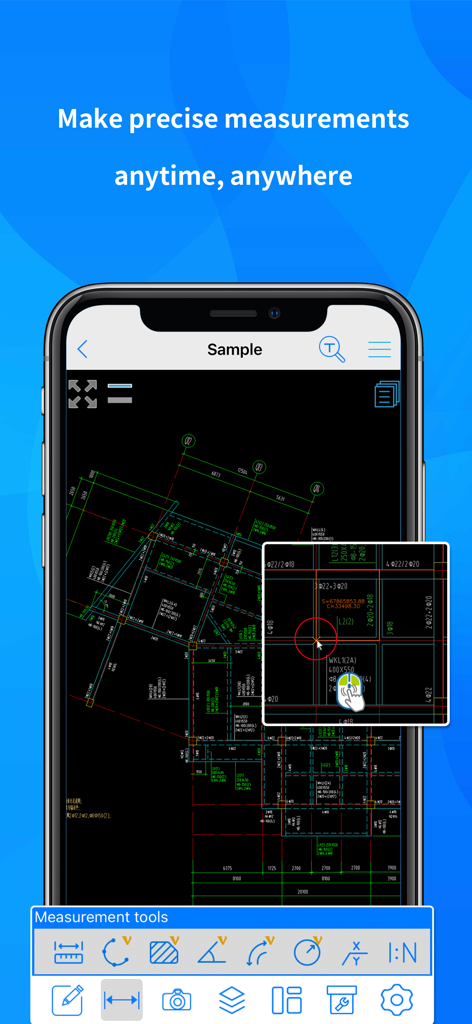
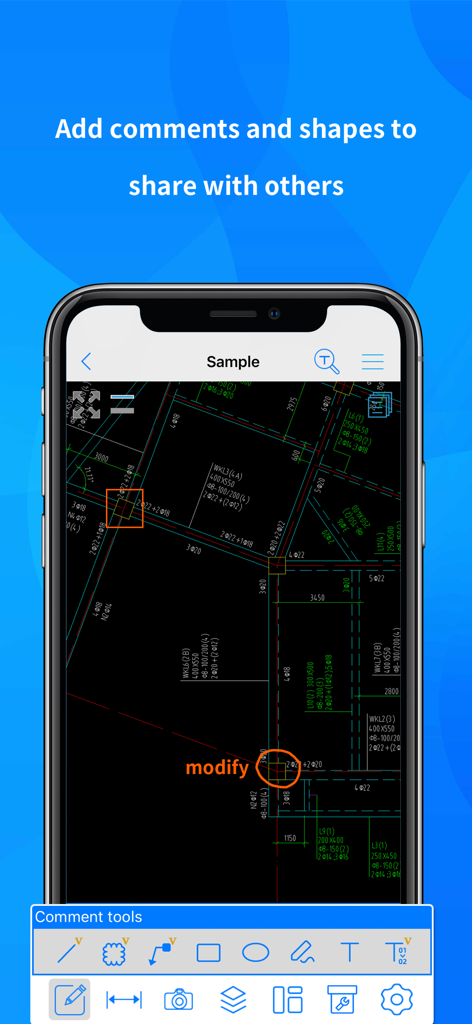
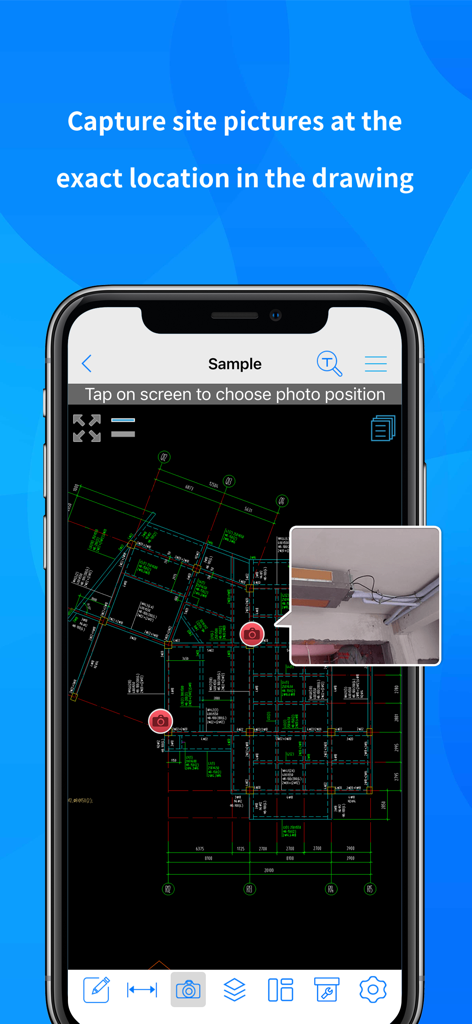
The tools that make this app stand out, trusted by 12M+ users.
Open and view complex AutoCAD files instantly with zero lag, ensuring you have the latest plans whenever you need them on-site.
Take accurate length and area measurements with automatic snapping points to eliminate errors and streamline your project estimates.
Attach site photos and voice memos directly to your drawings to document reality and keep the design office perfectly in sync.
Trusted by 12M+ people who love this app.
"CAD Reader is a game-changer for my site visits. I can view massive DWG files instantly on my iPad without any lag. The ability to attach photos and voice notes directly to the drawings has streamlined our communication between the field and the office immensely. No more carrying heavy paper blueprints!"
"The measurement tools are incredibly precise, especially the automatic snapping. I use the PDF to CAD conversion feature almost daily—it saves me hours of manual re-drawing when I am preparing project estimates. It is the perfect lightweight tool for every engineer and contractor."
Everything you need to know about CAD Reader-View & Measure DWG.
Description
Latest Version
6.1.1
Size
141.3 MB
First Released
Jun 8, 2014
Join 12 million professionals who have traded bulky blueprints for the world's fastest mobile DWG viewer. Download CAD Reader now and take precision to every job site.
Everything you need to know about CAD Reader-View & Measure DWG
CADReader is a cross-platform CAD software fully compatible with DWG, DXF, and PDF formats. It offers essential viewing, measuring, and annotation tools for engineers, designers, and quantity surveyors.
CADReader supports DWG, DXF, and PDF formats. It is fully compatible with AutoCAD, allowing users to access and view various drawing types effectively.
Yes, CADReader offers an advanced feature to convert PDF files directly into CAD format. This functionality streamlines workflows by enabling easy transformation of documents.
CADReader provides quick measurement tools including scale, continuous length, polygon area, radius, angles, arc length, and coordinates. It also features automatic snapping points for precision.
CADReader offers efficient collaboration tools. Users can attach site pictures and voice messages as annotations, draw lines, shapes, and revision clouds, and import/export comments.
Yes, CADReader includes layer management as an advanced feature. This enables users to organize, control, and switch between different layers within their CAD drawings for clarity.
Yes, CADReader is fully compatible with AutoCAD. It ensures seamless viewing of multiple AutoCAD drawings, providing users with quick access and comprehensive functionality.
You can contact CADReader technical support for free 1-to-1 services via WhatsApp or email. Contact details are available in the app description for direct assistance.
Apps with similar features and user experience

Shapr 3D Zartkoruen Mukodo Reszvenytarsasag

Shanghai Tantian Network Technology Co.,Ltd.

Gstarsoft Co., Ltd

存旺 姜

ZWCAD Software Co.,Ltd.

嘉欣 朱

Giles Goddard

镇源 余

Autodesk