Compress Videos & Resize Video

Compress Videos & Resize Video

Download on App Store
Spark by MWM logo
Logo of Compress Videos & Resize Video

Compress Videos & Resize Video: Reclaim Your iPhone Storage Without Losing Quality

Stop deleting precious memories. Join over 2 million users who shrink video files by up to 90% while keeping every detail crystal clear. Simple, private, and no watermarks.

Publisher

New Marketing Lab, Inc

Category

Photo & Video

Downloads

2M+

User Rating

4.7/5

Total Ratings

43K+

Locales

1

Visual Proof

Discover the interface used by 2M+ users.

Infographic showing video compression from 8.31GB to 1.79GB to save space on iPhone

Infographic showing video compression from 8.31GB to 1.79GB to save space on iPhone

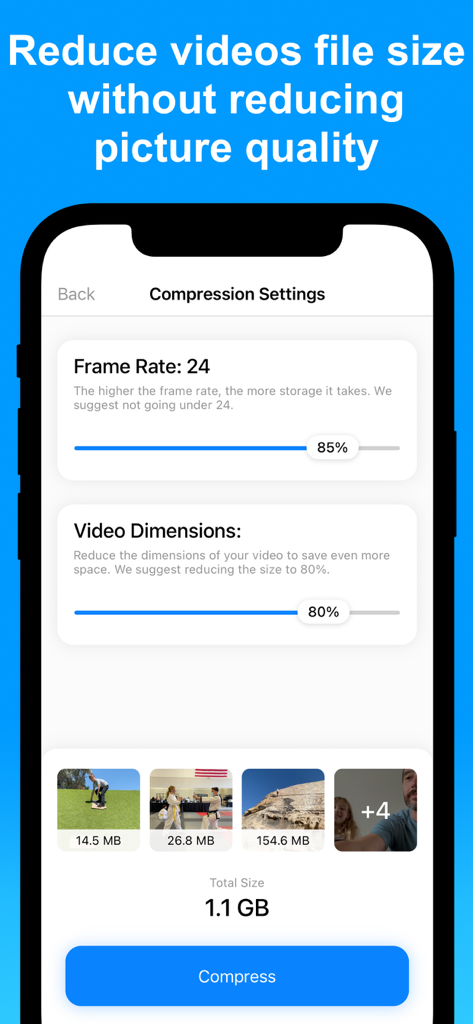
Adjustable video compression settings including frame rate and dimensions on an iPhone screen.

Adjustable video compression settings including frame rate and dimensions on an iPhone screen.

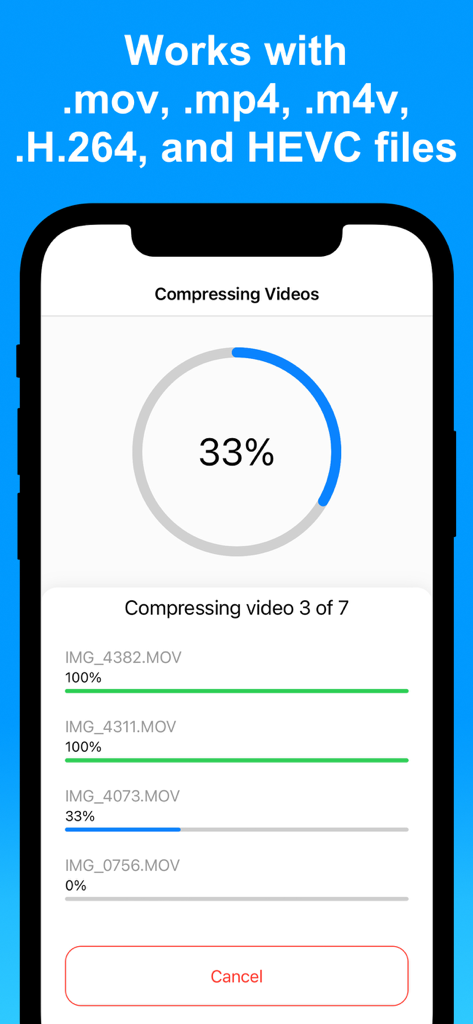
An iPhone screen displaying the progress of multiple videos being compressed simultaneously in the app.

An iPhone screen displaying the progress of multiple videos being compressed simultaneously in the app.

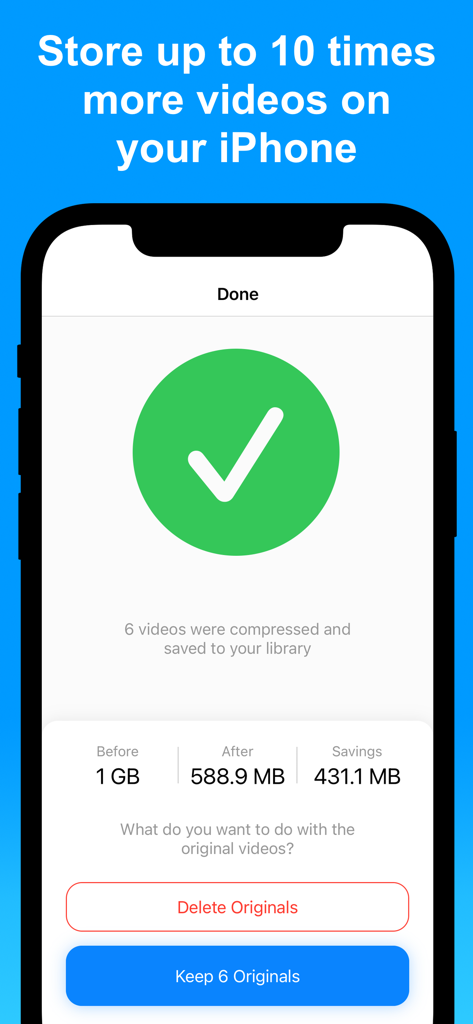
iPhone app interface showing successful video compression results and storage savings.

iPhone app interface showing successful video compression results and storage savings.

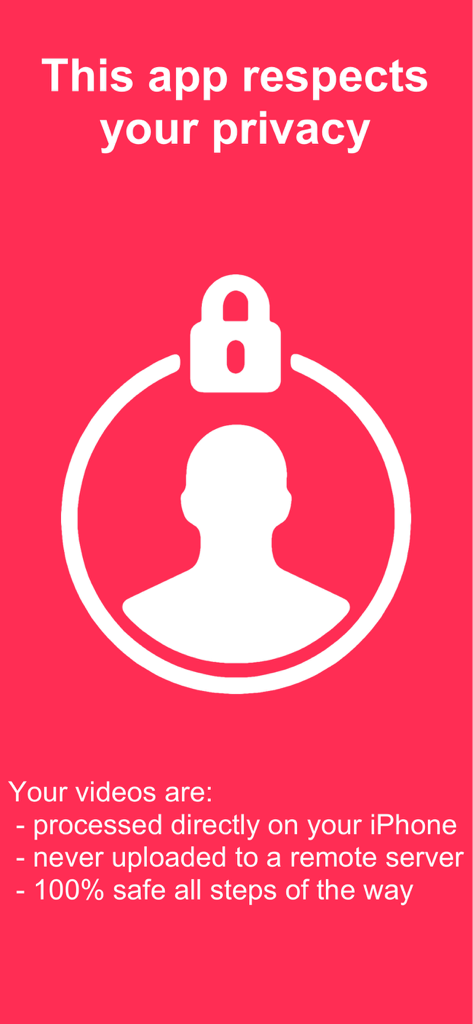
Privacy information screen for the Compress Videos app showing local on device processing

Privacy information screen for the Compress Videos app showing local on device processing

Everything You Need to Reclaim Your Storage

The tools that make this app stand out, trusted by 2M+ users.

📱

Banish 'Storage Full' Alerts

Regain gigabytes of space in seconds. Compress your entire library to store up to 10 times more videos on your current device.

Pro Quality, Smaller Size

Our intelligent compression engine ensures your videos stay crystal clear. Shrink files without any visible loss in sharpness or detail.

🔒

Private & Secure Processing

Your videos never leave your phone. All compression happens directly on your device to keep your personal moments 100% private.

Loved by users worldwide

Trusted by 2M+ people who love this app.

"

"As a parent constantly capturing memories, I was always hitting that 'Storage Full' alert. This app is a lifesaver—I cleared gigabytes of space while keeping my family videos looking sharp. It’s incredibly intuitive and the on-device processing gives me total peace of mind regarding privacy."

Sarah Mitchell
"

"I travel frequently and record high-res footage for my social media, but large files are a pain to upload on the go. This app shrinks my 4K videos to a fraction of the size without any visible quality loss. It’s the fastest and cleanest compressor I’ve used—no watermarks and no hassle."

Marcus Chen

About the app

Everything you need to know about Compress Videos & Resize Video.

Description

Save storage space on your iPhone or iPad by compressing your videos and reducing their size without reducing their quality. 9 REASONS TO USE COMPRESS VIDEOS - Highly rated with an average of 4.7 stars - Save space on your iPhone or iPad by reducing videos file size - Optimized for best video quality possible - Very easy to use - Shrink videos to share them faster with friends and family - Quickly and easily compress videos before posting them to social media - No watermarks on your compressed videos - This app respects your privacy and processes your videos directly on your device - Fast customer support if ever needed RECENT REVIEWS FROM USERS "This app is super awesome. It helps me save a lot of memory on my phone by compressing all my videos and photos. I highly recommend it to everyone. I give it two thumbs up and 5 stars." by I'm 037 "For a learner techie like me this app is perfect. Simple simple." by Btrmike "Don’t waste time with other apps. This does the jobs and it has an amazing UI." by Dtglory "Great app!!!! The compression is quick and design is user friendly." by Qtwood8083 "Simple and really works." by Usree "I was surprised how well it works." by Pugi_one "This app is very convenient and straightforward! I love love love it!" by Chembelina SAVE SPACE ON YOUR iPHONE Are you plagued by the “Storage almost full” alert on your iPhone or iPad? If so, this app can help! Use Compress Videos to shrink the file size of videos and regain storage space on your device. When applied to all your videos, Compress Videos can help you store up to 10 times more videos on your iPhone or iPad. KEEP VIDEO QUALITY SHARP Compress Videos is easy to use but it is incredibly powerful. The intelligent compression engine allows you to reduce the file size of videos without reducing their quality. With two compression settings to choose from, Compress Videos can easily shrink your videos by 90% or more without a notable difference. EASILY LOCATE COMPRESSED VIDEOS Compressed videos are saved to both your main library and a dedicated album conveniently called “Compressed Videos” on your device, allowing you to easily locate processed footage. This new album is automatically created when you run the app and save compressed videos to your device. SUPPORTED FILE TYPES Compress Videos works with all video file types supported by your iPhone, including H.264, MPEG-4, HEVC, .m4v, .mp4, and .mov. BEFORE AND AFTER SAMPLES Before: 132.1MB — After: 18.4MB (86% smaller) Before: 415.1MB — After: 45.6MB (89% smaller) Before: 127.3MB — After: 24.1MB (81% smaller) For best results, we recommend setting frame rate at 24 and video dimensions at 80%, which should significantly reduce the file size without a noticeable difference to the naked eye. PRO VERSION Upgrade to the Pro version of Compress Videos to remove ads, compress more than one video at a time, and compress unlimited videos daily. Payment will be charged to your iTunes account at confirmation of purchase and will auto-renew at the same price every year, unless canceled in your iTunes account settings at least 24 hours before the end of the current period. Subscriptions may be managed and auto-renewal may be turned off at any time by going to your account settings after purchase. Terms of use: https://www.sixstarapps.com/terms/ Privacy policy: https://www.sixstarapps.com/policy/

Latest Version

2.13

Size

15.3 MB

First Released

Aug 14, 2019

Stop Worrying About the “Storage Almost Full” Alert

Join over 2 million users who have reclaimed their iPhone space. Shrink your videos by up to 90% without losing visible quality and keep every memory right where it belongs.

Download on App Store
FAQ

Frequently Asked Questions

Everything you need to know about Compress Videos & Resize Video

What is Compress Videos & Resize Video?

Compress Videos & Resize Video is an app that compresses videos to reduce their file size and save storage space on iPhone or iPad devices without reducing their quality.

Does Compress Videos & Resize Video reduce video quality?

No, Compress Videos & Resize Video does not reduce video quality. Its intelligent compression engine reduces file size without a notable difference, even by 90% or more.

How does Compress Videos & Resize Video save space on my iPhone?

Compress Videos & Resize Video shrinks video file sizes, allowing users to regain storage space. It can help store up to 10 times more videos on an iPhone or iPad.

Does Compress Videos & Resize Video respect user privacy?

Yes, Compress Videos & Resize Video respects user privacy. It processes videos directly on the device, never uploads them to a remote server, and includes no watermarks.

What video file types does Compress Videos & Resize Video support?

Compress Videos & Resize Video supports all video file types supported by iPhone, including H.264, MPEG-4, HEVC, .m4v, .mp4, and .mov formats.

Where does Compress Videos & Resize Video save compressed videos?

Compressed videos are saved to both the main photo library and a dedicated album on the device called “Compressed Videos.” This album is automatically created by the app.

How to get Compress Videos & Resize Video without ads?

Users can upgrade to the Pro version of Compress Videos & Resize Video to remove ads. The Pro version also enables compressing multiple videos at once and unlimited daily compressions.

How does the Pro version of Compress Videos & Resize Video handle payment and renewal?

Payment for the Pro version is charged to the iTunes account upon purchase confirmation. It auto-renews annually at the same price unless canceled 24 hours before the period ends.

Can I compress multiple videos at once with Compress Videos & Resize Video?

Yes, the Pro version of Compress Videos & Resize Video allows users to compress more than one video at a time and compress unlimited videos daily.

What are the recommended settings for video compression in Compress Videos & Resize Video?

For best results, Compress Videos & Resize Video recommends setting the frame rate at 24 and video dimensions at 80%. This significantly reduces file size without noticeable quality difference.