
Duo Mobile



The most effortless way to protect your accounts. Get lightning-fast, one-tap authentication for work, school, and personal services across your iPhone and Apple Watch.
Publisher
Category
BusinessDownloads
49M+User Rating
Total Ratings
2M+Locales
23Discover the interface used by 49M+ users.
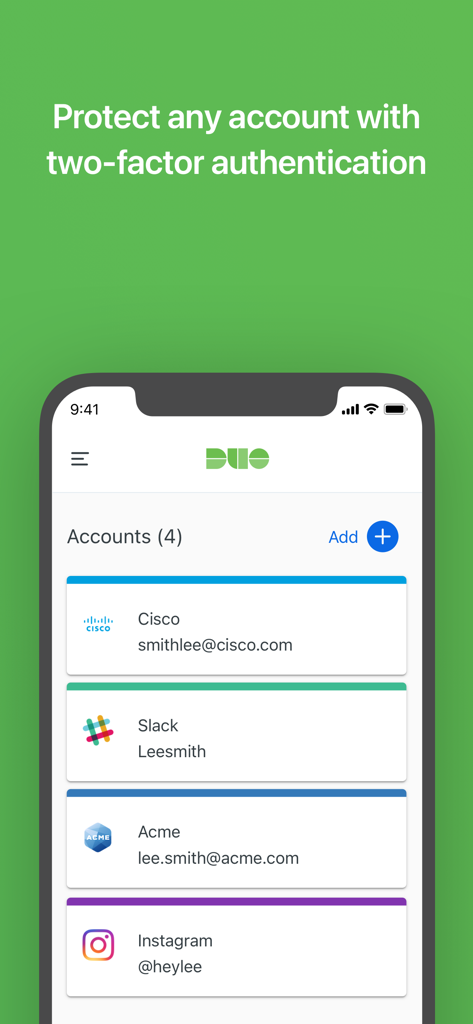
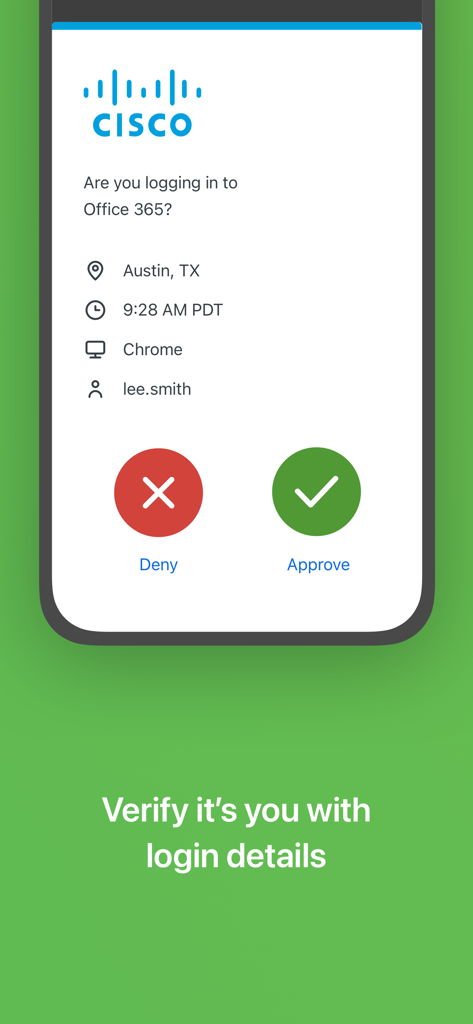
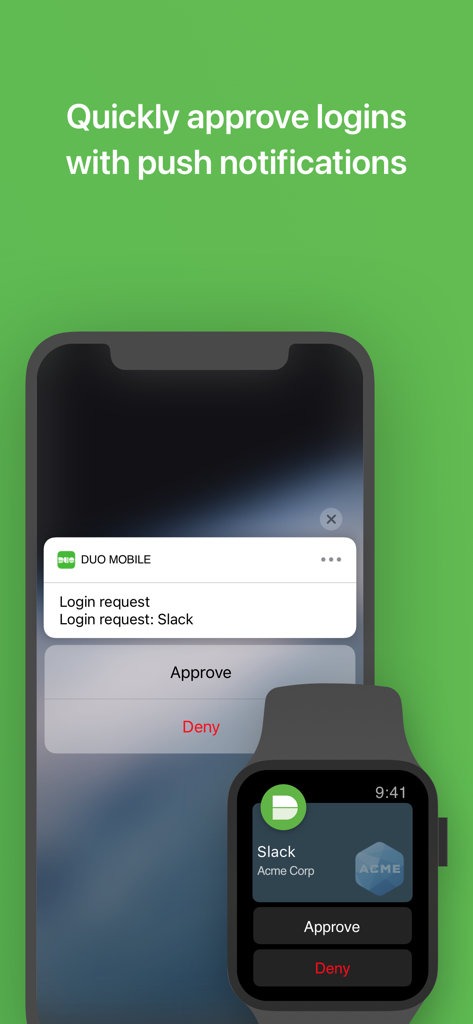
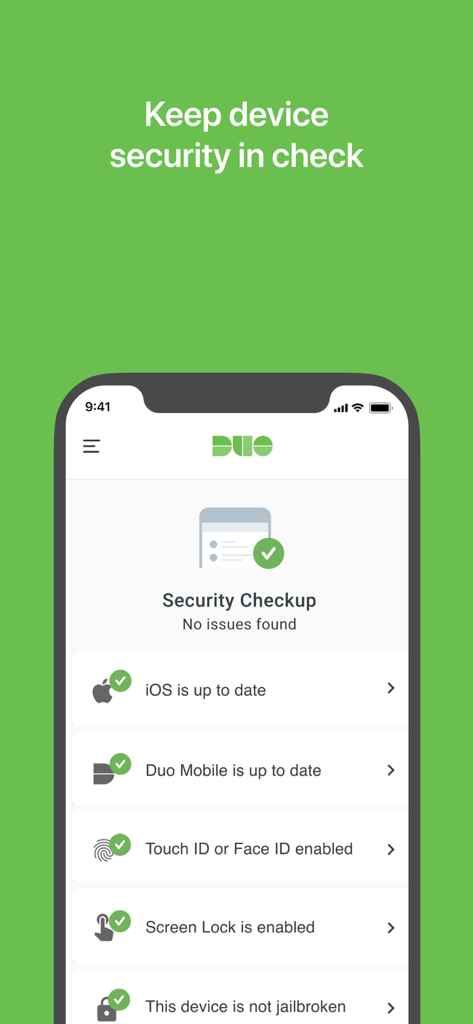
The tools that make this app stand out, trusted by 49M+ users.
Eliminate the friction of manual codes. Authenticate in less than three seconds with a single tap directly from your lock screen.
Perfect for the mobile professional. Approve secure logins from your Apple Watch, iPad, or iPhone without missing a beat.
Consolidate your world. Manage mandatory corporate access and personal accounts like Amazon or Gmail in one clean, ad-free interface.
Trusted by 49M+ people who love this app.
"As a project manager handling sensitive client data, security is non-negotiable, but efficiency is just as important. Duo Mobile makes the login process completely frictionless. I love being able to approve login requests directly from my Apple Watch without even breaking my workflow. It is the gold standard for secure, one-tap authentication."
"My university requires Duo for everything from checking grades to accessing library resources. It is so much faster than waiting for a text code or manually typing in numbers. I also use it for my personal social media accounts now because the interface is clean and it keeps everything organized in one place."
Everything you need to know about Duo Mobile.
Description
Latest Version
4.104.0
Size
34.1 MB
First Released
Mar 8, 2011
Join 49 million professionals and students who trust Duo Mobile for effortless, enterprise-grade security across your iPhone, iPad, and Apple Watch.
Everything you need to know about Duo Mobile
Duo Mobile works with Duo Security's two-factor authentication service, generating passcodes and providing one-tap push notifications to make logins more secure for various accounts.
Duo Mobile secures logins by generating passcodes and delivering push notifications for one-tap authentication. Users approve or deny requests directly on their device, ensuring identity verification.
Yes, Duo Mobile allows users to manage two-factor authentication for multiple accounts. It supports Duo accounts and third-party services that use passcodes, as shown by the "Accounts" list.
Duo Mobile for Duo accounts requires activation and linking. Users receive an activation link as part of Duo's enrollment process, which is necessary before the app fully functions.
Yes, Duo Mobile supports push notifications for easy, one-tap authentication. These notifications allow users to quickly approve or deny login requests directly from their device.
Yes, Duo Mobile is compatible with Apple Watch. It can receive push notifications on your Apple Watch, enabling convenient one-tap authentication directly from your wrist.
Yes, users can add third-party application and web services to Duo Mobile. It manages two-factor authentication for these accounts using passcodes, and they can be added anytime.
Yes, Duo Mobile includes a "Security Checkup" feature. It verifies OS and app updates, Touch ID/Face ID, screen lock status, and ensures the device is not jailbroken to maintain security.
Apps with similar features and user experience

Google LLC

APPLY DIJITAL HIZMETLER TICARET LIMITED SIRKETI

Mustafa Uz

Thales DIS (Singapore) Pte Ltd

Tatra banka, a.s.

Brilliant App Limited

UNIVERSE DIJITAL HIZMETLER LIMITED SIRKETI

XSOFT GLOBAL LIMITED
Stefan Philipsen
