Authenticator: Secure 2FA, MFA

Authenticator: Secure 2FA, MFA

Download on App Store
Spark by MWM logo
Logo of Authenticator: Secure 2FA, MFA
Authenticator: Secure 2FA, MFA: The Ultimate Vault for Your Digital Security

Secure your online identity with military-grade two-factor authentication. Enjoy seamless cloud backup, biometric protection, and offline code generation for all your essential accounts.

Download on App Store

Publisher

Stefan Philipsen

Category

Utilities

Downloads

159K+

User Rating

4.8/5

Total Ratings

0

Locales

6

A Glimpse of Total Control

Discover the interface used by 159K+ users.
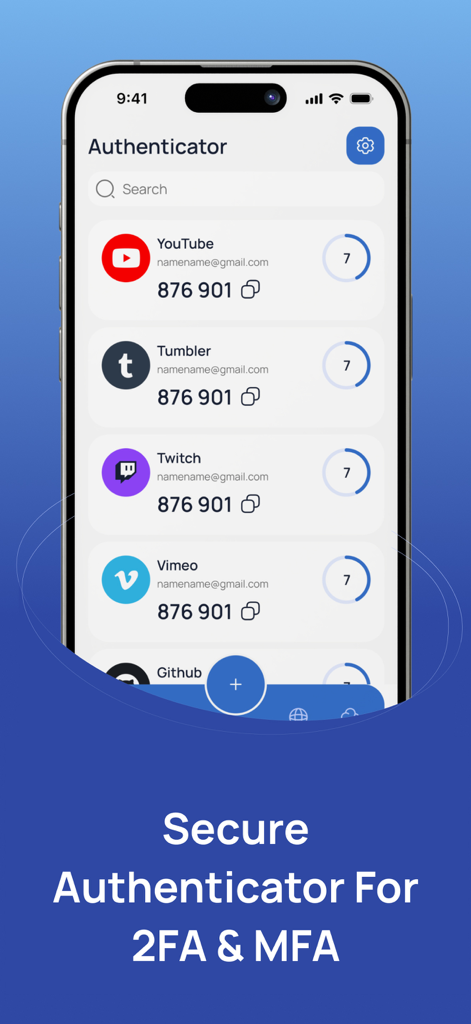
iPhone screen displaying the Authenticator app with a list of 2FA codes for YouTube Twitch and other services

iPhone screen displaying the Authenticator app with a list of 2FA codes for YouTube Twitch and other services

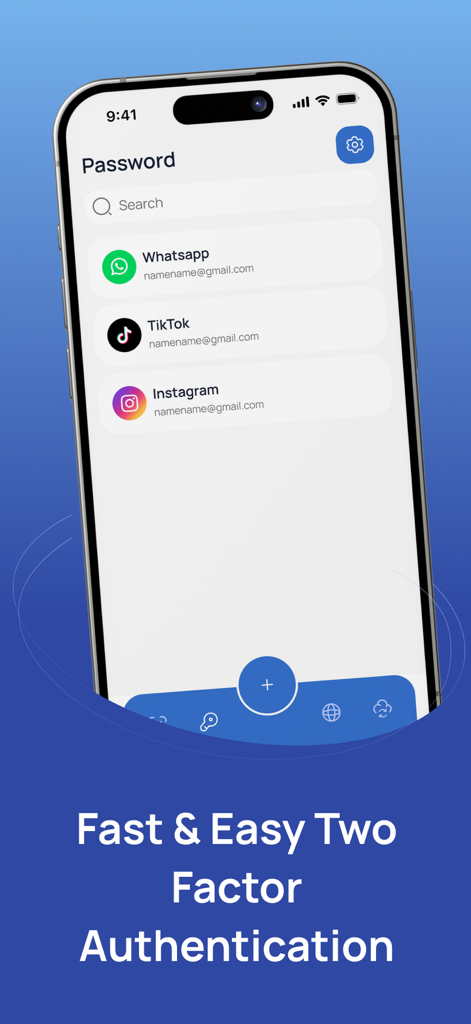
Mobile application interface for secure two-factor authentication showing a list of accounts including WhatsApp and Instagram

Mobile application interface for secure two-factor authentication showing a list of accounts including WhatsApp and Instagram

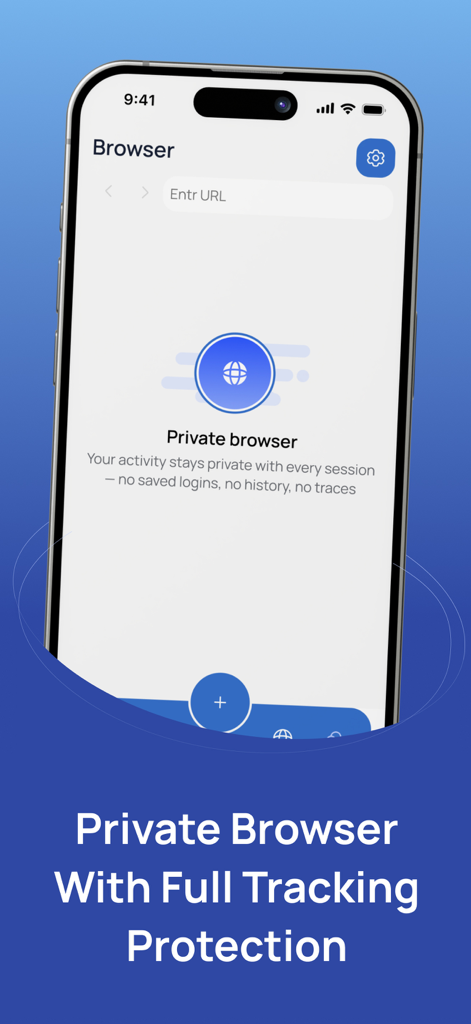
iPhone screen showing the private browser feature with tracking protection in the Authenticator app

iPhone screen showing the private browser feature with tracking protection in the Authenticator app

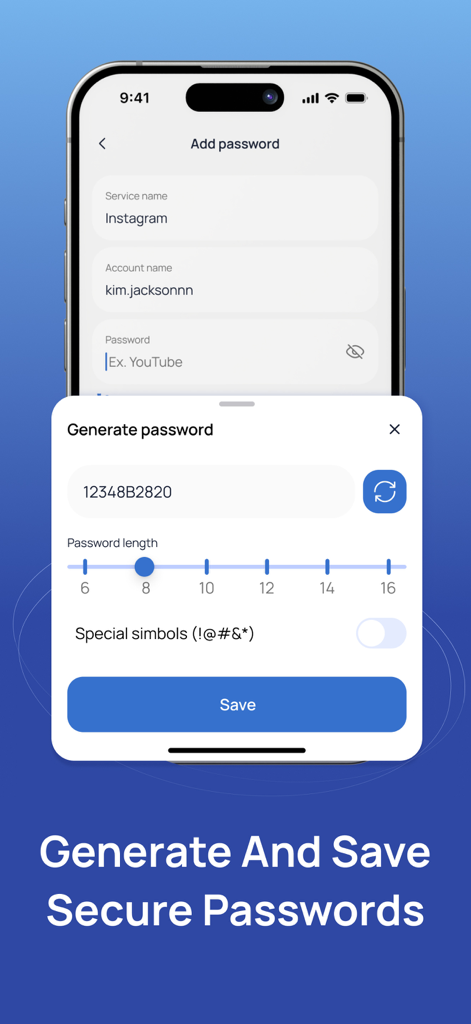
A mobile app interface for generating and saving secure passwords with customizable length and characters.

A mobile app interface for generating and saving secure passwords with customizable length and characters.

Maximum Security for Your Digital World

The tools that make this app stand out, trusted by 159K+ users.

🔄

Secure Cloud Sync & Backup

Never worry about being locked out of your accounts again. Safely back up your 2FA tokens and sync them across your iOS devices instantly.

🔒

Biometric & PIN Protection

Keep your sensitive codes private from prying eyes. Unlock your vault securely using FaceID, TouchID, or a personalized PIN.

✈️

100% Offline Functionality

Generate secure one-time passwords without needing an internet connection. Stay protected while traveling or working in remote environments.

Loved by users worldwide

Trusted by 159K+ people who love this app.

"

"As someone managing dozens of professional accounts and crypto wallets, the cloud backup feature is a total game-changer. I recently upgraded my iPhone and the transition was seamless—no more manual resets. The biometric lock provides the premium security I need for my high-stakes digital assets."

Marcus Thorne
"

"I've tried every 2FA app out there, and this is by far the most polished. The UI is clean, modern, and incredibly intuitive. I love that I can generate codes offline while traveling without worrying about data. It makes securing my social media and banking accounts feel effortless."

Elena Rodriguez

About the app

Everything you need to know about Authenticator: Secure 2FA, MFA.

Description

Enhance your account security with this App. This powerful and easy-to-use tool provides two-factor authentication to help protect your online accounts from unauthorized access. Generate time-based one-time passwords for all your supported services, including Google, Facebook, Microsoft, Instagram, Amazon, and many more. Simply scan a QR code or enter your secret key to start securing your accounts instantly. Key Features: * Time-based one-time passwords (TOTP) * Secure cloud backup and sync (optional) * Biometric and PIN protection * QR code scanner for fast setup * Offline functionality – codes generated without internet * Support for multiple accounts and services * User-friendly interface with customizable options Your privacy and security are our top priorities. Keep your accounts safe with a reliable and private two-factor authentication solution. Subscription Information: - Payment. Charges apply to your iTunes Account at purchase confirmation. - Auto-Renewal. Subscriptions renew automatically unless canceled at least 24 hours before the current period ends. - Renewal Charges. Your account will be charged for renewal within 24 hours prior to the end of the current period, based on the selected plan. - Manage Your Subscription. Go to your Account Settings after purchase to handle auto-renewal and other preferences. Privacy Policy:https://telegra.ph/Privacy-Policy-07-14-56 Terms Of Use: https://telegra.ph/Terms-of-Use-07-14

Latest Version

1.0.1

Size

17.3 MB

First Released

Jul 16, 2025

Secure Your Digital Life in Seconds

Join 159,000+ users who trust our premium cloud backup and biometric security to protect their accounts. Download the ultimate 2FA solution for iPhone today.

Download on App Store