FaceDial PRO Photo Dialer

FaceDial PRO Photo Dialer

Download on App Store
Spark by MWM logo
Logo of FaceDial PRO Photo Dialer

FaceDial PRO Photo Dialer: The Simplest Way to Reach the People You Love

Skip the tiny text and cluttered menus. Connect with your favorite contacts through large, easy-to-see photo buttons on your iPhone and Apple Watch—all with a single tap and zero ads.

Publisher

Tental Software

Category

Productivity

Downloads

143K+

User Rating

2.3/5

Total Ratings

0

Locales

1

Connections at a Glance

Discover the interface used by 143K+ users.
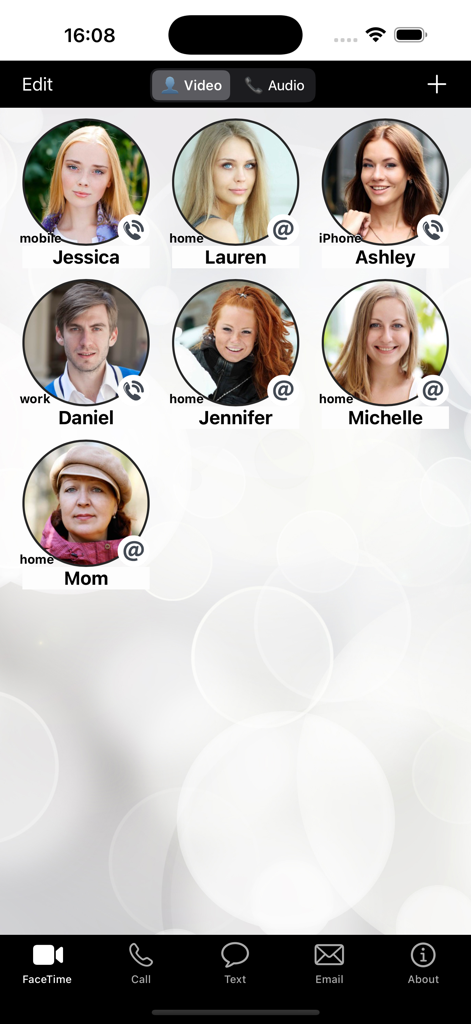
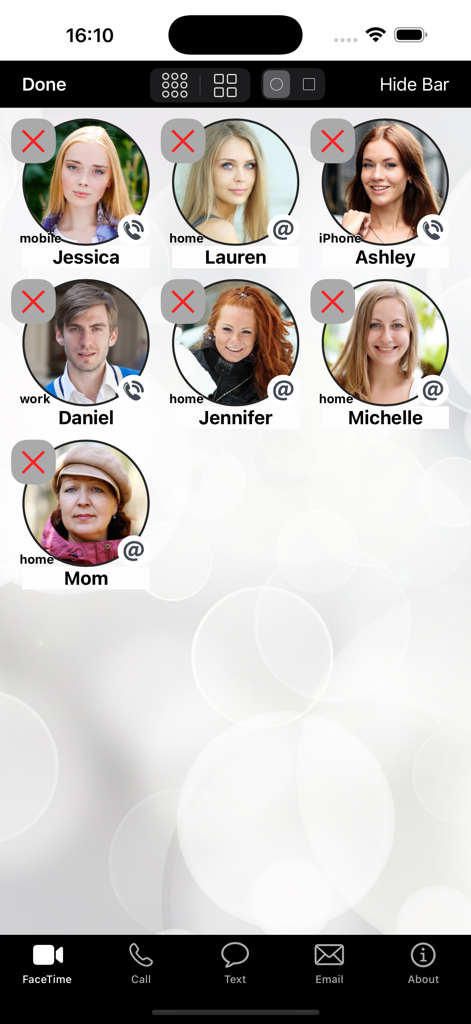
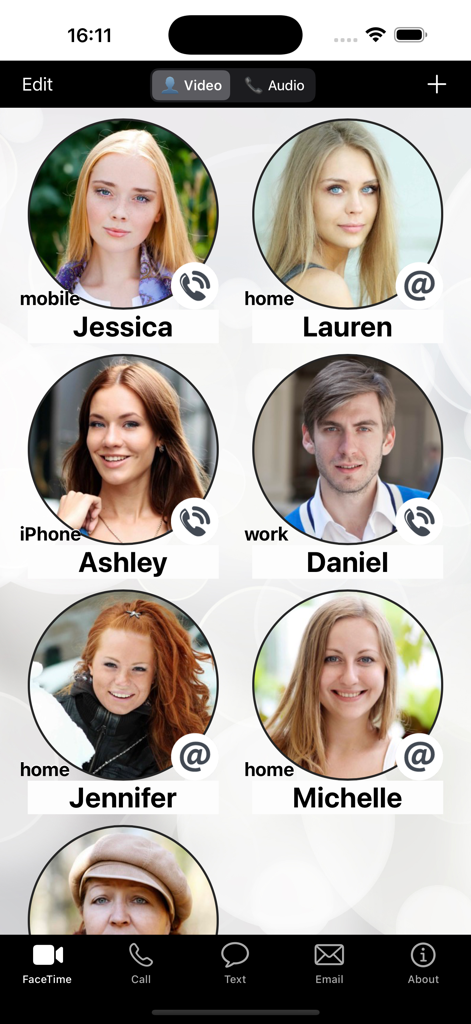
Interface of FaceDial PRO showing a grid of circular photo buttons for quick access to favorite contacts.

Interface of FaceDial PRO showing a grid of circular photo buttons for quick access to favorite contacts.

FaceDial PRO interface showing a grid of circular contact photo buttons for quick dialing

FaceDial PRO interface showing a grid of circular contact photo buttons for quick dialing

User interface of FaceDial PRO showing a grid of large circular contact photos with quick action icons for calling and emailing

User interface of FaceDial PRO showing a grid of large circular contact photos with quick action icons for calling and emailing

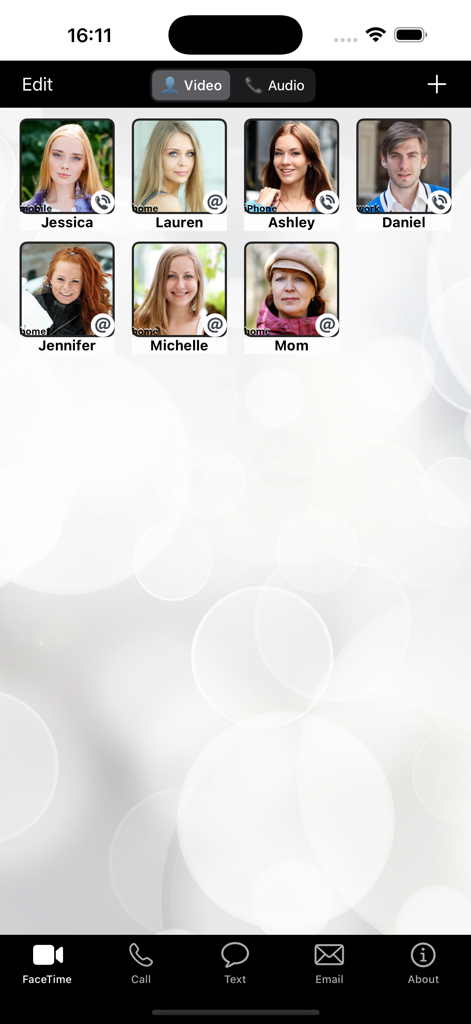
A grid display of favorite contacts with their photos for one-touch dialing and communication

A grid display of favorite contacts with their photos for one-touch dialing and communication

Stay Connected with Those Who Matter Most

The tools that make this app stand out, trusted by 143K+ users.

🖼️

Visual One-Touch Dialing

Stop searching through long lists of names. Simply tap a family member's photo to start a call, FaceTime, or text message immediately.

Apple Watch Shortcuts

Keep your most important contact right on your watch face. A single tap from your wrist ensures you're always connected, even on the go.

🚫

100% Ad-Free & Simple

Experience a clean, distraction-free interface. No pop-ups or complex menus—just a reliable tool designed for clarity and ease of use.

Loved by users worldwide

Trusted by 143K+ people who love this app.

"

"This app is a life-saver for my Apple Watch. I have my husband's photo right on the clock face, and I can call him instantly without fumbling through menus. The large photo buttons are so much easier to see than a tiny list of names."

Martha G.
"

"I set this up on my mother's iPhone and it has completely changed how she stays in touch. She doesn't have to navigate complex menus anymore; she just taps the photo of the person she wants to talk to. It's incredibly intuitive and worth every penny."

David S.

About the app

Everything you need to know about FaceDial PRO Photo Dialer.

Description

**** FaceTime/Call/text/email your favorites contacts, with buttons showing their photo. - See all your favorite contacts faces, - FaceTime/Call/text/email them with a single touch. - For FaceTime, you can select Video or Audio only call. - Apple Watch complication to call your favorite contact with a tap directly from the watch face (clock). *** This is the PRO version, no ads! *** HOW IT WORKS: -------------- - Click the "+" button and select a contact from your Address Book - Select the contact's phone number or email address. - Once the button is created, just tap it to FaceTime/call/text/email. - Use the EDIT button and then tap a contact button to change name, phone/email and picture. HOW TO CHANGE SIZE & SHAPE OF BUTTONS: -------------------------------------- - Tap the EDIT button - use the size buttons on top to make buttons smaller or larger. - use the round/square selector on top to change buttons shape. APPLE WATCH APP & COMPLICATION: ------------------------------- - The Apple Watch app will show your first favorite button with a phone number. Just tap it to call. - Add the FaceDial complication to your WatchFace and tap it to call your favorite contact. ABOUT FACETIME: --------------- FaceTime is an Apple technology and FaceDial is not related or affiliated in any way to FaceTime. WARNING: ------------- FaceDial uses the built-in Phone, Text Message (SMS), Email and FaceTime. Using them might incur a cost depending on your operator contract. FEATURES: --------- - Written for iOS 9+ and Apple Watch - Supports all devices in all orientations. - Supports iPad Multitasking - Apple Watch app & complication to call your first favorite contact.

Latest Version

5.01

Size

10.5 MB

First Released

Aug 5, 2015

Keep Your Loved Ones Just One Tap Away

Replace small text and complex lists with large, friendly photos. Start your ad-free, visual calling experience on iPhone and Apple Watch today.

Download on App Store