FaxFree: Send Fax From iPhone

FaxFree: Send Fax From iPhone

Download on App StoreDownload on Google Play
Spark by MWM logo
Logo of FaxFree: Send Fax From iPhone

FaxFree: Send Fax From iPhone — Your All-in-One Portable Fax Machine
Join 3M+ professionals who scan, sign, and send secure faxes to 90+ countries in seconds. Ditch the bulky hardware and handle contracts, medical forms, or legal docs directly from your pocket with our advanced mobile scanner.

Publisher

BP Mobile LLC

Category

Business

Downloads

3M+

User Rating

4.7/5

Total Ratings

162K+

Locales

12

The Fax Machine in Your Pocket

Discover the interface used by 3M+ users.
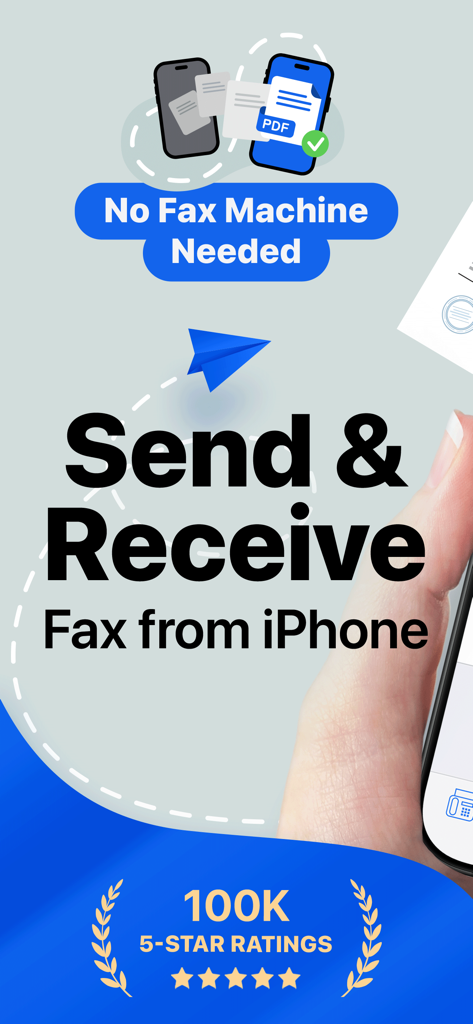
Promotional banner for FaxFree app to send and receive faxes from iPhone without a fax machine

Promotional banner for FaxFree app to send and receive faxes from iPhone without a fax machine

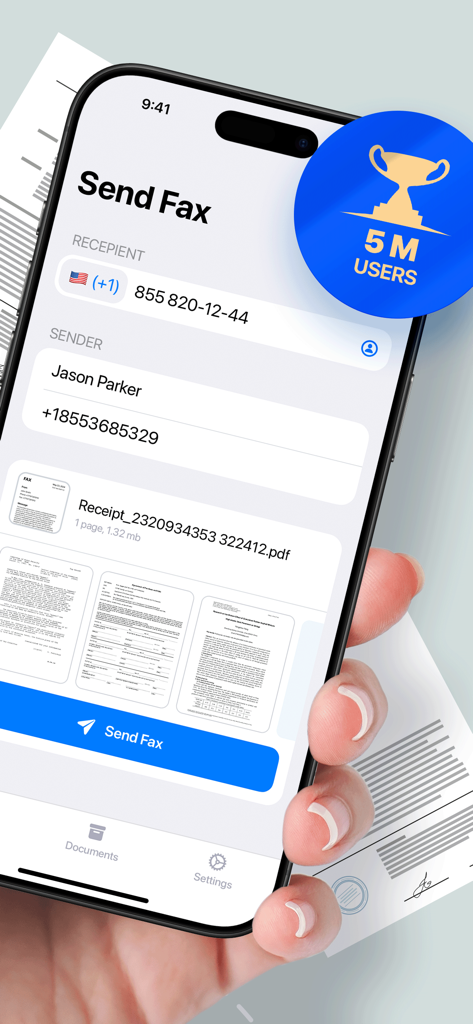
A hand holding an iPhone showing the FaxFree app send fax screen with recipient details and a 5 million users badge

A hand holding an iPhone showing the FaxFree app send fax screen with recipient details and a 5 million users badge

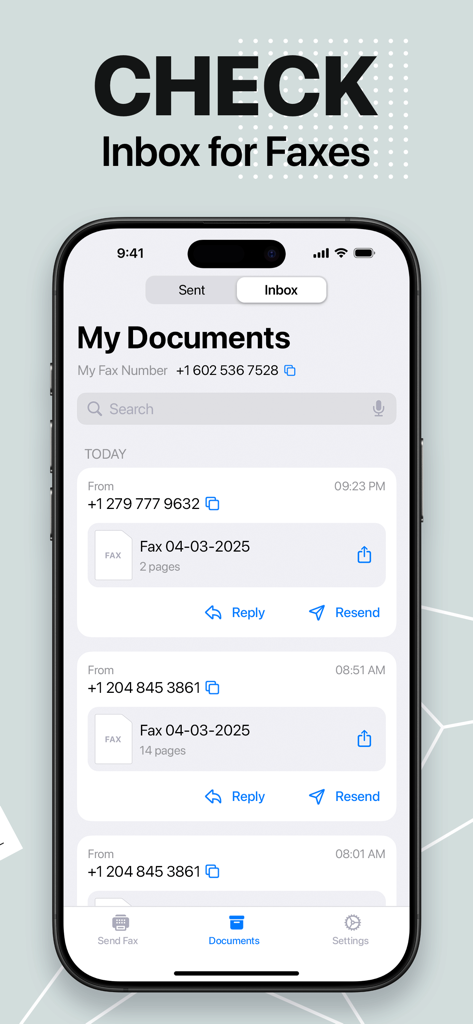
An iPhone displaying the inbox of the FaxFree app showing a list of received fax documents

An iPhone displaying the inbox of the FaxFree app showing a list of received fax documents

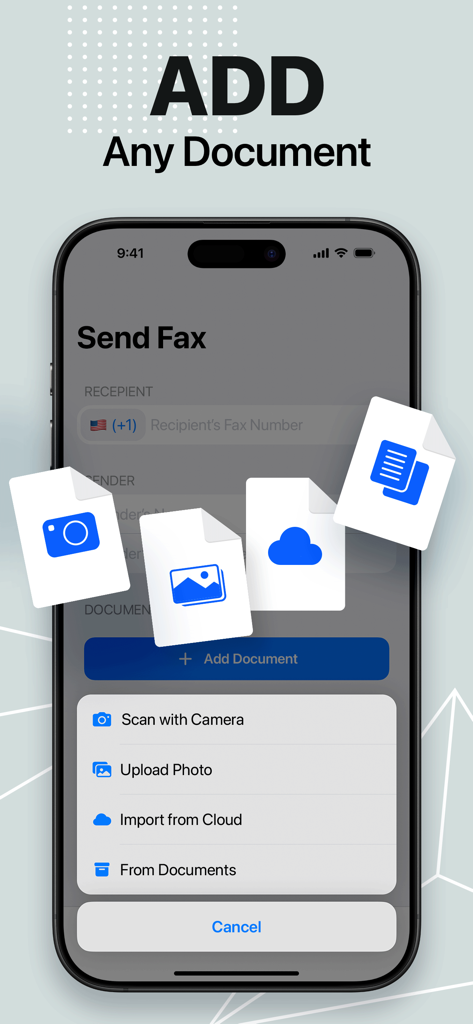
A smartphone screen displaying the Add Document menu in the FaxFree app with options to scan, upload, or import files.

A smartphone screen displaying the Add Document menu in the FaxFree app with options to scan, upload, or import files.

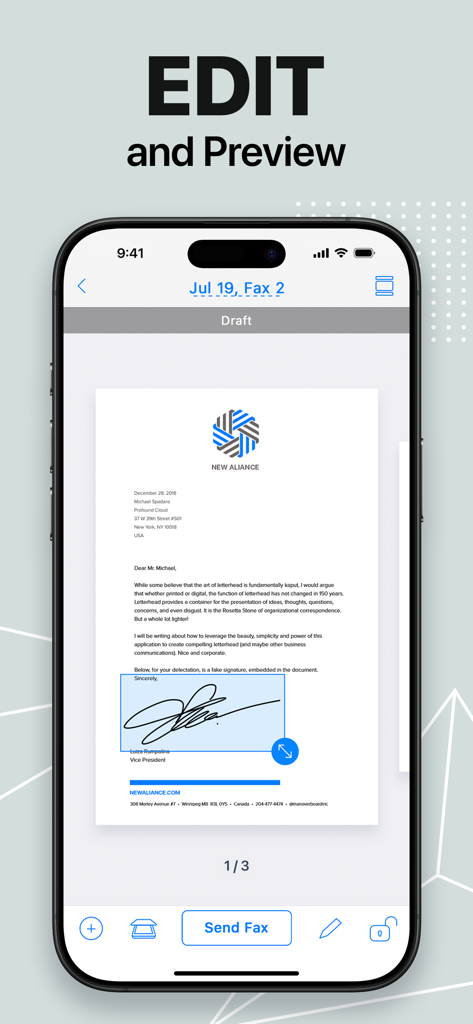
Previewing and editing a signed document in the FaxFree iPhone app

Previewing and editing a signed document in the FaxFree iPhone app

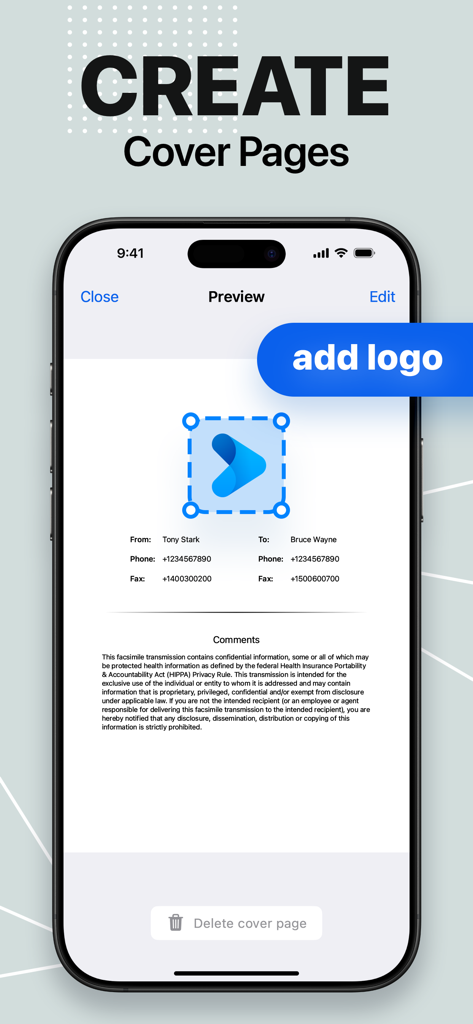
User interface showing how to create and customize professional fax cover pages with a logo on iPhone.

User interface showing how to create and customize professional fax cover pages with a logo on iPhone.

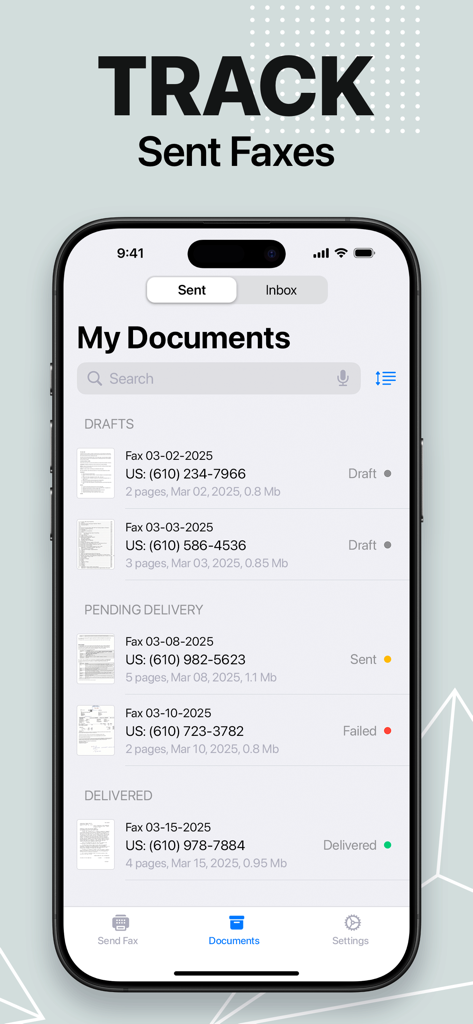
An iPhone screen displaying the document tracking feature of the FaxFree app showing sent faxes with status updates like draft pending and delivered

An iPhone screen displaying the document tracking feature of the FaxFree app showing sent faxes with status updates like draft pending and delivered

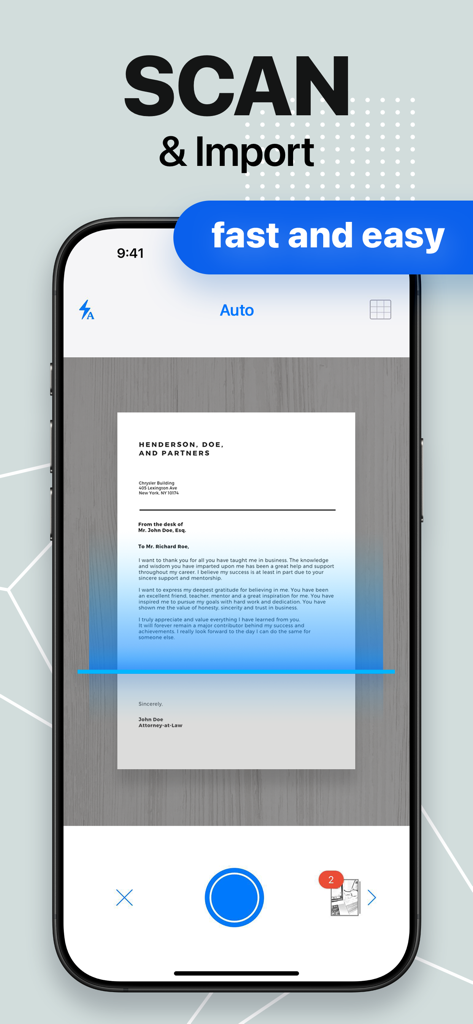
Smartphone screen scanning a document using the FaxFree app

Smartphone screen scanning a document using the FaxFree app

Effortless Faxing for Modern Professionals

The tools that make this app stand out, trusted by 3M+ users.

📸

Smart Document Scanner

Capture crisp, professional scans with advanced image enhancement and automatic edge detection for your most important contracts.

✍️

Sign & Edit on the Go

Add your signature and fill out forms digitally. No printer or physical pen required to finalize your time-sensitive documents.

🌍

Global Reach, Zero Hassle

Send faxes to 90+ countries instantly without a dedicated phone line. Your pocket-sized fax machine works wherever you are.

Loved by users worldwide

Trusted by 3M+ people who love this app.

"

"Being a real estate agent means I am rarely behind a desk. FaxFree has been a lifesaver for sending signed contracts directly from my phone while I am on-site at a property. The built-in scanner is incredibly sharp, making my documents look professional every time without needing a bulky office machine."

Sarah Jenkins
"

"I recently had to send urgent paperwork to a government agency that only accepted faxes. Instead of hunting for a local print shop, I used FaxFree. I was able to scan, sign, and send everything in under two minutes from my living room. It is an essential tool for any small business owner."

Michael Rossi

About the app

Everything you need to know about FaxFree: Send Fax From iPhone.

Description

Turn your device into a fax machine! Scan docs with a camera and send faxes worldwide. Import files from Photos or clouds, sign pages, edit docs, and fax them in a few taps. FaxFree lets you turn your iPhone or iPad into a powerful fax machine! Scan any document with an advanced integrated document scanner app and fax them anywhere in the world in just a few taps! Send and receive faxes seamlessly. You can scan and fax contracts, receipts, any kinds of documents, paper notes, schedules, timetables – anything you might need in your day to day life using this fax app. Your scans can be stored as multi-page files, which can be exported as PDF or JPEG later. You can create a document by selecting images from Photos or creating a scan using the built-in mobile doc scanner. Built-in advanced scanning algorithms allow image enhancement, shadow and noise removing, automatic perspective correction, and more. With all its features, this app is sure to become an indispensable fax tool. Junk your huge fax machine and start using FaxFree! Main features: – Advanced fax machine – Integrated document scanner app – Image processing with enhancement and color correction, noise removing, and more – Create new documents with images from Photos and fax them over – Scan documents using Camera – Send and receive faxes in 90+ countries – No fax machine or dedicated phone line needed UNLIMITED ACCESS TO ALL FEATURES – You can subscribe for unlimited access to all the app’s features. – Subscriptions are billed weekly, monthly, quarterly or annually at the rate selected, depending on the subscription plan. – Subscriptions automatically renew unless auto-renew is turned off at least 24 hours before the end of the current period. By using FaxFree, you are agreeing to our Privacy Policy and Terms of Use: http://bpmob.com/faxfree/privacy/ http://bpmob.com/faxfree/terms/

Latest Version

3.29

Size

70.9 MB

First Released

Sep 16, 2016

Stop Searching for a Fax Shop

Join 3M+ professionals who scan, sign, and send secure faxes instantly from their iPhone. Your complete mobile office is just a tap away.

Download on App StoreDownload on Google Play
FAQ

Frequently Asked Questions

Everything you need to know about FaxFree: Send Fax From iPhone

What is FaxFree: Send Fax From iPhone?

FaxFree transforms your iPhone or iPad into a powerful fax machine. It allows users to scan documents, import files, edit, sign, and send/receive faxes worldwide without a physical fax machine.

Can I send faxes with FaxFree without a physical fax machine?

Yes, FaxFree allows you to send and receive faxes using your iPhone or iPad without needing a physical fax machine or a dedicated phone line.

Does FaxFree support sending faxes to other countries?

Yes, FaxFree supports sending and receiving faxes in over 90 countries worldwide. It functions as a global fax solution directly from your iPhone or iPad.

How does FaxFree scan documents for faxing?

FaxFree features an integrated document scanner that uses your device's camera. It includes advanced algorithms for image enhancement, noise removal, and automatic perspective correction.

Can I receive faxes using the FaxFree app on my iPhone?

Yes, FaxFree allows you to both send and receive faxes directly on your iPhone or iPad. Received faxes are accessible within the app's inbox.

Can I edit documents before sending them with FaxFree?

Yes, FaxFree allows users to edit documents, sign pages, and create cover pages before faxing. You can preview documents within the app prior to sending.

Does FaxFree require a subscription for full access?

Yes, FaxFree offers unlimited access to all features via subscription. Options include weekly, monthly, quarterly, or annual plans, which automatically renew unless canceled.

What types of documents can I fax using FaxFree?

FaxFree allows you to fax documents scanned with your camera, imported from your Photos library, or from cloud services. It also supports various file types like PDF and JPEG.

Where can I find the Privacy Policy for FaxFree?

The Privacy Policy for FaxFree is available on the official website. You agree to it and the Terms of Use by using the app, accessible via the provided links.

Does FaxFree allow me to track the status of sent faxes?

Yes, FaxFree provides functionality to track sent faxes. The app displays statuses such as Drafts, Pending Delivery, and Delivered for your documents, accessible through the interface.