FileCentral

FileCentral

Download on App Store
Spark by MWM logo
Logo of FileCentral

FileCentral: The Unified File Command Center for Your iPad & PC

The professional way to manage, transfer, and print across Cloud servers, Mac, and PC. Secure your workflow and bridge the gap between all your devices with one powerful, all-in-one utility.

Download on App Store

Publisher

EuroSmartz Ltd

Category

Productivity

Downloads

500+

User Rating

4.7/5

Total Ratings

0

Locales

7

Control at a Glance

Discover the interface used by 500+ users.
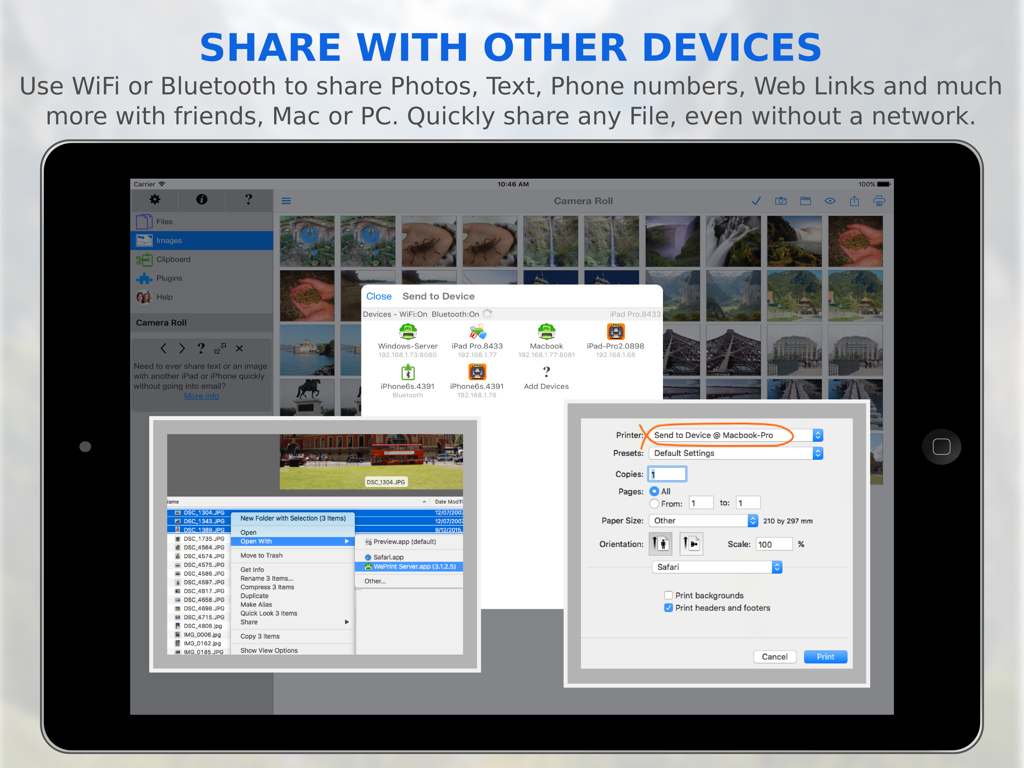
FileCentral app on iPad showing file sharing options across devices via WiFi and Bluetooth

FileCentral app on iPad showing file sharing options across devices via WiFi and Bluetooth

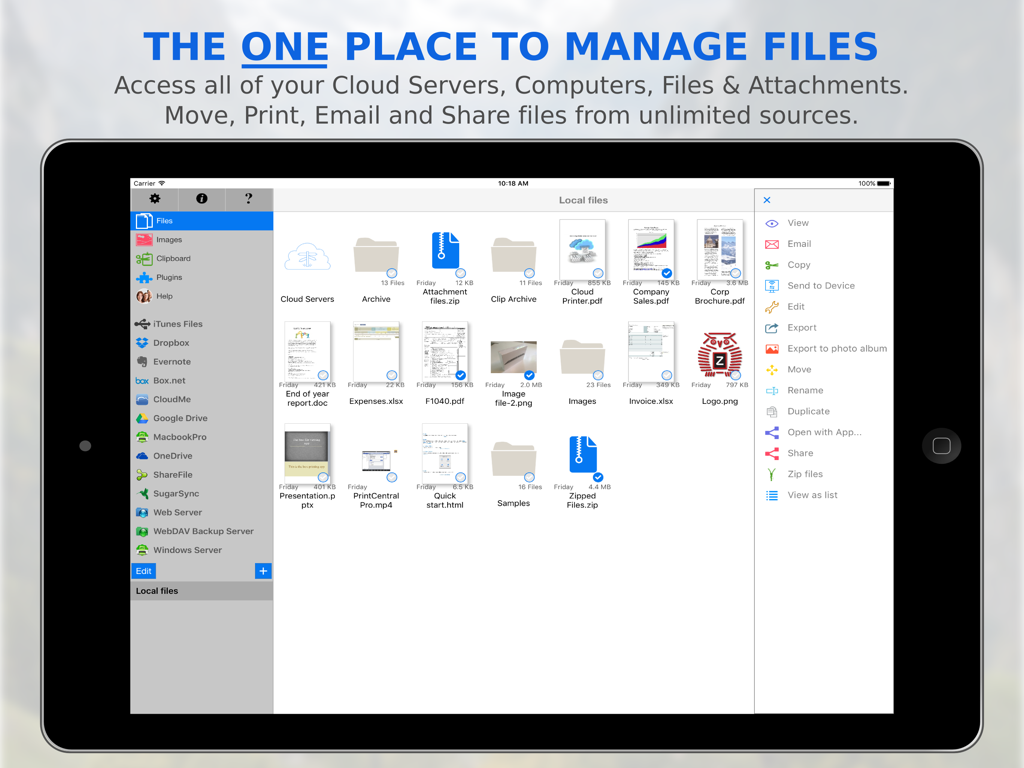
FileCentral app interface on iPad showing local and cloud file management options

FileCentral app interface on iPad showing local and cloud file management options

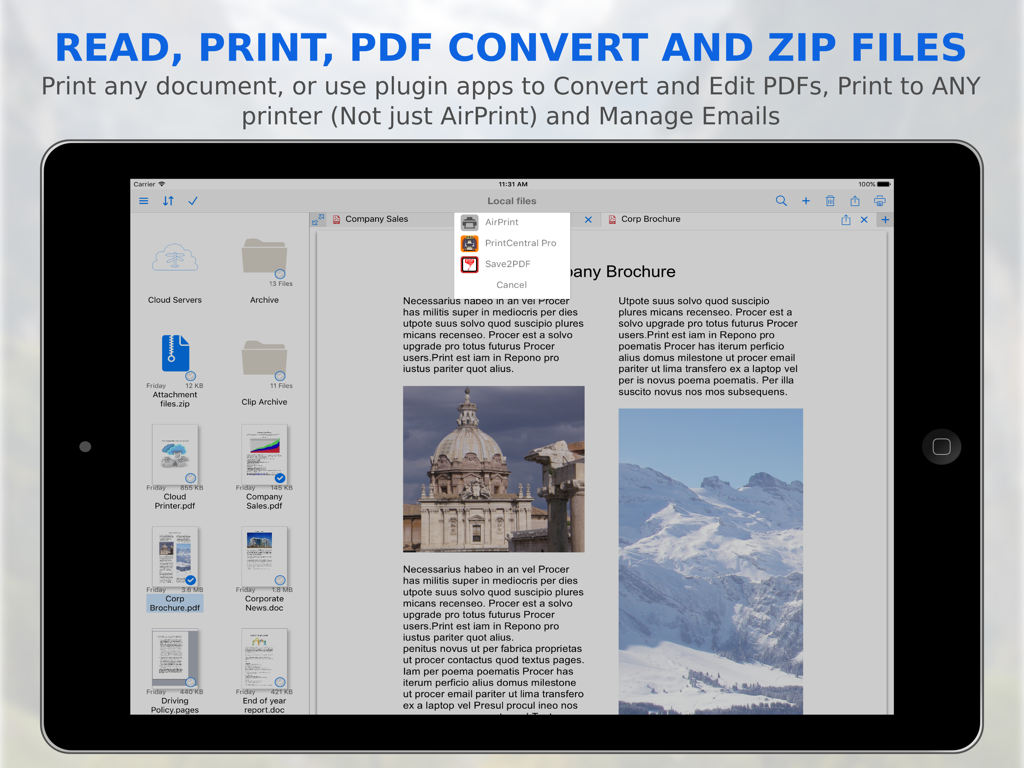
iPad screenshot of FileCentral app demonstrating file organization and PDF conversion for printing

iPad screenshot of FileCentral app demonstrating file organization and PDF conversion for printing

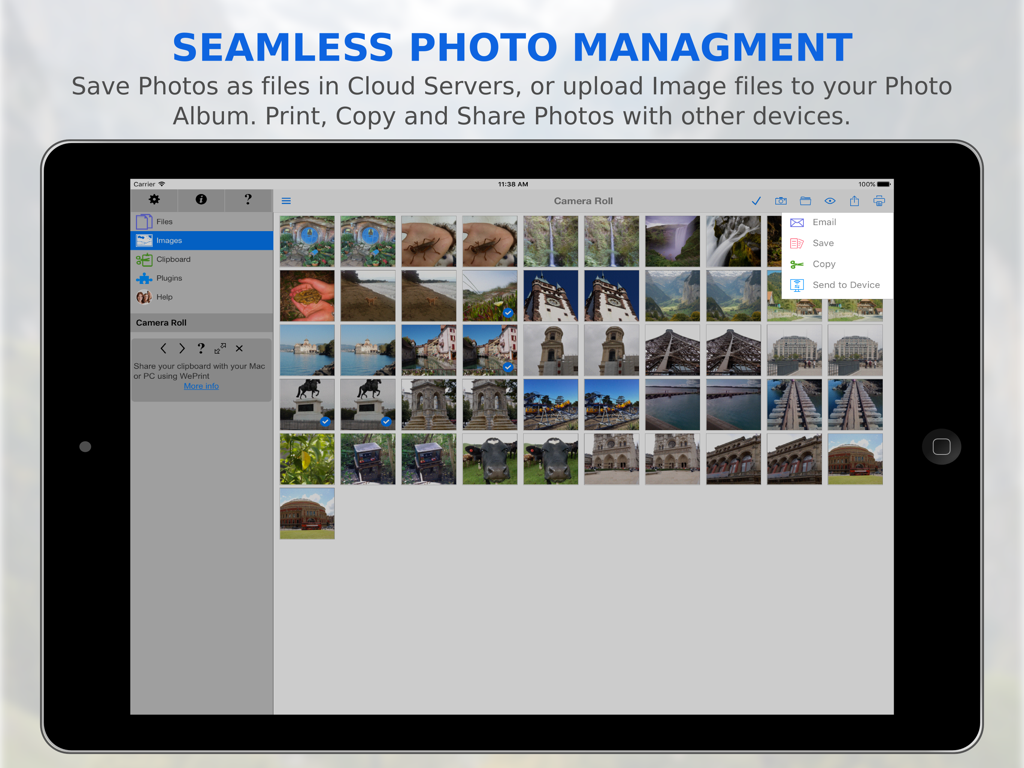
FileCentral app interface for seamless photo management and file transfer on iPad

FileCentral app interface for seamless photo management and file transfer on iPad

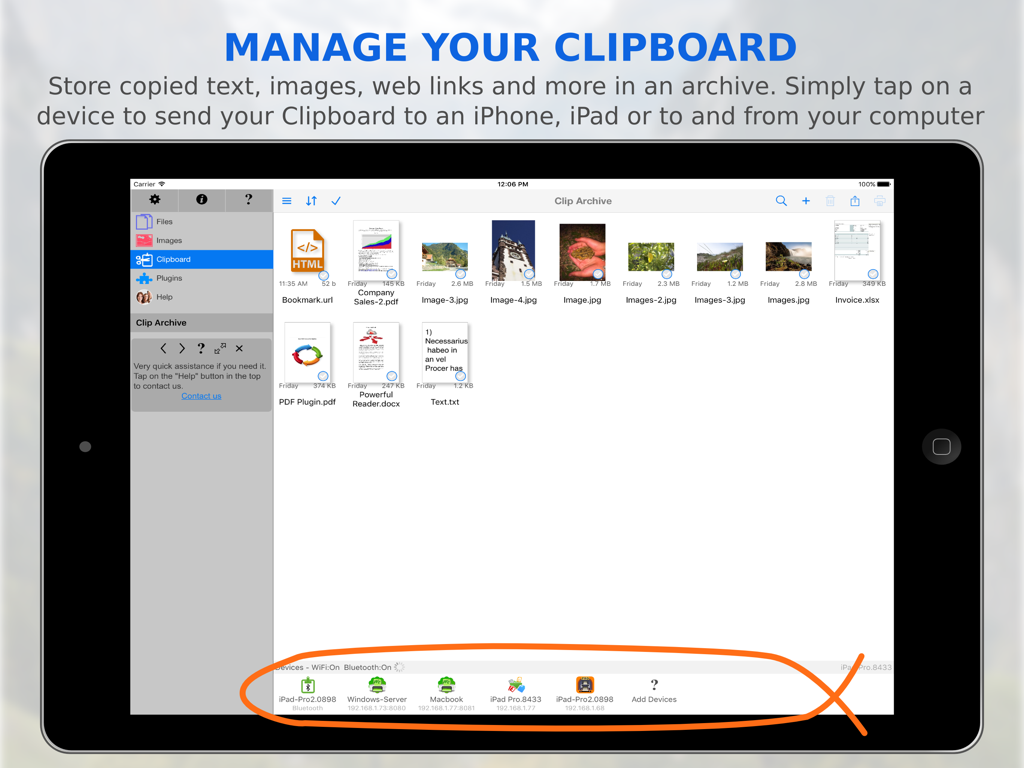
FileCentral app interface on iPad showing the Clip Archive feature with various stored files and connected devices for transfer

FileCentral app interface on iPad showing the Clip Archive feature with various stored files and connected devices for transfer

Master Your Mobile Workflow

The tools that make this app stand out, trusted by 500+ users.

📦

Unified Cloud Command

Consolidate Google Drive, OneDrive, and Dropbox. Search, move, and sync files across all your accounts from a single, powerful interface.

Instant Cross-Platform Transfer

Beam files, clipboard text, and photos to your Mac or PC without cables. Works instantly via WiFi or Bluetooth, even when you are offline.

🔐

Secure Pro Productivity

Print to any printer directly from your device and safeguard sensitive business data with Touch ID and encrypted folder locks.

Loved by users worldwide

Trusted by 500+ people who love this app.

"

"FileCentral is the bridge I needed between my Windows desktop and my iPad. Managing multiple cloud accounts like OneDrive and Google Drive from a single interface is a massive time-saver. The ability to transfer clipboard text and files via Bluetooth without a network is simply brilliant for my commute."

Sarah Jenkins, Independent Consultant
"

"As a real estate agent, I am always on the move. This app allows me to print contracts to any office printer and keep my client files secure with Touch ID. It transformed my iPad from a media device into a full-fledged workstation. The PDF conversion and file zipping features are professional-grade."

David Miller, Senior Realtor

About the app

Everything you need to know about FileCentral.

Description

The ONE Place to Manage Files - Access, Print, Email and Transfer files from Cloud Servers, Other Apps & Devices and your Mac or PC. Transfer your clipboard, images, copied text and files to another iPad, iPhone, Mac or PC with one tap - even without a network. Via WiFi or Bluetooth Manage ALL of your Files in One Place • Combine all of your Cloud Servers together to Transfer Files between them and other devices • iCloud & iCloud Drive, DropBox, Evernote, FTP, Google Drive, OneDrive, ShareFile, SugarSync, WebDAV & More • Share and fetch files from your Mac or PC • Send or fetch files from Other Apps to store centrally • Move files into folders and use the powerful search function to find them again • View, Print, Email and Zip Files • Rename, duplicate and change the file type • Play Video and Audio files • Secure your files with an App Password or Finger Touch ID • Password protect folders • Create and edit text files to store notes and ideas, then share with others, print or copy/paste • Sync your local files with another device via iCloud - seamlessly and automatically Transfer Files and Content to other devices • Add a new printer to your Mac from the available list ("Send to Device @ WePrint") and print any document to your iPhone or iPad as a PDF file • Use the built in Bluetooth or WiFi transfer features to quickly and simply send files to another iPad, iPhone, Mac or PC • Bluetooth transfer is as simple as opening FileCentral - no pairing required • Copy text or an image from a Web Page and send to another device with a single tap • Send a phone number, address, photo or other content quickly to a friend • Copy a web page address and with just one tap, send it to your colleague Share and Transfer your Photos and Image Files • Save your Album Photos as files • Move Image Files to your Photo Album • Move Photos & Image Files to and from your Cloud server, Mac/PC or another iPad/iPhone • Print Photos • Select multiple photos to send via email Add even More Power - Expand to Convert and Edit PDFs and Print to ALL Printers, not just AirPrint

Latest Version

2.8

Size

34.8 MB

First Released

Aug 20, 2015

Take Command of Your Mobile Workflow

Join thousands of professionals who use FileCentral to unify their cloud storage, print to any device, and bridge the gap between iPad, Mac, and PC.

Download on App Store