Heges 3D Scanner

Heges 3D Scanner

Download on App Store
Spark by MWM logo
Logo of Heges 3D Scanner

Heges 3D Scanner: Professional Precision for Makers and Engineers

Unlock the full potential of your iPhone's LiDAR and FaceID sensors. Capture high-fidelity 3D scans with 0.5mm accuracy and export to industry-standard STL, OBJ, and PLY formats for 3D printing and CAD.

Publisher

Marek Simonik

Category

Photo & Video

Downloads

292K+

User Rating

3.2/5

Total Ratings

0

Locales

2

Precision in Action

Discover the interface used by 292K+ users.
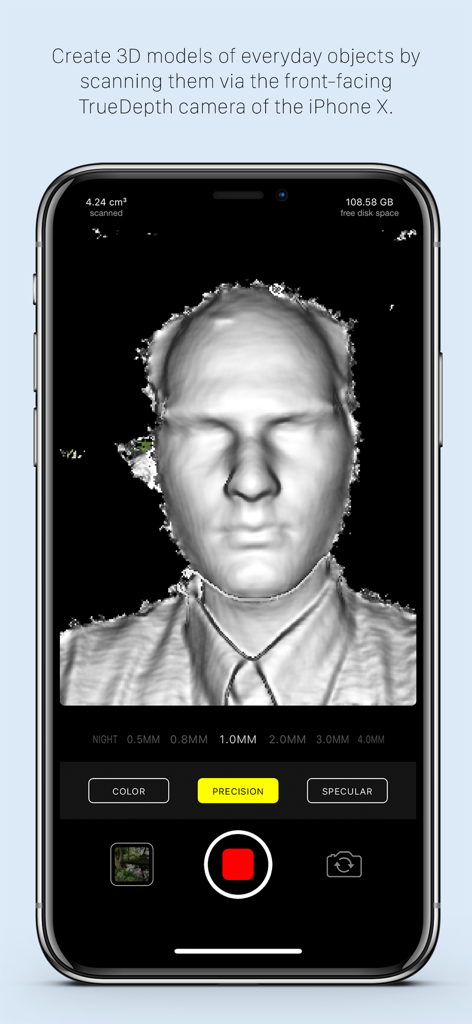
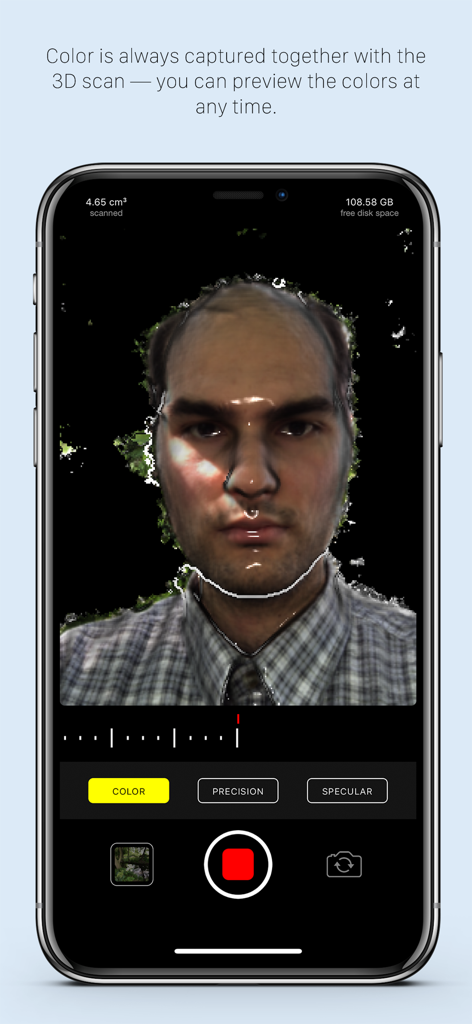
A 3D facial scan being created with the Heges 3D Scanner app on an iPhone using the TrueDepth camera.

A 3D facial scan being created with the Heges 3D Scanner app on an iPhone using the TrueDepth camera.

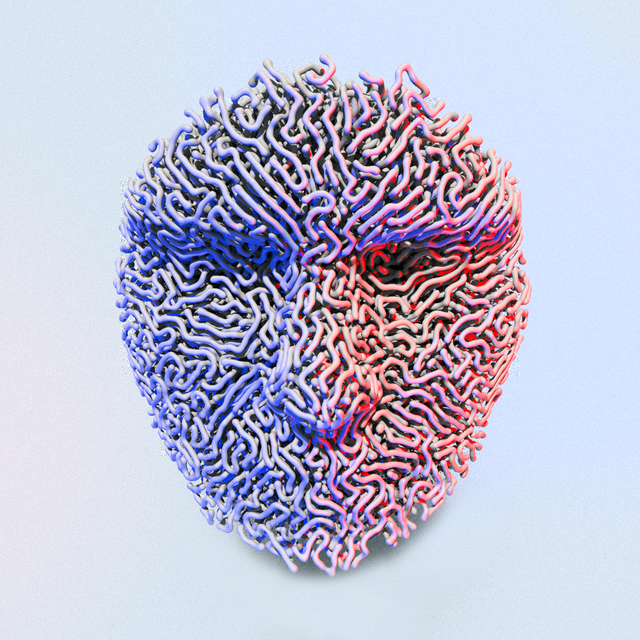
A high-precision 3D color scan of a face using Heges 3D Scanner app on iPhone

A high-precision 3D color scan of a face using Heges 3D Scanner app on iPhone

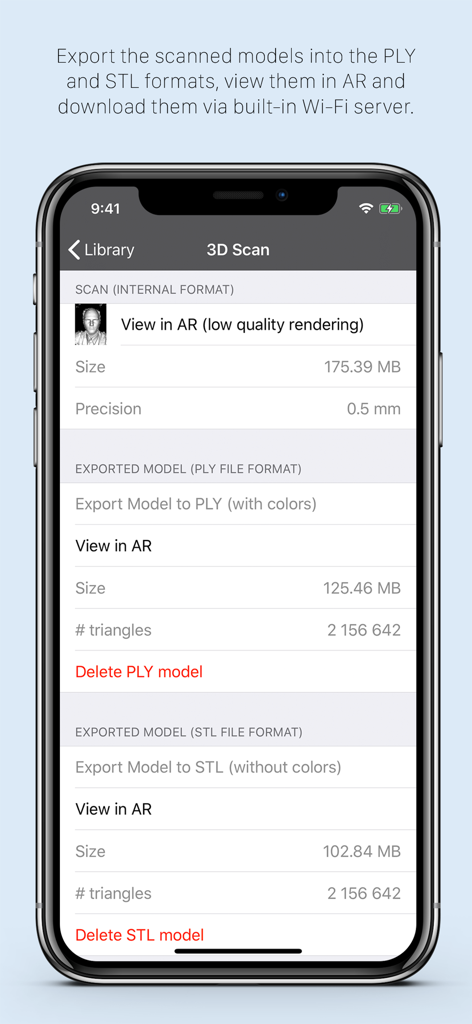
Interface of Heges 3D Scanner app showing export options for PLY and STL file formats

Interface of Heges 3D Scanner app showing export options for PLY and STL file formats

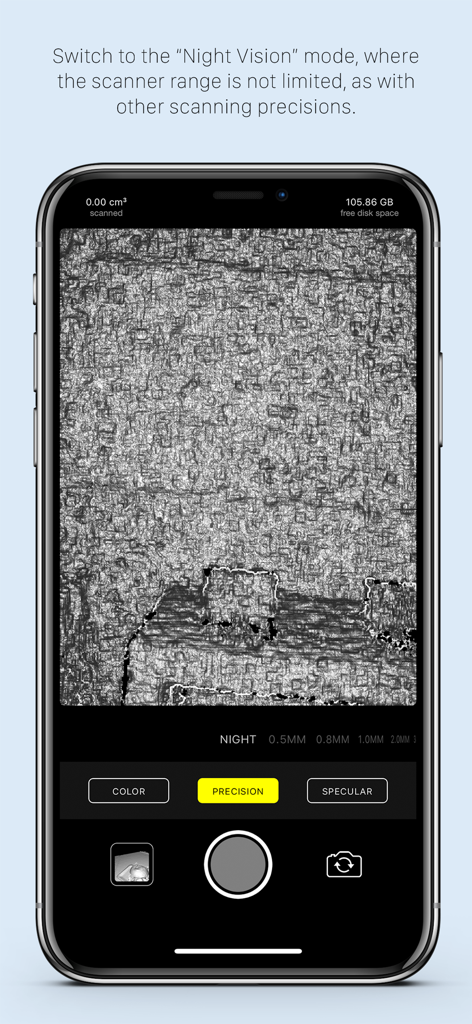
Heges 3D Scanner app interface displaying the night vision mode for scanning surfaces in the dark

Heges 3D Scanner app interface displaying the night vision mode for scanning surfaces in the dark

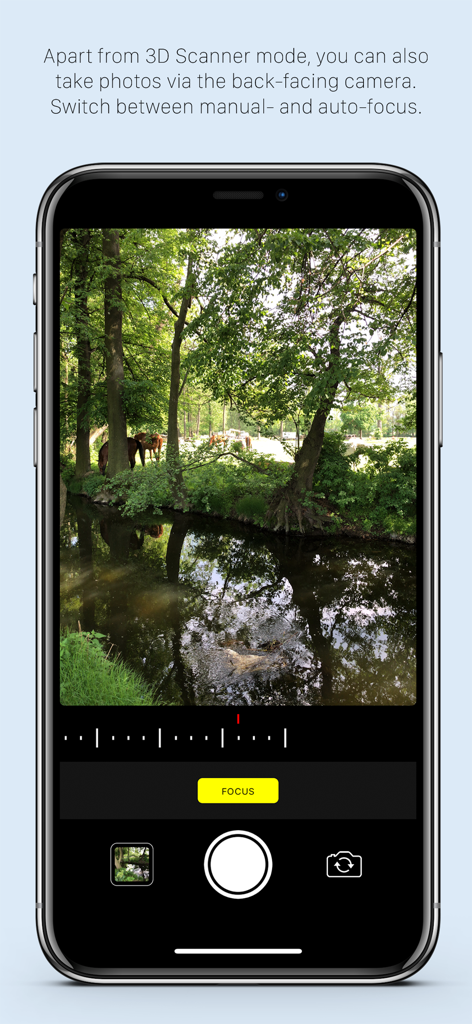
Heges 3D Scanner app displaying its color camera mode with manual focus controls on an iPhone screen

Heges 3D Scanner app displaying its color camera mode with manual focus controls on an iPhone screen

Precision 3D Scanning for Makers and Pros

The tools that make this app stand out, trusted by 292K+ users.

🎯

Sub-Millimeter Accuracy

Leverage the TrueDepth FaceID camera for 0.5mm precision settings. Perfect for capturing fine details on small objects for CAD modeling and 3D printing.

🏠

Spatial LiDAR Capture

Quickly map out entire rooms, hallways, and large furniture using the rear LiDAR sensor. Turn physical spaces into digital assets in seconds.

⚙️

Pro-Grade Export Workflow

Seamlessly export your scans as STL, OBJ, or PLY files. Ready for immediate use in Blender, AutoCAD, or your favorite slicer with no subscriptions.

Loved by users worldwide

Trusted by 292K+ people who love this app.

"

"As a 3D printing enthusiast, the 0.5mm precision using the FaceID camera is a total game-changer. I scanned a discontinued plastic gear for my vintage lathe and had a perfect STL file ready for my printer in minutes. It is easily the most accurate scanner I have used on a mobile device."

Liam S., Mechanical Engineer
"

"Heges is my go-to for interior design mockups. The LiDAR mode captures room layouts with impressive speed, and being able to export directly to USDZ for AR walkthroughs saves me hours of manual modeling. I love the transparency of the developer and the honest one-time purchase model."

Sarah Chen, Digital Architect

About the app

Everything you need to know about Heges 3D Scanner.

Description

Create 3D scans using the 3D camera (FaceID or LiDAR) of your iPhone 17, 16, 15, 14, 13, 12, 11, XS, XR, X (and all their Pro/Max/Plus/Air variants) or iPad Pro! Export scans into STL, PLY, OBJ, USDZ, GLB (glTF), share them and more. On older devices, you can use the ordinary camera mode or the Screen Sharing feature. This app is *PAID* up-front. Why is it free-to-download? To protect people with unsupported devices from buying it (more details at the end). Heges is divided into two modes: = 3D Scanner (**PAID**, requires one-time In-App Purchase) ============================ - Available only for iPhones and iPad Pros with the selfie FaceID (TrueDepth) camera and/or LiDAR sensor as an In-App Purchase (Why? Read more at the bottom.) - Create 3D models by scanning everyday objects using the selfie TrueDepth camera (FaceID) and/or the rear LiDAR sensor - After scanning, export the models into PLY, OBJ, USDZ (all with colors), STL, GLB (both without colors) file formats - Share exported models e.g. via built-in Wi-Fi server or view them in the iOS Files app - Use the physical volume buttons to toggle scanning session - Double-tap anywhere in the live camera view to Share Screen with another iPhone/iPad, so that you can better see what you're scanning - View the models in AR - You can scan in pitch-dark environment and use Heges as a night vision camera! - Choose from the available scanning precisions — the higher the precision, the shorter the scanner range - To get the most accurate scans, you must use the selfie FaceID camera with 0.5MM Precision settings; do not use LiDAR if you need accurate scans - The selfie FaceID camera is much more accurate than LiDAR (approx. one order of magnitude), the models in the promo videos were scanned using the selfie FaceID camera of iPhone X - Use the selfie FaceID camera for scanning fine details (up to 2 millimeters accuracy with FaceID and 0.5MM Precision settings) - Use LiDAR for scanning large areas (e.g. houses, hallways, rooms, etc.), LiDAR is NOT suitable for scanning small objects with detail — use the selfie FaceID camera for this purpose - Objects in scanner range are highlighted in the live view - Switch to the passive Night Vision where there're no explicit restrictions on the scanner range Instructions for the 3D scanner: - Move slowly when scanning - Make sure that most of the captured scene is within the scanner range - Please read the FAQ at https://hege.sh/faq The scanner isn't perfect and can fail when moving too fast or scanning a challenging environment (e.g. glass surfaces cannot be captured due to the nature of the TrueDepth sensor). A NOTE FOR iPHONE 13 (and newer) users: Beginning with the iPhone 13 lineup, Apple introduced a new TrueDepth (FaceID) camera design, which produces (slightly) lower-accuracy results compared to older devices. To get best scan accuracy, consider using any iPhone 12 or older with FaceID. = Color camera mode ============================ - Available for all devices - Manual camera focus - Sharing photos via built-in Wi-Fi server = Why don't you make the app paid on the App Store? Why the annoying In-App Purchase? ============================ It's for protecting people with unsupported devices. (I wish I could make it paid directly on the App Store.) Heges needs the 3D-sensing selfie FaceID camera to capture 3D scans. But not all iPhones/iPads have the FaceID camera, so the app needs to check if your device has FaceID before it allows you to buy the app. The App Store does not allow developers to check if your iPhone/iPad has FaceID, so the only way to check is if you download and open the app. Once you open Heges on your device, it will check if your device is compatible and if isn't, then you will not be able to buy it. If you have any questions just drop me an email at support@hege.sh and I'll be happy to help you :)!

Latest Version

1.8.3

Size

17.3 MB

First Released

May 31, 2018

Turn your reality into high-precision 3D models

Unlock the full potential of your LiDAR and FaceID sensors. Join over 290,000 makers and engineers who use Heges to bridge the gap between physical objects and digital design.

Download on App Store
FAQ

Frequently Asked Questions

Everything you need to know about Heges 3D Scanner

What is the Heges 3D Scanner app used for?

Heges 3D Scanner creates 3D models from everyday objects using your iPhone or iPad's FaceID or LiDAR camera. It supports exporting to formats like STL, PLY, OBJ, USDZ, GLB, and viewing in AR.

Which devices are compatible with Heges 3D Scanner for 3D scanning?

Heges 3D Scanner is compatible with iPhones 17-X (Pro/Max/Plus/Air variants) and iPad Pro models that feature a FaceID or LiDAR sensor. The 3D Scanner mode requires an In-App Purchase.

Can Heges 3D Scanner use LiDAR for 3D modeling?

Yes, Heges 3D Scanner uses the LiDAR sensor for creating 3D models, especially for large areas. For small objects and fine details, the selfie FaceID camera is recommended due to its higher accuracy.

What export formats does Heges 3D Scanner support for 3D models?

Heges 3D Scanner exports 3D models to PLY, OBJ, USDZ (with colors) and STL, GLB (without colors). Users can share these files via the built-in Wi-Fi server or view them in the iOS Files app.

Is the Heges 3D Scanner app free to use?

No, Heges 3D Scanner is free to download but requires a one-time In-App Purchase for the 3D Scanner mode. The download allows device compatibility checks before purchase.

What accuracy can Heges 3D Scanner achieve with FaceID?

Heges 3D Scanner achieves up to 2 millimeters accuracy for fine details when using the selfie FaceID camera with 0.5MM Precision settings. FaceID is more accurate than LiDAR for small objects.

Does Heges 3D Scanner include a night vision feature?

Yes, Heges 3D Scanner features a passive Night Vision mode. Users can scan in pitch-dark environments, and this mode has no explicit scanner range restrictions.

Why is Heges 3D Scanner free-to-download instead of paid upfront?

Heges 3D Scanner is free-to-download to protect users with unsupported devices. It checks for a compatible 3D-sensing FaceID camera upon opening, preventing accidental In-App Purchases on incompatible hardware.

Can Heges 3D Scanner take regular photos?

Yes, Heges 3D Scanner includes a Color camera mode available for all devices. This mode uses the back-facing camera, supports manual focus, and allows sharing photos via a built-in Wi-Fi server.

Which iPhone model provides the best scan accuracy with Heges 3D Scanner?

For optimal scan accuracy with Heges 3D Scanner, an iPhone 12 or older model with FaceID is recommended. Newer iPhones (13 and above) have a TrueDepth camera design with slightly lower accuracy.