HomeCAD — Design your home

HomeCAD — Design your home

Download on App Store
Spark by MWM logo
Logo of HomeCAD — Design your home
HomeCAD — Design Your Dream Home Without the Complexity

The ultimate iPad floor planner for DIY homeowners. Create professional room layouts, generate automatic metrics, and export project PDFs to show your contractor exactly what you want.

Publisher

Aleksei Unshchikov

Category

Productivity

Downloads

83K+

User Rating

3.4/5

Total Ratings

200

Locales

7

Design Made Visual

Discover the interface used by 83K+ users.
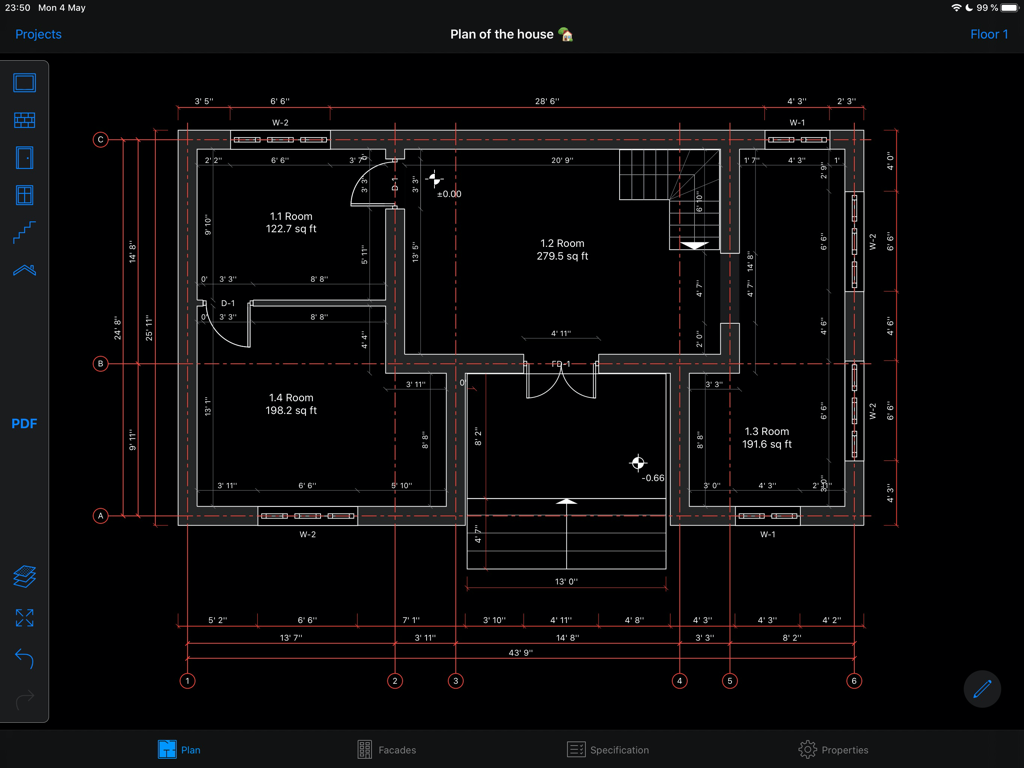
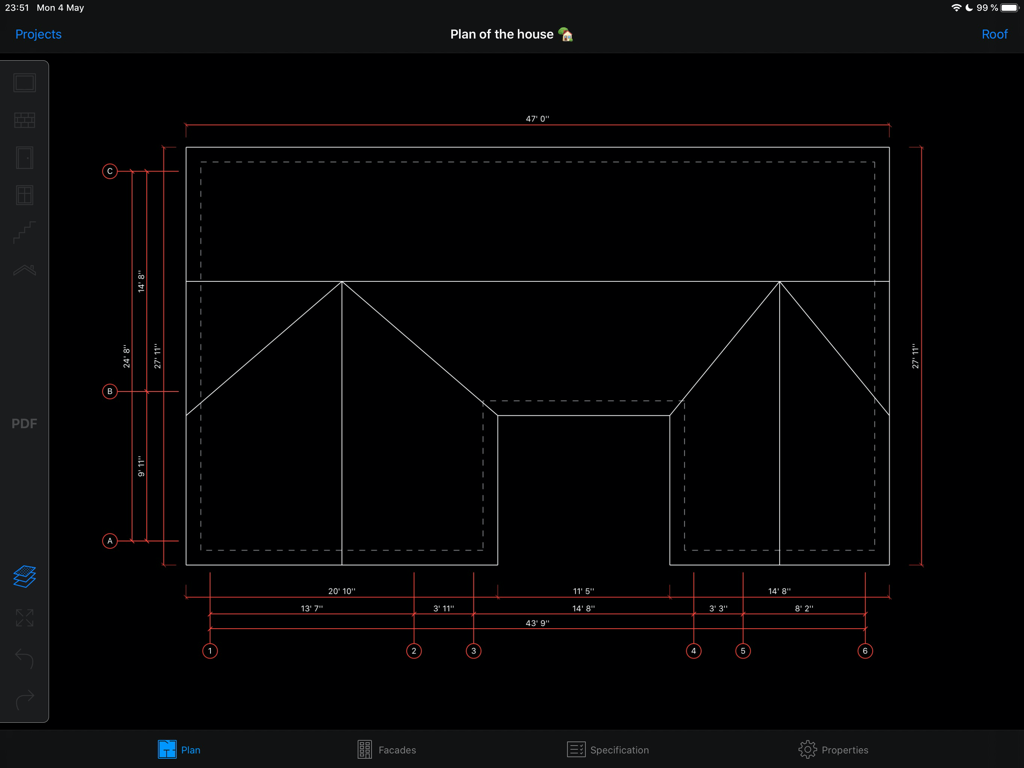
Professional 2D house floor plan with measurements in HomeCAD app

Professional 2D house floor plan with measurements in HomeCAD app

Detailed house floor plan with measurements in HomeCAD app

Detailed house floor plan with measurements in HomeCAD app

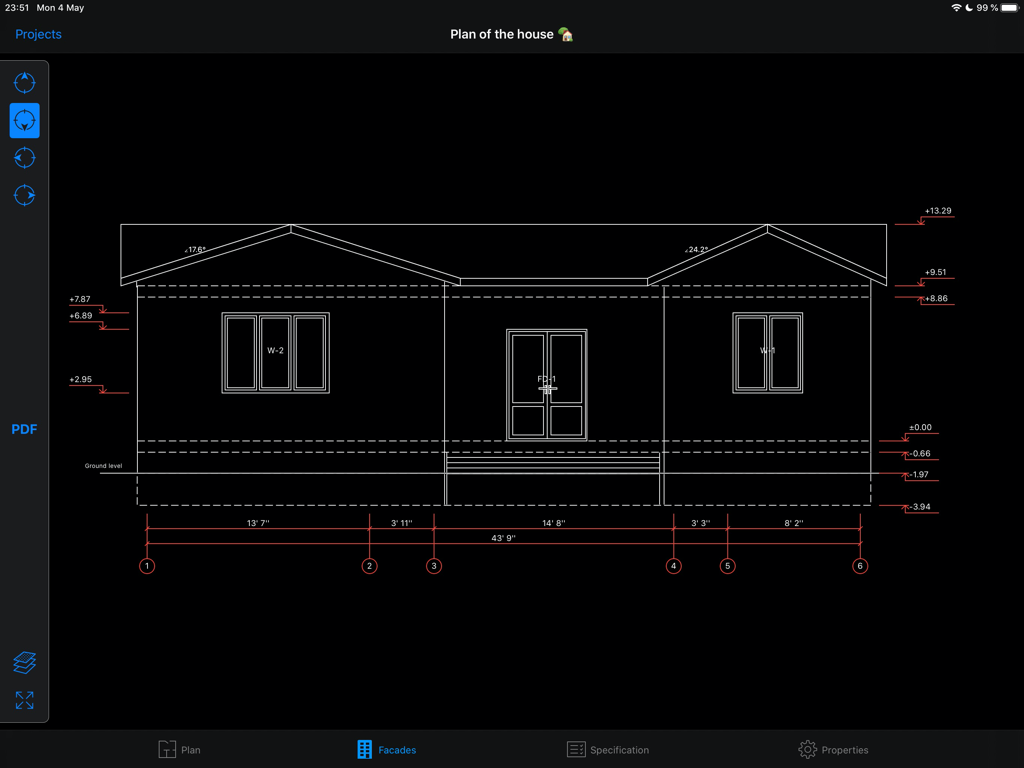
Architectural facade view of a house design with measurements in the HomeCAD app

Architectural facade view of a house design with measurements in the HomeCAD app

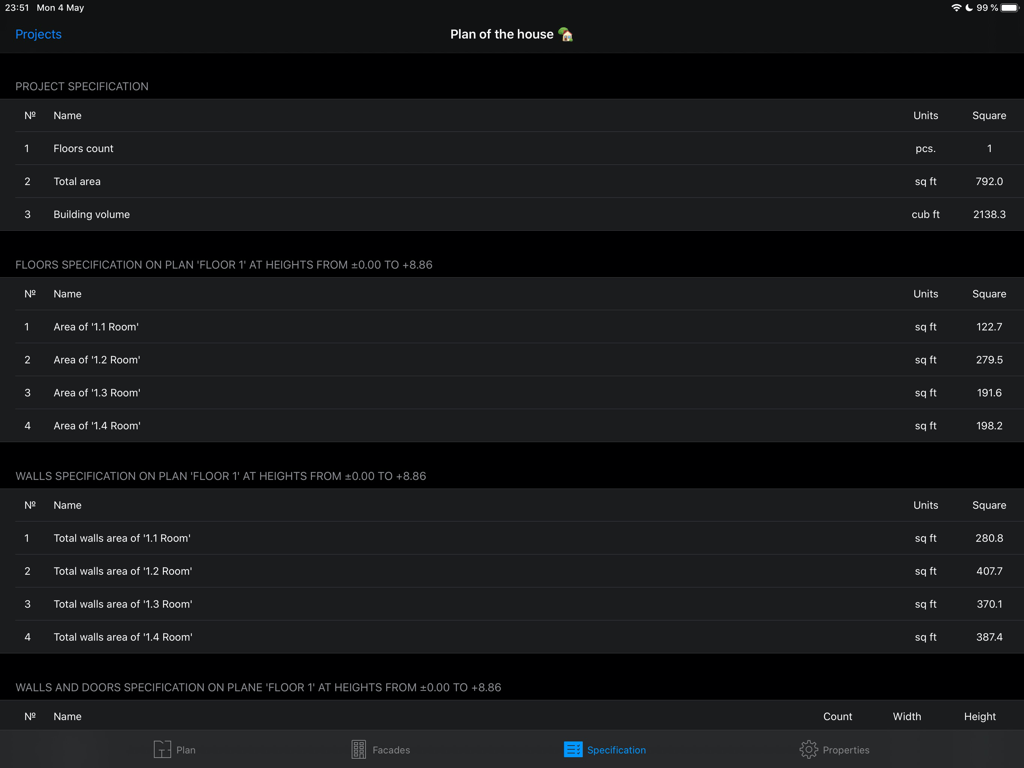
Screenshot of the HomeCAD app on iPad showing automated project specifications with total area and room metrics in square feet.

Screenshot of the HomeCAD app on iPad showing automated project specifications with total area and room metrics in square feet.

Design Without the Complexity

The tools that make this app stand out, trusted by 83K+ users.

🛠️

Intuitive Room Creation

Easily draw rooms and add walls, doors, or windows with a few taps on your iPad. Designing your space is as simple as sketching on paper.

Automated Measurements

Stop worrying about the math. Every metric, area calculation, and complex roof structure is generated automatically for precision planning.

📋

Contractor-Ready Exports

Generate professional PDF blueprints and four-sided facade views to share with builders, ensuring your vision is perfectly understood.

Loved by users worldwide

Trusted by 83K+ people who love this app.

"

"I've been planning a kitchen extension for months and was struggling with complex design software. HomeCAD changed everything! It's incredibly intuitive on the iPad, and the automatic metrics saved me so much time. I was able to export a PDF and hand it right to my contractor, which made the whole consultation process seamless. Highly recommended for any DIYer."

Sarah Mitchell
"

"Building an ADU in my backyard seemed daunting until I found this app. I have no architectural background, but I could sketch out the floor plan and see the facade views in minutes. The way it handles roof overhangs automatically is a game-changer. It’s the perfect tool for bridging the gap between an idea and a professional project."

David Henderson

About the app

Everything you need to know about HomeCAD — Design your home.

Description

Development starts with the project. The app "HomeCAD" will help easily project a house on the device. It doesn’t require special knowledge. Just create rooms, divide them within inner walls if needed, add doors, windows, facade and inner staircases. You can easily create several floors for the house. All metrics for the project will be generated automatically. Roof creating can be the final step of the project. Just set roof overhang value and the roof is going to be added automatically by the application. So the project will be finally completed. As a result you get: - a full plan of the object with the metrics for it - facade views from four sides - a brief specification of the project Also the application supports metric and imperial unit systems. You can switch between them right in the project settings. Feel free to contact us at support@homecad.app with your feedback and suggestions. There are Pro-features available in the HomeCAD app. You should purchase subscription to access them. Pro-functions include the generation of a PDF document based on the created plan and will be gradually expanded. Available types of subscriptions: - monthly subscription - annual subscription Subscription price varies by region. The subscription fee will be charged from the bank card associated with your iTunes account. Subscriptions automatically renew unless auto-renew is turned off at least 24 hours before the end of the current active subscription. You can manage subscriptions in your iTunes account settings. Terms of Use: https://homecad.app/en/terms.php Privacy Policy: https://homecad.app/en/privacy_policy.php

Latest Version

6.4

Size

29.6 MB

First Released

May 16, 2017

Ready to Bring Your Vision to Life?

Join over 83,000 homeowners and DIYers using HomeCAD to design their dreams. Download now on your iPad and create professional-grade plans for your next renovation in minutes.

Download on App Store