Network Utility Pro

Network Utility Pro

Download on App Store
Spark by MWM logo
Logo of Network Utility Pro

Network Utility Pro: The Professional Suite for Network Analysis

Take total control of your connectivity. From scanning your LAN and monitoring data usage to running advanced DNS lookups, get desktop-class diagnostics in the palm of your hand.

Publisher

Fausto Ristagno

Category

Utilities

Downloads

155K+

User Rating

4.6/5

Total Ratings

600

Locales

5

Professional Diagnostics, Visualized

Discover the interface used by 155K+ users.
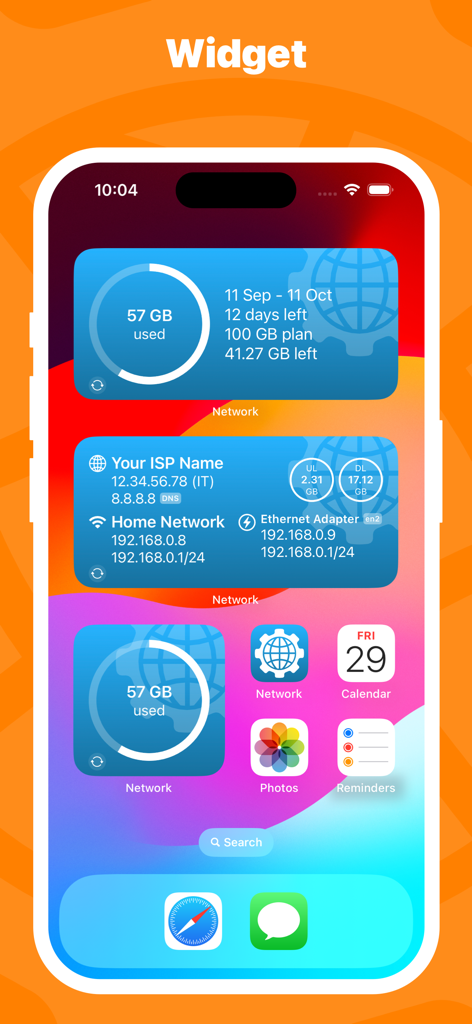
Network Utility Pro iOS home screen widgets showing cellular data usage and network connection information

Network Utility Pro iOS home screen widgets showing cellular data usage and network connection information

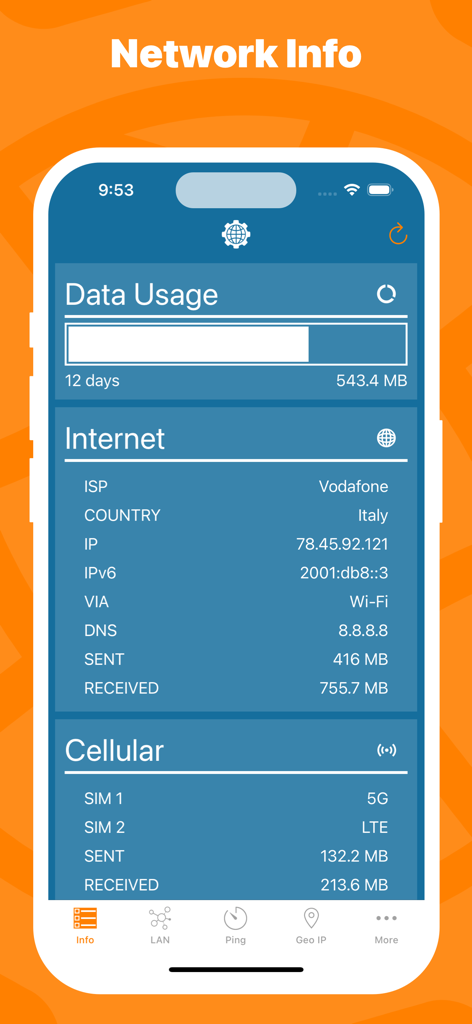
Mobile app interface displaying network information including data usage statistics, ISP details, and cellular network status.

Mobile app interface displaying network information including data usage statistics, ISP details, and cellular network status.

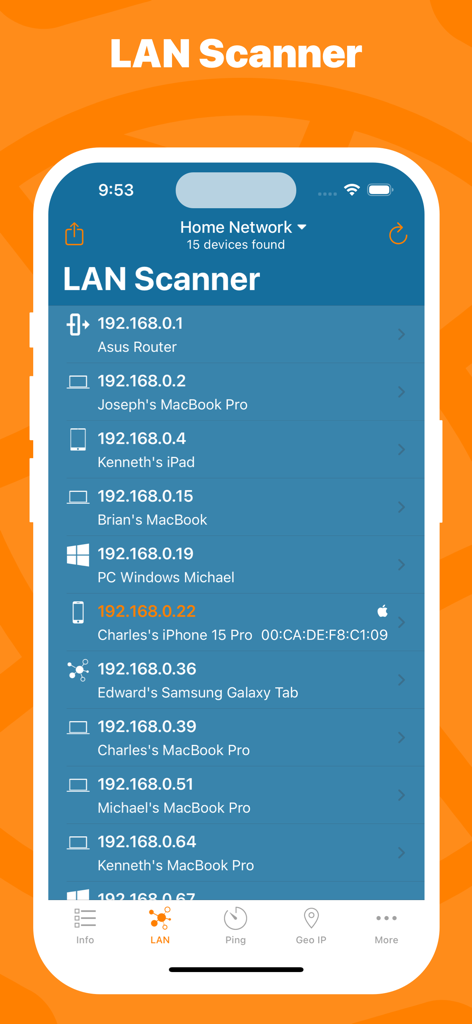
Network Utility Pro app showing the LAN Scanner screen with a list of connected devices and IP addresses on a home network

Network Utility Pro app showing the LAN Scanner screen with a list of connected devices and IP addresses on a home network

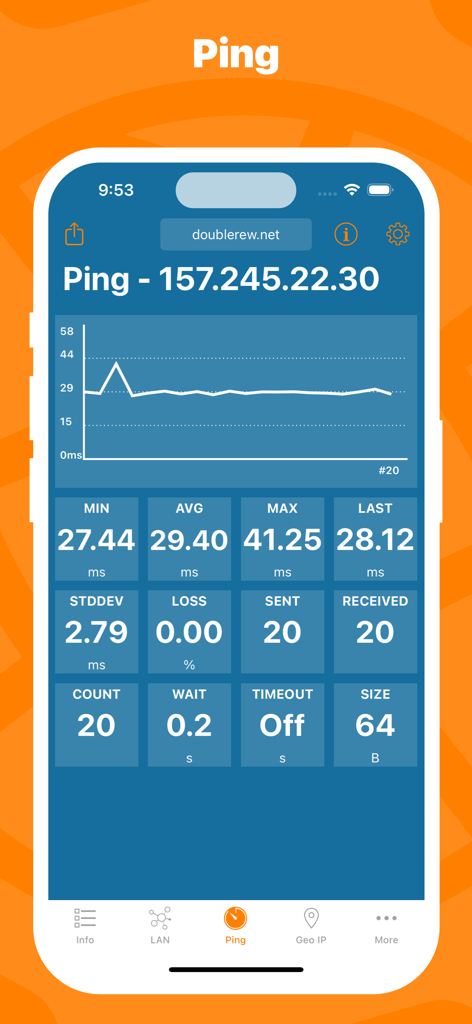
Network Utility Pro app showing real-time ping statistics and latency graph for a server

Network Utility Pro app showing real-time ping statistics and latency graph for a server

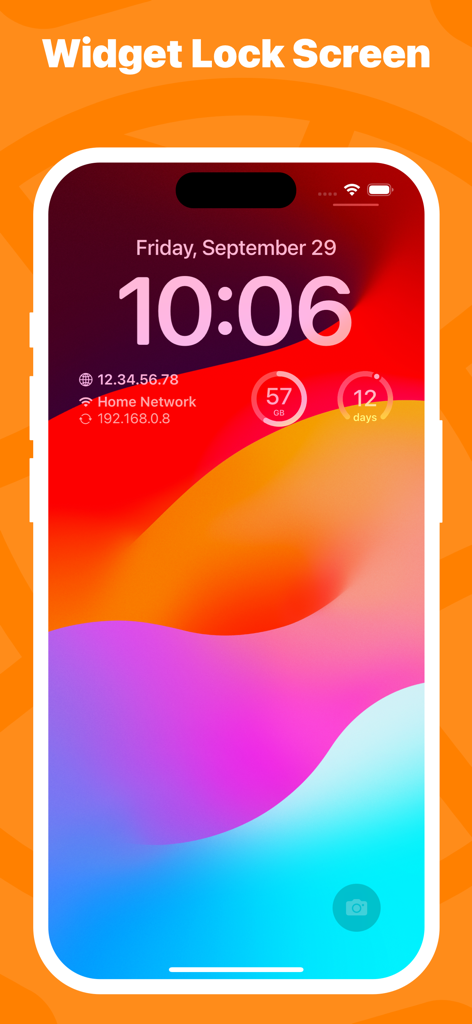
Network Utility Pro widgets on an iPhone lock screen showing network IP info and cellular data usage

Network Utility Pro widgets on an iPhone lock screen showing network IP info and cellular data usage

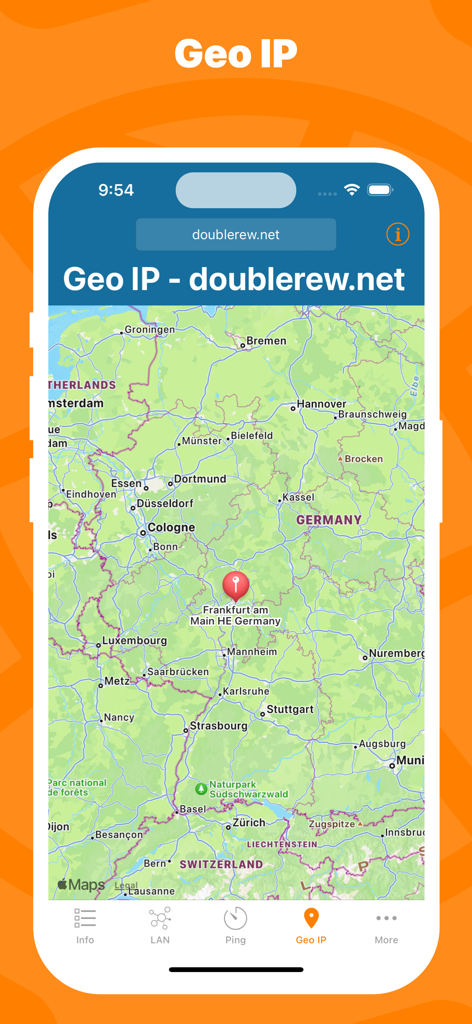
Interface of Network Utility Pro showing the Geo IP tool with a map location marker in Germany.

Interface of Network Utility Pro showing the Geo IP tool with a map location marker in Germany.

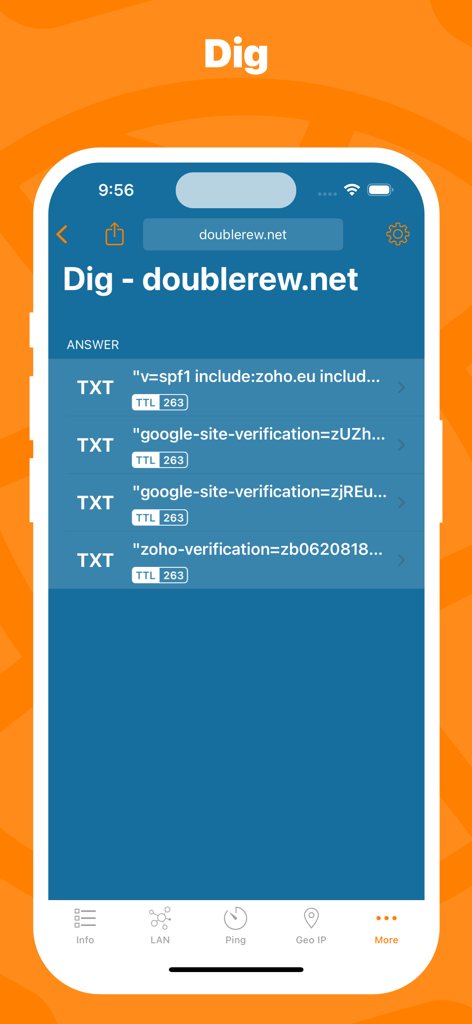
The Dig DNS lookup tool in Network Utility Pro showing domain TXT records and TTL data.

The Dig DNS lookup tool in Network Utility Pro showing domain TXT records and TTL data.

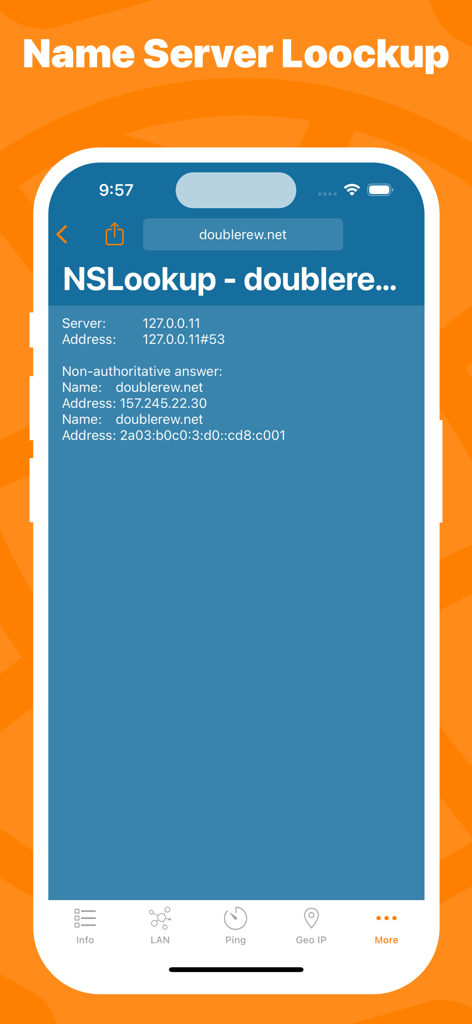
Network Utility Pro app screenshot showing the NSLookup tool results for a domain

Network Utility Pro app screenshot showing the NSLookup tool results for a domain

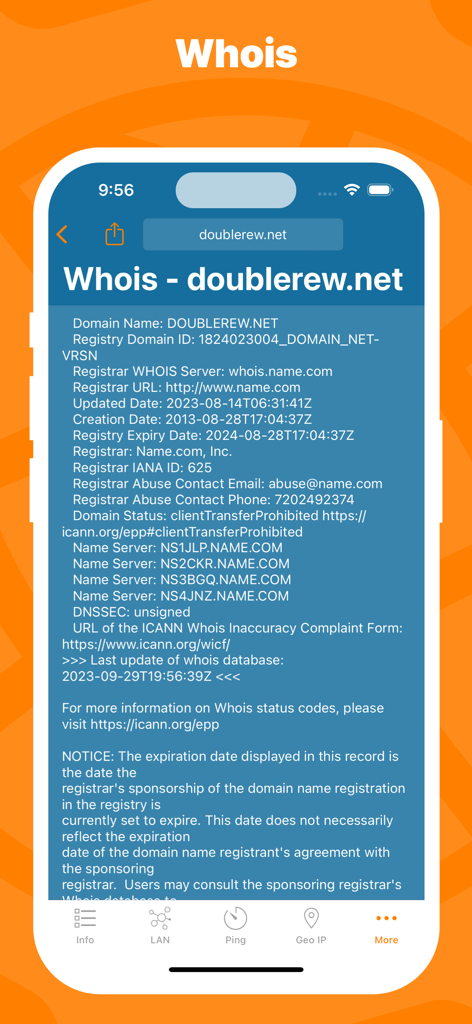
Whois domain registration lookup interface in Network Utility Pro app

Whois domain registration lookup interface in Network Utility Pro app

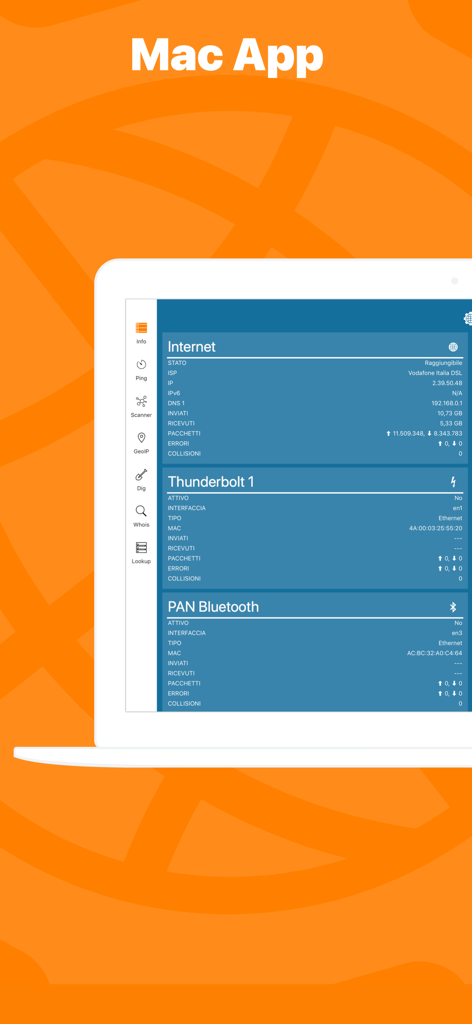
Network Kit X application interface on a Mac laptop displaying network status and diagnostics

Network Kit X application interface on a Mac laptop displaying network status and diagnostics

Master Your Network with Pro-Grade Tools

The tools that make this app stand out, trusted by 155K+ users.

📡

Advanced LAN Scanner

Instantly identify every device on your network and detect unauthorized access to keep your environment secure.

Real-Time Ping & Stats

Monitor latency with graphical data and advanced configurations to ensure your connection is stable for high-stakes tasks.

📊

Precise Data Monitoring

Avoid carrier throttling with independent tracking of your cellular usage across custom billing cycles.

Loved by users worldwide

Trusted by 155K+ people who love this app.

"

"As a systems administrator who is often on the move, Network Utility Pro has become my go-to mobile toolkit. Having professional-grade Dig, Whois, and NSlookup tools right on my iPhone means I can diagnose server issues without needing to open my laptop. The Handoff support with the Mac version is a game-changer for my workflow, and the UI is incredibly clean compared to other technical apps."

Marcus T.
"

"I manage over 30 smart home devices and this app is essential for keeping everything running smoothly. The LAN scanner helps me quickly identify IP conflicts or find devices that have gone offline, while the cellular data monitor is perfect for tracking my hotspot usage during remote work trips. It's the digital Swiss Army knife I've been looking for to manage my home network."

Sarah Jenkins

About the app

Everything you need to know about Network Utility Pro.

Description

Keep under control your network with Network Utility, an user friendly set of network tools that will help you to analyze your LAN, and not only that. ► NETWORK INFO A complete and easy to understand report of your device's network interfaces. In that tab you'll find information like the IP, IPv6, other addresses or the data usage statistics about your Wi-Fi, Internet or Cellular connection (if any). ► CELLULAR DATA MONITOR Don't lose sight of your data usage, with four taps you'll have a data monitor configured and ready to use. The following data usage plans' period are supported: - Daily - Weekly - Monthly - 28 days - 30 days - 90 days ► LAN SCANNER Analyze your Wi-Fi with the LAN Scanner tool. Discovering who is connected to your network and Ping it, is a matter of two taps. Easily manage custom subnets to scan only a portion of your LAN. ► PING Ping a LAN device, Ping a server, ping whatever you want. IPv6 addresses are supported too and advanced options like packet size, timeouts, intervals, etc.. are available and easily configurable. The results of your Ping are available numerically in the aggregated stats, graphically in the real time graph or listed, a row per ICMP response received. ► GEO IP Have you ever wondered where a server or any other IP is located? That's the tool for you, show the location on a map and get additional details like the ISP or the ASN in the details pane. ► DIG A DNS lookup utility made simple. A list clearly shows the result of your query and the advanced options allow you to customize your request from the type of query to the DNS server. ► WHOIS Find any information about a domain name and it's owner e.g. the status, creation date, registrant email and address and many more. ► NSLOOKUP A no-frills textual DNS lookup utility. ► WIDGET * Network Utility comes with an useful widget that brings network informations and the cellular data usage into your notification center, home screen e lock screen. ► EXPORT RESULTS ANYWHERE Every utility has an export button that allows you to export the result of your task to the File app, to the Notes app and many other apps or simply copy the raw textual result. ► MAC APP Network Utility is also available on the Mac App Store as Network Kit X, the same app but tuned to take advantage of macOS. Start a tool on your iPhone/iPad a continue it on your Mac thanks to Handoff and Continuity. !! N.B. - Cellular data monitor is available only on iPhone or iPad with Cellular. - LAN Scanner on iOS 11 and upper due to a limitation of the OS can't display the MAC address of the discovered devices. Hostname resolution is available only if you don't use an external DNS. - Widgets on iOS 14 are updated only at scheduled intervals (e.g. every 5 minutes), so they can show outdated info. Open the app to get info updated in real time.

Latest Version

9.10.3

Size

13.3 MB

First Released

Mar 3, 2016

Master Your Network Anywhere

Equip yourself with the ultimate digital Swiss Army knife. Join 155,000+ IT professionals and power users who rely on desktop-class diagnostics right in their pocket.

Download on App Store