Parachute Backup Mobile

Parachute Backup Mobile

Download on App Store
Spark by MWM logo
Logo of Parachute Backup Mobile

Parachute Backup Mobile: Take full ownership of your digital memories.

Stop relying solely on iCloud sync. Securely back up your full-resolution photos, RAW images, and documents to your own external drives, NAS, or preferred cloud storage with a one-time purchase and zero subscriptions.

Publisher

Parachute Apps, LLC

Category

Utilities

Downloads

9K+

User Rating

4.3/5

Total Ratings

100

Locales

1

Control Your Digital Legacy

Discover the interface used by 9K+ users.
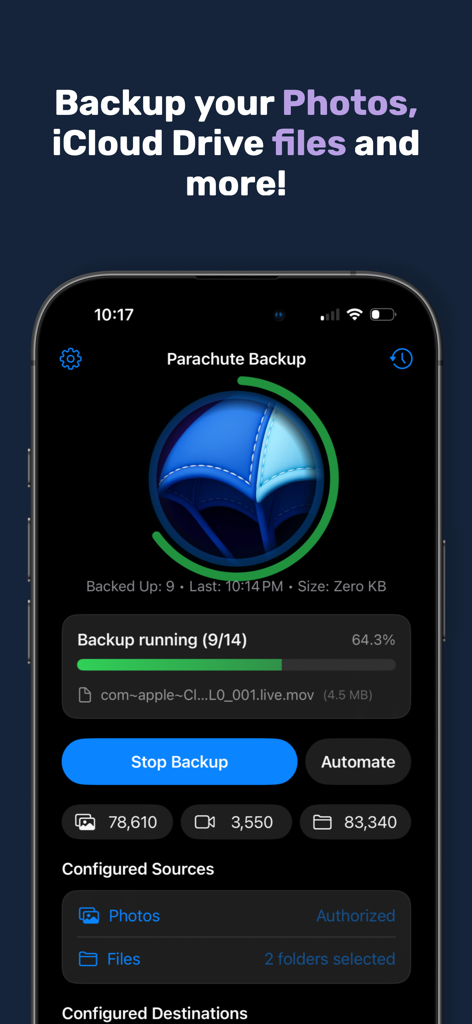
Parachute Backup Mobile app interface showing a backup in progress for iCloud photos and files with file counters

Parachute Backup Mobile app interface showing a backup in progress for iCloud photos and files with file counters

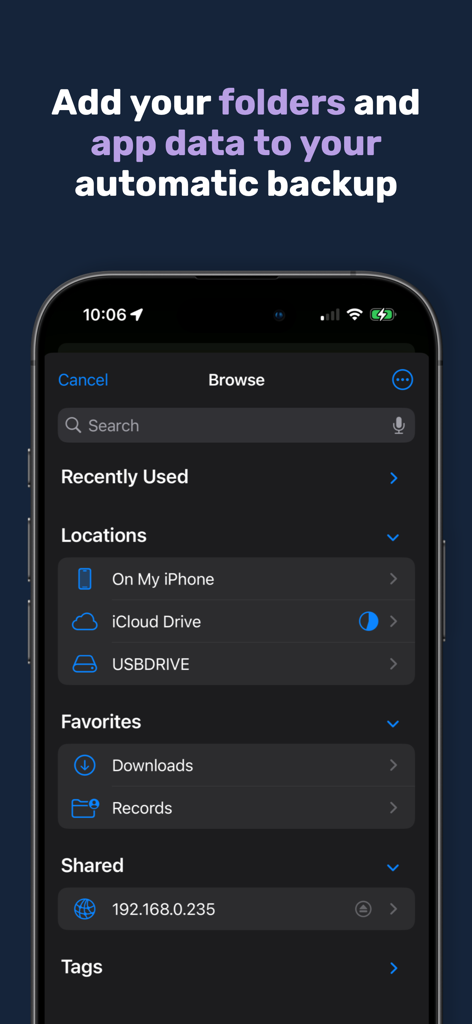
A screenshot of the Parachute app showing various file locations like iCloud and USB drives for backup

A screenshot of the Parachute app showing various file locations like iCloud and USB drives for backup

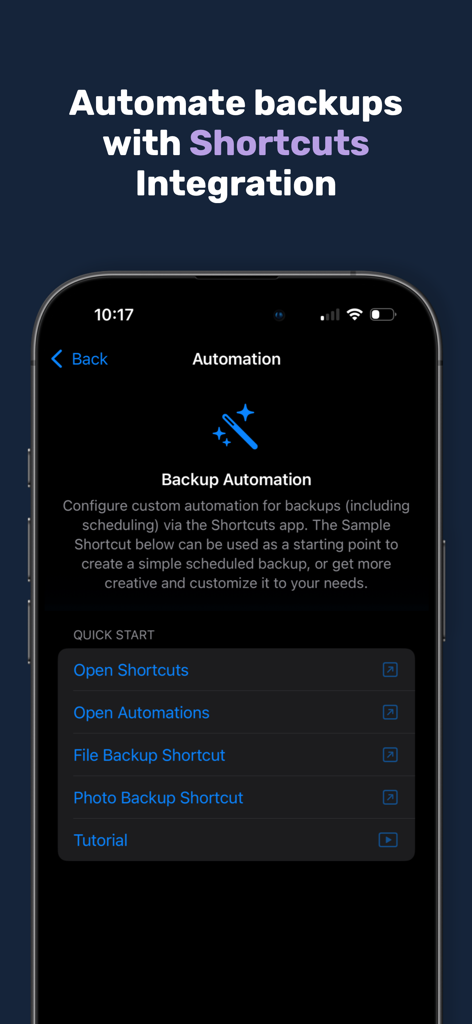
Parachute Backup Mobile app screen showing iOS Shortcuts integration for automated photo and file backups

Parachute Backup Mobile app screen showing iOS Shortcuts integration for automated photo and file backups

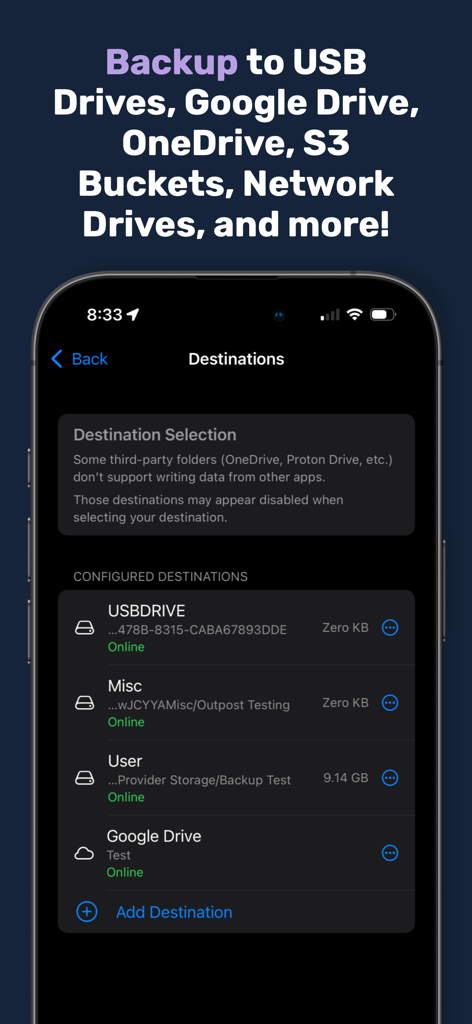
Mobile app screen listing configured backup destinations including USB drives and Google Drive.

Mobile app screen listing configured backup destinations including USB drives and Google Drive.

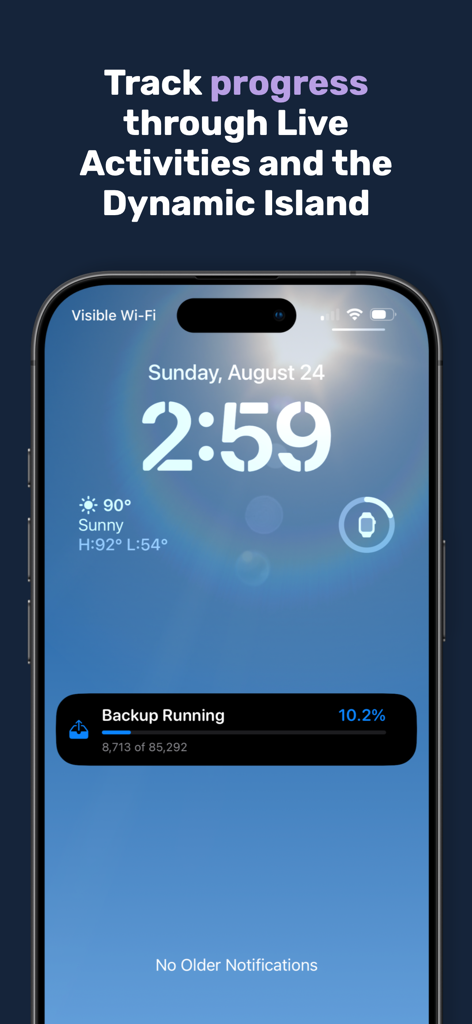
Parachute Backup progress shown on an iPhone lock screen using Live Activities.

Parachute Backup progress shown on an iPhone lock screen using Live Activities.

Take Full Control of Your Digital Legacy

The tools that make this app stand out, trusted by 9K+ users.

🔌

Universal Storage Compatibility

Directly back up to NAS, external SSDs, S3 buckets, or Google Drive. You choose the destination, ensuring your memories are never trapped in a single ecosystem.

Zero Quality Compromise

Preserve your life in high definition. We protect full-resolution RAW photos, 4K videos, and Live Photos, keeping every metadata detail and edit exactly as they were.

🔒

Private & Subscription-Free

One payment, total ownership. With no accounts to create and no telemetry tracking, your data remains 100% private and your wallet remains free from recurring fees.

Loved by users worldwide

Trusted by 9K+ people who love this app.

"

"I was terrified of losing years of family photos due to a sync error or iCloud account issue. Parachute gave me the 'exit strategy' I needed. It is simple, powerful, and most importantly, it is a one-time purchase that puts me back in control of my own data. Seeing my library neatly organized on my external drive is a huge relief."

David R., Tech-Savvy Parent
"

"As a prosumer with a massive library of RAW files and 4K videos, I needed more than just a sync service. Parachute handles my NAS and S3 backups flawlessly while preserving every bit of metadata. No subscriptions, no telemetry, and no proprietary formats—just my files exactly where I want them. This is the gold standard for iOS utilities."

Elena M., Photography Enthusiast

About the app

Everything you need to know about Parachute Backup Mobile.

Description

Parachute is your backup companion for iCloud Photos and iCloud Drive. It backs up your memories — photos, videos, and documents — to storage you control, whether that’s an external drive, Google Drive, OneDrive, S3 Buckets, network drives/NAS, external hard drives and more. With Parachute, you get peace of mind and full ownership of your data, free from lock-in. Your Data, Your Way • Back up your entire iCloud Photos library (including Shared Albums) and folders from iCloud Drive. • Preserve originals in full resolution, all adjustment data, and the current edited versions. • Works with USB drives, NAS/SMB/SFTP mounts, Google Drive, S3 Buckets, OneDrive, external hard drives and more Key Features • Backups can be triggered from the main screen to any of your backup destinations • Automate backups with Shortcuts integration and Schedules • Privacy-first: transfers handled via Apple’s Files extensions — your credentials never touch our app. • Supports full-quality media: Live Photos + videos, RAW images, bursts, edits, and slow motion. Why It Matters • iCloud sync ≠ backup — deletions, expired storage, or sync errors can mean permanent loss. • Parachute safeguards your digital life from accidents and disasters. • Your files are stored in normal folders you can browse and restore from directly — no special tools needed. One time purchase. No Lock-In. • One-time purchase unlocks all backup functionality — no recurring fees. • Your data stays in your storage, not ours. • No accounts, no telemetry, no background bloat. FAQ Highlights Q: Does Parachute ever delete files from iCloud? A: Never. It’s strictly read-only. Q: Can I restore without Parachute? A: Yes. Backups are just normal folders — copy them back with Finder anytime. Q: What if a file is corrupted in iCloud? A: Parachute flags any unexportable items so you know exactly what couldn’t be saved. Q: Can it back up non-iCloud folders? A: Yes. Add any folder via the iOS/iPadOS file picker By downloading Parachute Backup, you agree to Apple's Terms of Use (https://www.apple.com/legal/internet-services/itunes/dev/stdeula/) and our Privacy Policy (https://parachuteapps.com/privacy.txt).

Latest Version

1.3.4

Size

5.7 MB

First Released

Aug 14, 2025

Stop Renting Your Data. Start Owning Your Backups.

Secure your iCloud library on storage you control—from external drives to personal NAS. One-time purchase, no subscriptions, and total peace of mind for your digital life.

Download on App Store