QuickBend: Conduit Bending

QuickBend: Conduit Bending

Download on App Store
Spark by MWM logo
Logo of QuickBend: Conduit Bending

QuickBend: Conduit Bending – The Most Precise Calculator for Professional Electricians

Built by an electrician for the field. Eliminate scrap and save time with advanced centerline radius calculations, intuitive controls, and real-time error checking on your iPhone and Apple Watch.

Download on App Store

Publisher

Bret Hardman

Category

Productivity

Downloads

131K+

User Rating

4.8/5

Total Ratings

3K+

Locales

1

Precision at a Glance

Discover the interface used by 131K+ users.
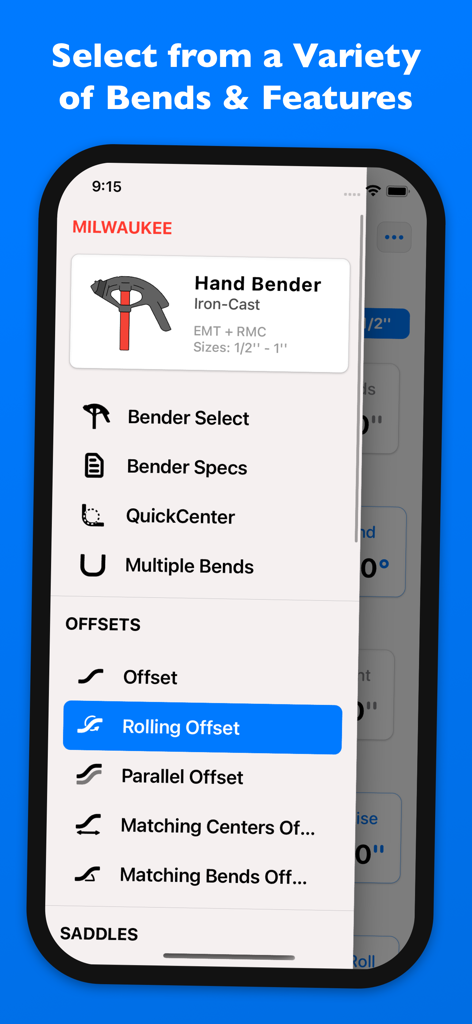
QuickBend app menu showing various conduit bend options like Rolling Offset and Milwaukee hand bender selection

QuickBend app menu showing various conduit bend options like Rolling Offset and Milwaukee hand bender selection

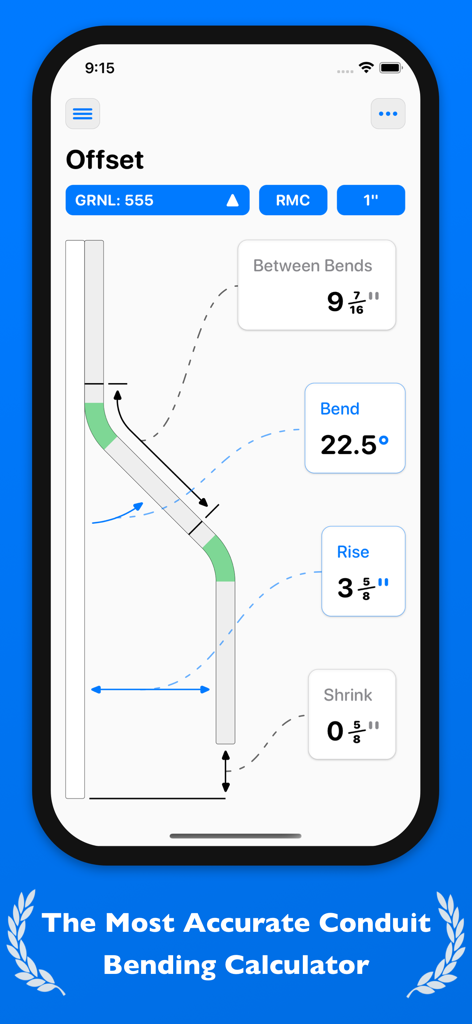
QuickBend app interface showing offset conduit bending calculations and measurements on an iPhone screen

QuickBend app interface showing offset conduit bending calculations and measurements on an iPhone screen

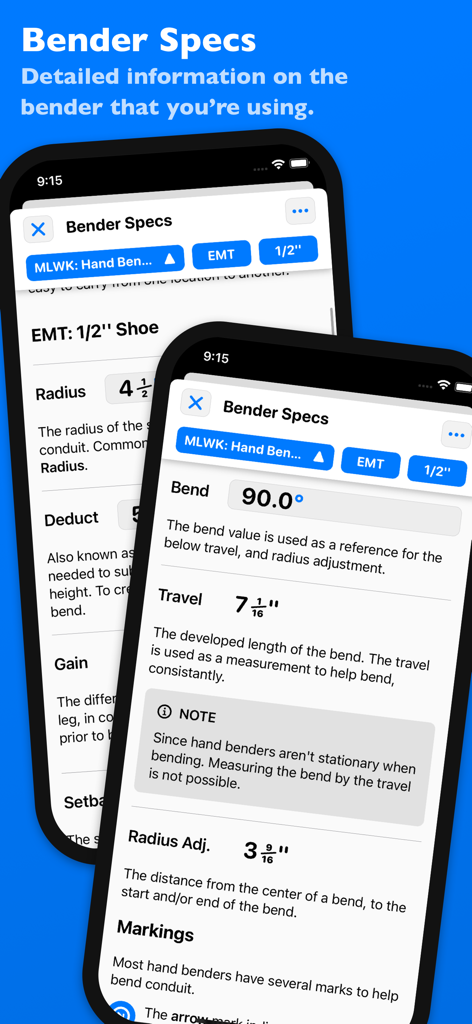
QuickBend app screens showing detailed conduit bender specifications and measurements

QuickBend app screens showing detailed conduit bender specifications and measurements

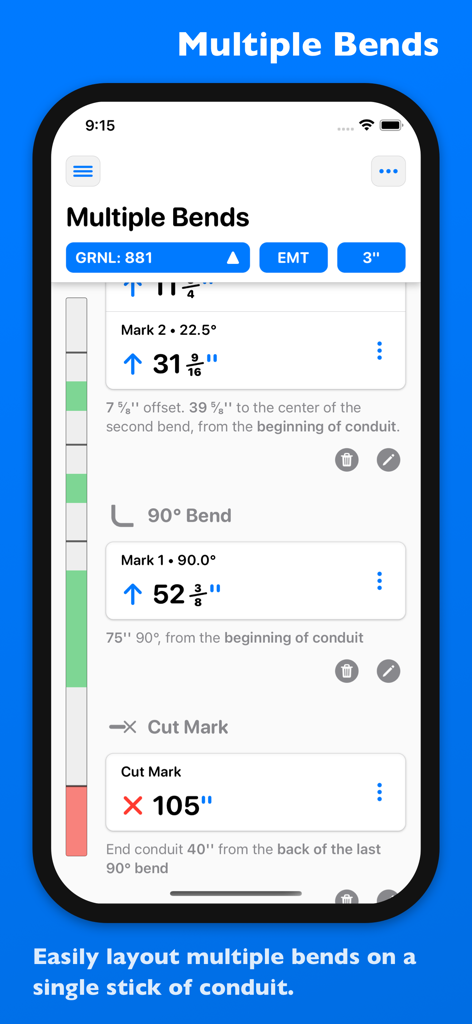
Interface of QuickBend app showing layout and measurements for multiple bends on a single stick of conduit.

Interface of QuickBend app showing layout and measurements for multiple bends on a single stick of conduit.

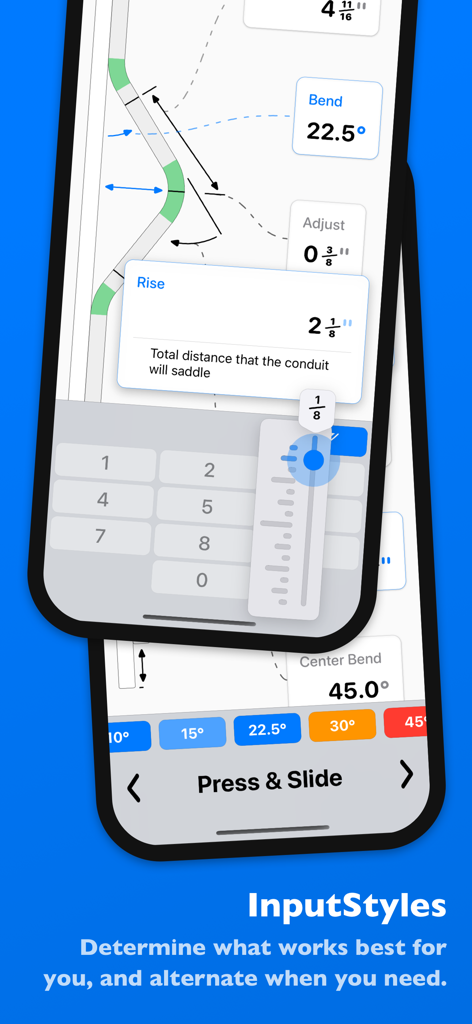
Interface of the QuickBend app showing multiple input methods including a number pad and a press and slide slider for conduit measurements

Interface of the QuickBend app showing multiple input methods including a number pad and a press and slide slider for conduit measurements

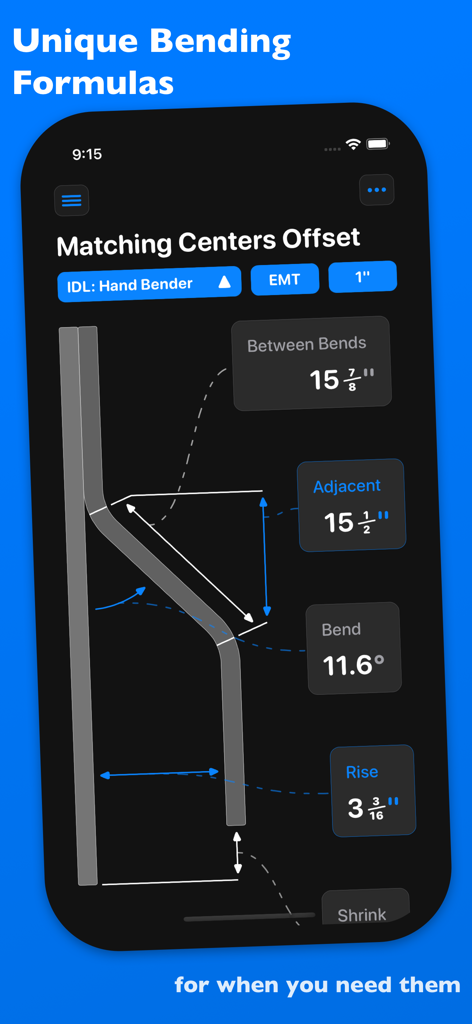
QuickBend app displaying a matching centers offset conduit bending calculation with precise measurements and diagram.

QuickBend app displaying a matching centers offset conduit bending calculation with precise measurements and diagram.

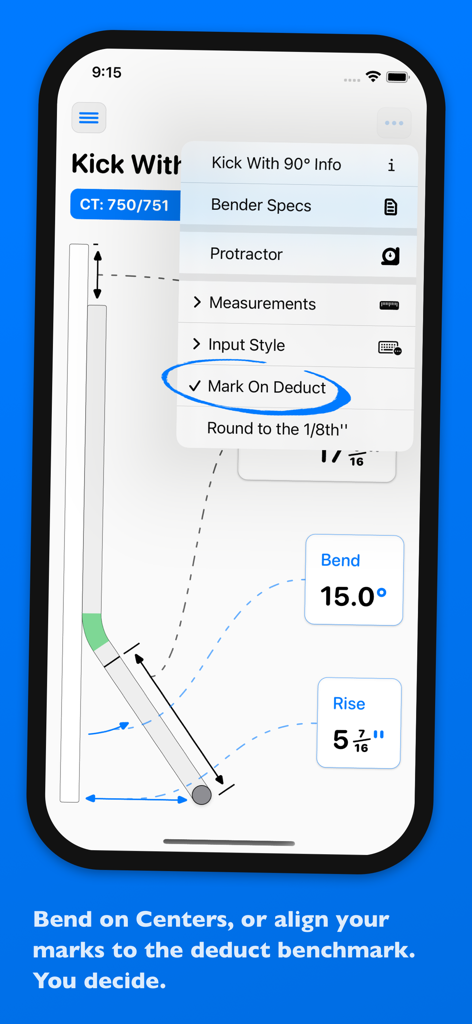
Screenshot of QuickBend app showing conduit kick bend calculations and mark on deduct settings.

Screenshot of QuickBend app showing conduit kick bend calculations and mark on deduct settings.

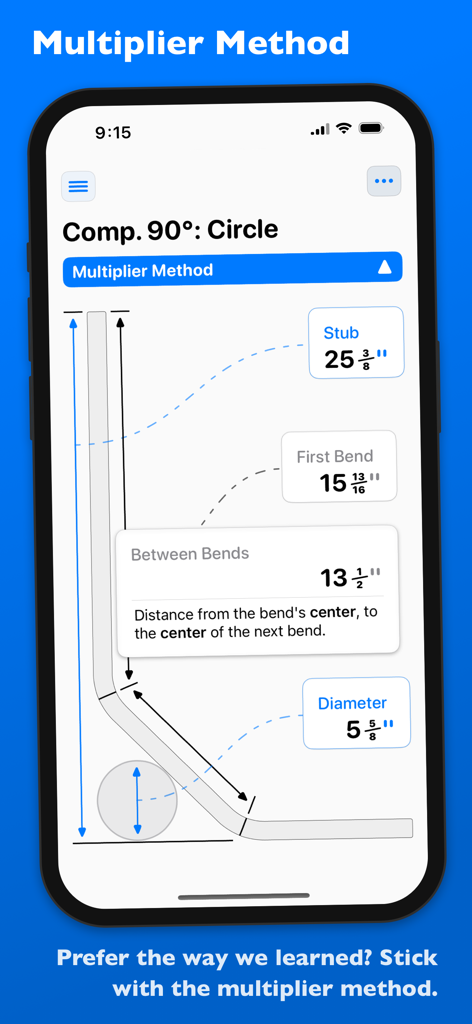
QuickBend app interface displaying a diagram for a compound 90 degree circle bend using the multiplier method

QuickBend app interface displaying a diagram for a compound 90 degree circle bend using the multiplier method

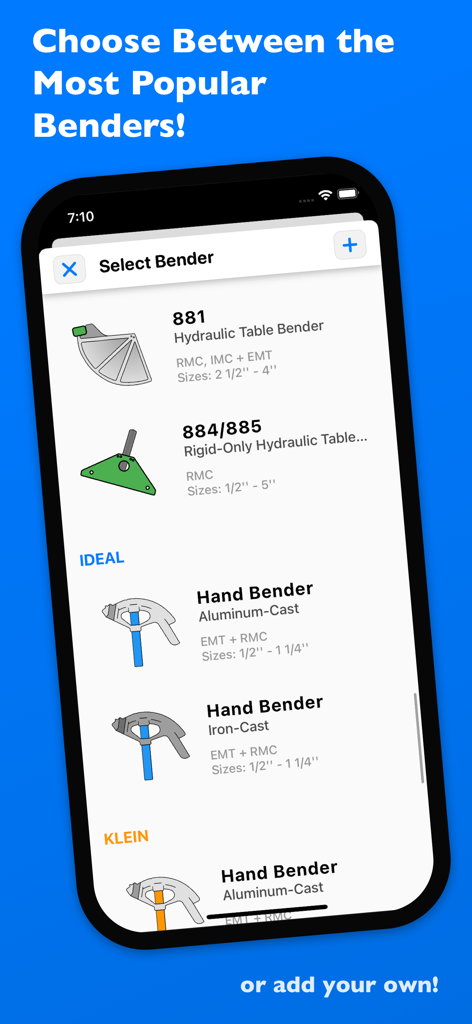
QuickBend app screen showing a list of selectable conduit benders including hydraulic table and hand bender models

QuickBend app screen showing a list of selectable conduit benders including hydraulic table and hand bender models

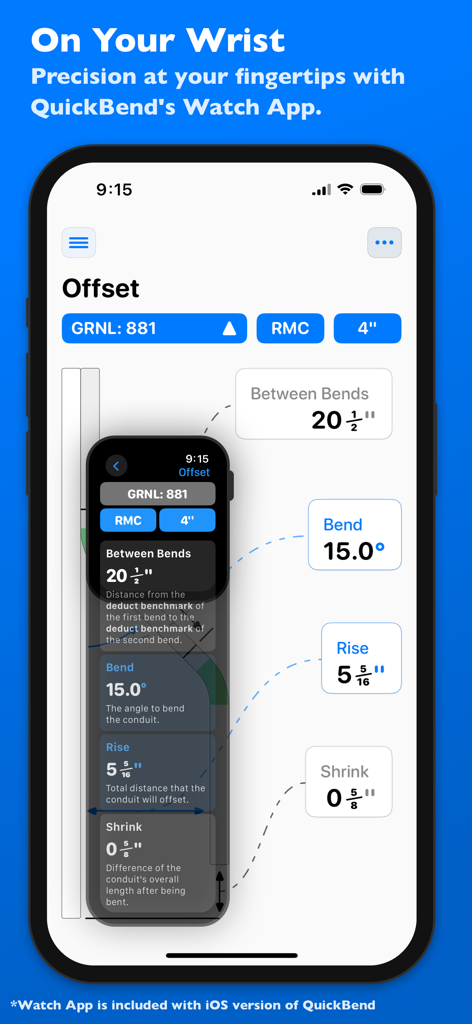
QuickBend app displaying conduit offset calculations on both an iPhone and an Apple Watch

QuickBend app displaying conduit offset calculations on both an iPhone and an Apple Watch

Field-Proven Precision Tools

The tools that make this app stand out, trusted by 131K+ users.

📏

Instant Field Accuracy

Get precise measurements using the centerline radius algorithm. Eliminate manual trig and save hours on complex conduit runs by getting the right mark every time.

⚠️

QuickCheck™ Validation

Avoid costly mistakes. Our color-coded alerts warn you if a bend is impossible or unlikely to work, preventing scrap and saving your reputation on the job site.

⚙️

Custom Bender Profiles

Choose from industry-standard brands or create your own custom bender. Fine-tune deduct, gain, and radius settings to match the exact tool currently in your hands.

Loved by users worldwide

Trusted by 131K+ people who love this app.

"

"I've been in the trade for 15 years and QuickBend is the first tool that actually stays in my pocket on every job. The precision is unmatched, especially for complex parallel offsets. It has saved our crew a fortune in wasted conduit and 'dog-legs'. Having the measurements right on my Apple Watch while my hands are on the bender is a total game changer for my productivity."

Mike R., Journeyman Electrician
"

"Starting out as an apprentice, bending pipe was the most stressful part of the job. QuickBend changed that. The QuickCheck feature warns me if a bend is impossible before I even start, which has saved me so much embarrassment on the job site. It is intuitive, fast, and the visual guides make complex saddles easy to understand even for a novice."

Tyler S., 2nd Year Apprentice

About the app

Everything you need to know about QuickBend: Conduit Bending.

Description

QuickBend is the fastest and most precise conduit bending calculator app. Designed to be innovative and intuitive while remaining visually appealing. This advanced conduit bending calculator offers the most accurate measurements by taking into account the radius of the shoe and bender, plus the conduit type and size diameter. All measurements are generated using the centerline radius algorithm, and have all been rigorously processed and field tested. Even the bends displayed within QuickBend are generated using the same engine. Built for electricians by an electrician. QuickBend can be used by anyone working with conduit or tubing whether you are a seasoned professional, a novice cub, or even a DIY enthusiast. Made to avoid simple mistakes, and to save time and money. In addition to providing fast and precise calculations, there is plenty of information and documentation provided for individual bends. Explanations on how to use specific features, and step by step process to bending conduit. Offering the most intuitive method to input data. Whether you want to get straight to the point, or comb through the possibilities of a bend. You can switch back and forth between different input styles such as a number pad, or a slider bar (Press & Slide). Both having their unique advantages. QuickBend allows you, the user to toggle between three different types of measurements; inches, foot + inches, and centimeters. With QuickCheck built into QuickBend, there's a subtle change in text colors when a bend is impossible (red), or whether the bend may be unlikely to work (orange). This app for convenience, and we want it to benefit you. So much so that we added it into the input styles for bends, so you can see if a bend is possible before even tapping on the bend amount. Supporting the following bends! • Offset • Rolling Offset • Matching Bends Offset • Matching Centers Offset • Parallel Offset • Three-Point Saddle • Four-Point Saddle • 90° Bend • Kick with 90° • Matching Bend Kick • Matching Center Kick • Parallel Kick • Parallel Kick: Forward • Compound 90° - Circle Obstruction • Compound 90° - Rectangle Obstruction • Compound 90° - Square Obstruction • Segmented 90° Plus you have the ability to layout multiple bends on a single conduit, and get each measurement for a mark on the conduit. With the option to easily flip an individual or set of marks per bend. There's no limit to QuickBend. Easily, select between different types of benders and choose the size of the shoe and conduit type all within the same screen that you are working on. No need for complex navigations. In addition, you can pin benders you use the most, so you can select and switch between them quickly without consistently scrolling. All benders are spec'd out using the information provided by the manufacturers, and worst case scenario if one of the many benders available don't match the one you are using you can now add in your own bender. There's also an option to not select a bender and to use the multiplier method. Edit and view all of your benders' specifications. Detailed information on the centerline radius, deduct, gain, setback. Plus the ability to view the travel, and radius adjustment for any degree bend between up-to 90°. All of this is visualized and edited within the 'Bender Specs'.

Latest Version

4.1.3

Size

15.5 MB

First Released

Jul 28, 2015

Stop Wasting Conduit and Start Bending with Precision

Join over 131,000 electricians using the field-tested tool built specifically for the trade. Download QuickBend today and master every bend on your iPhone or Apple Watch.

Download on App Store