Remote Control for TV Stick

Remote Control for TV Stick

Download on App Store
Spark by MWM logo
Logo of Remote Control for TV Stick
Remote Control for TV Stick: The Smarter Way to Stream

Stop hunting for lost remotes and struggling with clunky on-screen typing. Transform your iPhone into a precision touchpad with a full-size keyboard to master your entertainment instantly.

Publisher

Pol Nadal Serra

Category

Utilities

Downloads

80K+

User Rating

4.7/5

Total Ratings

1K+

Locales

6

Effortless Control at Your Fingertips

Discover the interface used by 80K+ users.
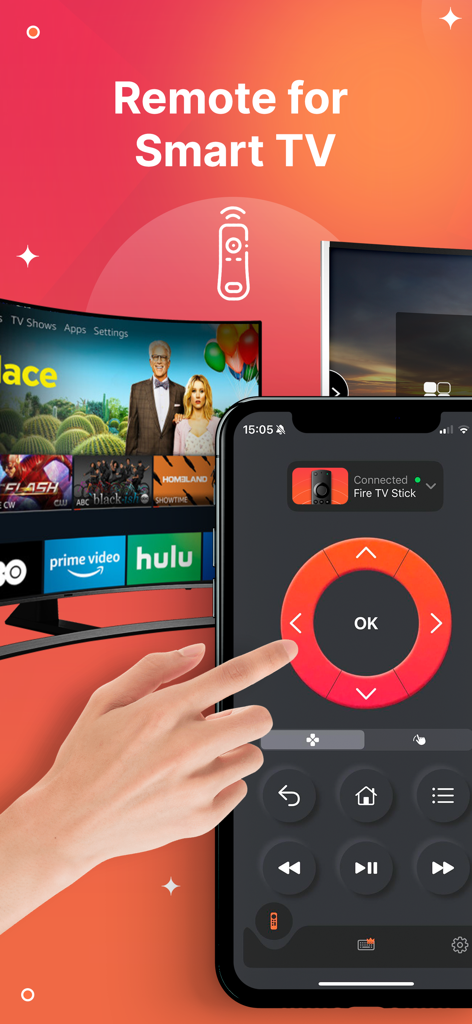
Hand using the Remote Control for TV Stick app on an iPhone to control a smart TV.

Hand using the Remote Control for TV Stick app on an iPhone to control a smart TV.

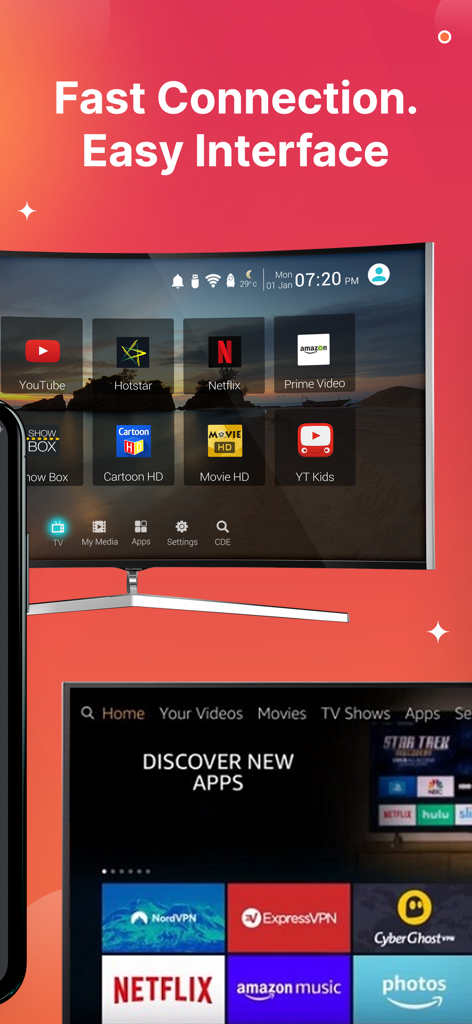
User interface of the Remote Control for TV Stick app showing fast connection and streaming app shortcuts

User interface of the Remote Control for TV Stick app showing fast connection and streaming app shortcuts

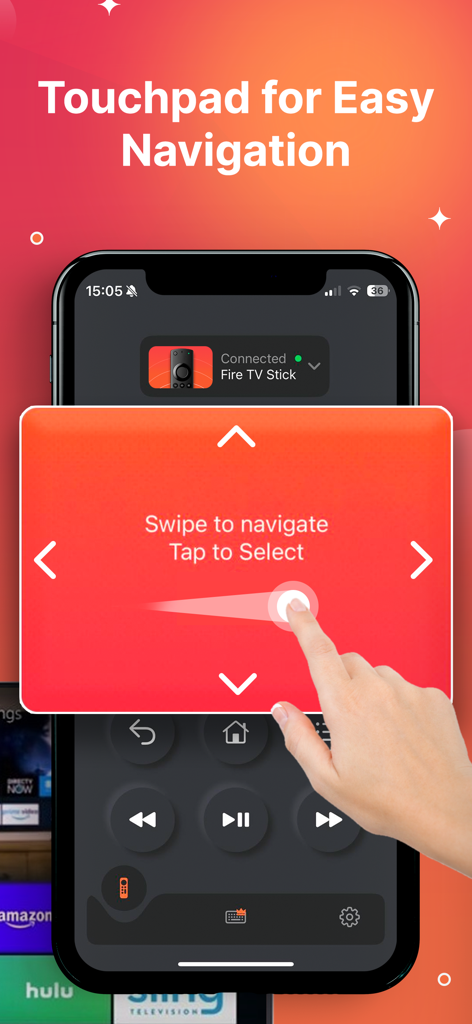
A hand using the swipe-based touchpad on an iPhone for TV stick navigation.

A hand using the swipe-based touchpad on an iPhone for TV stick navigation.

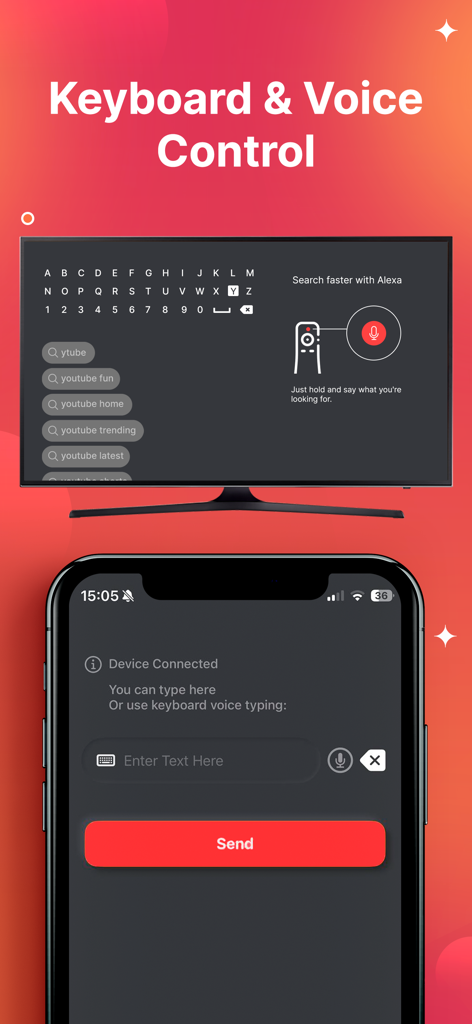
iPhone app interface showing keyboard and voice search input for controlling a TV stick

iPhone app interface showing keyboard and voice search input for controlling a TV stick

The Smarter Way to Stream

The tools that make this app stand out, trusted by 80K+ users.

⌨️

Effortless Keyboard Search

Skip the frustrating hunt-and-peck on-screen typing. Use your phone’s keyboard to find movies and shows in seconds.

👆

Precision Touchpad

Navigate menus with smooth, responsive swipe gestures that feel as natural as using your favorite apps.

🚀

Instant App Launching

Open Netflix, YouTube, or Prime Video with a single tap. Move between your favorite channels without digging through settings.

Loved by users worldwide

Trusted by 80K+ people who love this app.

"

"With two kids in the house, our physical remote is constantly disappearing between the couch cushions. This app has been a lifesaver! The integrated keyboard makes searching for movies so much faster than the old hunt-and-peck method. It's now my primary way to navigate our TV Stick."

Sarah M.
"

"I love the minimalist feel of using my iPhone to control everything in my living room. The swipe-based touchpad is incredibly responsive and far more intuitive than the standard plastic remote. Being able to launch my favorite streaming apps with a single tap is a huge time-saver."

David L.

About the app

Everything you need to know about Remote Control for TV Stick.

Description

Transform your phone into a versatile remote with Remote Control for TV Stick, turning entertainment control into a seamless experience. Connect easily with your TV Stick and other streaming devices using our user-friendly swipe-based touch controls, as long as your devices are on the same Wi-Fi network. Why Choose Us: - Simplified Text Input: Ditch cumbersome on-screen typing with our integrated keyboard, making searches fast and straightforward. - Instant Access: Launch your favorite apps and channels instantly with a single tap, cutting down on unnecessary navigation. - Intuitive Design: Navigate effortlessly with an interface designed for ease, making each interaction simple and smooth. - Accurate Control: Our spacious touchpad allows you to navigate menus with precision, offering an easy command over your content. Say goodbye to the frustration of lost remotes or dead batteries. Enhance your TV viewing with complete control. Subscription Details: Gain full access through a convenient auto-renewable subscription. Charges are applied to your iTunes account upon purchase and renew automatically on a weekly or yearly basis unless canceled 24 hours before the period ends. Adjust subscriptions anytime in your account settings. Select from weekly or annual plans with regional pricing variations. Cancel free trials at least 24 hours before they end to avoid charges. Note that any unused trial period is forfeited upon subscription. Downloading and using this app signifies acceptance of our Terms of Use, Privacy Policy, and EULA. Terms of Use: https://blastly.es/legal.php?app_id=12&doc=terms Privacy Policy: https://blastly.es/legal.php?app_id=12&doc=privacy EULA: https://blastly.es/legal.php?app_id=12&doc=eula For inquiries, contact support@blastlystudio.com DISCLAIMER Remote Control for TV Stick is a standalone product, unaffiliated with or endorsed by Amazon.

Latest Version

1.2.6

Size

81.1 MB

First Released

Jun 12, 2024

The Remote You’ll Never Lose Is Already in Your Hand

Stop hunting for the remote and start typing with your iPhone keyboard. Join over 80,000 users who have already simplified their entertainment experience.

Download on App Store
FAQ

Frequently Asked Questions

Everything you need to know about Remote Control for TV Stick

How does the Remote Control for TV Stick app connect to my streaming device?

The Remote Control for TV Stick app connects to your TV Stick and other streaming devices when both are on the same Wi-Fi network as your phone.

Can I use a keyboard for text input with Remote Control for TV Stick?

Yes, Remote Control for TV Stick includes an integrated keyboard for simplified text input. This allows for fast and straightforward searching without cumbersome on-screen typing.

Does Remote Control for TV Stick offer a free trial?

Yes, Remote Control for TV Stick offers free trials. Users must cancel at least 24 hours before the trial ends to avoid charges. Any unused trial period is forfeited upon subscription.

Is Remote Control for TV Stick associated with Amazon?

No, Remote Control for TV Stick is a standalone product. It is not affiliated with or endorsed by Amazon, as stated in the application's disclaimer.

How do I navigate content using Remote Control for TV Stick?

Remote Control for TV Stick features a spacious touchpad for accurate control. You navigate menus by swiping and select items by tapping, providing easy command over your content.

What are the subscription options for Remote Control for TV Stick?

Remote Control for TV Stick offers auto-renewable subscriptions with weekly or annual plans. Regional pricing variations apply, and charges go to your iTunes account.