
Skylight App




Reduce the mental load by syncing every calendar, chore, and meal plan in one place, while instantly sharing precious memories with the loved ones who matter most.
Publisher
Category
Photo & VideoDownloads
6M+User Rating
Total Ratings
44K+Locales
1Discover the interface used by 6M+ users.
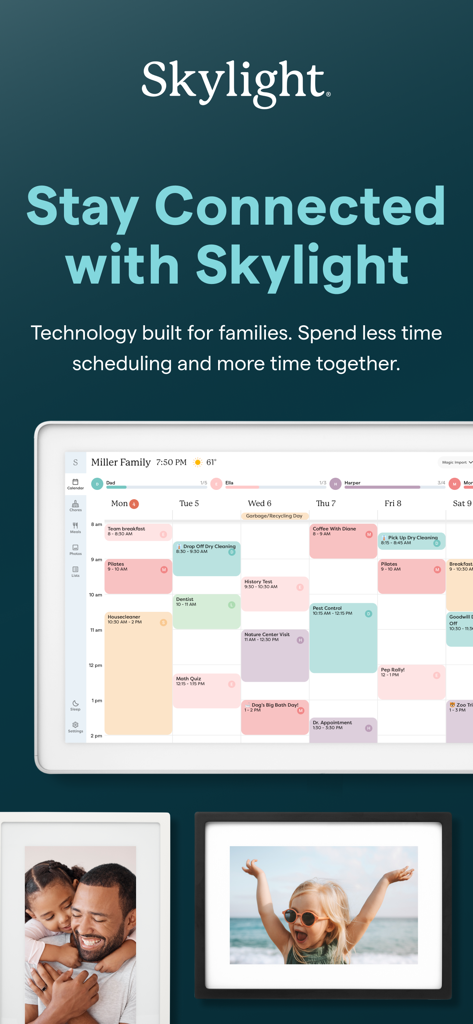
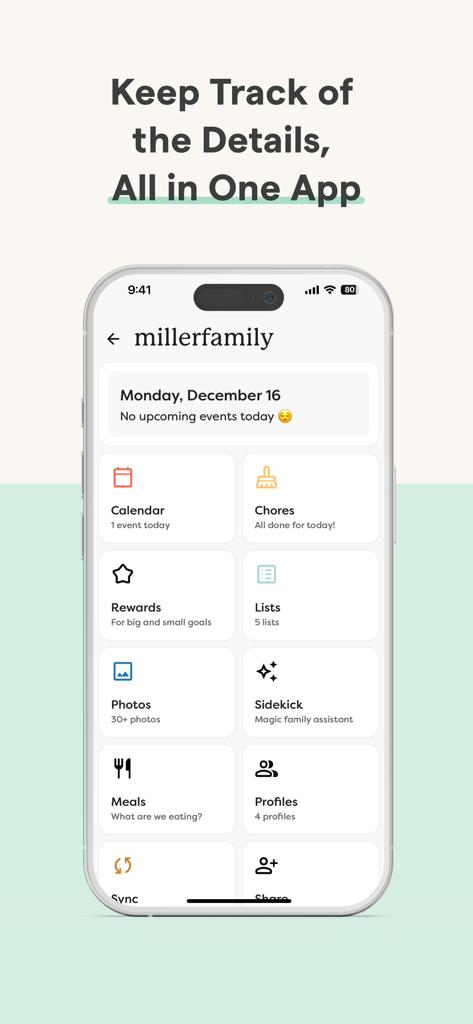
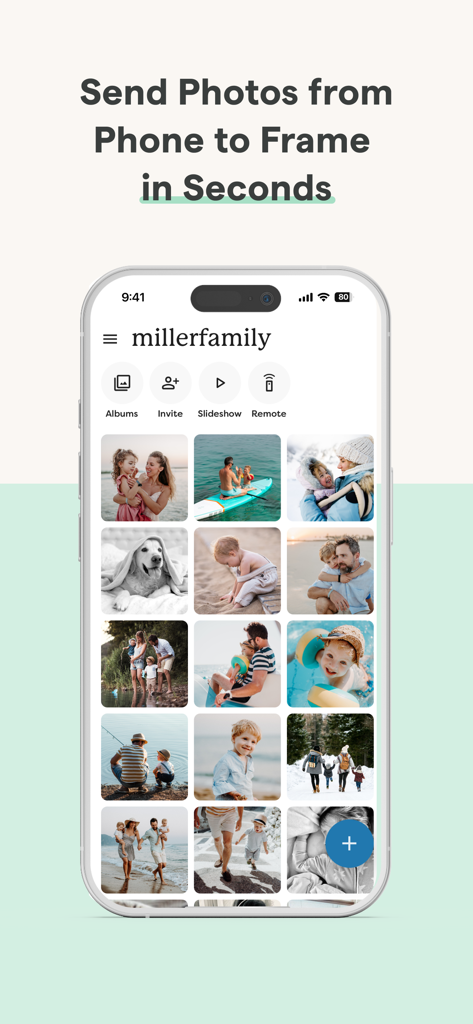
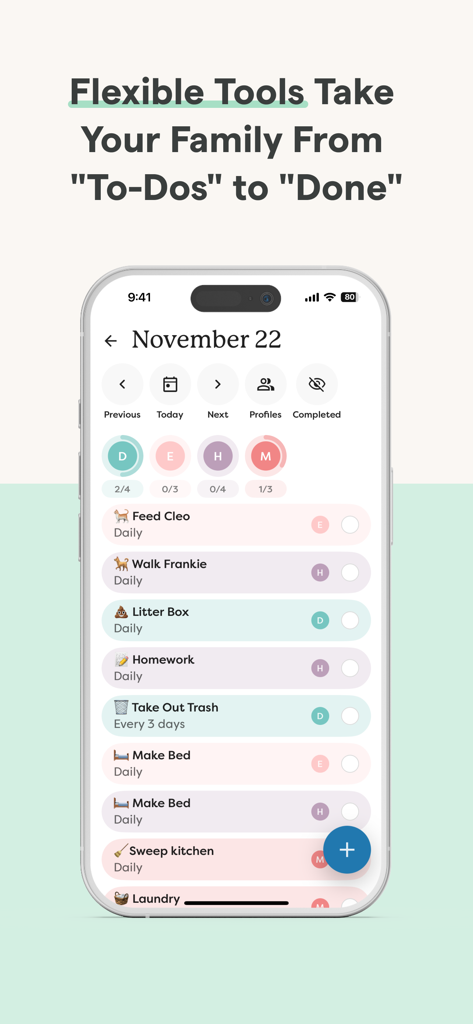
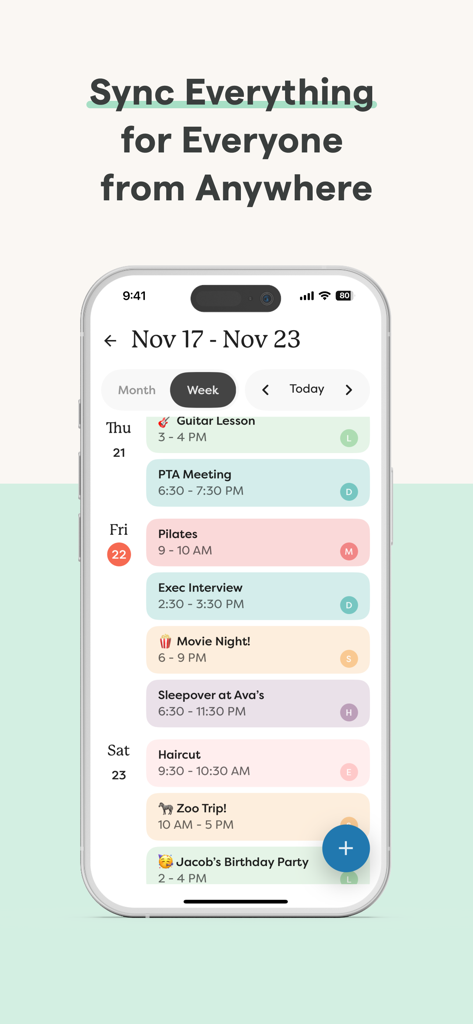
The tools that make this app stand out, trusted by 6M+ users.
Bring Google, Outlook, and Apple calendars together in one unified view. Eliminate scheduling chaos and ensure no soccer practice or doctor appointment is ever missed.
Set recurring chores, share grocery lists, and manage daily routines. Use the rewards system to motivate kids and take the stress out of household management.
Send photos and videos directly to your Skylight Frame from anywhere in the world. It’s the easiest, private way to keep grandparents and extended family in the loop.
Trusted by 6M+ people who love this app.
"Skylight has completely transformed how our household runs. Managing three kids' schedules and a grocery list used to be a nightmare, but having the synced calendar and chore charts in one app has saved my sanity. It really is the operating system for our family."
"I love how easy it is to share memories with my mom. I just upload photos from my phone and they appear instantly on her frame. Adding captions and videos makes her feel like she's right there with us, even though we're states away. It's so much more intimate than social media."
Everything you need to know about Skylight App.
Description
Latest Version
1.95.2
Size
84.7 MB
First Released
Oct 15, 2018
Join over 6 million families using Skylight to sync their schedules, manage chores, and share memories—all in one easy-to-use place.
Everything you need to know about Skylight App
The Skylight App functions as a family operating system, consolidating calendars, lists, routines, and memories. It also activates and manages both your Skylight Calendar and Skylight Frame.
The Skylight Calendar allows syncing of unlimited calendars, event creation, setting recurring chores, sharing lists, and auto-importing events, PDFs, and recipes. PLUS features include rewards, a family recipe book, and photo/video screensavers.
Yes, the Skylight App allows users to easily add photos and videos to the Skylight Frame anytime, anywhere, via the app or email. It supports creating unlimited albums with captions.
Yes, the Skylight App provides tools for managing family chores and routines. Users can set recurring tasks and keep everyone aligned, as depicted in the app interface.
Yes, the Skylight App includes a PLUS feature where family members can earn stars and unlock rewards for completing tasks, as indicated in the app's features.
The Skylight Frame requires an easy setup by connecting it to WiFi. Once connected, users can manage its content, including adding photos and videos, via the Skylight App.
Yes, the Skylight App allows users to build a family recipe book and create meal plans as a PLUS feature. This consolidates family culinary information within the app.
The Skylight App facilitates syncing unlimited calendars or creating events directly within the app. It also supports auto-importing events for comprehensive family scheduling.
The Skylight App combines multiple family management tools including calendars, chores, rewards, lists, photos, a 'Sidekick' assistant, meal planning, and profiles, all within a single interface.
You can find the Terms of Service for the Skylight App on their official website. The specific link is https://myskylight.com/tos/, as provided in the app description.
Apps with similar features and user experience

Red Paket sp. z o.o.

nadi digital indonesia, pt

Aleh Piashkou

Thorley Industries LLC

Electro Cirkel Retail BV

Pol Nadal Serra

Jonathan Reed

YONGXING JIN
Tinybyte Apps LLC
