Scanner App: Genius Scan

Scanner App: Genius Scan

Download on App StoreDownload on Google Play
Spark by MWM logo
Logo of Scanner App: Genius Scan

Scanner App: Genius Scan — The Smartest Way to Go Paperless

Join 20 million professionals who trust Genius Scan to create crisp, secure PDFs in seconds. Effortlessly scan, organize, and export your documents with on-device intelligence and bank-level privacy.

Publisher

The Grizzly Labs

Category

Business

Downloads

18M+

User Rating

4.9/5

Total Ratings

2M+

Locales

20

Precision in Your Pocket

Discover the interface used by 18M+ users.
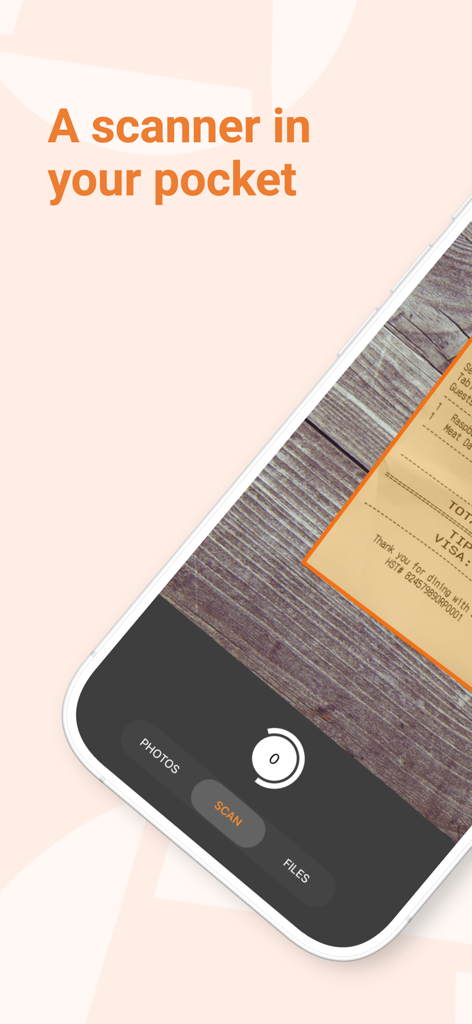
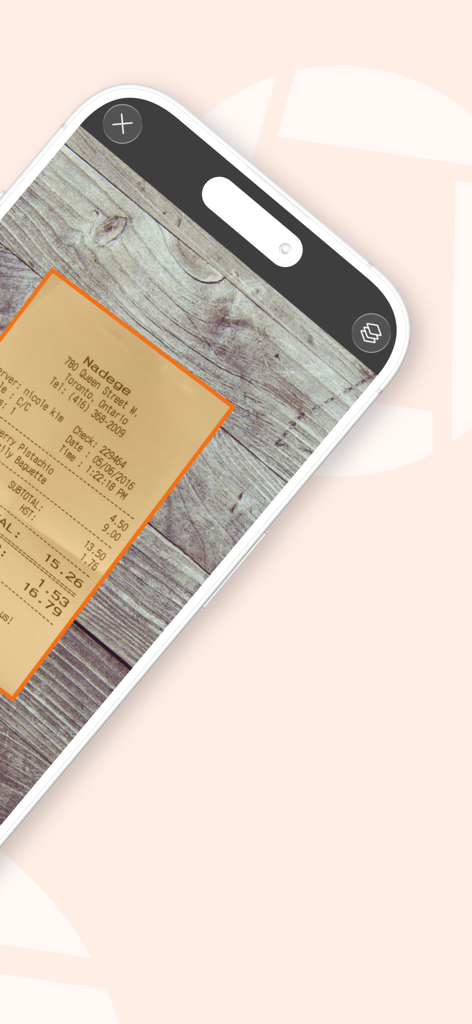
Genius Scan mobile app interface scanning a receipt on a wooden background with automatic document detection

Genius Scan mobile app interface scanning a receipt on a wooden background with automatic document detection

Genius Scan app interface showing automatic document detection of a receipt on a wooden surface

Genius Scan app interface showing automatic document detection of a receipt on a wooden surface

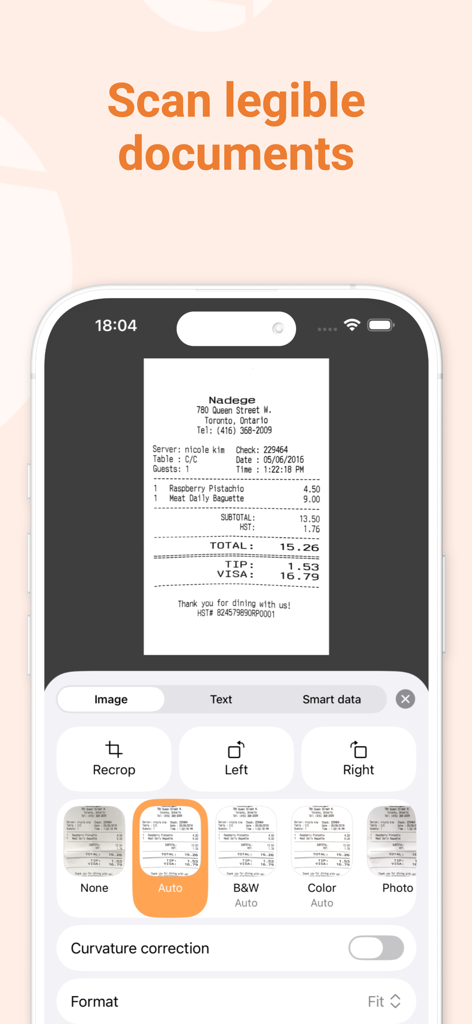
The Genius Scan app interface showing a scanned receipt being enhanced with filters and editing tools

The Genius Scan app interface showing a scanned receipt being enhanced with filters and editing tools

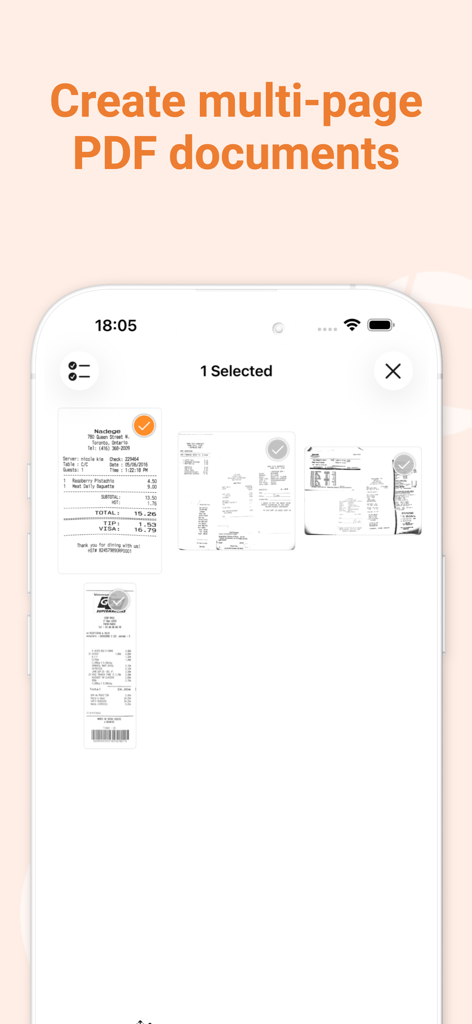
Genius Scan app interface showing multiple scanned receipts being compiled into a single multi-page PDF document

Genius Scan app interface showing multiple scanned receipts being compiled into a single multi-page PDF document

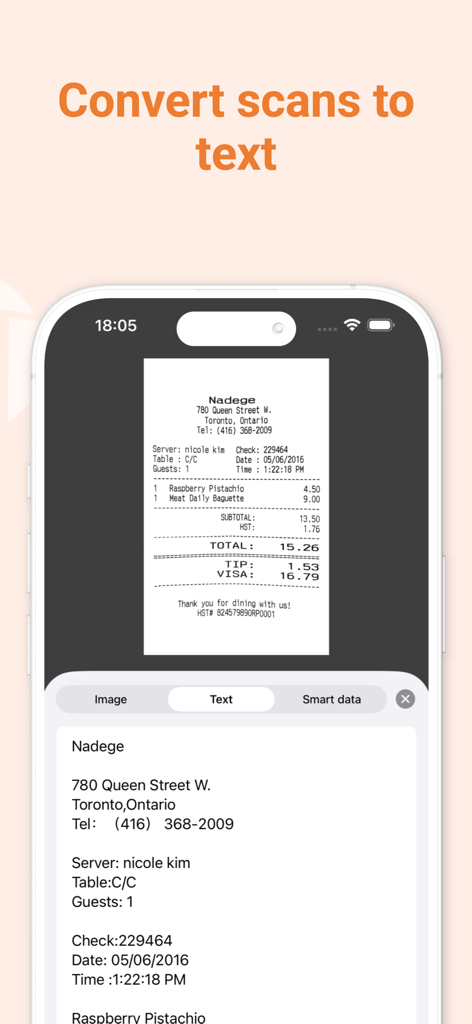
A smartphone showing the Genius Scan app converting a scanned restaurant receipt into digital text using OCR technology.

A smartphone showing the Genius Scan app converting a scanned restaurant receipt into digital text using OCR technology.

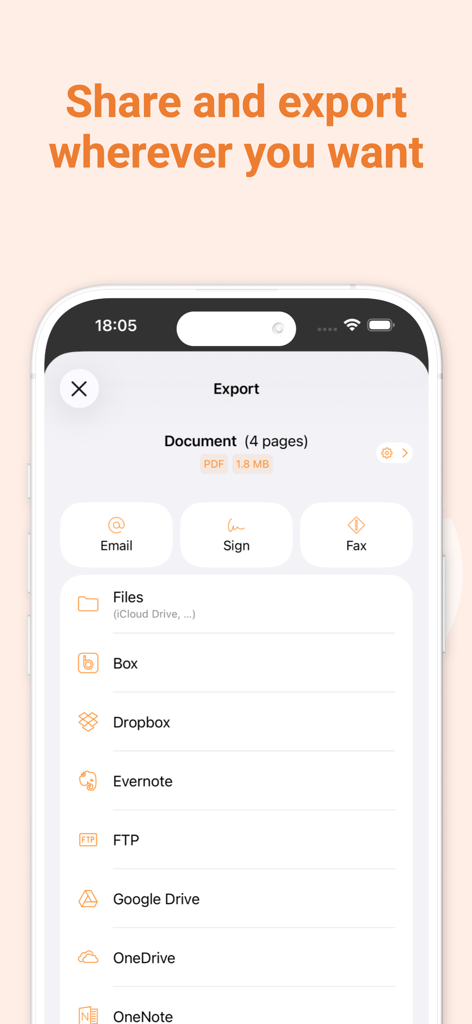
Genius Scan app screen showing multiple document export and sharing options including Dropbox Google Drive and Evernote

Genius Scan app screen showing multiple document export and sharing options including Dropbox Google Drive and Evernote

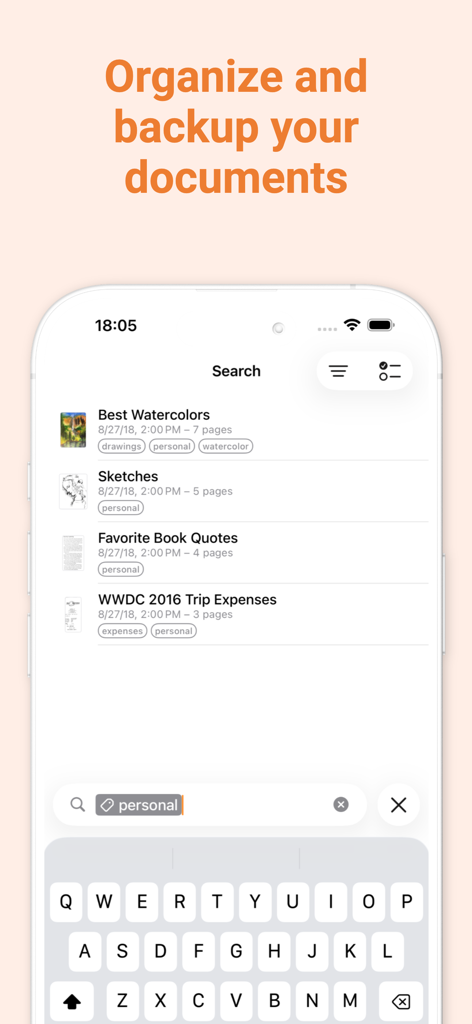
Genius Scan app interface showing document organization and search functionality with tags

Genius Scan app interface showing document organization and search functionality with tags

Genius Scan app promotional screen highlighting speed privacy and security and its French origin

Genius Scan app promotional screen highlighting speed privacy and security and its French origin

Your Professional Office, On the Go

The tools that make this app stand out, trusted by 18M+ users.

Crystal Clear Scans Instantly

Skip the manual editing. Our smart engine automatically detects, crops, and cleans up documents to deliver professional, high-contrast PDFs in seconds.

🔒

Privacy You Can Trust

Keep sensitive business data safe. Your documents are processed directly on your device with optional Face ID locking and PDF password encryption.

📤

Seamless Workflow Integration

Send scans directly to Google Drive, Dropbox, or Expensify. Perfect for mobile-first professionals needing to sync receipts or contracts on the fly.

Loved by users worldwide

Trusted by 18M+ people who love this app.

"

"Genius Scan has completely transformed how I handle my small business paperwork. The automatic edge detection is flawless, and I love how easily I can export my monthly expenses directly to Expensify. It is reliable, fast, and worth every penny for the time it saves me during tax season."

Marcus Thorne, Small Business Owner
"

"In my line of work, document security and scan quality are non-negotiable. This app delivers professional-grade PDFs that look like they came from a flatbed scanner. Knowing that my sensitive data is processed locally on my device rather than in the cloud is exactly why I chose Genius Scan."

Elena Rodriguez, Independent Legal Consultant

About the app

Everything you need to know about Scanner App: Genius Scan.

Description

Genius Scan is a document scanner app in your pocket. Quickly scan your paper documents on the go and export them as multi-page PDF files. *** Apple App of the Week *** 20+ million users *** 1000s of small businesses *** Place any document in front of your device’s camera: our scanner app automatically recognizes the paper against the background, crops it, and cleans up the result. You obtain a crisp, legible scan. Batch scanning lets you scan dozens of pages in a matter of seconds. Powerful tools help you organize, share, or archive your documents. “Next time you plan to hit the road, don’t forget to download Genius Scan to make life easier for yourself and your accounting department.” - AppPicker.com “Camera apps aren’t designed for close-up text scanning, but Genius Scan is.” - The Guardian == KEY FEATURES == Smart Scanning: - Document detection & background removal - Distortion correction - Shadow removal and defect cleanup - Filters (black & white, whiteboard, photo) - Batch scanning PDF Creation & Editing: - Document merging & splitting - Multiple page PDF creation - Photos and PDF import Security & Privacy: - On-device document processing + Face ID locking + PDF password encryption Document Organization: - Document tagging - Metadata and content search + Smart document renaming (custom templates, …) + Backup and multi-device sync with Genius Cloud (separate subscription) Export: - Email + Box, Dropbox, Evernote, Expensify, Google Drive, iCloud Drive, OneDrive, OneNote, FTP, SugarSync, WebDAV. + Any WebDAV compatible service such as Citrix ShareFile, NextCloud, ownCloud, Synology, Yandex. + Automatic background auto-export OCR (Text Recognition): + Text extraction + Searchable PDF creation + Business card scanning & contact creation The features denoted with [+] are available as part of a premium plan. == ABOUT US == It’s in the heart of Paris, France that The Grizzly Labs develops Genius Scan. We take pride in crafting apps that help millions of users throughout the world and hold ourselves to the highest standards in terms of quality and privacy. Get in touch with us @thegrizzlylabs if you have any questions. == PRICING & LEGAL == Genius Scan is free to use for as long as you want. Should you choose to, you can subscribe to the Genius Scan Plus plan for more features. You can subscribe to Genius Cloud for backup & synchronization. In that case, Genius Scan’s store displays the duration and price of each subscription, updated at the time of purchase. Payment will be charged to iTunes account when the order is confirmed. Subscriptions automatically renew unless auto-renew is turned off no later than 24 hours before the end of the current period. Manage subscriptions, disable auto-renewal in the iTunes account settings. Download the best free mobile scanner and scan your documents in a snap. https://www.thegrizzlylabs.com/genius-scan/cloud/terms

Latest Version

8.7

Size

107.3 MB

First Released

Jun 22, 2010

Ready to Join 20 Million Professionals Going Paperless?

Download Genius Scan today and transform your device into a powerful, secure document hub. Experience the frictionless workflow that small businesses and consultants trust for their daily productivity.

Download on App StoreDownload on Google Play
FAQ

Frequently Asked Questions

Everything you need to know about Scanner App: Genius Scan

What is Scanner App: Genius Scan?

Genius Scan is a mobile document scanner app that quickly scans paper documents on the go. It exports them as multi-page PDF files and provides powerful tools for organizing, sharing, and archiving documents directly from your device.

Does Genius Scan offer smart scanning features?

Yes, Genius Scan offers smart scanning features. These include automatic document detection, background removal, distortion correction, shadow removal, and defect cleanup. It also applies various filters such as black & white or photo to the scans.

Can Genius Scan create multi-page PDF documents?

Yes, Genius Scan creates multi-page PDF documents. Users can also merge and split existing documents, as well as import photos and other PDF files directly into the app for editing and organization.

Is Genius Scan free to use?

Yes, Genius Scan is free to use for an unlimited duration. Users can optionally subscribe to the Genius Scan Plus plan for additional premium features or Genius Cloud for backup and synchronization services.

What are the security features of Genius Scan?

Genius Scan ensures security and privacy through on-device document processing, Face ID locking for app access, and PDF password encryption. Documents are processed locally on the user's device.

Does Genius Scan support OCR (Optical Character Recognition)?

Yes, Genius Scan supports OCR (Optical Character Recognition) functionality. It provides text extraction from scans, the creation of searchable PDF documents, and business card scanning to generate new contacts. OCR is a premium feature.

Can I export scanned documents from Genius Scan to cloud services?

Yes, Genius Scan supports exporting scanned documents to various cloud services. These include Box, Dropbox, Evernote, Google Drive, iCloud Drive, OneDrive, OneNote, FTP, SugarSync, and any WebDAV compatible service.

How does Genius Scan help organize documents?

Genius Scan helps organize documents through tagging, metadata and content search. It also features smart document renaming with custom templates and offers backup and multi-device synchronization via Genius Cloud.

Does Genius Scan automatically detect documents for scanning?

Yes, Genius Scan automatically detects paper documents in front of the device’s camera. It then intelligently crops the document, cleans up the scan, and corrects distortion to produce crisp, legible results.

Are there any subscription plans for Scanner App: Genius Scan?

Yes, Genius Scan offers subscription plans. The Genius Scan Plus plan unlocks premium features, and Genius Cloud provides backup and multi-device synchronization. Both subscriptions are optional and auto-renewable.