Search by Image for Safari

Search by Image for Safari

Download on App Store
Spark by MWM logo
Logo of Search by Image for Safari

Search by Image for Safari: The Professional Choice for Reverse Image Search

Harness the power of 30+ search engines to verify facts, track your photography, or find better shopping deals—seamlessly integrated across your iPhone, iPad, and Mac.

Publisher

Armin Sebastian

Category

Productivity

Downloads

11K+

User Rating

2.1/5

Total Ratings

0

Locales

1

The Power of Visual Discovery

Discover the interface used by 11K+ users.
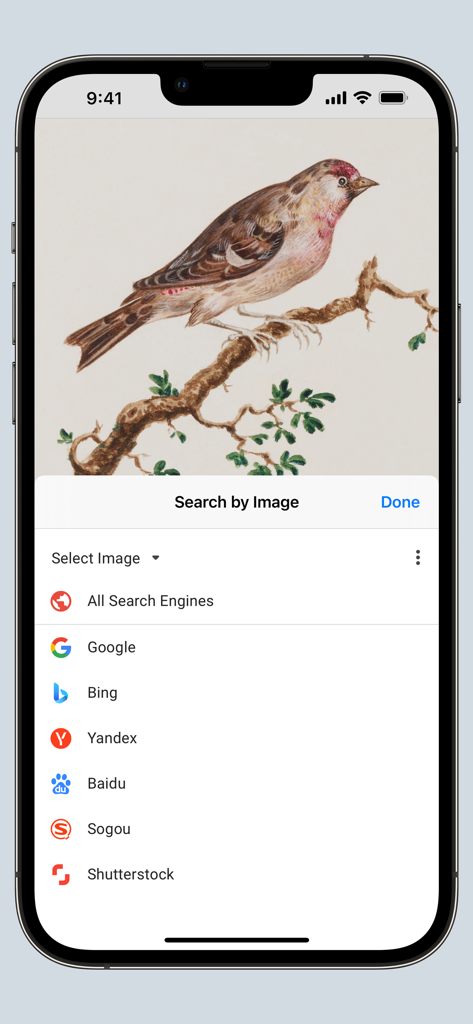
Search by Image extension menu on iPhone showing multiple search engines to identify a bird illustration

Search by Image extension menu on iPhone showing multiple search engines to identify a bird illustration

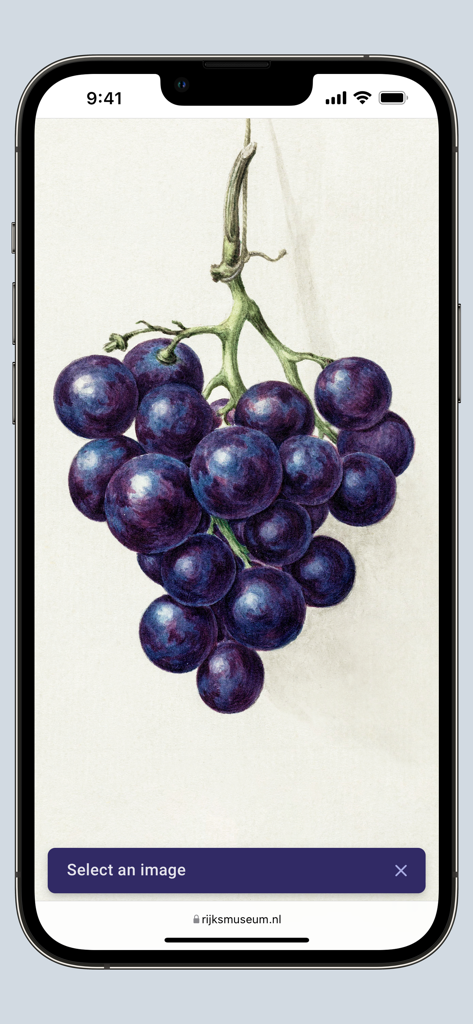
iPhone screen showing the Search by Image Safari extension selecting a botanical grape illustration on a website for reverse search.

iPhone screen showing the Search by Image Safari extension selecting a botanical grape illustration on a website for reverse search.

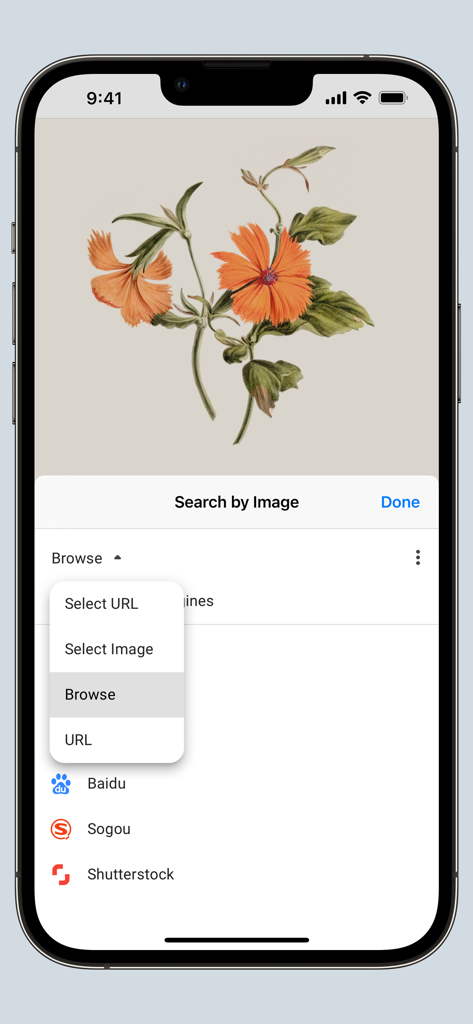
Safari extension menu for reverse image search with options to browse or select image URL

Safari extension menu for reverse image search with options to browse or select image URL

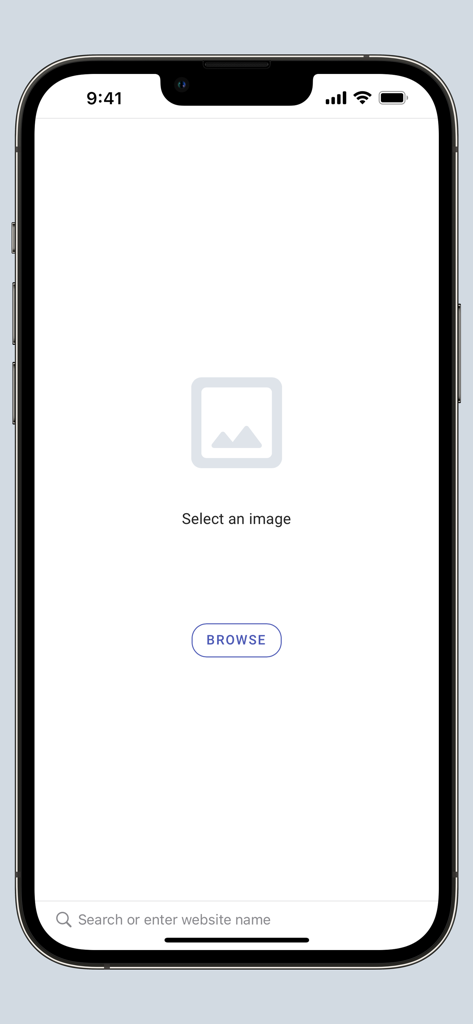
Interface of the Search by Image for Safari app on iPhone showing the browse and select image screen

Interface of the Search by Image for Safari app on iPhone showing the browse and select image screen

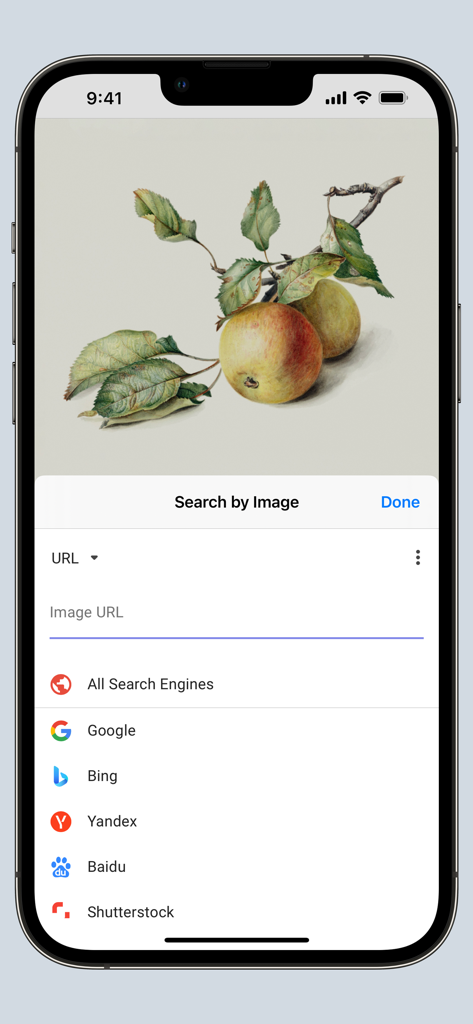
Search by Image for Safari app interface with search engine options on iPhone.

Search by Image for Safari app interface with search engine options on iPhone.

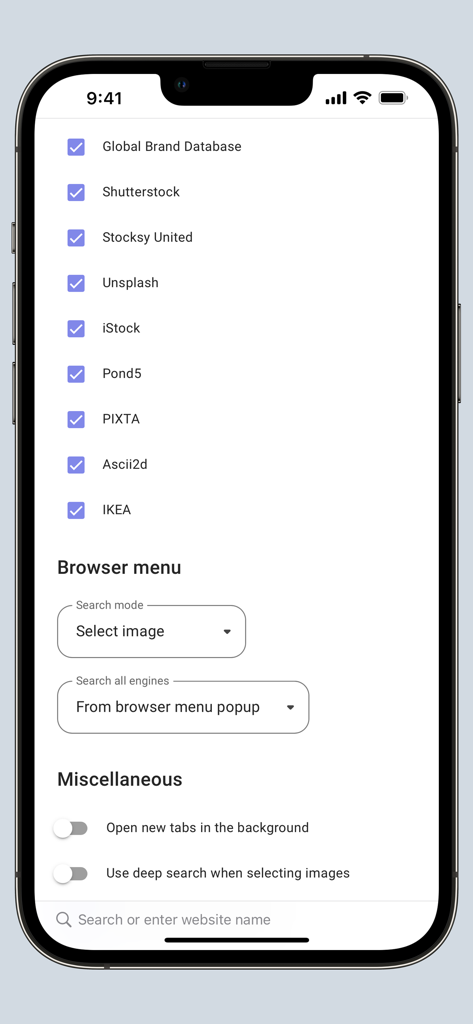
Settings screen of the Search by Image extension for Safari showing search engine options and browser configuration

Settings screen of the Search by Image extension for Safari showing search engine options and browser configuration

Master the Web with Visual Intelligence

The tools that make this app stand out, trusted by 11K+ users.

🛡️

Verify Anything Instantly

Uncover the origin of any image to fight misinformation and verify digital sources like a professional journalist.

🛍️

Shop Smarter, Not Harder

Identify products and furniture instantly. Find the best price by searching global marketplaces with a single tap.

Built for the Apple Ecosystem

A fast, private, and open-source tool integrated directly into Safari across your iPhone, iPad, and Mac.

Loved by users worldwide

Trusted by 11K+ people who love this app.

"

"As a digital journalist, verifying sources quickly is essential. This extension is a game-changer for my workflow on Safari. Having access to over 30 search engines like TinEye and Yandex directly from my mobile browser saves me so much time when debunking misinformation on the fly."

David Chen
"

"I'm constantly finding furniture and decor inspiration on social media but rarely have the product links. Search by Image lets me find the original retailers or better deals in seconds. It's incredibly seamless on my iPhone and iPad—truly a must-have for anyone who shops visually!"

Sarah Jenkins

About the app

Everything you need to know about Search by Image for Safari.

Description

Search by Image is a powerful browser extension for Safari that makes effortless reverse image searches possible, and comes with support for more than 30 search engines, such as Google, Bing, Yandex, Baidu and TinEye. Search by Image is an open source project made possible thanks to a community of awesome supporters. By purchasing the extension on the App Store, you help support the continued development of the extension. The extension helps journalists and researchers verify the authenticity of images, and assists in the identification of false information on social media. Search by Image is also popular among photographers, helping artists explore how their work is shared on the web, while shoppers find it valuable for discovering similar products at discounted prices. The extension enables you to search for images from the browser menu with the help of a diverse set of reverse image search engines, which can be toggled and reordered from the extension's options. Visit the wiki for the full list of supported search engines. https://github.com/dessant/search-by-image/wiki/Search-engines PRO TIPS: • Search with an image by sharing it from Files or Photos. • Tap the Share button in the extension modal to extract an image from a web page and share it to other apps, such as Messages or Notes. You may choose to allow the extension to run on every website, or grant access to the current website before a search. When you grant access only to the current website, access must also be granted to each search engine in order to view search results. Images positioned at the selected area are detected regardless of how they were embedded in the page. The extension also supports searching with images from your device, and images from private sites. A handful of search modes are offered that serve different use cases. The search mode can be configured from the extension's options. Search modes: • Select URL: select an image on the page and search with the image URL. This is the default search mode. • Select image: select an image on the page and search with the image file. This search mode is preferred for sites which do not allow the direct linking of images, such as private sites. • Browse: search with an image from your device. Pasting images from the clipboard is also supported. • URL: search with an image URL. Reviews are not monitored for bug reports, please visit the support page to report issues and submit feature requests.

Latest Version

8.4.0

Size

3.9 MB

First Released

Jan 28, 2021

Take the guesswork out of your browsing

Join thousands of researchers and power users. Support open-source development and get the ultimate reverse image search tool for Safari on all your devices today.

Download on App Store