Slow Motion Video Fx Editor

Slow Motion Video Fx Editor

Download on App Store
Spark by MWM logo
Logo of Slow Motion Video Fx Editor

Slow Motion Video Fx Editor: Cinematic Speed Control for Every Moment

Elevate your Reels and TikToks with professional speed ramping, 240fps precision, and trending soundtracks designed to capture that main character energy.

Publisher

Brain Craft Ltd

Category

Photo & Video

Downloads

4M+

User Rating

4.6/5

Total Ratings

14K+

Locales

1

Master Every Moment

Discover the interface used by 4M+ users.
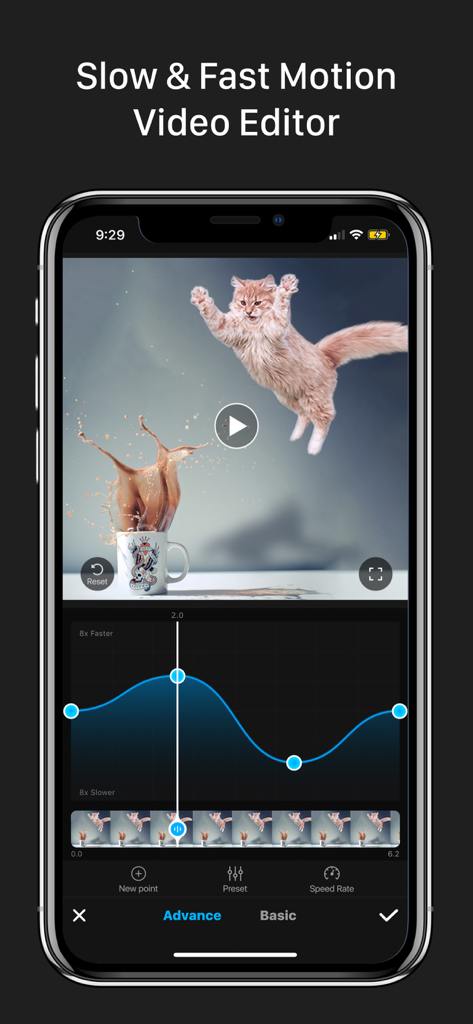
Smartphone screen showing a video of a jumping cat being edited with a speed ramp curve in the Slow Motion Video Fx Editor app

Smartphone screen showing a video of a jumping cat being edited with a speed ramp curve in the Slow Motion Video Fx Editor app

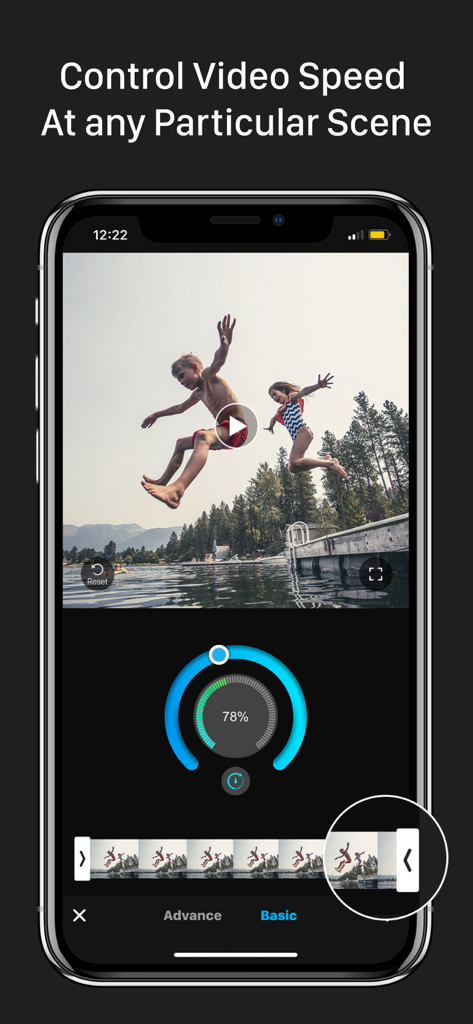
Interface of a slow motion video editor app showing speed adjustment dial and video timeline

Interface of a slow motion video editor app showing speed adjustment dial and video timeline

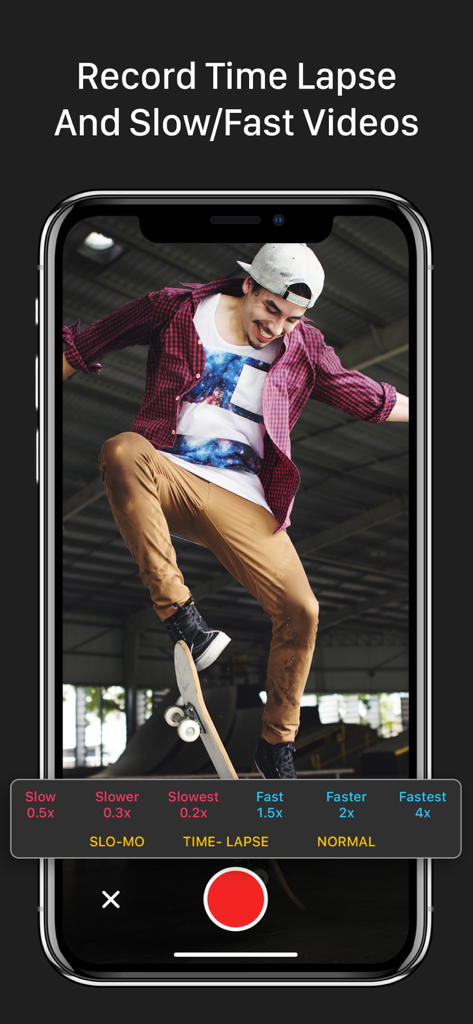
Recording slow motion and time lapse video of a skateboarder in the Slow Motion Video Fx Editor app.

Recording slow motion and time lapse video of a skateboarder in the Slow Motion Video Fx Editor app.

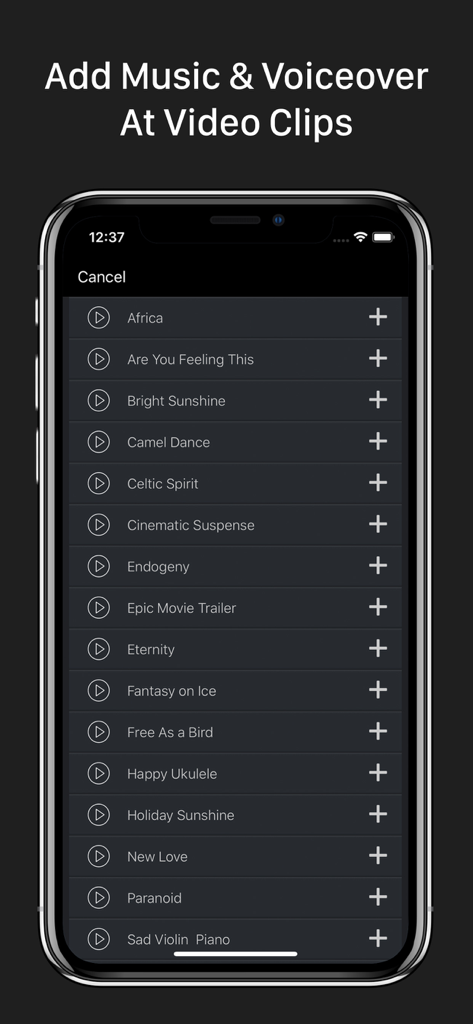
Music selection screen in Slow Motion Video Fx Editor for adding soundtracks and voiceovers to video clips.

Music selection screen in Slow Motion Video Fx Editor for adding soundtracks and voiceovers to video clips.

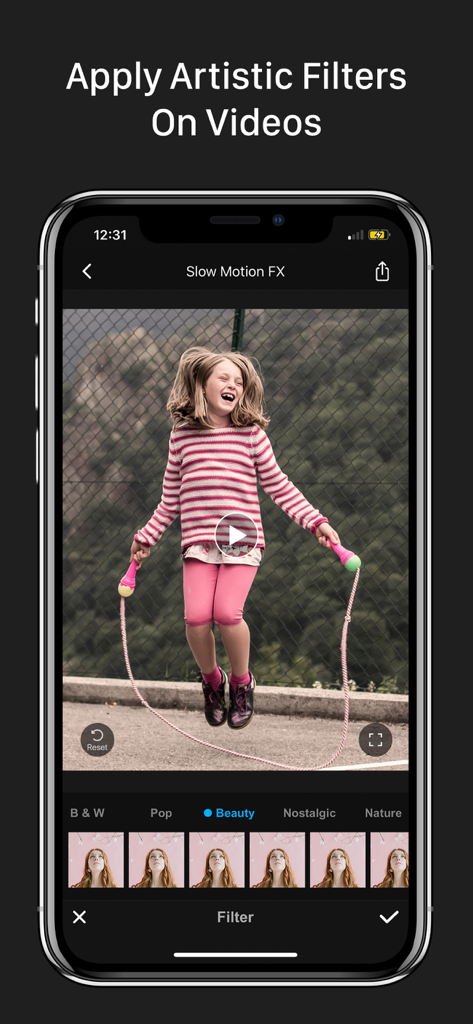
A mobile phone screen displaying artistic filters in the Slow Motion Video Fx Editor app for social media content creation.

A mobile phone screen displaying artistic filters in the Slow Motion Video Fx Editor app for social media content creation.

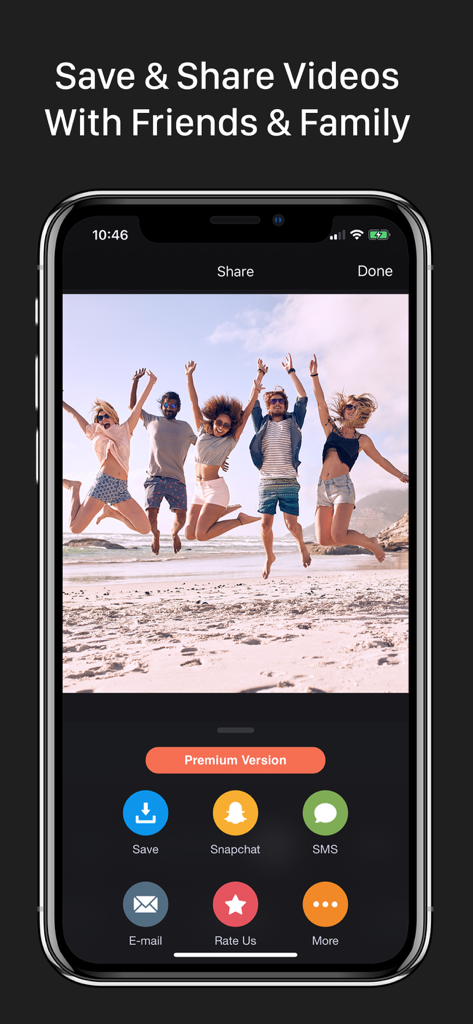
Sharing screen of the slow motion video editor app showing options to save or share a video of friends jumping on the beach.

Sharing screen of the slow motion video editor app showing options to save or share a video of friends jumping on the beach.

Make Every Moment Viral-Ready

The tools that make this app stand out, trusted by 4M+ users.

Precision Speed Ramping

Master the 'speed ramp' look with frame-by-frame control to highlight your best moves in 240fps slow-mo.

🎵

All-In-One Aesthetic Suite

Ditch the app-hopping with 170+ trending music tracks and premium filters that give your feed a cinematic glow.

🚀

Pro Quality, Instant Export

Get high-resolution results in seconds with lightning-fast processing, optimized for TikTok and Reels.

Loved by users worldwide

Trusted by 4M+ people who love this app.

"

"I've tried so many editors for my skate clips, but nothing beats this for speed ramping. I can slow down right as I hit the rail and speed back up for the landing perfectly. The 240fps support makes everything look butter smooth. Best tool in my 'Creation' folder for sure!"

Jake M., Action Sports Creator
"

"This app is a total game changer for my travel Reels! The speed control is so much more precise than Instagram's built-in tools. I love being able to add high-quality music and filters directly in the app. It makes my everyday vlogs look like professional cinematic movies in seconds."

Mia R., Lifestyle Influencer

About the app

Everything you need to know about Slow Motion Video Fx Editor.

Description

Advanced Slow Motion and Fast Motion Video Editor. Control Your Video Speed As You Want!!
 • Apply slo-mo, time lapse & stop motion effects on your videos. • Edit video speed up to 240fps or 12x faster or Slower. • Adjust video speed form particular frames. • Can hold the video’s specific portion. • Record live video with speed control options. • Add music on video. • Share your edited video to Instagram, Youtube, Facebook, Twitter & other medias. • High resolution video output. • Quick processing time! • Simple & very easy to use! Premium Subscription Includes: - 170+ Background Music Tracks - Premium Filters - Unlimited Video Edit - All Contents Will Update Regularly Subscription Price: * Trial: Free for first 03 days, then $9.99/Month. * Yearly: $34.99/Year - Payment will be charged to iTunes Account at confirmation of purchase. - Subscription automatically renews unless auto-renew is turned off at least 24-hours before the end of the current period. - Account will be charged for renewal within 24-hours prior to the end of the current period, and identify the cost of the renewal. - Subscriptions may be managed by the user and auto-renewal may be turned off by going to the user's Account Settings after purchase. - Any unused portion of a free trial period, if offered, will be forfeited when the user purchases a subscription to that publication, where applicable. Privacy Policy, Terms of Service: https://sites.google.com/a/braincraftapps.com/slomo/privacy https://sites.google.com/a/braincraftapps.com/slomo/terms Download & have fun!!! Found any bug? or Have any suggestions? or Wanna new features? Please mail us at: braincraftltd.info@gmail.com keep in touch to receive all updates. Thank you!

Latest Version

2.9

Size

66.7 MB

First Released

Mar 2, 2017

Start Creating Your Viral Moments Today

Join over 4 million creators and transform your videos with professional speed ramps, cinematic filters, and trending music.

Download on App Store
FAQ

Frequently Asked Questions

Everything you need to know about Slow Motion Video Fx Editor

What is Slow Motion Video Fx Editor?

Slow Motion Video Fx Editor is an advanced video editor app. It allows users to control video speed, applying slow-motion, time-lapse, and stop-motion effects.

Can I edit video speed at specific points in Slow Motion Video Fx Editor?

Yes, Slow Motion Video Fx Editor allows users to adjust video speed from particular frames. You can also hold a video's specific portion with precise control.

Does Slow Motion Video Fx Editor support live video recording with speed control?

Yes, Slow Motion Video Fx Editor supports recording live video. It includes integrated speed control options for slow-motion, time-lapse, and normal recording directly within the app.

What are the subscription options for Slow Motion Video Fx Editor?

Slow Motion Video Fx Editor offers a monthly subscription for $9.99 after a 3-day free trial, or an annual subscription for $34.99/Year.

Can I add music to my videos in Slow Motion Video Fx Editor?

Yes, Slow Motion Video Fx Editor allows users to add music to their edited videos. The premium subscription includes access to over 170 background music tracks.

What benefits does a Premium Subscription offer in Slow Motion Video Fx Editor?

A Premium Subscription to Slow Motion Video Fx Editor includes over 170 background music tracks, premium filters, unlimited video editing, and regular content updates.

How fast or slow can I make my videos with Slow Motion Video Fx Editor?

Slow Motion Video Fx Editor allows editing video speed up to 240fps or 12x faster or slower. Specific controls for various slow and fast speeds are available.

Does Slow Motion Video Fx Editor provide high-resolution video output?

Yes, Slow Motion Video Fx Editor provides high-resolution video output for all edited content. It also features quick processing times for user convenience.

How do I manage my subscription for Slow Motion Video Fx Editor?

Users manage their Slow Motion Video Fx Editor subscriptions and can turn off auto-renewal by accessing their iTunes Account Settings after purchase.

Where can I find the privacy policy for Slow Motion Video Fx Editor?

The privacy policy for Slow Motion Video Fx Editor is available at the following link: https://sites.google.com/a/braincraftapps.com/slomo/privacy.

Can I share videos edited with Slow Motion Video Fx Editor directly to social media?

Yes, Slow Motion Video Fx Editor allows users to share their edited videos directly to Instagram, YouTube, Facebook, Twitter, and other media platforms.