
WEILO - My Last Video Editor



Unlock professional-grade masking, keyframes, and 4K export for free. No watermarks, no lag—just pure creative power optimized for M1/M2 chips and Apple Pencil.
Publisher
Category
Photo & VideoDownloads
368K+User Rating
Total Ratings
7K+Locales
14Discover the interface used by 368K+ users.
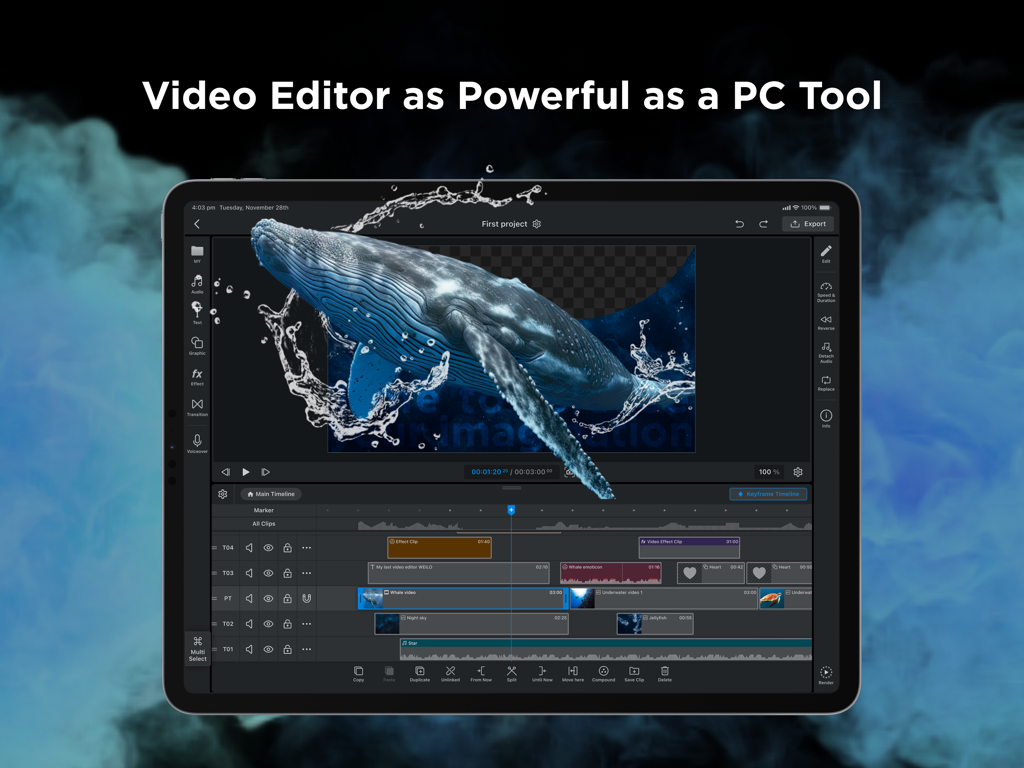
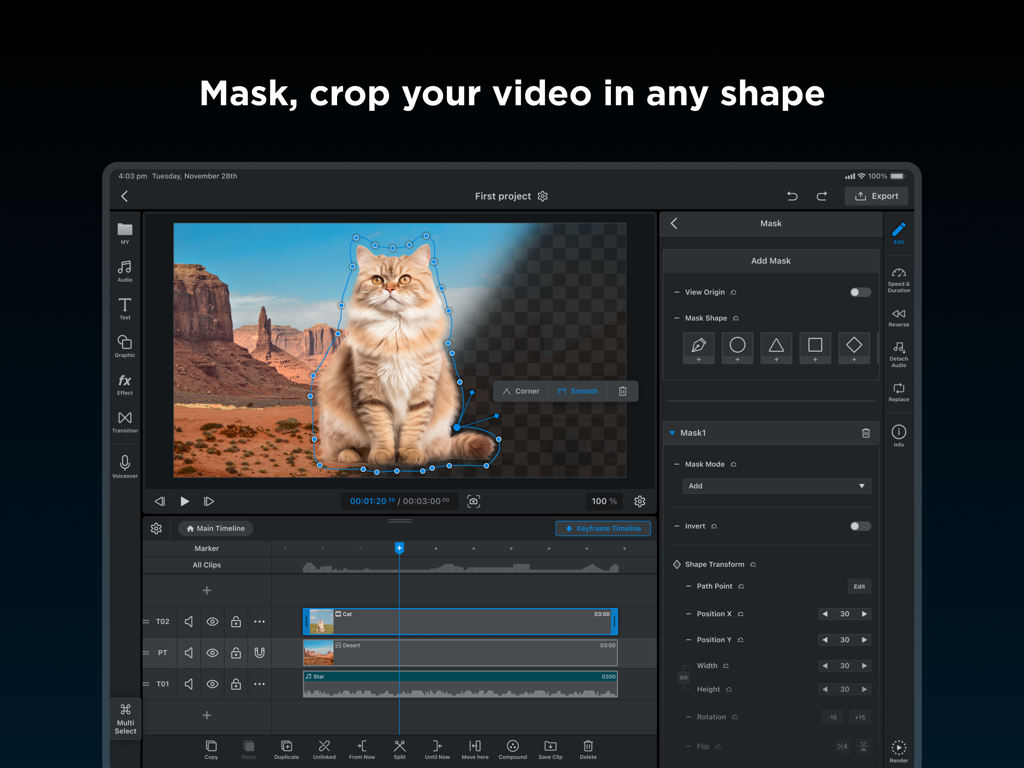
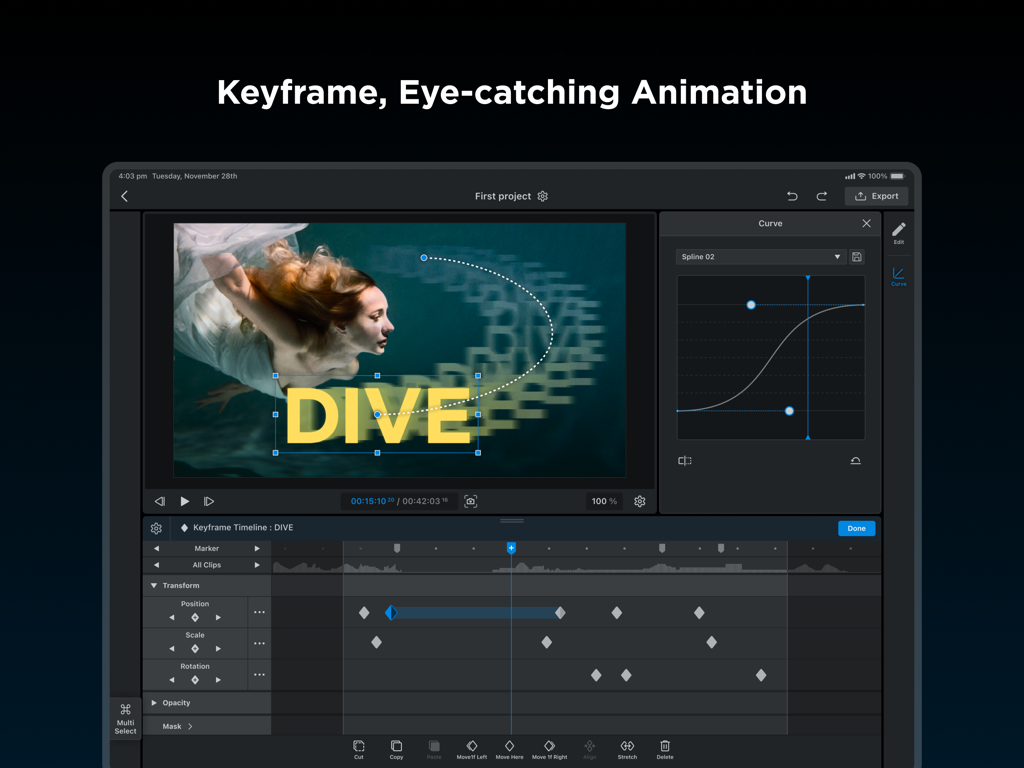
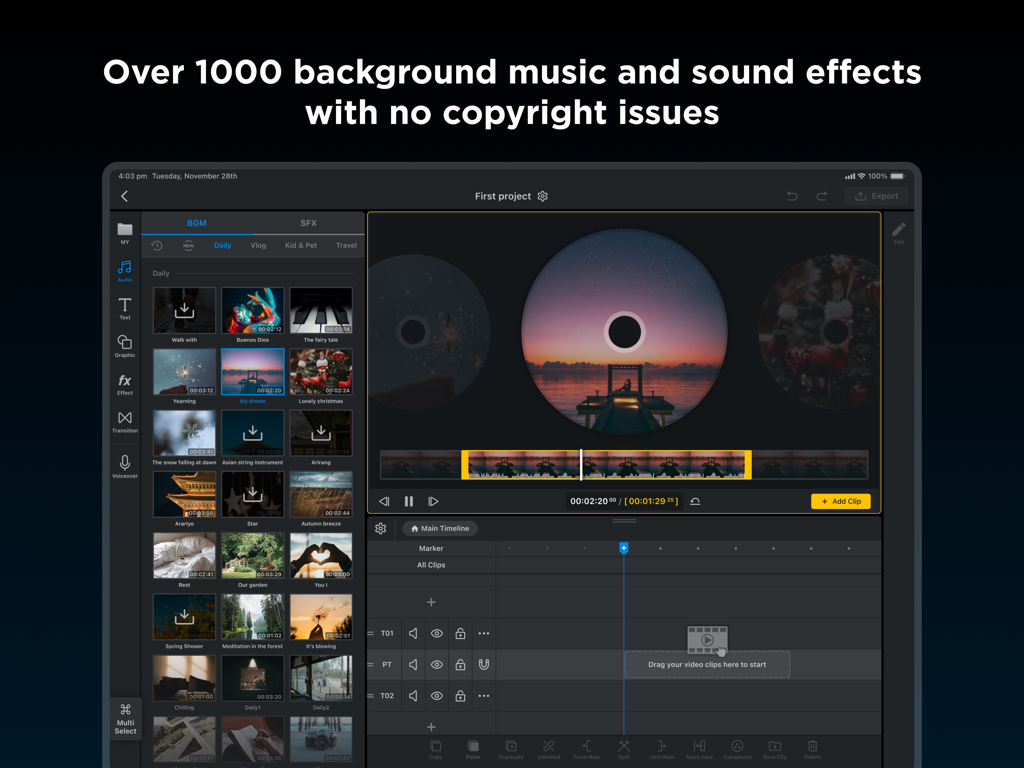
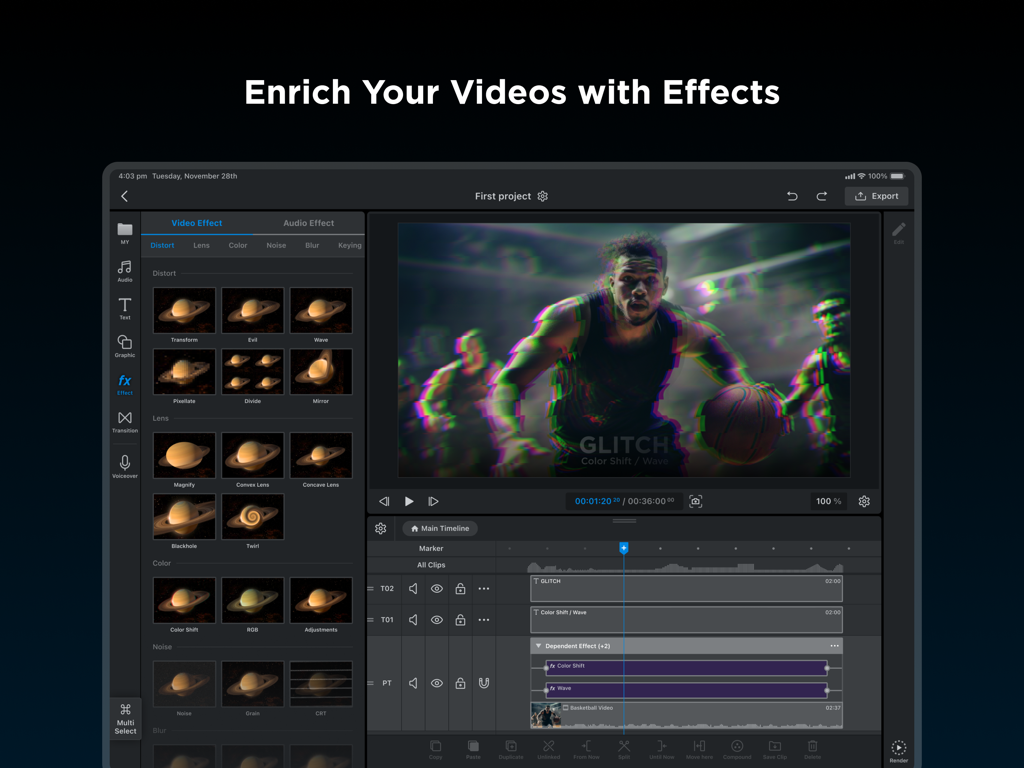
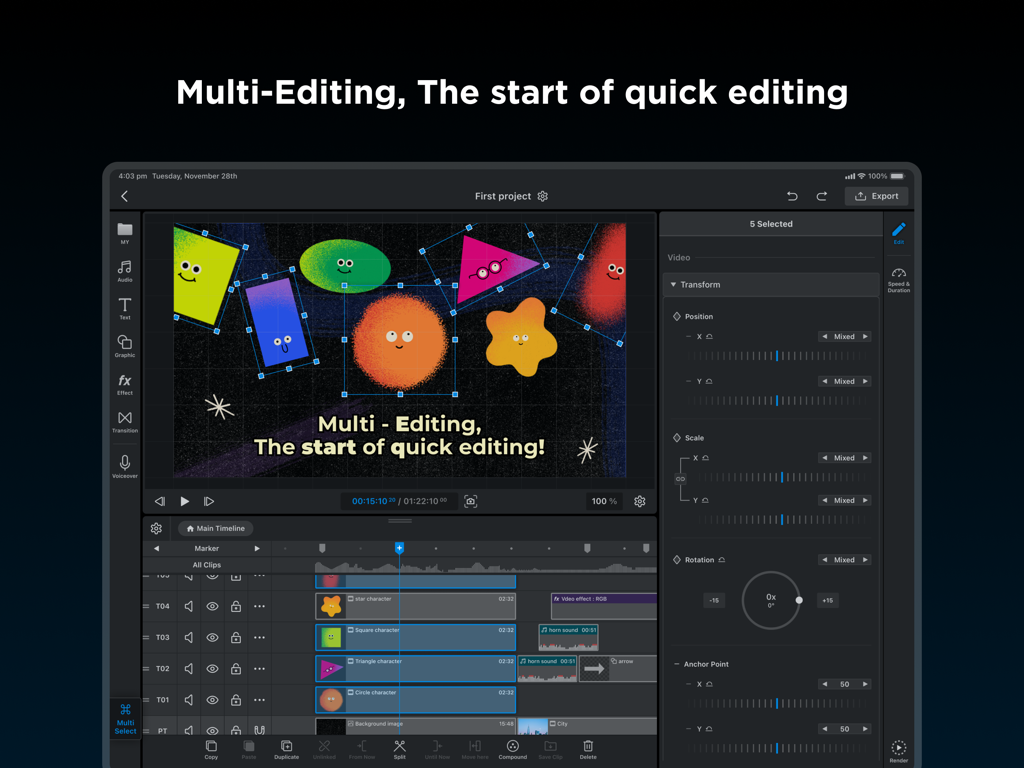
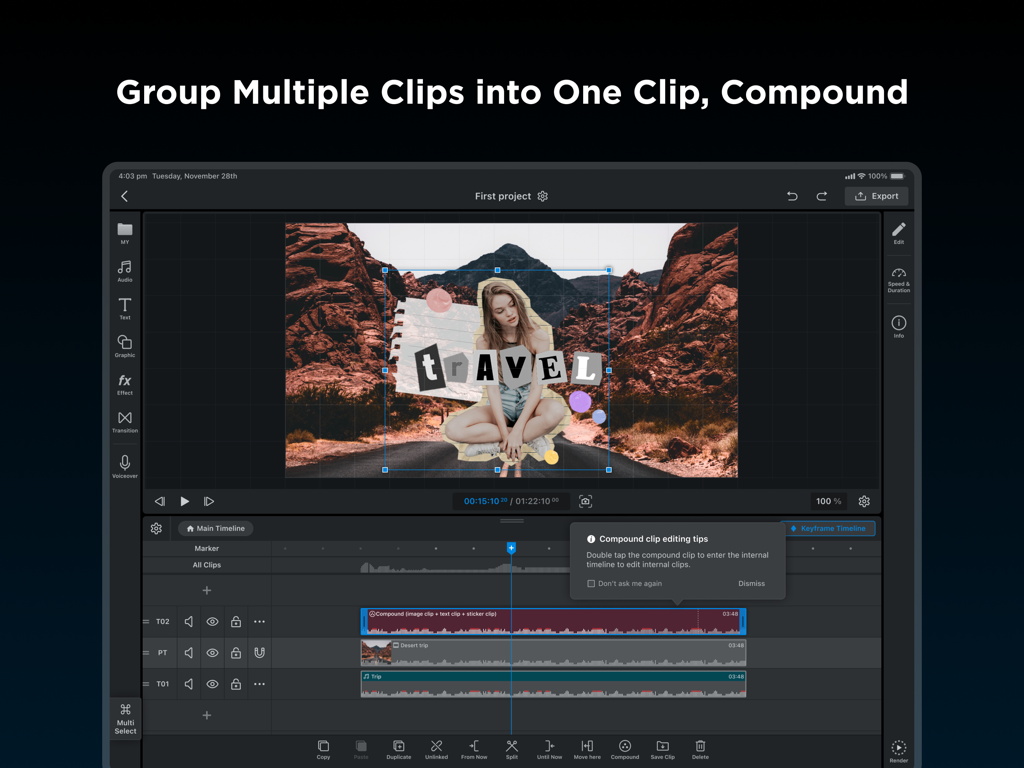
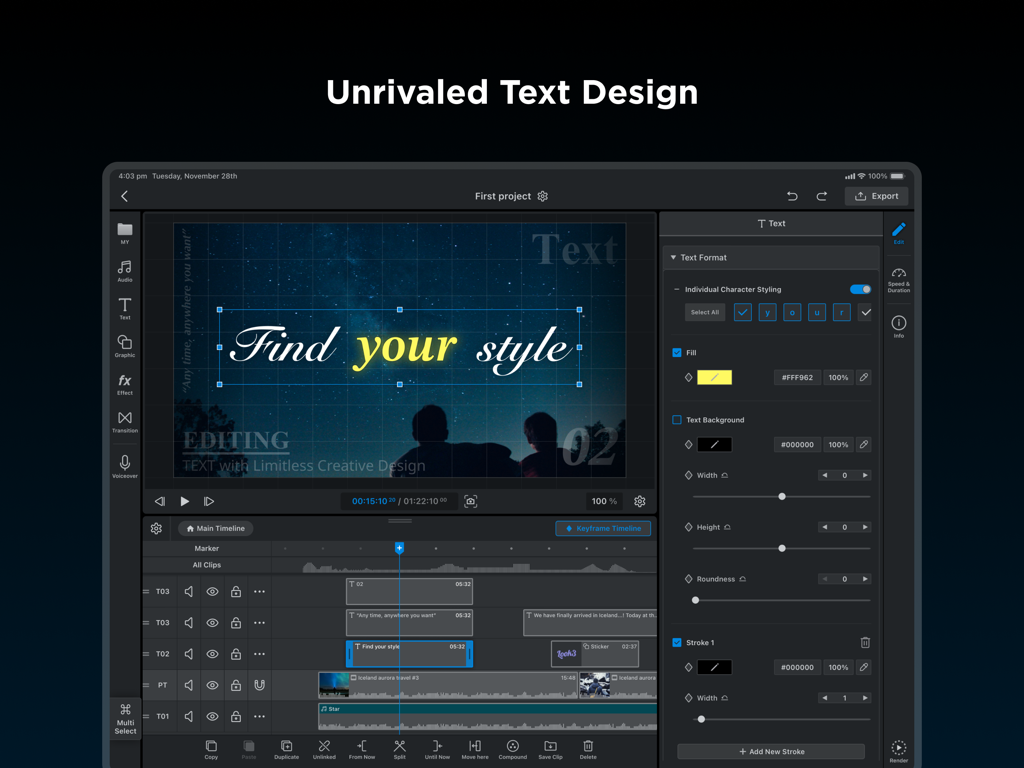
The tools that make this app stand out, trusted by 368K+ users.
Go beyond generic templates. Use your Apple Pencil to create custom masks and shapes for artistic control that rivals high-end desktop software.
Master your motion. Control every parameter with individual keyframes and adjustable interpolation for smooth, professional-grade visual storytelling.
Optimized for M1/M2 silicon. Experience lightning-fast multi-clip editing and 4K exports designed for the high-performance creator on the move.
Trusted by 368K+ people who love this app.
"WEILO has completely replaced my desktop software. The precision of the pen tool combined with the Apple Pencil allows me to create complex masks and animations that I used to think were only possible on a PC. It's incredibly smooth on my M2 iPad Pro, and the 'no watermark' policy is a breath of fresh air for independent creators."
"As a social media manager, I need to edit on the go without sacrificing quality. This app is a powerhouse—the multi-select editing and compound clips save me hours of work. Being able to export in 4K with custom frame rates right from my iPad has streamlined my entire workflow. It’s easily the most professional mobile editor I’ve ever used."
Everything you need to know about WEILO - My Last Video Editor.
Description
Latest Version
1.42.4
Size
627.5 MB
First Released
Jan 21, 2024
Join over 360,000 creators who have ditched desktop lag for iPad precision. Experience professional-grade masking, keyframing, and 4K exports for free—no watermarks, no subscriptions, just pure creative power optimized for your M1/M2 chip.
Everything you need to know about WEILO - My Last Video Editor
Yes, WEILO allows free users to access and use all editing features without any restrictions. The app also exports videos without a watermark, even for free users.
WEILO allows users to create masks freely with a pen tool, add multiple masks on a single clip, and adjust parameters like roundness or feather for seamless blending.
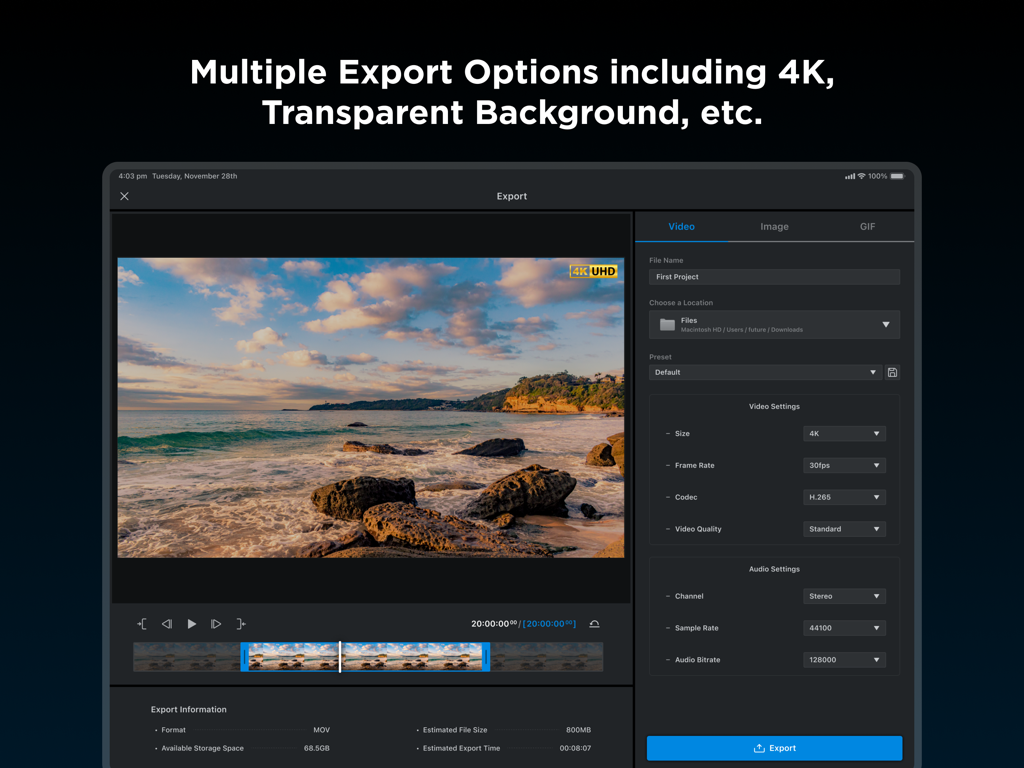
Yes, WEILO - My Last Video Editor supports professional export options, including 4K ultra-high definition. It also offers transparent export, GIF, video, and image exports at 24, 30, or 60fps.
Yes, WEILO allows users to create eye-catching animations with keyframes. You can adjust interpolation between keyframes for dynamic motion speed control and use individual keyframes for each parameter.
Yes, WEILO provides over 1700 copyright-free background music and sound effects that are updated periodically. It also includes more than 5000 vector stickers, frames, and templates.
Yes, WEILO features an interface optimized for iPad, allowing for faster and more detailed editing. Users can utilize touch gestures and the Apple Pencil for intuitive control.
WEILO enables multi-editing, allowing users to select and edit multiple clips simultaneously. This feature, similar to PC editors, allows for quick adjustments from cutting clips to changing detailed property values.
Yes, WEILO features a 'Compound' function that allows users to group multiple clips into one. Compounded clips can be moved or edited together, and individual clips inside them remain editable.
WEILO offers various video effects like Adjustments, Glitch, Gaussian Blur, Chromakey, Wave, and Mosaic. Detailed audio effects include Echo, Reverb, EQ, Distortion, and Pitch.
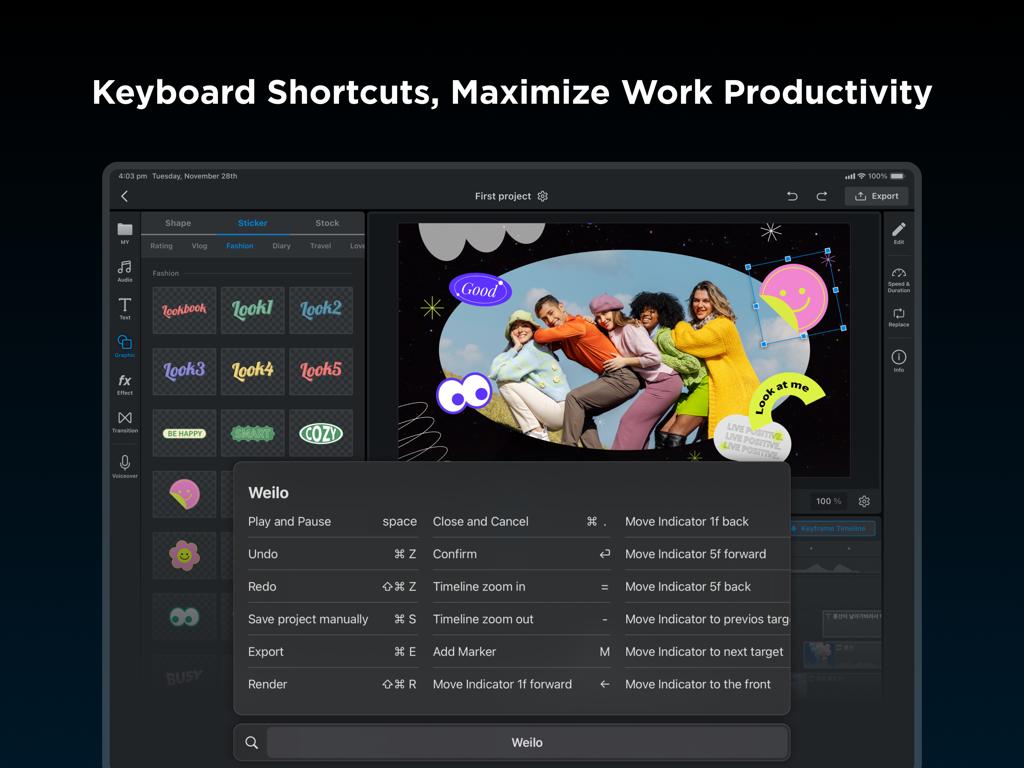
Yes, WEILO includes keyboard shortcuts for essential editing features. These shortcuts are designed to boost editing performance and maximize work productivity on the iPad.
Apps with similar features and user experience

Ubiquiti Labs, LLC

Bending Spoons Apps ApS

TBPS INTERNATIONAL TECHNOLOGY PTE. LTD.

小为 罗

Tinkerworks Apps

立亚 林

Luma Touch LLC

Brain Craft Ltd

Forge and Form GmbH