VN: AI Video Editor

VN: AI Video Editor

Download on App StoreDownload on Google Play
Spark by MWM logo
Logo of VN: AI Video Editor

VN: AI Video Editor — The Pro Studio in Your Pocket

Unleash your creativity with no watermarks, multi-track precision, and AI-powered tools. Create cinematic TikToks, Reels, and vlogs with desktop-grade power on the go.

Publisher

Ubiquiti Labs, LLC

Category

Photo & Video

Downloads

68M+

User Rating

4.8/5

Total Ratings

4M+

Locales

18

The Studio in Your Pocket

Discover the interface used by 68M+ users.
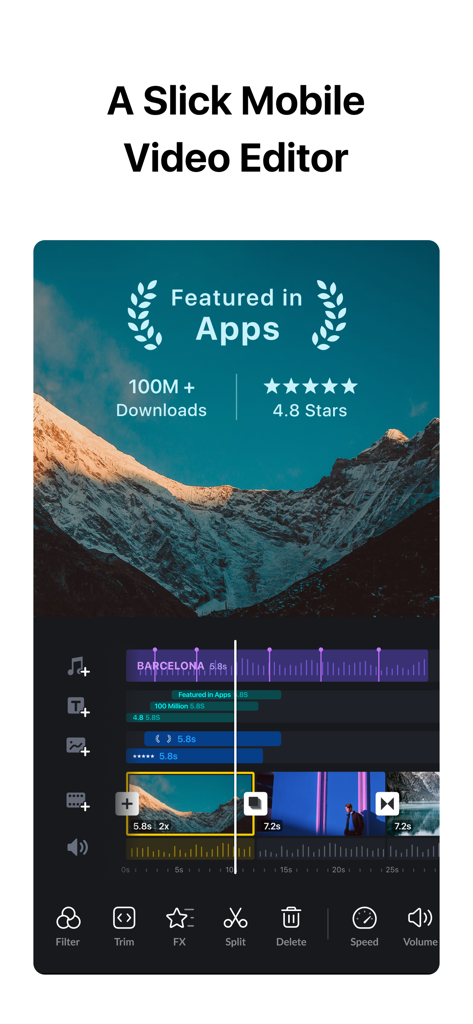
Mobile interface of VN AI Video Editor showing multi track timeline and pro editing features

Mobile interface of VN AI Video Editor showing multi track timeline and pro editing features

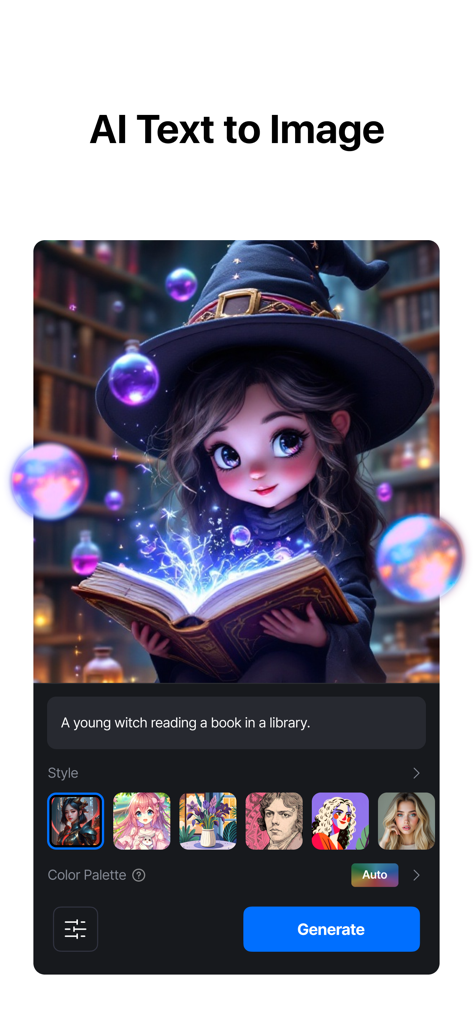
Interface of VN AI Video Editor showing the text to image generation feature with a prompt for a young witch reading a book.

Interface of VN AI Video Editor showing the text to image generation feature with a prompt for a young witch reading a book.

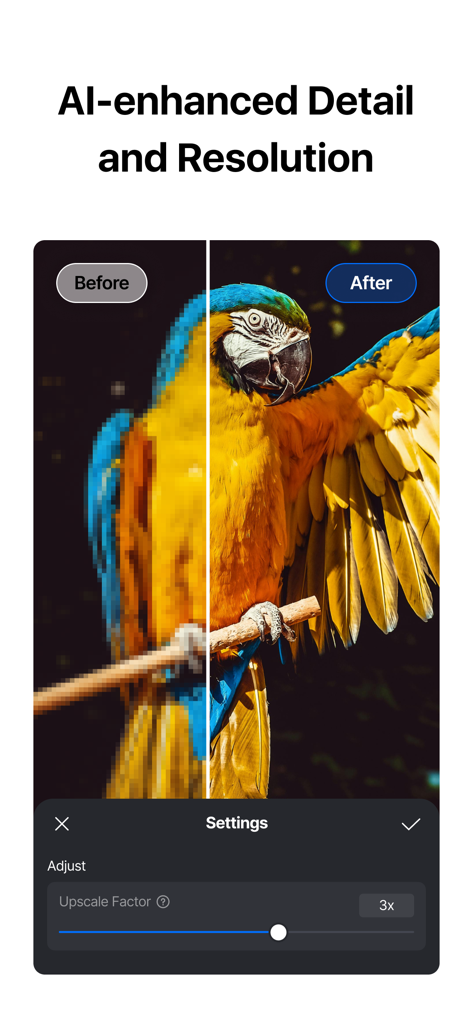
Before and after comparison of AI enhanced resolution and detail on a parrot in VN Video Editor.

Before and after comparison of AI enhanced resolution and detail on a parrot in VN Video Editor.

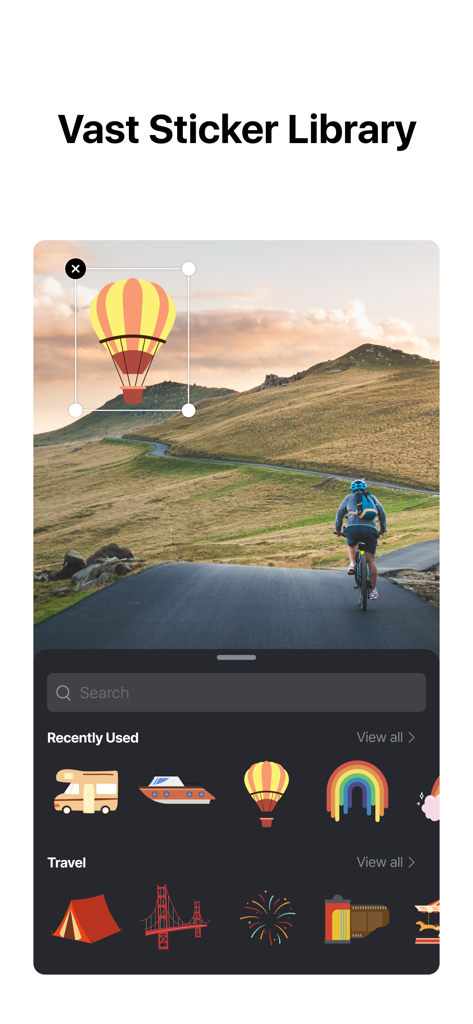
A user adding a hot air balloon sticker from the VN Video Editor library to a video of a cyclist.

A user adding a hot air balloon sticker from the VN Video Editor library to a video of a cyclist.

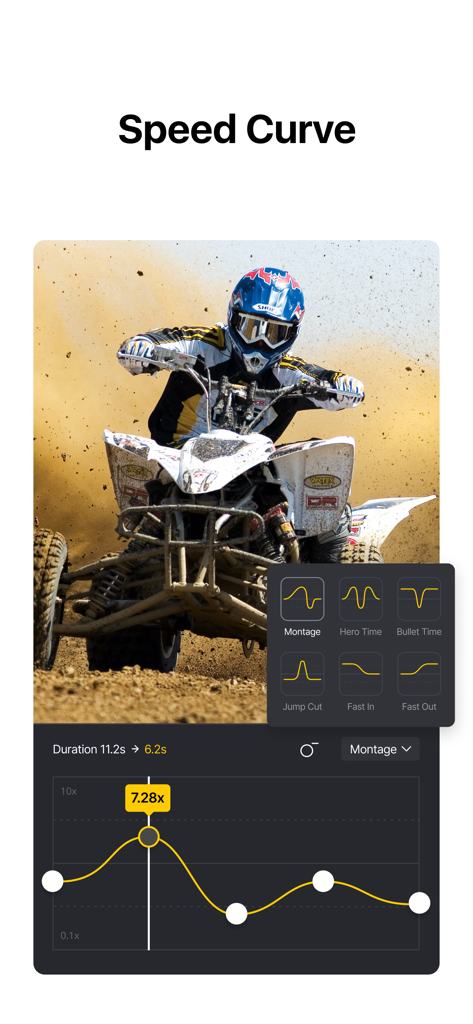
VN AI Video Editor speed curve interface for professional time remapping on action footage

VN AI Video Editor speed curve interface for professional time remapping on action footage

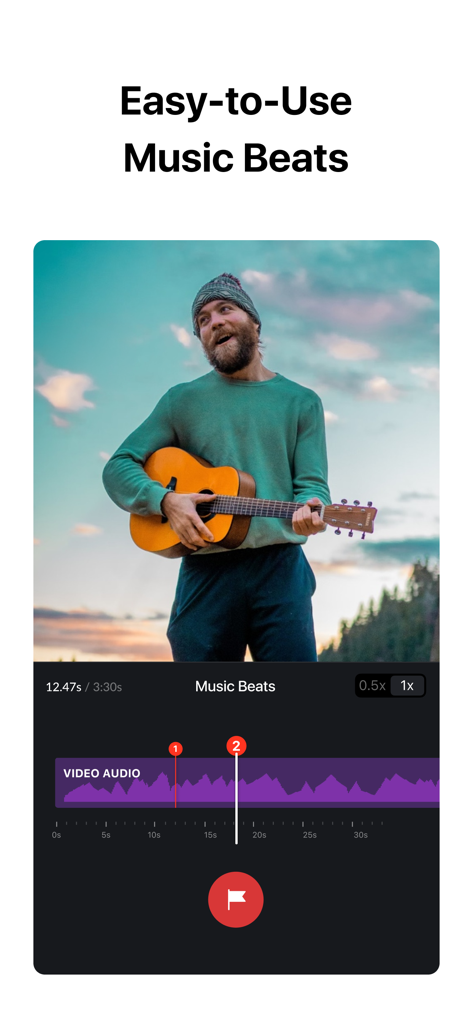
VN video editor app interface showing the easy to use music beats feature with audio waveform markers

VN video editor app interface showing the easy to use music beats feature with audio waveform markers

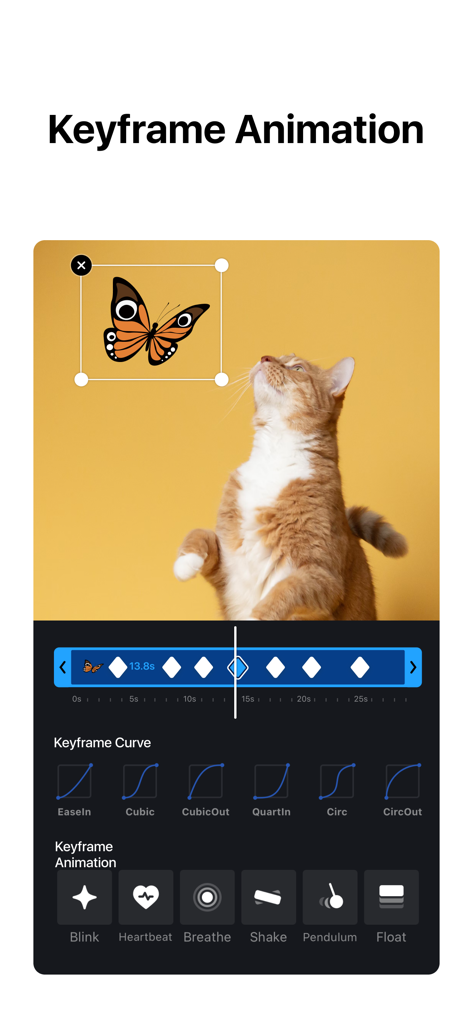
Interface of VN AI Video Editor showing keyframe animation controls and a preview of a cat and butterfly.

Interface of VN AI Video Editor showing keyframe animation controls and a preview of a cat and butterfly.

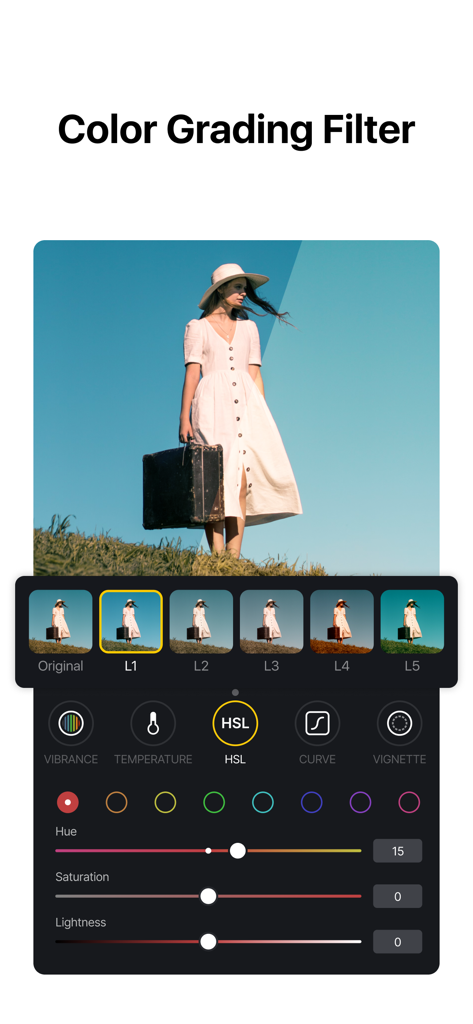
VN AI Video Editor color grading interface with HSL sliders and cinematic filters

VN AI Video Editor color grading interface with HSL sliders and cinematic filters

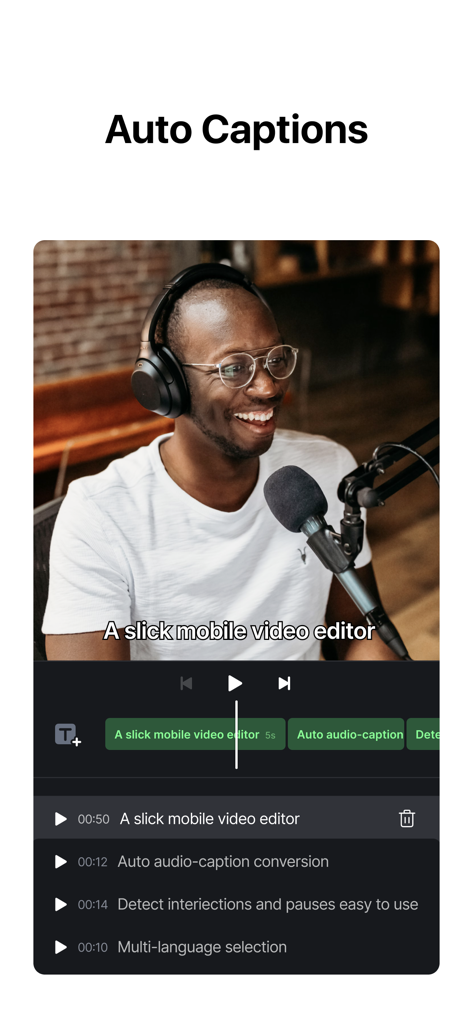
Interface of VN AI Video Editor demonstrating the auto captions and subtitle generation feature for content creators

Interface of VN AI Video Editor demonstrating the auto captions and subtitle generation feature for content creators

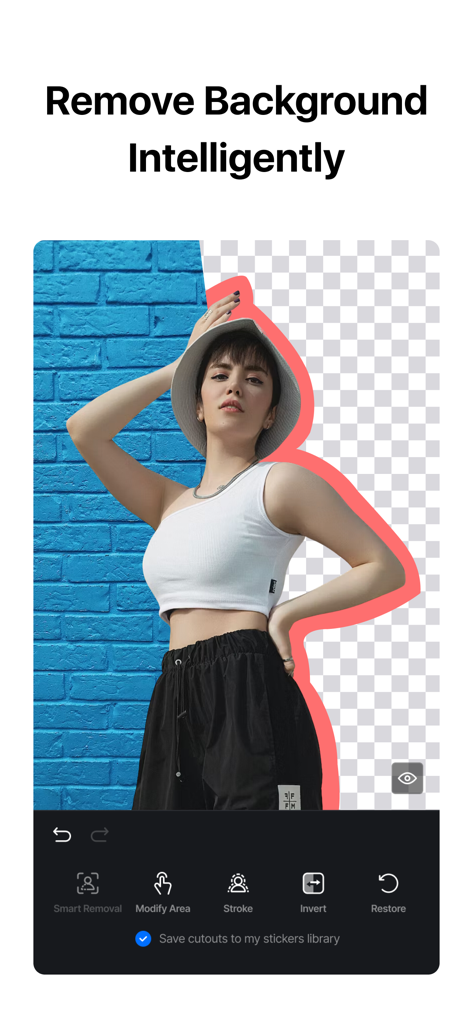
Interface of the VN AI Video Editor app showing the intelligent background removal tool on a photo of a woman.

Interface of the VN AI Video Editor app showing the intelligent background removal tool on a photo of a woman.

Unleash Your Creative Potential

The tools that make this app stand out, trusted by 68M+ users.

🎬

Desktop-Grade Precision

Master your cuts with a multi-track timeline and frame-by-frame accuracy. Get professional control over layers and keyframes without the desktop learning curve.

AI-Powered Efficiency

Stop wasting hours on tedious tasks. Use auto-captions for silent viewers and music beat-syncing to create high-energy edits that are ready for the FYP instantly.

💎

Purely Your Brand

Maintain your professional edge with zero watermarks and 4K HDR exports. Share high-quality, cinematic content that looks like it came from a professional studio.

Loved by users worldwide

Trusted by 68M+ people who love this app.

"

"I've tried every editing app out there, but VN is the only one that gives me that cinematic look without a watermark. The speed curves and music beats features make my Reels look professionally edited in half the time. It’s a total game-changer for my brand!"

Chloe R., Lifestyle Creator
"

"VN brings desktop-level power to my iPhone. Having a multi-track timeline and keyframe animations for free is incredible. I can handle client projects and high-quality 4K exports right from the coffee shop. It's the most intuitive mobile editor I’ve ever used."

Marcus T., Digital Marketer

About the app

Everything you need to know about VN: AI Video Editor.

Description

VN is an easy-to-use and free video editing app with no watermark. The intuitive interface makes video editing simple, with no prior knowledge needed. It offers all the features required to create professional and high-quality videos, satisfying both the needs of professional and amateur video editors. Intuitive Multi-Track Video Editor • Quick Rough Cut: VN app integrates the PC track edit design feature, making zooming, material selection, and keyframe adjustments precise to 0.05 seconds. Edit your videos with utmost precision. • Delete & Reorder Easily: Swipe up or down to delete selected video clips. Easily reorder materials by drag-and-drop. • Multi-track Timeline: Effortlessly add picture-in-picture videos, photos, stickers, and texts to your videos. Personalize them with Keyframe animation. • Save Drafts Anytime: Save a draft and undo/redo an action as needed. Non-destructive editing support enables making changes to an image without overwriting the original data. Easy-to-use Music Beats • Music Beats: Add markers to edit video clips to the beat of the music and take your videos to the next level. • Convenient Recording: Easily add high-quality voice-overs to make your videos more lively in minutes. Trending Effects & Color Grading Filters • Speed Curve: Adjust the playback speed of your videos with VN's Speed Curve, similar to Adobe Premiere Pro's Time Remapping. Choose from 6 preset curves to make your videos play faster or slower. • Transitions & Effects: Make your videos more lively by using transitions and effects such as overlay and blur and setting their timing and speed. • Rich Filters: Import LUT (.cube) files to make your videos more cinematic. Rich cinematic filters make it easy to create stunning visual effects. Advanced Video Editor • Keyframe Animation: Elevate your videos with 19 built-in keyframe animation effects. Customize your footage by adding additional keyframes or curves for a truly unique result. • Reverse & Zoom: Have fun reversing your video clips and adding engaging zoom effects for a novel and exciting experience. • Freeze Frame: Create a time freeze effect simply by selecting and tapping a video frame to generate an image within 1.5 seconds. • Creative Templates: Create music and video templates and share them with your friends and family. • Intelligent Cutout: Remove the background precisely to make the character stand out and radiate vitality. • Auto Text-Caption Conversion: Swiftly convert your audio into subtitles with just one click. Flexible Use of Materials • Flexible Import Method: Import music, sound effects, fonts, and stickers to VN via AirDrop, Wi-Fi, WhatsApp, or Telegram. You can also import files in bulk via Zip files. Using your materials for video editing is that simple. • Material Library: Use the many stickers, fonts, and other materials available to add more fun to your videos. Rich Text Templates • Text Templates: Choose from the many text templates and fonts to match your video styles. • Text Editing: Choose from various font styles and customize the font color, size, spacing, and more to your preference. Create Effectively & Share Securely • Seamless Collaboration: Transfer projects between mobile and desktop devices via AirDrop or iCloud with ease. This allows for video editing anytime and anywhere. • Protection Mode: Set expiration dates and passwords for your drafts and templates to secure your assets. • Edit HDR Video: Use VN to edit and share Dolby Vision HDR videos on iPhone 12 and newer models. • Custom Export: Customize the video resolution, frame rate, and bit rate. 4K resolution, up to 60 FPS. Contact Us Discord: https://discord.gg/eGFB2BW4uM YouTube: @vnvideoeditor Email: vn.support+ios@ui.com Terms of Service: https://www.ui.com/legal/termsofservice Privacy Policy: https://www.ui.com/legal/privacypolicy Official Website: www.vlognow.me

Latest Version

2.0.2

Size

495.2 MB

First Released

Apr 22, 2018

Create Without Limits. Edit Without Watermarks.

Join over 68 million creators turning their vision into reality. Download VN today for professional-grade, cinematic video editing that’s powerful, intuitive, and completely free.

Download on App StoreDownload on Google Play
FAQ

Frequently Asked Questions

Everything you need to know about VN: AI Video Editor

Is VN a free video editor?

Yes, VN is a free video editing app. It provides extensive features for creating high-quality videos without any cost.

Does the VN app add watermarks to edited videos?

No, the VN app does not add watermarks to edited videos. Users can create and export high-quality videos without any watermarks.

Can VN perform multi-track video editing?

Yes, VN features an intuitive multi-track video editor. It allows adding picture-in-picture videos, photos, stickers, and texts to videos with keyframe animation.

How do I adjust video speed in VN?

VN allows users to adjust video playback speed using its Speed Curve feature. Users can choose from 6 preset curves or customize them for faster or slower effects.

Does VN support keyframe animation?

Yes, VN supports keyframe animation. It offers 19 built-in keyframe animation effects, allowing users to customize footage by adding additional keyframes or curves.

Can I remove backgrounds from videos or images using VN?

Yes, VN features an Intelligent Cutout tool. This tool precisely removes backgrounds to make characters stand out in videos or images.

Does VN offer automatic captions for videos?

Yes, VN offers automatic captions. The app swiftly converts audio into subtitles with just one click using its Auto Text-Caption Conversion feature.

What are the export capabilities of VN video editor?

VN allows custom export settings for video resolution, frame rate, and bit rate. It supports 4K resolution at up to 60 FPS.

Can VN edit HDR videos?

Yes, VN can edit Dolby Vision HDR videos. This feature is available on iPhone 12 and newer models.

Does VN offer AI-enhanced resolution upscaling?

Yes, VN provides AI-enhanced detail and resolution features. Users can upscale images, for example, by a factor of 3x.

How can I import materials into the VN app?

VN supports flexible material import via AirDrop, Wi-Fi, WhatsApp, or Telegram. Users can also import files in bulk using Zip files.

Does VN allow collaboration on video projects?

Yes, VN enables seamless collaboration. Users can transfer projects between mobile and desktop devices via AirDrop or iCloud for editing anytime, anywhere.