
Snag-App



Transform your site walks into professional PDF reports in seconds. Annotate photos, mark locations on plans, and delegate tasks instantly—all before you even leave the property.
Publisher
Category
ProductivityDownloads
900User Rating
Total Ratings
0Locales
1Discover the interface used by 900 users.
The tools that make this app stand out, trusted by 900 users.
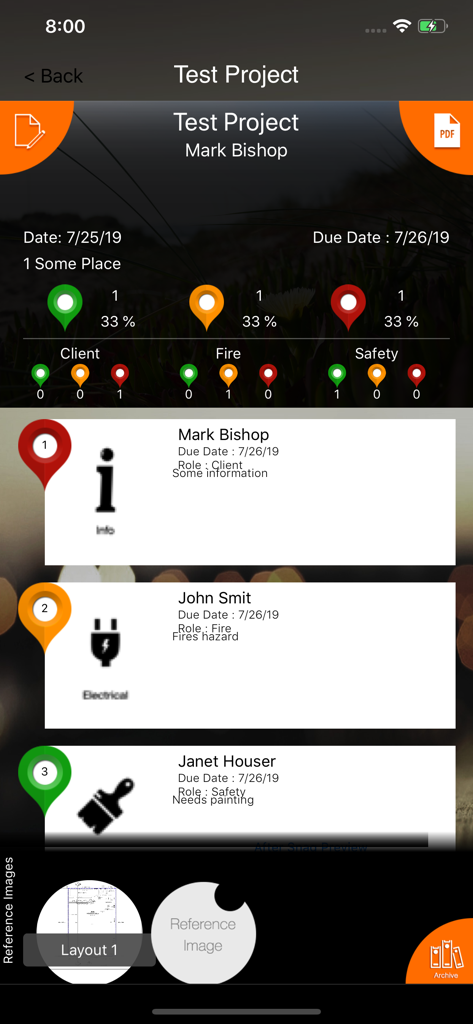
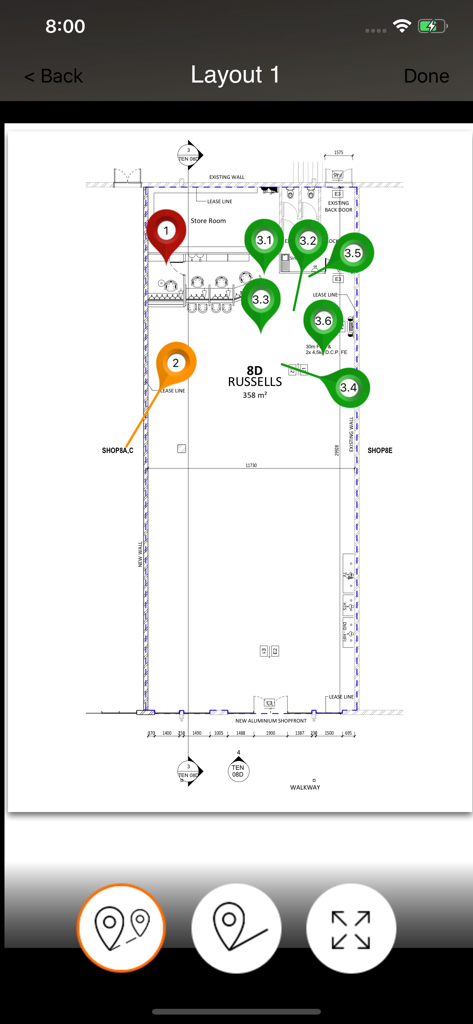
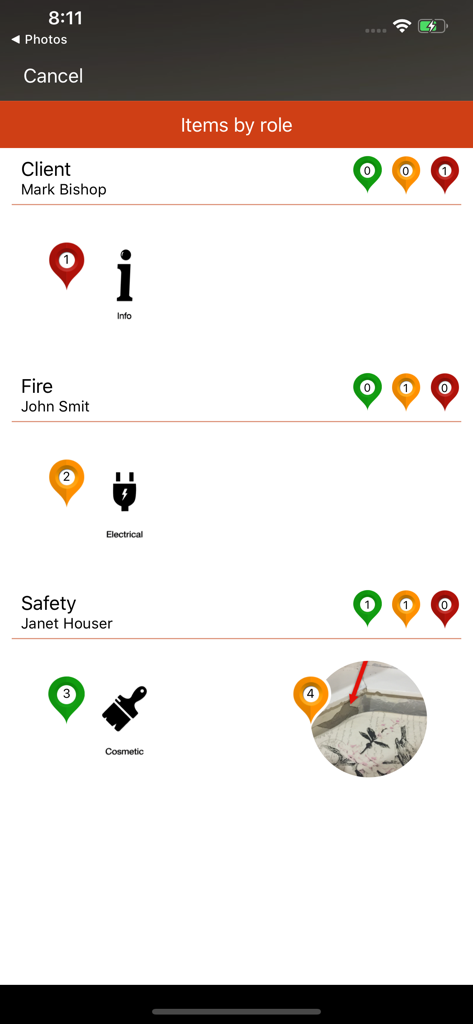
Pinpoint issues on floor plans and mark up photos with arrows or clouds for zero-confusion communication.
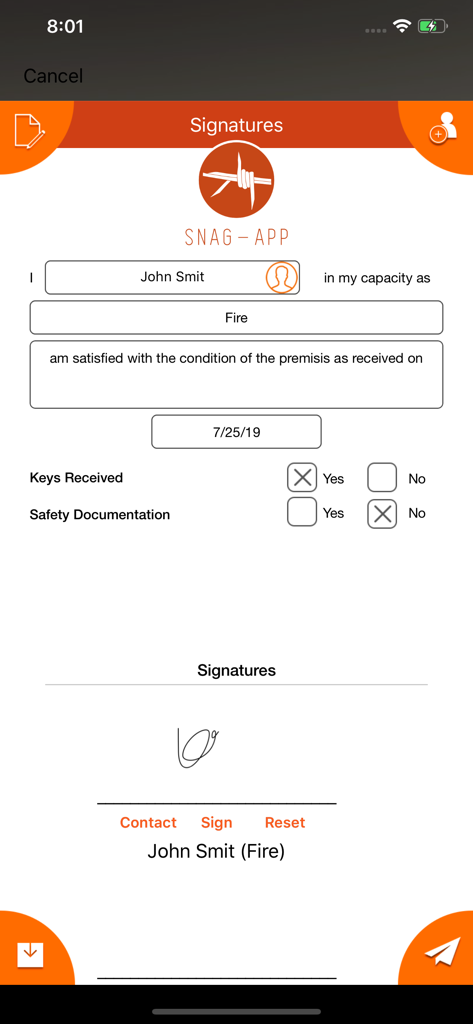
Generate professional, branded reports with signatures and your company logo directly from your device.
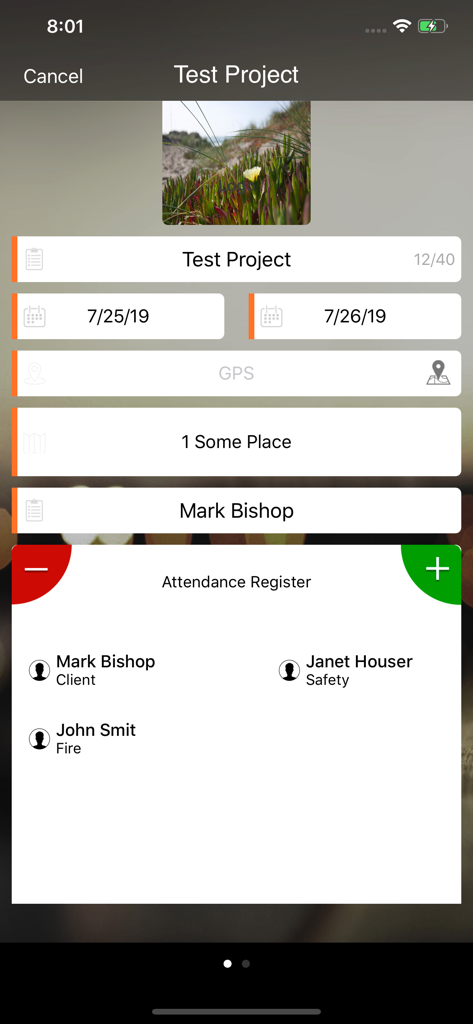
Assign responsibility to specific parties on the fly and create a digital paper trail that protects your business.
Trusted by 900 people who love this app.
"Snag-App has completely transformed our site inspections. I used to spend hours every evening formatting photos and spreadsheets back at the office. Now, I can mark up issues directly on the floor plans, assign them to sub-contractors, and send a professional PDF report before I even leave the site. It’s an absolute game-changer for my daily workflow."
"Perfect for rental walk-throughs! Being able to annotate photos with arrows and clouds makes it so easy to document exact damage. I love that I can get the tenant to sign right on my iPad and have the documentation sent instantly. It has saved us from so many security deposit disputes. Intuitive, professional, and highly reliable."
Everything you need to know about Snag-App.
Description
Latest Version
4.3
Size
20.5 MB
First Released
Jul 5, 2016
Download Snag-App today and generate professional, logo-branded PDF reports directly from the site. Finish your inspection and send the punch list before you even get back to your truck.
Everything you need to know about Snag-App
Snag-App is a user-friendly punch/snag list creator. It enables marking inspection items on plans or photos, allocating responsibilities, generating professional PDF documents, and including signatures directly from your device.
Yes, Snag-App allows users to mark the exact location of inspection items directly on a plan, an aerial photo, or any uploaded image.
Yes, Snag-App enables users to allocate responsibilities for items to specific parties or roles, such as Plumber, Electrician, or Tenant. Users can create new roles as needed.
Yes, Snag-App includes a feature to incorporate signatures directly into the generated punch/snag list documents, ensuring official sign-offs are captured.
Snag-App generates professional punch/snag list documents in PDF format. These can be distributed directly from the user's device immediately after inspection completion.
Yes, a free version of Snag-App is available. It supports up to 2 projects with a limited number of snags per project.
Users can purchase the full version of Snag-App to unlock unlimited projects and an unlimited number of snags per project.
Yes, Snag-App is used by various professionals, including real estate agents, landlords, property developers, and rental agents, for efficient property inspections and documentation.
The privacy policy and terms of use for Snag-App are available on the official website at http://snag-app.com/privacy-policy.
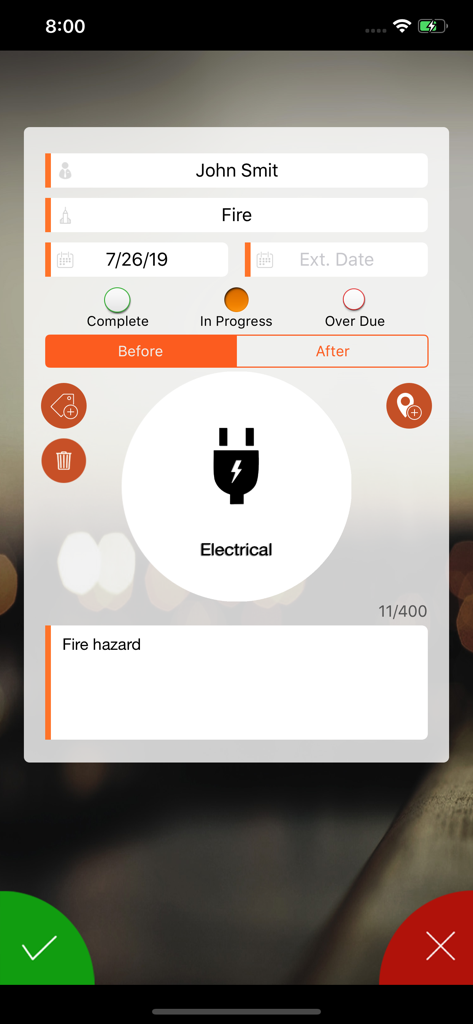
Yes, Snag-App allows users to add and mark up photos with arrows, clouds, boxes, or text. Screenshot #4 displays 'Before' and 'After' sections, indicating multiple photo support for items.
Yes, Snag-App tracks the status of individual inspection items. Status options include 'Complete,' 'In Progress,' and 'Over Due,' along with associated dates shown in the app.
Yes, Snag-App allows importing responsible parties directly from a user's address book. Alternatively, new contacts can be created and managed within the app.
Top-ranked apps in the same category

OpenAI OpCo, LLC

Google LLC

X.AI Corporation

Google LLC

Shanghai Zhixin Puhui Technology Co., Ltd.

Google LLC

Microsoft Corporation

Google LLC

Google LLC