向日葵远程控制-Sunlogin remotecontrol

向日葵远程控制-Sunlogin remotecontrol

Download on App Store
Spark by MWM logo
Logo of 向日葵远程控制-Sunlogin remotecontrol

Sunlogin remotecontrol: The Ultimate High-Performance Remote Access for Pros and Gamers

Bridge the gap between your devices with ultra-low latency. Experience 144Hz 4K remote gaming, seamless file management, and professional IT tools like CMD/SSH—all in one powerful cross-platform solution.

Download on App Store

Publisher

Shanghai best oray information s&t co.,ltd

Category

Business

Downloads

13M+

User Rating

4.8/5

Total Ratings

438K+

Locales

3

Desktop Power in Your Pocket

Discover the interface used by 13M+ users.
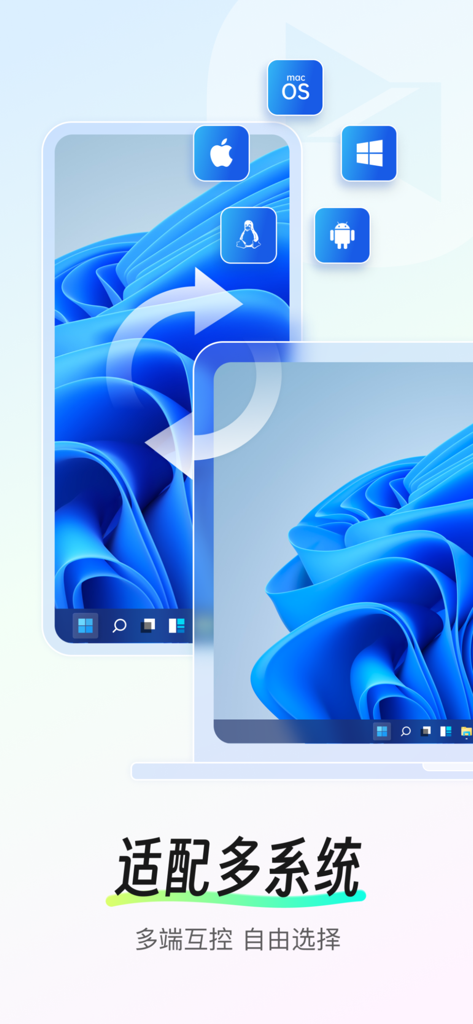
Sunlogin Remote Control interface demonstrating cross platform compatibility for Windows macOS Linux iOS and Android

Sunlogin Remote Control interface demonstrating cross platform compatibility for Windows macOS Linux iOS and Android

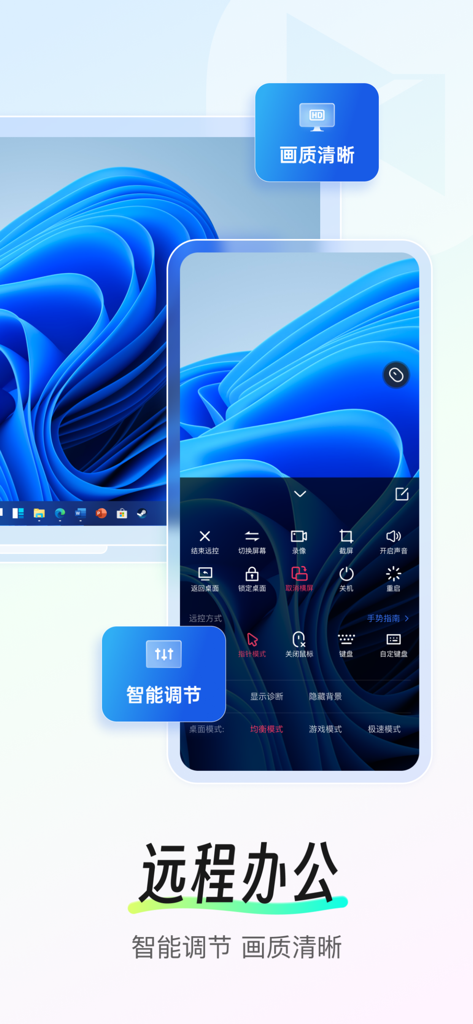
Sunlogin Remote Control app interface on a smartphone showing remote access to a Windows computer desktop with clear image quality

Sunlogin Remote Control app interface on a smartphone showing remote access to a Windows computer desktop with clear image quality

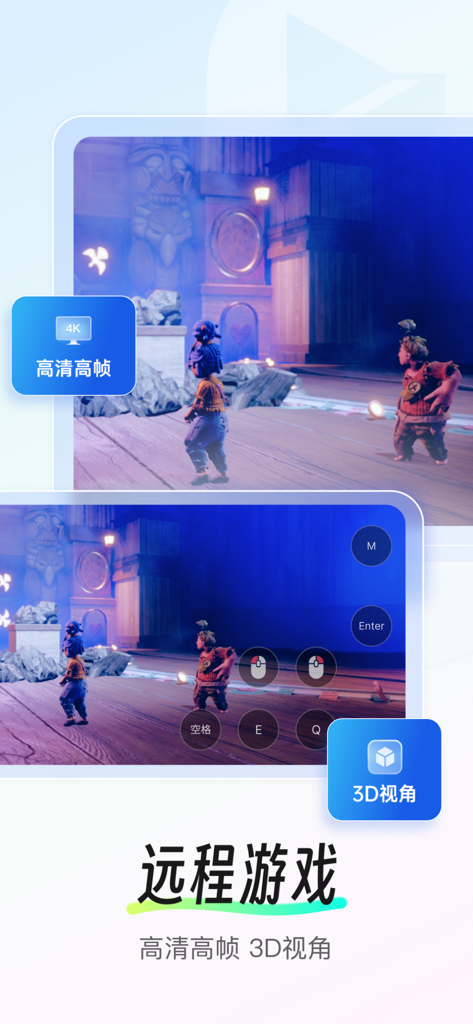
Screenshot of Sunlogin Remote Control app featuring 4K remote gaming with 3D perspective and touch controls.

Screenshot of Sunlogin Remote Control app featuring 4K remote gaming with 3D perspective and touch controls.

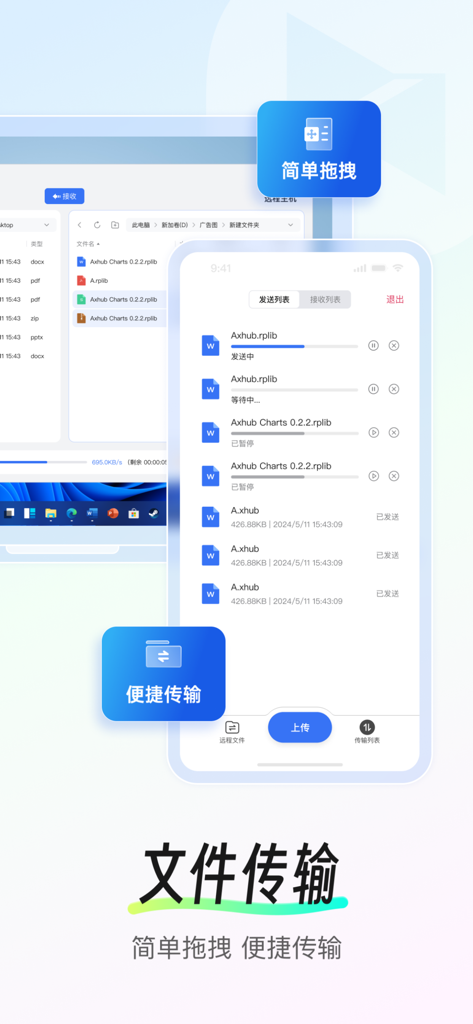
Sunlogin remote control app interface showing file transfer progress between a smartphone and a desktop computer.

Sunlogin remote control app interface showing file transfer progress between a smartphone and a desktop computer.

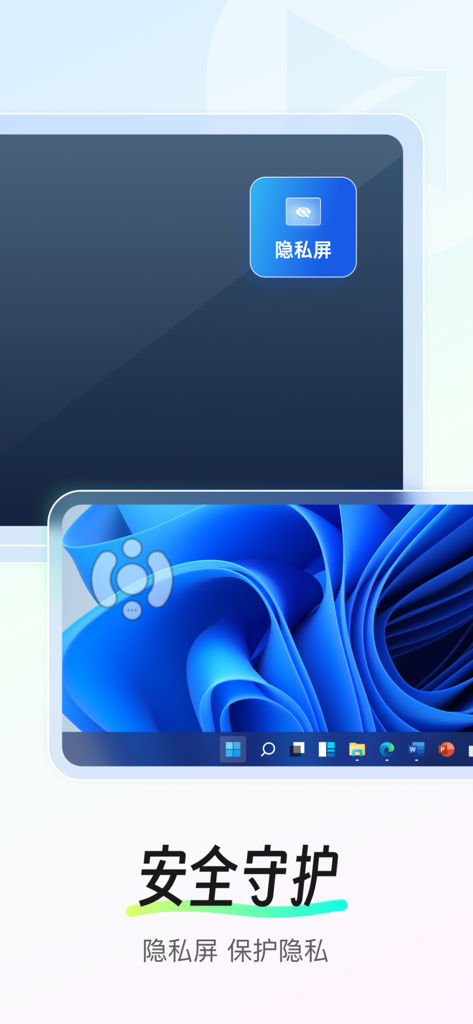
Sunlogin remote control app showing the privacy screen feature to protect user privacy while accessing a Windows desktop remotely

Sunlogin remote control app showing the privacy screen feature to protect user privacy while accessing a Windows desktop remotely

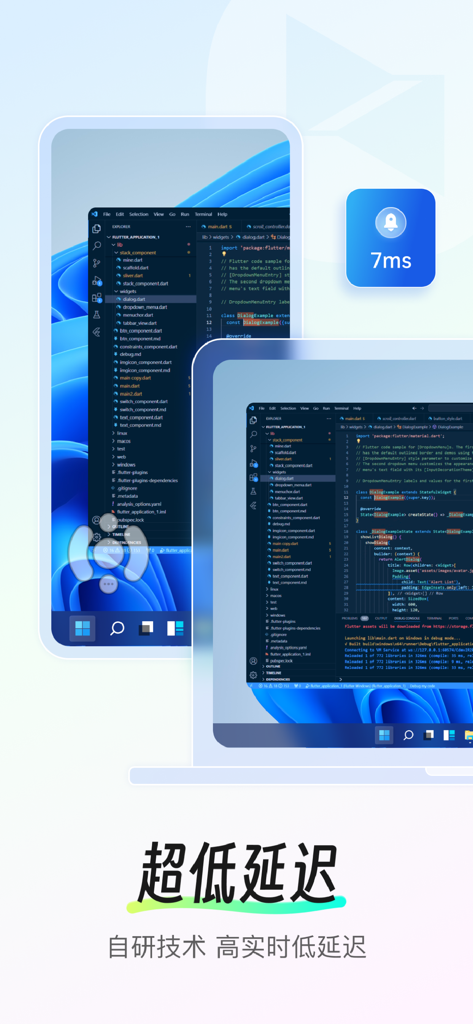
Sunlogin remote control app interface showing a coding environment with an ultra low 7ms latency indicator

Sunlogin remote control app interface showing a coding environment with an ultra low 7ms latency indicator

Your Powerful Desktop, Anywhere You Go

The tools that make this app stand out, trusted by 13M+ users.

🎮

Extreme Gaming & Design Performance

Experience lag-free 4K resolution and 144Hz high frame rates. Play your favorite AAA titles or render complex 3D designs directly from your mobile device.

💻

Total Cross-Device Command

Seamlessly manage files, access CMD/SSH terminals, and control Windows, Mac, or Linux systems. It's the ultimate Swiss Army Knife for IT professionals and remote workers.

Remote Wake-up & Smart Control

Stop worrying about your PC being turned off. Combined with our smart hardware, you can remotely boot your machine and manage unattended devices from anywhere in the world.

Loved by users worldwide

Trusted by 13M+ people who love this app.

"

"The 144Hz high frame rate and gamepad mapping make Sunlogin the best tool for remote gaming. I can play my full PC library on my iPhone from anywhere with virtually no latency. It has completely replaced my need for a dedicated handheld console."

Marcus Thorne
"

"Being able to remotely power on my office workstation with the smart plug integration is a total lifesaver. Whether I need to grab a forgotten file or run a quick terminal command via SSH, this app provides the most stable and high-quality connection I've ever used."

Sarah Jenkins

Review Analysis

Insights from user reviews.

Sentiment Score

20%
Negative

Summary

This mobile app receives predominantly negative feedback, reflected in a global sentiment score of 19.5 out of 100. Users are highly critical of the app's intrusive advertisements, frequently reporting splash screen ads that trigger easily, and even ads for paid members. Many experience severe performance issues, including significant lag, unresponsiveness, frequent disconnections, and occasional crashes. While some users praise the app for its ease of use, speed, and seamless remote control capabilities, others express frustration with the VIP subscription model, which often fails to resolve performance problems or remove ads, alongside specific bugs like game black screens, keyboard malfunctions, and limited cross-platform file transfer.

Common Themes

Ease of Use(9)
Remote Control Features(4)
Performance(2)
Connection Stability(1)
Cost & Free Access(1)

About the app

Everything you need to know about 向日葵远程控制-Sunlogin remotecontrol.

Description

Sunlogin remote control is a software that supports cross-system and cross-device remote control, supports a variety of system desktop devices and mobile devices, and can be used for remote management, remote assistance, remote equipment maintenance, remote training, remote office, mobile office and other scenarios. The perfect choice for IT operations, after-sales/technical support, gamers, designers, freelancers and business people. 【Main functions】 1. Remote desktop/Remote assistance: mobile phone remote control computer, remote desktop connection, support screen recording and other audit functions. 2. Mobile screen projection: Project the mobile screen to the computer screen and TV screen. 3. Remote control of mobile phone: mobile phone control, help others to debug mobile phone remotely. 【Only some mobile phones are supported】 4. Remote games: Mobile phones/computers can control remote computer games, enjoy remote games anytime and anywhere. 5. Remote camera monitoring: In addition to the camera on the computer PC, you can also use the idle mobile phone to call the mobile phone camera. 6. Remote file management: Transfer files between mobile phones, computers and other devices anytime and anywhere. 7. Remote switch: With Sunlogin remote smart plug, realize remote switch of computer, to help you solve the trouble of "how to remote switch when the computer is shut down". 8.CMD/SSH 【Warm reminder】 If you encounter problems, please open the Sunlogin APP- My - Contact us, click on the bottom of the page [online customer service] or [customer work order priority processing] for feedback. 【Automatic renewal of Seed Membership】 -Pumpkin member rights and interests: high-speed file transfer, 2K HD picture quality, remote mobile devices, remote RDP, multi-screen control multi-screen, and other value-added rights and interests.
-Subscription period: 1 month (monthly), 3 months (seasonal), 12 months (annual).
-Subscription price: subject to iAP application information, such as RMB 25 per month for continuous monthly products, RMB 55 per quarter for continuous quarterly products, and RMB 128 per year for continuous annual products.
-Payment: When the user confirms the purchase and pays, it is credited to the iTunes account.
-Cancel Renewal: To cancel renewal, manually turn off automatic renewal in iTunes/Apple ID Settings Management 24 hours before the current subscription period expires.
-Renewal: The Apple iTunes account will be charged within 24 hours before the expiration date, and the subscription period will be extended by one subscription period after the payment is successful. - privacy policy: https://service.oray.com/question/11872.html - user agreement: https://service.oray.com/question/33418.htmll - automatic renewal membership service agreements: https://service.oray.com/question/36365.html 【Automatic Renewal of Super Member】 -Super member benefits: all the function of Seed Membership, 144 high frame remote control, support 3D mouse, gamepad mapping,4K HD image quality, and other value-added benefits. -Subscription period: 1 month (monthly), 3 months(seasonal), 12 months (annual). -Subscription price: subject to iAP application information -Payment: the same as Seed Membership -Cancel Renewal: the same as Seed Membership Renewal: the same as Seed Membership -- privacy policy/user agreement/automatic renewal membership service agreements are as the same as Seed Membership 【Automatically Renew of Global Membership】 -Global member rights and interests: all the function of Super Member, global quality line. -Subscription period: 1 month (monthly), 3 months (seasonal), 12 months (annual). -Subscription price: subject to iAP application information -Payment: the same as Seed Membership -Cancel Renewal: the same as Seed Membership Renewal: the same as Seed Membership -- privacy policy/user agreement/automatic renewal membership service agreements are as the same as Seed Membership

Latest Version

15.5.0

Size

152.9 MB

First Released

Aug 28, 2012

Ready to Break Free from Your Desk?

Join 13 million power users who rely on Sunlogin for high-performance remote desktop, 144Hz gaming, and professional IT management. Download now and stay connected to what matters.

Download on App Store
FAQ

Frequently Asked Questions

Everything you need to know about 向日葵远程控制-Sunlogin remotecontrol

What is Sunlogin remote control?

Sunlogin remote control is software for cross-system, cross-device remote control, offering features like remote desktop, file transfer, and mobile screen projection. It supports Windows, macOS, Linux, iOS, and Android for various remote scenarios.

What devices and operating systems does Sunlogin remote control support?

Sunlogin remote control supports various devices, including desktop computers and mobile devices, across operating systems like Windows, macOS, Linux, iOS, and Android for comprehensive remote access.

Can I control my computer remotely using my mobile phone with Sunlogin remote control?

Yes, Sunlogin remote control allows users to control their computer remotely using a mobile phone. This includes remote desktop connections and screen recording functions for audit purposes.

Does Sunlogin remote control offer file transfer capabilities?

Yes, Sunlogin remote control includes remote file management. Users can transfer files between mobile phones, computers, and other connected devices anytime and anywhere.

What is the price of Sunlogin remote control's Seed Membership?

The Sunlogin remote control Seed Membership costs RMB 25 for a monthly subscription, RMB 55 quarterly, and RMB 128 for an annual subscription. Prices are subject to iAP application information.

How do I cancel the automatic renewal for Sunlogin remote control membership?

To cancel automatic renewal for Sunlogin remote control membership, manually turn off auto-renewal in iTunes/Apple ID Settings Management at least 24 hours before the current subscription period expires.

Can Sunlogin remote control be used for remote gaming?

Yes, Sunlogin remote control supports remote gaming. Mobile phones or computers can control remote computer games, offering features like 4K HD image quality and 3D view for an enhanced experience.

Does Sunlogin remote control have a privacy screen feature?

Yes, Sunlogin remote control features a privacy screen function, identified as "隐私屏" (Privacy Screen), to enhance security and protect user privacy during remote sessions.

What benefits does Sunlogin remote control's Super Member offer?

Super Member benefits include all Seed Membership functions, 144 high-frame remote control, 3D mouse support, gamepad mapping, and 4K HD image quality for advanced remote control.

Can Sunlogin remote control turn on a computer remotely?

Yes, Sunlogin remote control offers a remote switch function. When paired with a Sunlogin remote smart plug, it can remotely power on a shut-down computer.