
ToDesk远程控制



Seamlessly control your PC, Mac, or mobile with ultra-low 3ms latency and stunning 2K 144Hz clarity. Built for professionals, gamers, and hybrid teams who demand secure, lag-free remote access with end-to-end encryption.
Publisher
Category
UtilitiesDownloads
5M+User Rating
Total Ratings
36K+Locales
4Discover the interface used by 5M+ users.
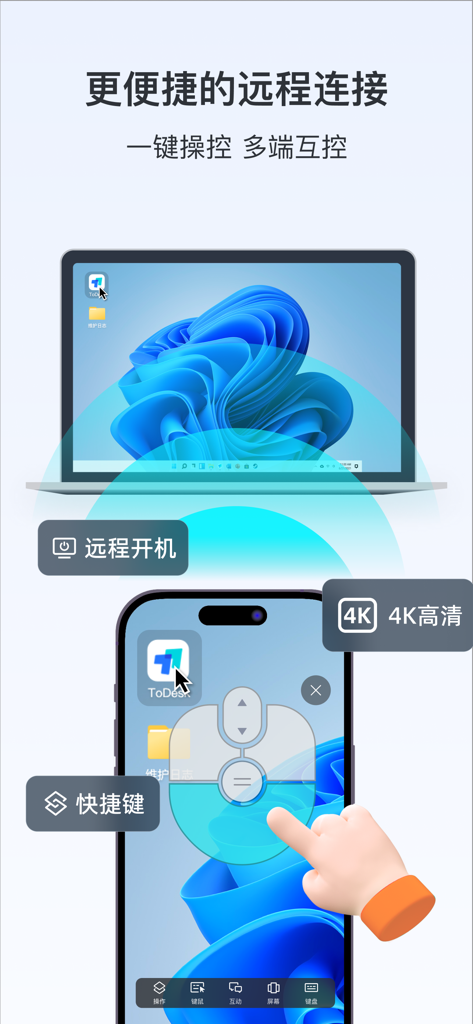
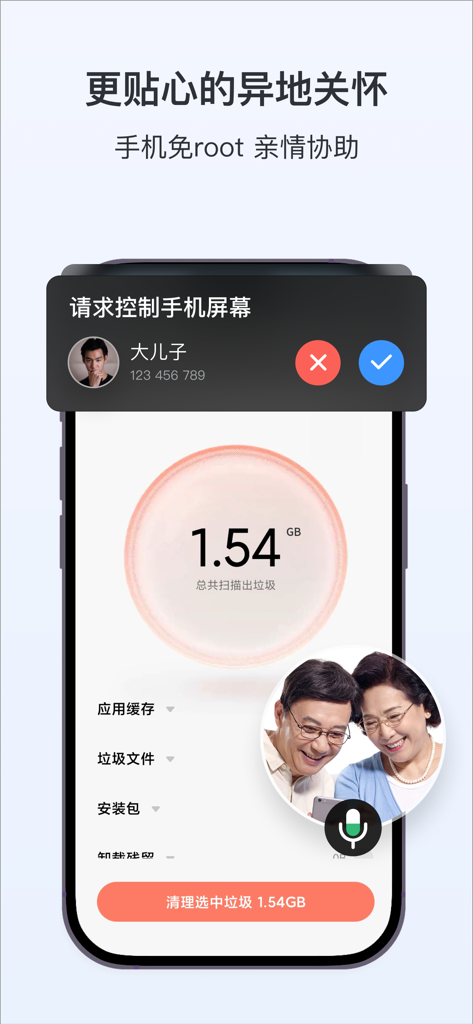
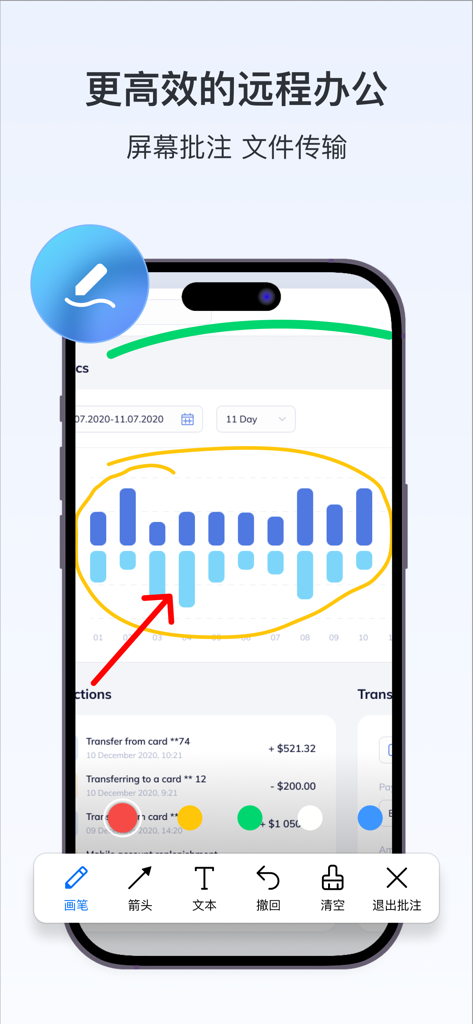
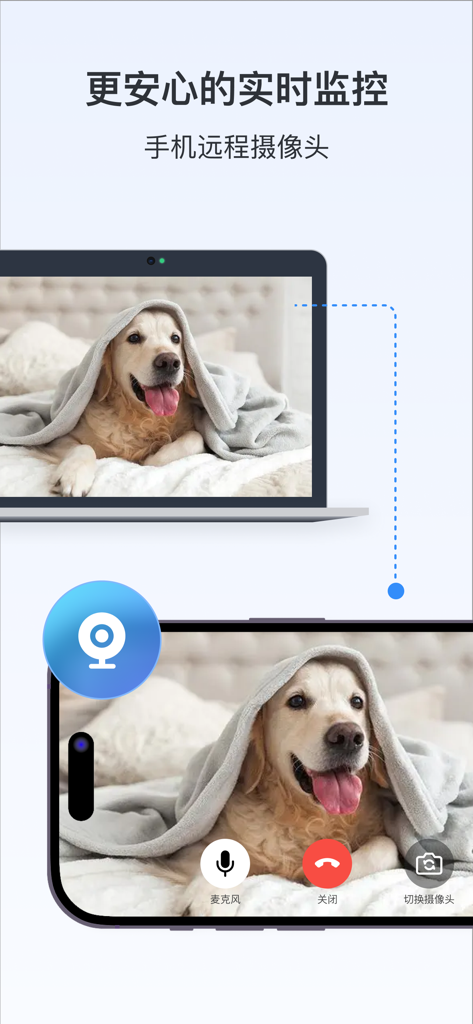
The tools that make this app stand out, trusted by 5M+ users.
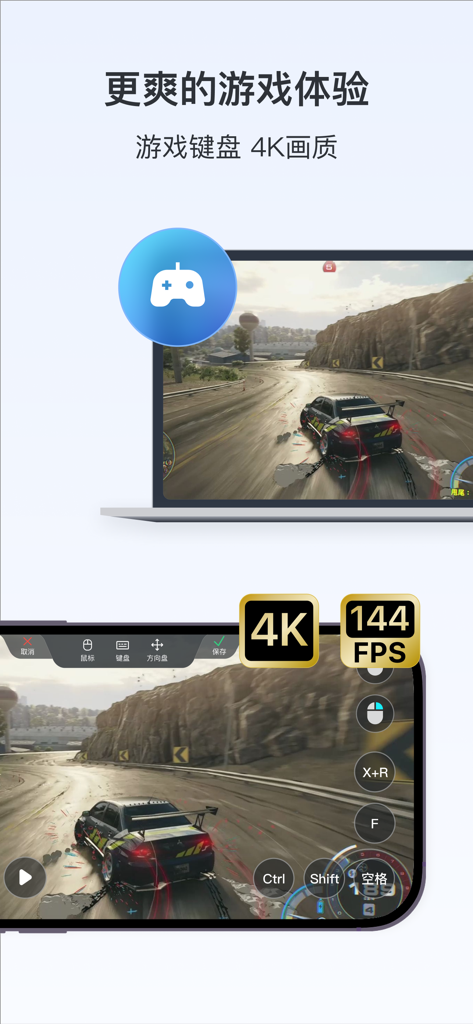
Work or play with near-native responsiveness. Our Zerosync protocol delivers 2K 144Hz quality and 3ms latency for seamless video editing and gaming.
Turn your iPad or phone into a full workstation. With Bluetooth keyboard and mouse mapping, you can manage complex tasks and transfer files at 12MB/s on the go.
Support family or access office servers with total peace of mind. End-to-end encryption ensures your private data stays protected during every session.
Trusted by 5M+ people who love this app.
"As a motion designer, I need zero lag and high resolution to work effectively. ToDesk’s 2K 144Hz support is a total game-changer. I can leave my heavy workstation at the studio and finish my renders from my iPad at a cafe with full mouse and keyboard support. It's the smoothest remote experience I've ever used."
"I use ToDesk for everything from managing my home server to helping my parents with their smartphone issues. The mobile-to-mobile screen sharing is incredibly intuitive, making it so much easier to guide them through settings without being there in person. It’s fast, secure, and has become an essential tool in my daily tech stack."
Insights from user reviews.
Sentiment Score
Summary
The mobile app has received overwhelmingly negative feedback from recent users, primarily due to aggressive monetization tactics. Users frequently report sudden restrictions on free features, constant prompts for VIP upgrades, and a general perception of
Everything you need to know about ToDesk远程控制.
Description
Latest Version
4.8.40
Size
194.5 MB
First Released
Jul 9, 2020
Join 200+ million users and enjoy 2K/144Hz performance with ultra-low latency. Start your seamless remote journey on iOS today.
Everything you need to know about ToDesk远程控制
ToDesk远程控制 is a secure remote control software for seamless connection and operation between computers, phones, and tablets. It offers features like file transfer, privacy screen, and keyboard/mouse mapping.
Yes, ToDesk远程控制 supports all five mainstream operating systems, allowing remote control between phones, tablets, and computers. It offers cross-platform compatibility.
Yes, ToDesk远程控制 employs end-to-end encryption to ensure the security and reliability of every remote access. It also adheres to strict user privacy policies.
Yes, ToDesk远程控制 provides high-speed file transfer capabilities, reaching speeds up to 12m/s. This significantly enhances remote transfer efficiency, offering a native-like experience.
ToDesk远程控制 supports high-quality video up to 4K at 144 frames per second (fps). It uses the self-developed Zerosync RTC protocol for smooth image and video transmission.
Yes, ToDesk远程控制 supports adapting Bluetooth keyboards and mice to mobile devices like phones or tablets. This allows for convenient computer-like operation.
A continuous monthly Professional Edition membership for ToDesk远程控制 costs 19 Chinese Yuan per month. This fee is automatically deducted from your iTunes account.
Yes, ToDesk远程控制 enables remote control of a computer for gaming. It offers fast response and smooth screen transmission algorithms, making remote online gaming possible.
Yes, ToDesk远程控制 provides screen annotation features for efficient remote office use. Users can mark up screens with tools like drawing, arrows, and text during remote sessions.
Yes, ToDesk远程控制 allows users to remotely control family members' phones and share screens. This helps in directly assisting them with operations and explaining steps clearly.
Apps with similar features and user experience

Shanghai best oray information s&t co.,ltd

Guangzhou NetEase Computer System Co.Ltd

AWERAY PTE. LTD.

AnyDesk Software GmbH

TeamViewer Germany GmbH

ZULER TECHNOLOGY PTE. LTD.

Termius Corporation

RealVNC Limited

GoTo Group, Inc.