Usage Device Monitor

Usage Device Monitor

Download on App Store
Spark by MWM logo
Logo of Usage Device Monitor

Usage Device Monitor: Pro Performance Tracking at Your Fingertips

Monitor data usage, network speeds, and hardware health with 21+ customizable widgets. Get total transparency into your device's performance with a modern SwiftUI design and no subscriptions, ever.

Download on App Store

Publisher

Oleh Stasula

Category

Utilities

Downloads

577K+

User Rating

4.6/5

Total Ratings

19K+

Locales

9

Performance at a Glance

Discover the interface used by 577K+ users.
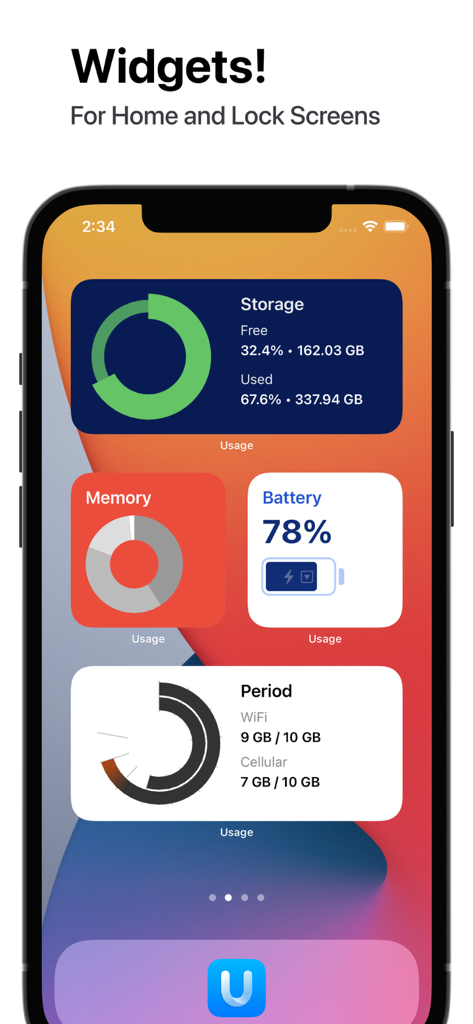
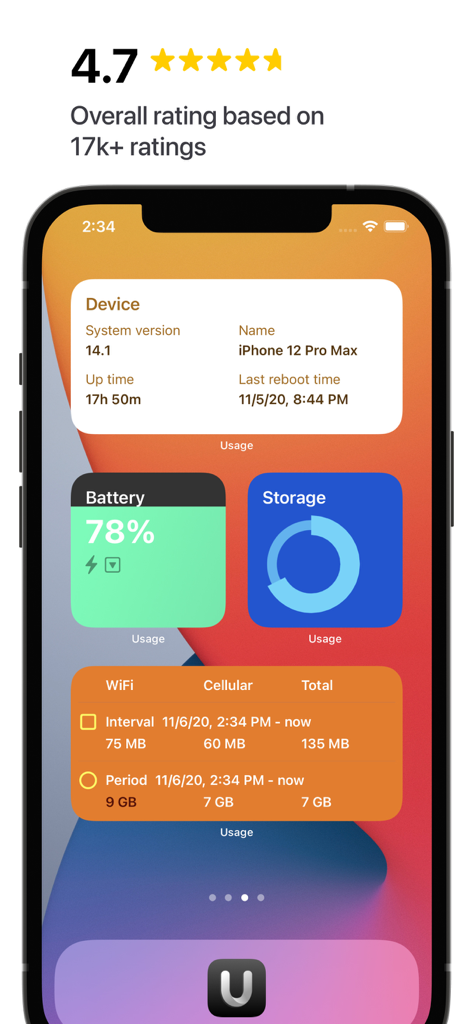
An iPhone home screen displaying system monitor widgets for storage, memory, battery, and data usage.

An iPhone home screen displaying system monitor widgets for storage, memory, battery, and data usage.

Usage app widgets displaying system info battery storage and data usage on an iPhone home screen

Usage app widgets displaying system info battery storage and data usage on an iPhone home screen

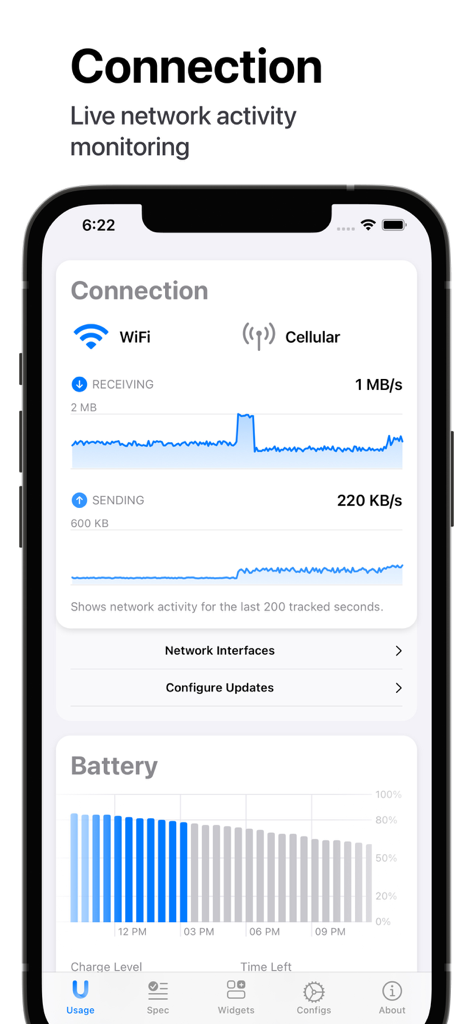
Usage app interface showing live network connection activity and battery level graphs

Usage app interface showing live network connection activity and battery level graphs

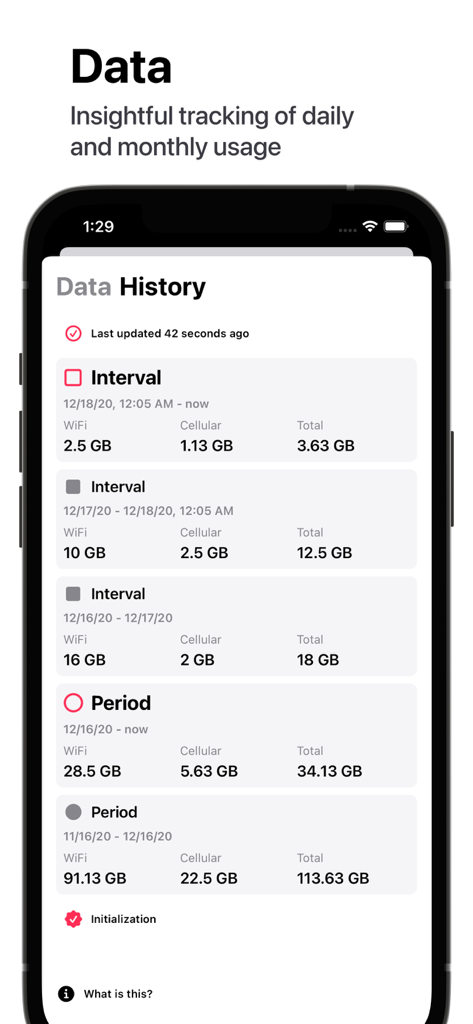
A mobile app screen showing detailed historical tracking of WiFi and cellular data usage by day and month

A mobile app screen showing detailed historical tracking of WiFi and cellular data usage by day and month

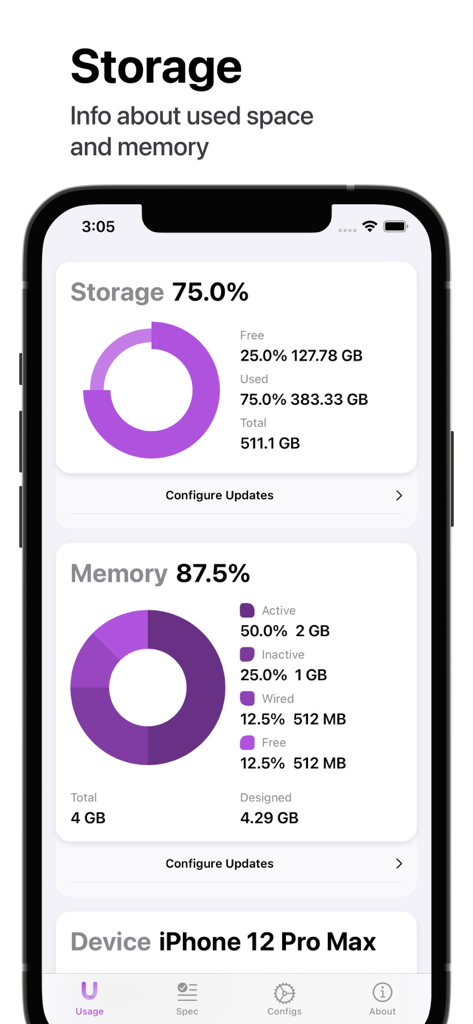
iPhone screen showing detailed storage and memory usage with colorful donut charts and device specifications

iPhone screen showing detailed storage and memory usage with colorful donut charts and device specifications

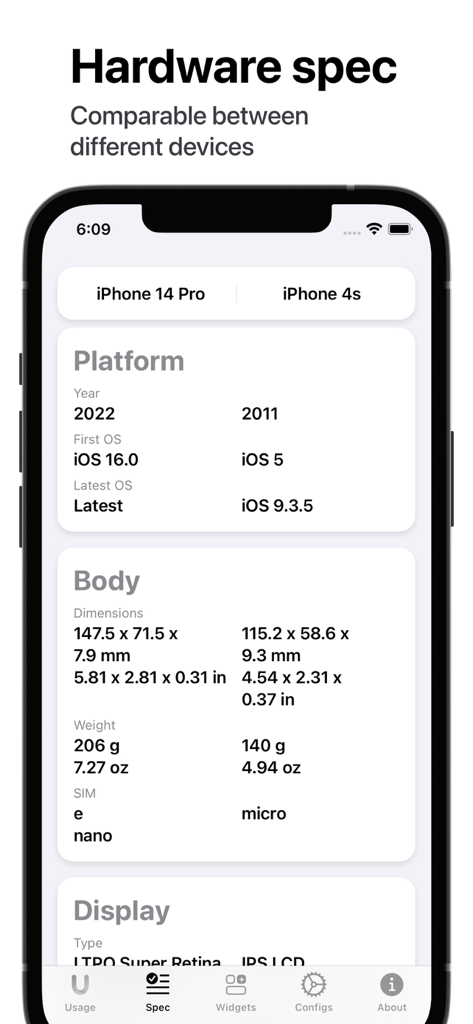
Hardware specification comparison between iPhone 14 Pro and iPhone 4s in the Usage app

Hardware specification comparison between iPhone 14 Pro and iPhone 4s in the Usage app

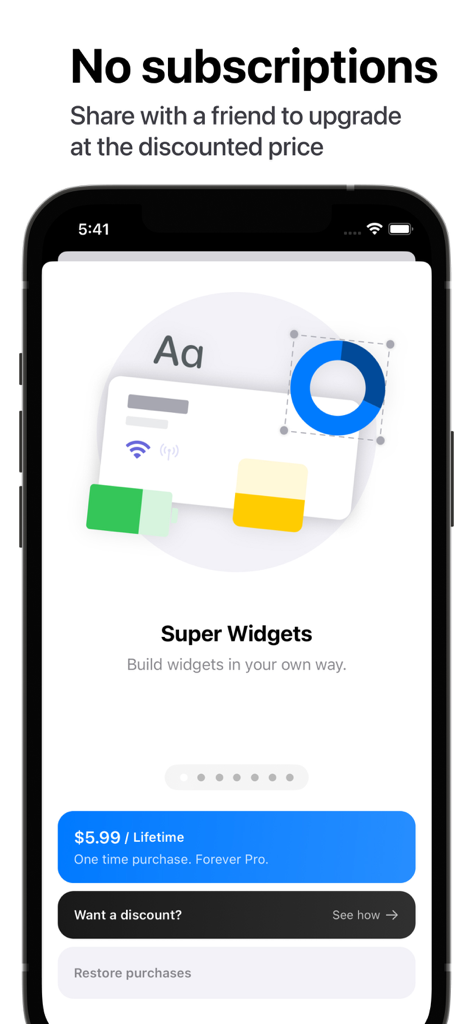
Usage Device Monitor app screenshot showing the lifetime purchase option and super widgets feature

Usage Device Monitor app screenshot showing the lifetime purchase option and super widgets feature

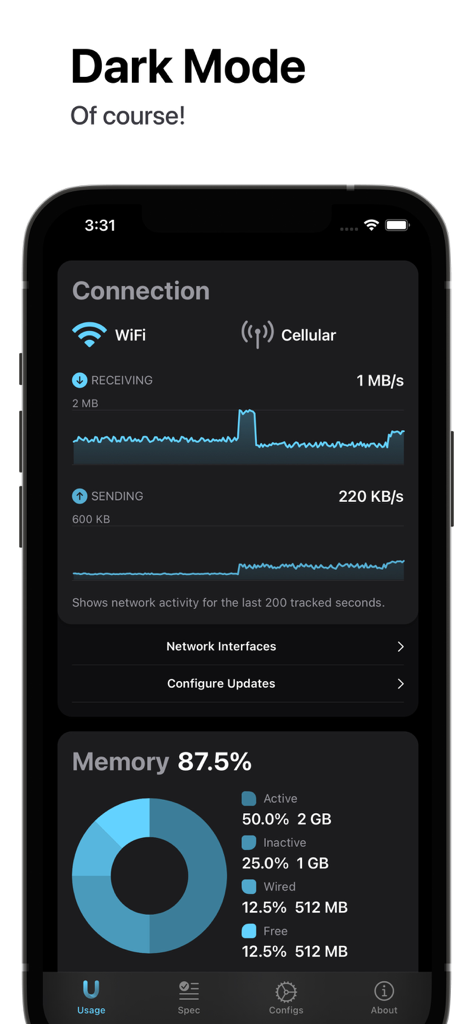
Usage Device Monitor app interface in dark mode showing real-time network connection and memory allocation statistics

Usage Device Monitor app interface in dark mode showing real-time network connection and memory allocation statistics

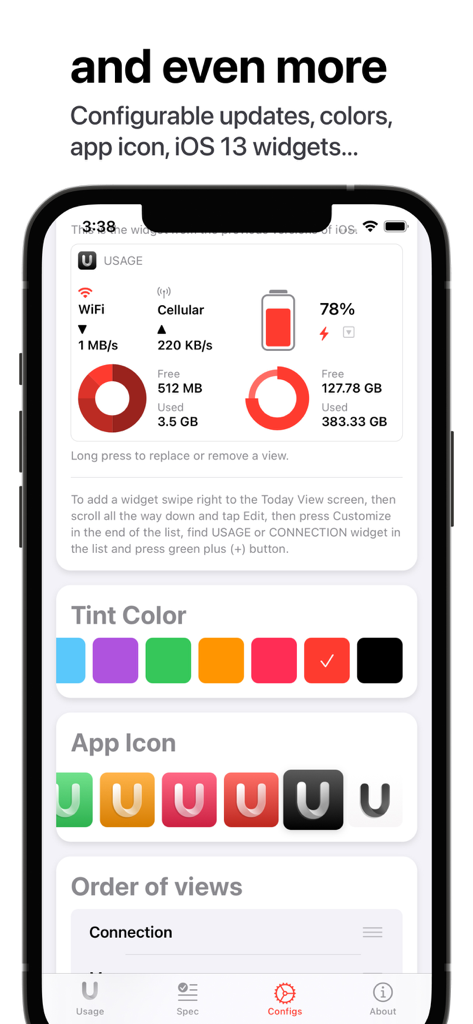
Screenshot of Usage app showing customization options for tint colors app icons and system monitoring views

Screenshot of Usage app showing customization options for tint colors app icons and system monitoring views

Total Control Over Your Pro Experience

The tools that make this app stand out, trusted by 577K+ users.

🎨

Pro-Grade Aesthetic Widgets

Transform your Home and Lock Screens with 21+ fully customizable widgets designed in SwiftUI for a native, high-tech look that matches your style.

Real-Time Performance Tracking

Monitor your network speeds, memory allocation, and data usage instantly to ensure your device is always running at peak efficiency.

💎

Lifetime Access, No Subscriptions

Enjoy full access to advanced hardware comparisons and battery health graphs with a single tool that respects your wallet and your privacy.

Loved by users worldwide

Trusted by 577K+ people who love this app.

"

"I'm obsessed with the customization options! The widgets are beautifully designed and fit my home screen aesthetic perfectly while providing all the system data I actually care about. Finding a high-quality utility app that doesn't force a monthly subscription is a rare gem in the App Store."

Jordan L.
"

"Finally, an app that gives me a clear look under the hood of my iPhone. As a power user, I rely on the real-time network monitoring and memory allocation stats to keep my device running at peak performance. The hardware comparison tool is also fantastic for seeing how my older iPad stacks up against the newest models."

Marcus Thorne

About the app

Everything you need to know about Usage Device Monitor.

Description

Usage is a tool to monitor your device's activity, data usage, connection speed, and more. It comes with 21 Home Screen widgets, fully customizable Super widgets, and new Lock Screen widgets! √ Main features: - Monthly and daily Data usage tracking - Real-time Network Connection monitoring, with Receiving and Sending speed - Precise Memory allocation by four categories - Storage usage - Battery Graph - Detailed specification about the device's hardware - The widgets! Beautiful and fully customizable. √ Extra features: - List of current network interfaces with details and IP addresses - Different appearance colors and app icons - Custom ordering - Compare your device's specification with any other iPhone or iPad model ever made - Old-style iOS 13 widgets (not available with iOS 18). √ No subscriptions! √ Simple, intuitive, and modern design. √ Built with SwiftUI! √ Thousands of users love the app. You might fall in love with it too!

Latest Version

4.21.5

Size

45.4 MB

First Released

Mar 4, 2015

Join 577K+ Power Users Optimizing Their Devices

Get real-time insights, 21+ customizable widgets, and professional hardware monitoring. Experience the power of total device control with absolutely no subscriptions.

Download on App Store