Weekly Calendar Planner-Tasks

Weekly Calendar Planner-Tasks

Download on App Store
Spark by MWM logo
Logo of Weekly Calendar Planner-Tasks
Weekly Calendar Planner-Tasks: Visualize Your Week and Master Every Detail

The minimalist, all-in-one planner for students and professionals. Break down big goals into manageable subtasks and organize your life with a beautiful, intuitive weekly view.

Download on App Store

Publisher

永文 胡

Category

Productivity

Downloads

1K+

User Rating

1.0/5

Total Ratings

0

Locales

4

Your Week, Visualized

Discover the interface used by 1K+ users.
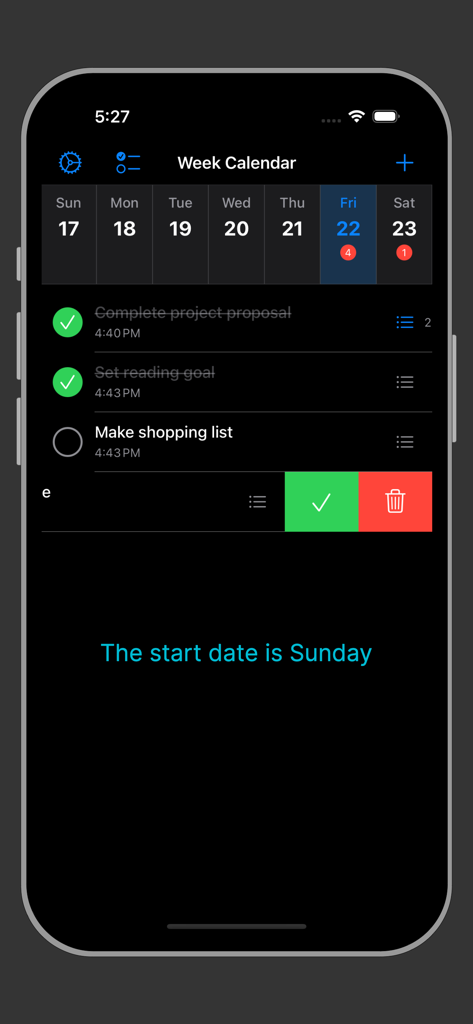
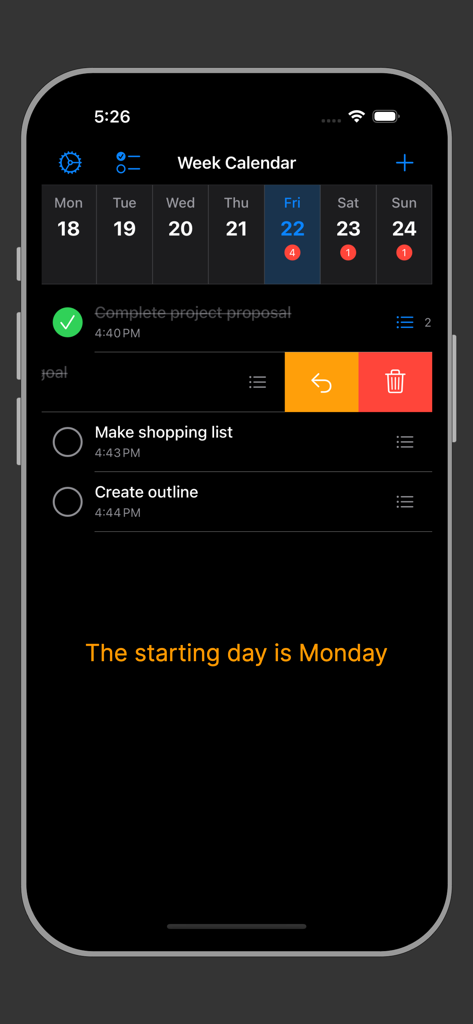
Weekly Calendar Planner app interface on iPhone in dark mode showing a weekly calendar view and a list of tasks with swipe actions.

Weekly Calendar Planner app interface on iPhone in dark mode showing a weekly calendar view and a list of tasks with swipe actions.

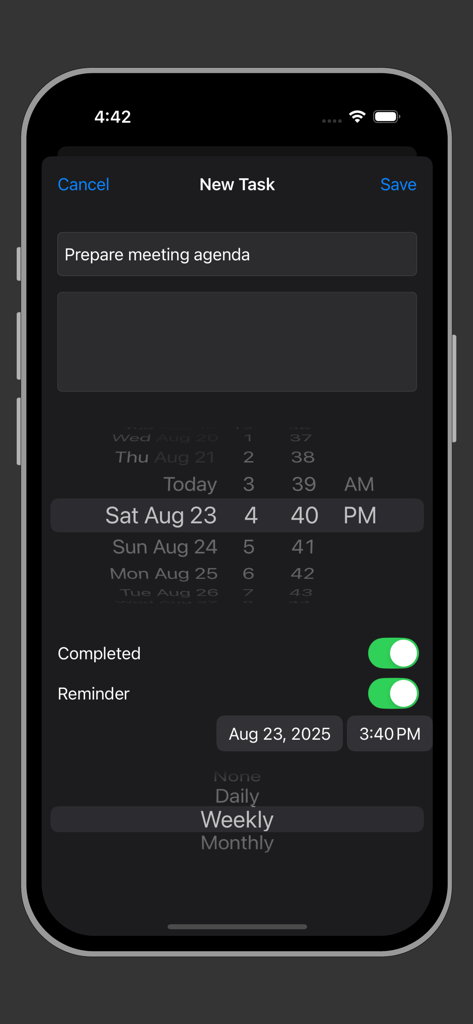
Interface for adding a new task with reminder and repeat settings in dark mode

Interface for adding a new task with reminder and repeat settings in dark mode

Mobile app interface showing a dark mode weekly task list with options for subtasks and schedule management.

Mobile app interface showing a dark mode weekly task list with options for subtasks and schedule management.

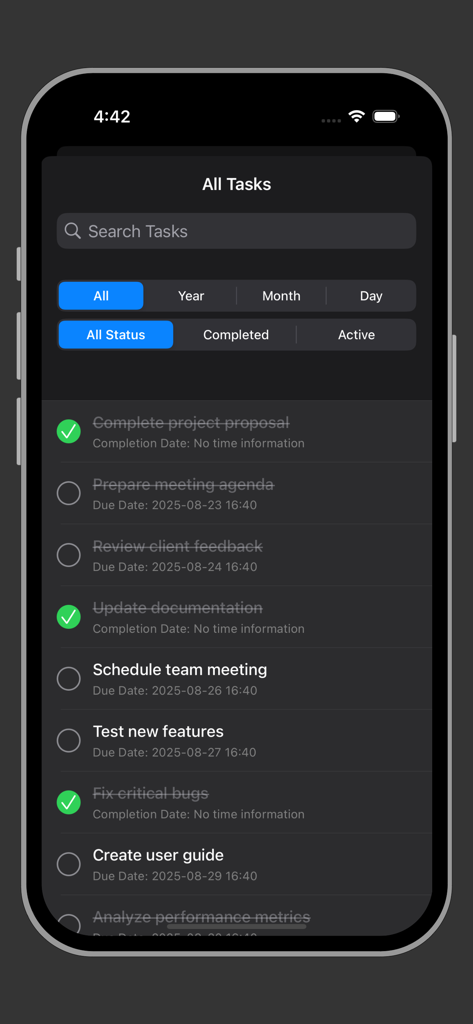
Mobile app screenshot showing an organized list of tasks with search and filter options in dark mode

Mobile app screenshot showing an organized list of tasks with search and filter options in dark mode

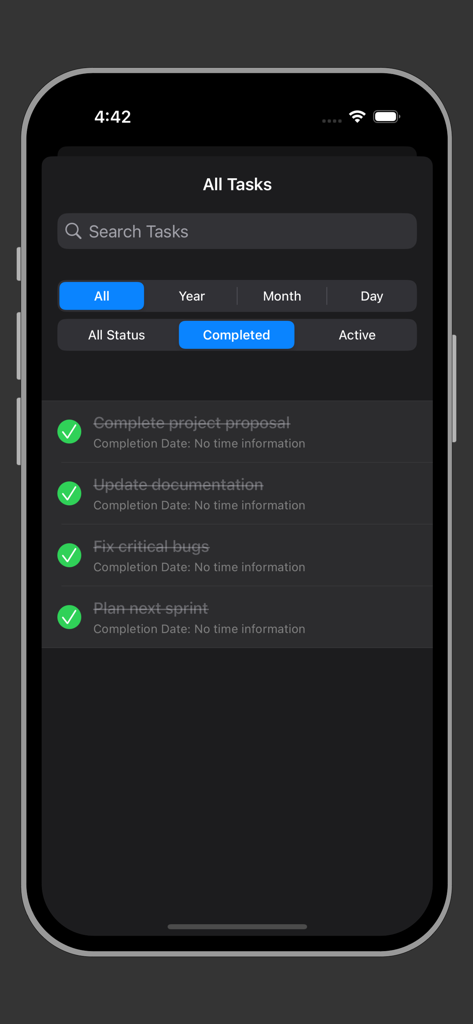
iPhone screen showing a list of completed tasks with green checkmarks in the Weekly Calendar Planner app using dark mode.

iPhone screen showing a list of completed tasks with green checkmarks in the Weekly Calendar Planner app using dark mode.

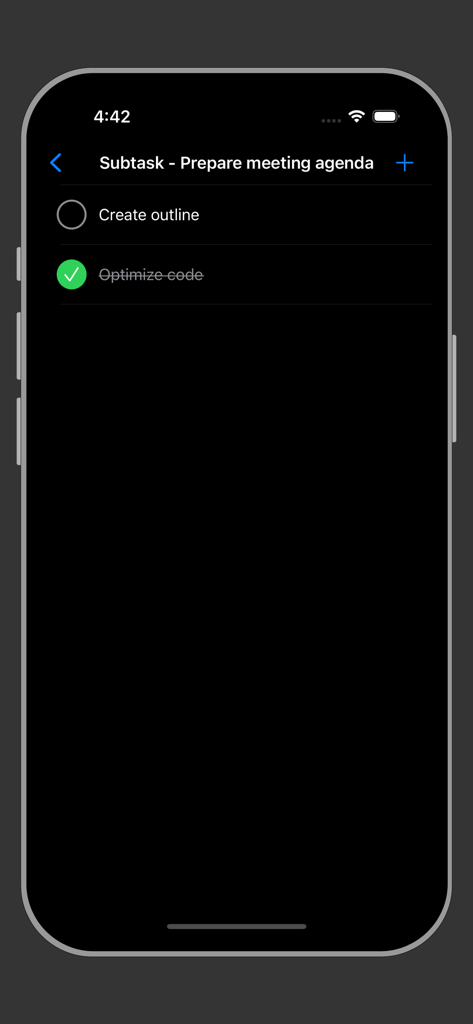
Interface showing subtasks for preparing a meeting agenda in dark mode

Interface showing subtasks for preparing a meeting agenda in dark mode

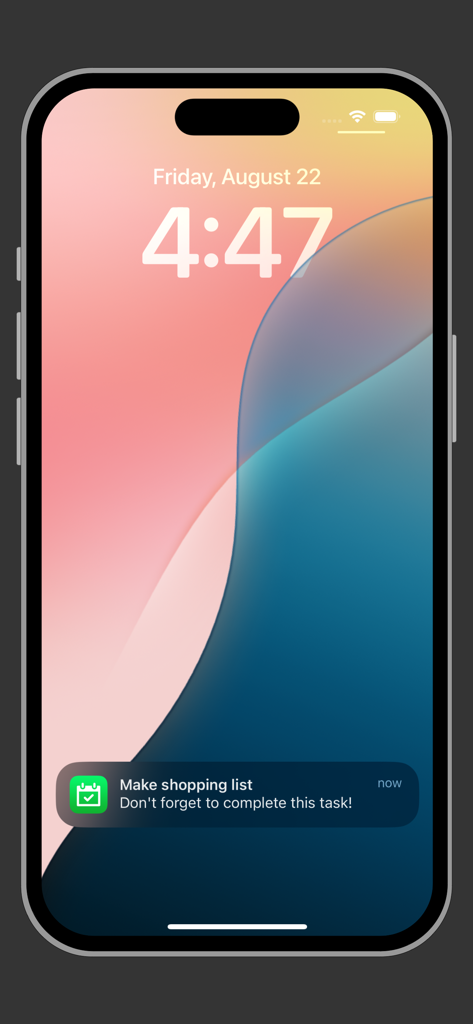
iPhone lock screen showing a task reminder notification from the Weekly Calendar Planner app

iPhone lock screen showing a task reminder notification from the Weekly Calendar Planner app

Master Your Week with Visual Clarity

The tools that make this app stand out, trusted by 1K+ users.

📅

Intuitive Weekly Columns

Stop scrolling through endless lists. Visualize your entire workload in a side-by-side daily view that mimics a high-end physical planner.

📑

Granular Subtask Control

Break down complex projects into bite-sized wins. Manage nested checklists to ensure no detail of your day-to-day life is ever missed.

Minimalist & Lightweight

Experience zero-lag productivity. At just 0.6 MB, our app provides a fast, dark-mode ready, and privacy-focused environment for focused planning.

Loved by users worldwide

Trusted by 1K+ people who love this app.

"

"As a graduate student balancing classes and a part-time job, I used to feel overwhelmed. This app's weekly column view is a total game-changer; it feels exactly like my old paper planner but with the convenience of digital reminders. I love how I can break down big projects into manageable subtasks and see my entire week's workload at a single glance."

Chloe M.
"

"I've tried every productivity app out there, but most are too bloated. This is the perfect minimalist tool for my freelance workflow. It is incredibly fast, lightweight, and the dark mode looks sleek during late-night planning sessions. The ability to toggle a Monday start for my work week is exactly what I was looking for."

David R.

About the app

Everything you need to know about Weekly Calendar Planner-Tasks.

Description

Weekly Calendar Planner can help/remind you: plan daily and weekly tasks. It is especially suitable for planning tasks on a weekly basis. Main features include task management, weekly view display, and subtask management. Task management: you can add and edit titles, notes, due dates, completion status, completion time, creation/update time, reminder settings (whether to remind, reminder time, repeat pattern). Supports swipe actions: mark complete/incomplete, delete tasks. Supports task reminders and repeat settings. Supports dark mode and internationalization. Quick search for tasks. Supports filtering by date (all, year, month, day) and status (all, completed, incomplete). Each task can have multiple subtasks. Supports viewing and managing subtasks in task details. Weekly view intuitively displays task distribution. Displays tasks on a weekly basis. Each day is a column, showing the task list for that day. Click on a day to view all tasks for that day. Supports setting the week start day (Sunday or Monday).

Latest Version

2.2

Size

0.6 MB

First Released

Mar 13, 2017

Ready to Master Your Week?

Join thousands of visual organizers who have traded cluttered calendars for clarity. Download the lightweight, minimalist planner designed to help you crush your subtasks and own your schedule.

Download on App Store