Yoink - Improved Drag and Drop

Yoink - Improved Drag and Drop

Download on App Store
Spark by MWM logo
Logo of Yoink - Improved Drag and Drop

Yoink - The Professional Drag and Drop Shelf for iOS

Eliminate multitasking friction. Collect files, images, and snippets in a central holding area designed for power users who demand a desktop-class workflow on iPad and iPhone.

Publisher

Matthias Gansrigler

Category

Productivity

Downloads

363K+

User Rating

4.7/5

Total Ratings

4K+

Locales

5

Efficiency at a Glance

Discover the interface used by 363K+ users.
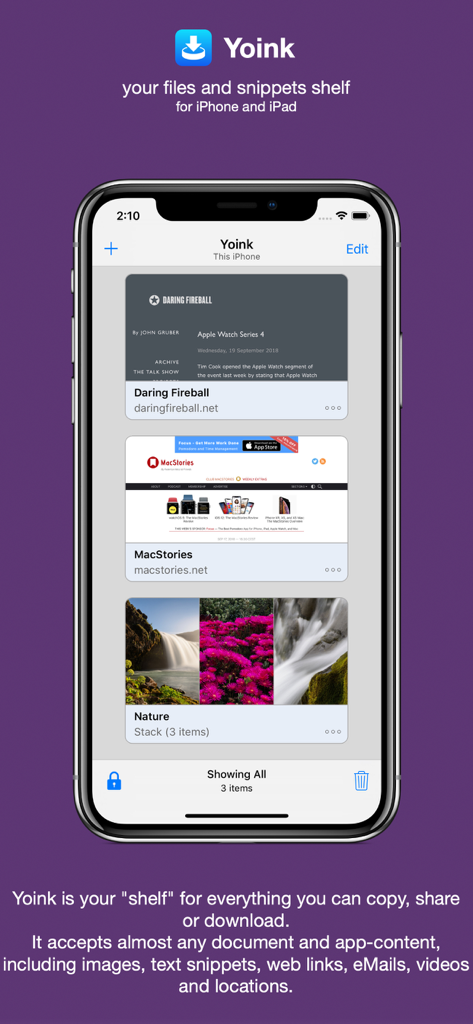
The Yoink app interface on an iPhone displaying saved web links and a stack of nature images in its productivity shelf.

The Yoink app interface on an iPhone displaying saved web links and a stack of nature images in its productivity shelf.

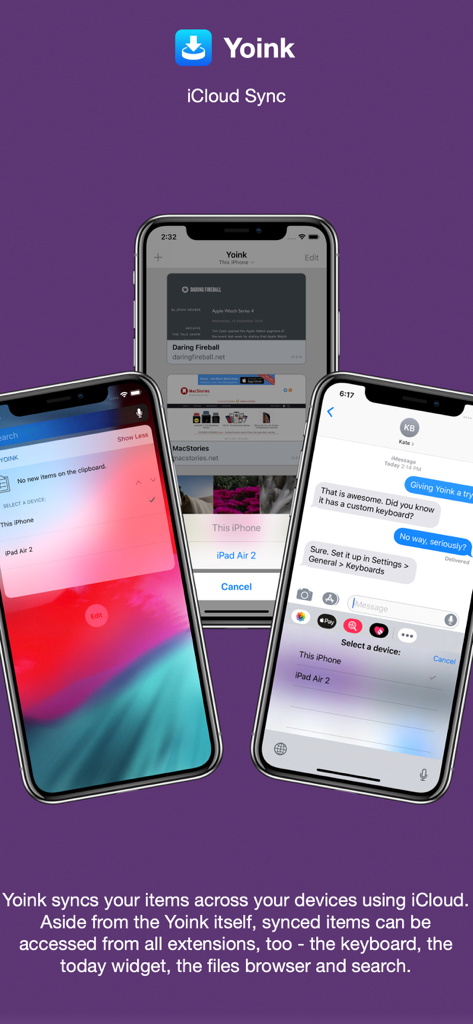
Yoink app showcasing iCloud synchronization across iPhone screens including its widget and custom keyboard integration.

Yoink app showcasing iCloud synchronization across iPhone screens including its widget and custom keyboard integration.

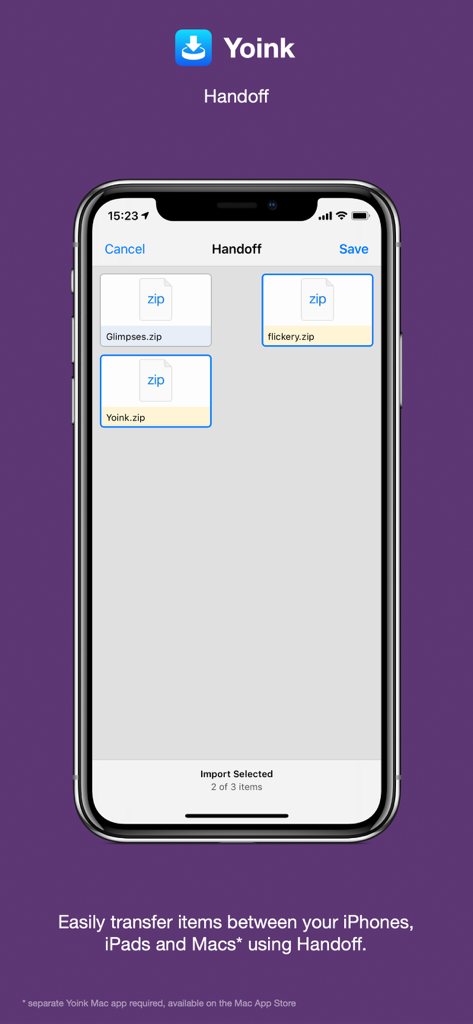
Yoink app interface demonstrating Handoff for transferring zip files between Apple devices

Yoink app interface demonstrating Handoff for transferring zip files between Apple devices

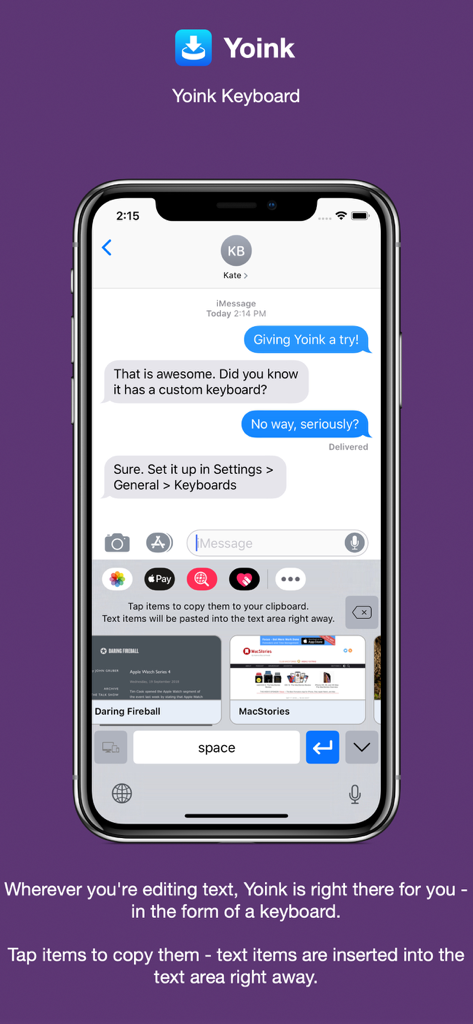
Yoink custom keyboard on an iPhone showing saved text and web snippets for quick insertion into a message

Yoink custom keyboard on an iPhone showing saved text and web snippets for quick insertion into a message

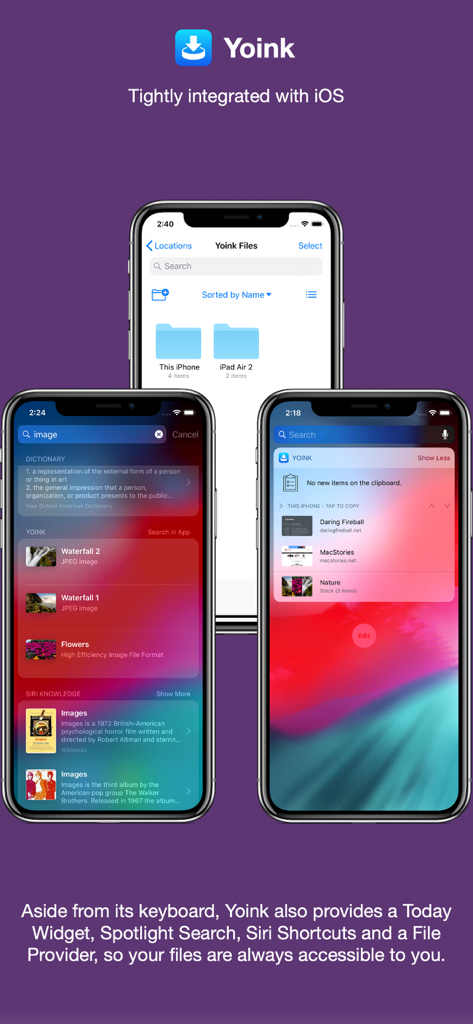
Three iPhones showing Yoink integrated with iOS Spotlight search, Today Widget, and the Files app

Three iPhones showing Yoink integrated with iOS Spotlight search, Today Widget, and the Files app

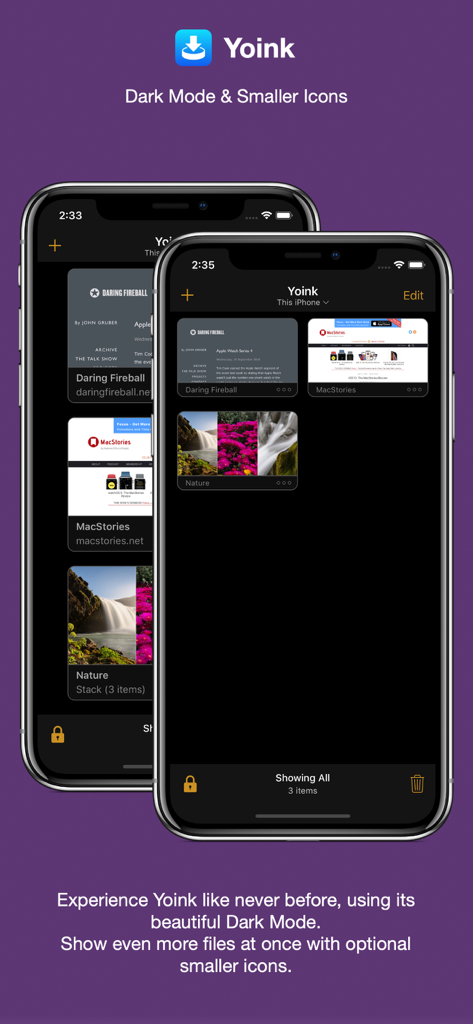
Yoink app interface in dark mode showing a compact grid of saved links and images on iPhone.

Yoink app interface in dark mode showing a compact grid of saved links and images on iPhone.

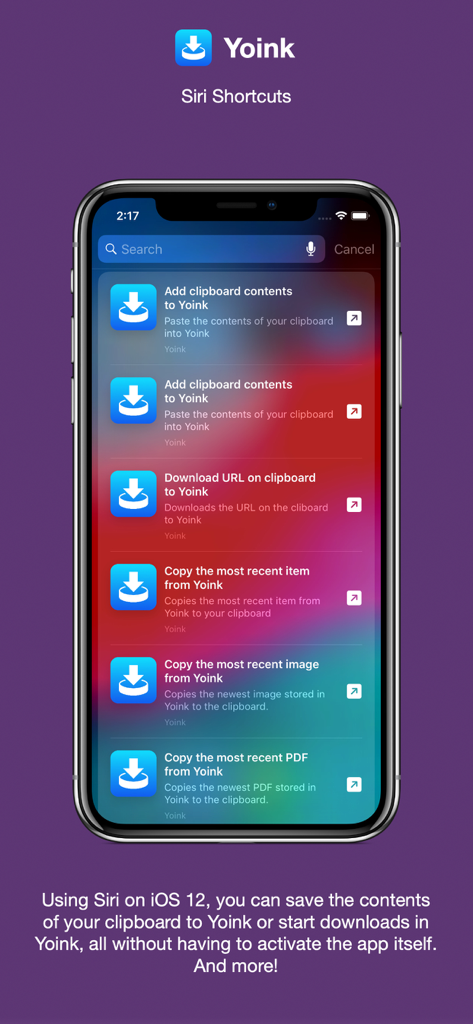
iPhone screen showing Yoink app integration with Siri Shortcuts for automated productivity workflows

iPhone screen showing Yoink app integration with Siri Shortcuts for automated productivity workflows

Yoink productivity app interface for macOS showing files on a desktop shelf

Yoink productivity app interface for macOS showing files on a desktop shelf

Elevate Your Mobile Workflow

The tools that make this app stand out, trusted by 363K+ users.

📥

The Ultimate 'Shelf' for iPad

Drag files, links, or text into a temporary holding area while you work, then drop them exactly where they need to go when you are ready.

📋

Smart Clipboard Monitoring

Yoink automatically saves everything you copy or cut in the background, eliminating the tedious 'copy-switch-paste' loop for power users.

🔄

Seamless Ecosystem Sync

Move content instantly between your iPhone, iPad, and Mac using iCloud and Handoff for a truly unified and fluid workspace.

Loved by users worldwide

Trusted by 363K+ people who love this app.

"

"As a graphic designer using an iPad Pro as my main workstation, Yoink is the missing link in my workflow. I can gather assets from Safari, Pinterest, and my email into one central 'shelf' and then drag them into my design apps all at once. It completely eliminates the friction of switching back and forth between apps."

Sarah Miller, Digital Designer
"

"The clipboard monitor alone makes Yoink worth it. I frequently research on the go with my iPhone, and having all my copied snippets and links automatically synced and ready on my iPad when I start writing is a massive time-saver. It’s the closest thing to having a real desktop on iOS."

Marcus Thompson, Content Strategist

About the app

Everything you need to know about Yoink - Improved Drag and Drop.

Description

Yoink for iPad and iPhone lets you easily and quickly store items you drag, copy, share or download for later use. This way, you can collect items in a central place without having to constantly move back and forth between your source- and destination applications. The app accepts virtually any file type, for example app-content like images from websites, text snippets, web urls, eMails and documents - no matter if you drag, copy, share or download them. Here's what users say about Yoink: "The best shelf app on iOS" - Igloouk, UK App Store "Most useful app in the iOS store. What a gem." - noway170, Austrian App Store "A godsend. Get this. Now." - mr chairboy, US App Store As a Slide-Over or Side-by-Side app on iPad, Yoink is always ready for you to drag something to it, no matter what app you're in. Just slide Yoink into view and conclude your drag operation. On iPhone, use Yoink's Share extension, or copy-paste items into Yoink. Items are stored in Yoink for later use, featuring rich previews for easy identification and full previews for most file types. Drags containing multiple items are combined into a Stack. Yoink comes with deep system integration: - Clipboard Monitor: Yoink's clipboard monitor saves everything you copy or cut, even when Yoink itself is in the background. Use the Picture-in-Picture overlay to select what type of data Yoink should save, as well as to pause or stop it at any time. - Picture-in-Picture for more than just videos: Among others, Yoink can show pictures, PDFs, eMails and even websites in the Picture-in-Picture overlay, and lets you scroll through pages of documents right there. - iCloud Sync Synchronize Yoink's items across your devices using iCloud - Handoff Transfer files between iPhones, iPads and Macs (separate Mac Yoink app required) using Handoff - Action/Share Extension Almost any item you can share via the system-wide Share sheet, you can send directly to Yoink from there - Keyboard Yoink has its own keyboard so that inserting items you've stored in Yoink is easy and quick, without having to launch Yoink. - Spotlight Integration Any item in Yoink can be found via Spotlight - and the search-results are draggable. - Today Widget Access Yoink's items and save the contents from your clipboard in Yoink from Notification Center - Shortcuts / Siri Suggestions Yoink offers you Siri Shortcuts and Suggestions so you can automate processes, like adding items from the clipboard to Yoink, or copying items from Yoink, as well as starting downloads in Yoink. - Files Integration Access Yoink's files from any app that supports iOS 11's document browser Here's what the press says about Yoink: "Yoink is the shelf app Apple should have made." - Federico Viticci, MacStories.net "Yoink is a must-have app" - Jeff Benjamin; 9to5mac.com "Indispensable for power users." - Craig Grannell; techradar.com

Latest Version

2.5.2

Size

14.2 MB

First Released

Oct 12, 2017

Ready to Master Your Workflow?

Stop the app-switching fatigue. Join over 360,000 power users and give your iPad and iPhone the professional drag-and-drop shelf they deserve.

Download on App Store