Actions: To Do List Organizer

Actions: To Do List Organizer

Download on App StoreDownload on Google Play
Spark by MWM logo
Logo of Actions: To Do List Organizer

Actions: Master Your Day with Elegant Simplicity

The premium to-do list for aesthetic high-achievers. Use natural language to schedule tasks, organize your life with beautiful card-based lists, and reclaim your focus in a clutter-free workspace.

Publisher

Bonobo Pte Ltd

Category

Productivity

Downloads

1M+

User Rating

4.5/5

Total Ratings

23K+

Locales

12

Clarity in Every Card

Discover the interface used by 1M+ users.
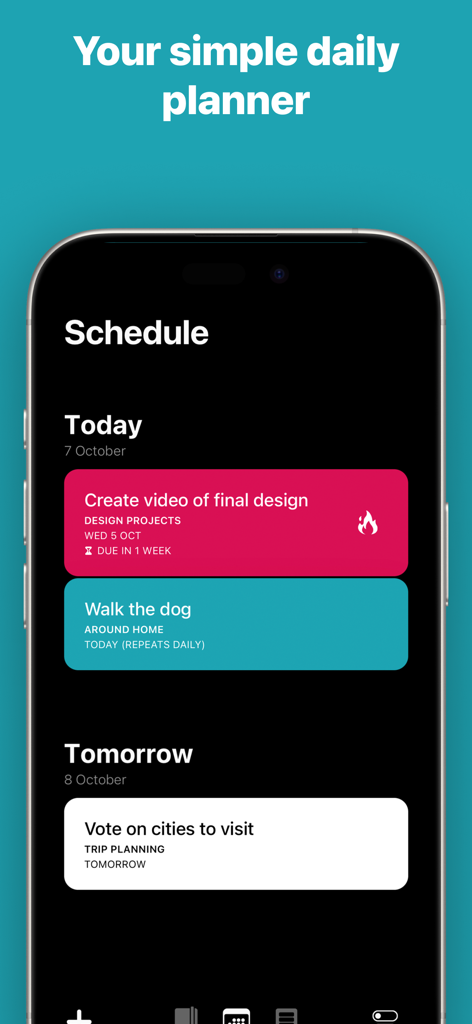
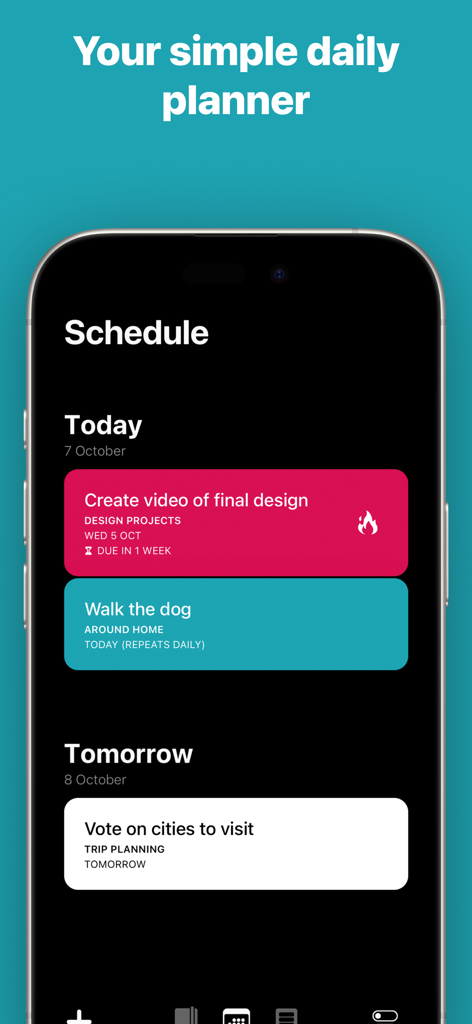
Actions app schedule interface showing color coded task cards for daily planning on an iPhone

Actions app schedule interface showing color coded task cards for daily planning on an iPhone

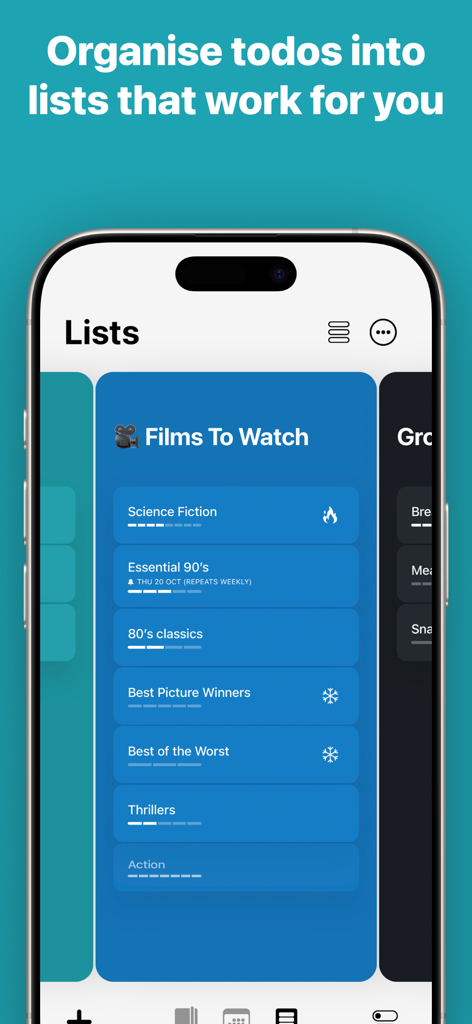
iPhone screenshot of Actions To Do List app showing a movie list organized into digital cards

iPhone screenshot of Actions To Do List app showing a movie list organized into digital cards

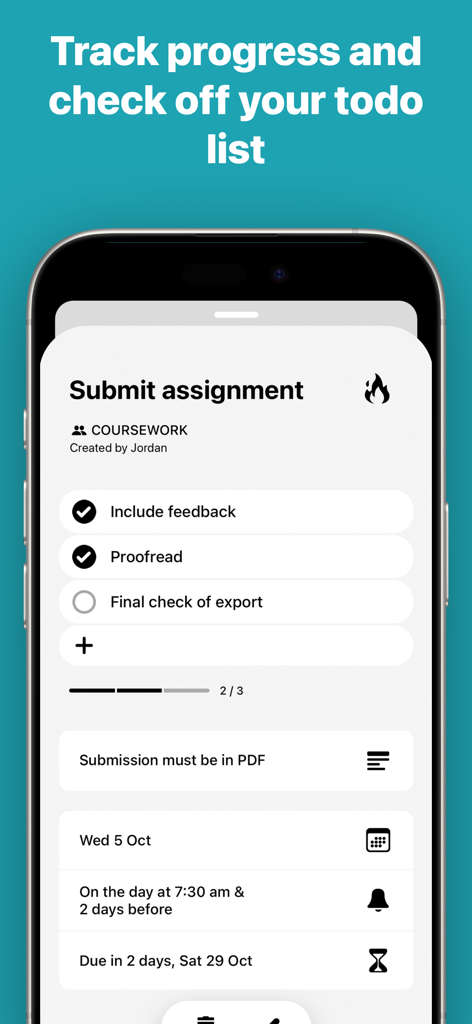
A minimalist task interface in the Actions app showing a checklist for an assignment with a progress bar and reminders.

A minimalist task interface in the Actions app showing a checklist for an assignment with a progress bar and reminders.

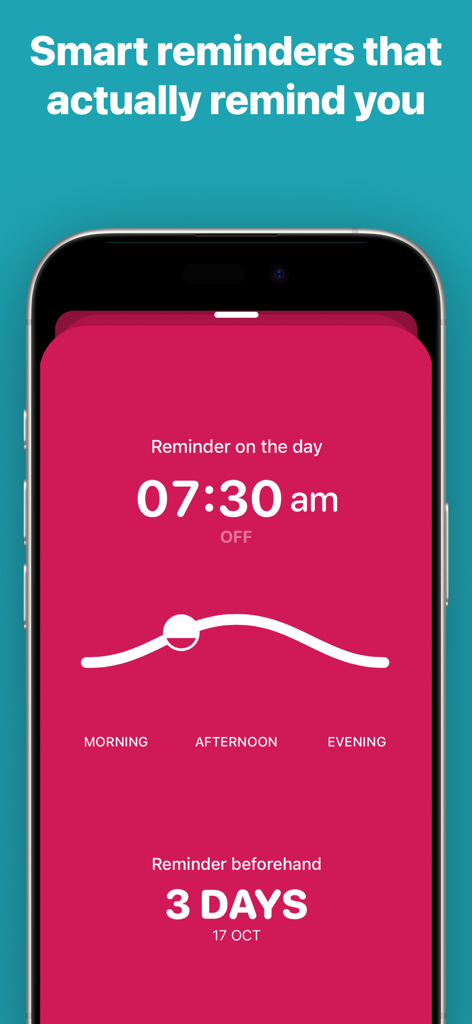
Smart reminder settings screen in the Actions To Do List app showing a pink aesthetic interface.

Smart reminder settings screen in the Actions To Do List app showing a pink aesthetic interface.

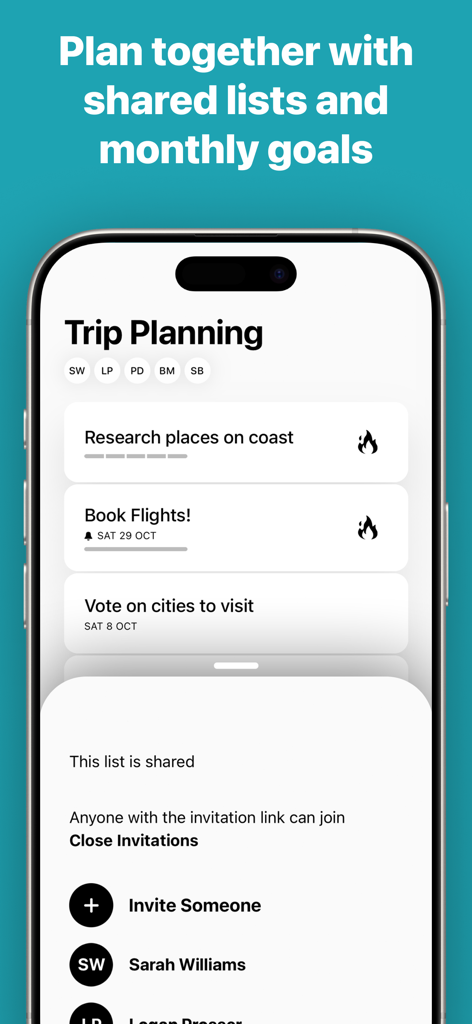
Interface of the Actions to-do list app showing a shared Trip Planning list with collaborators and task cards

Interface of the Actions to-do list app showing a shared Trip Planning list with collaborators and task cards

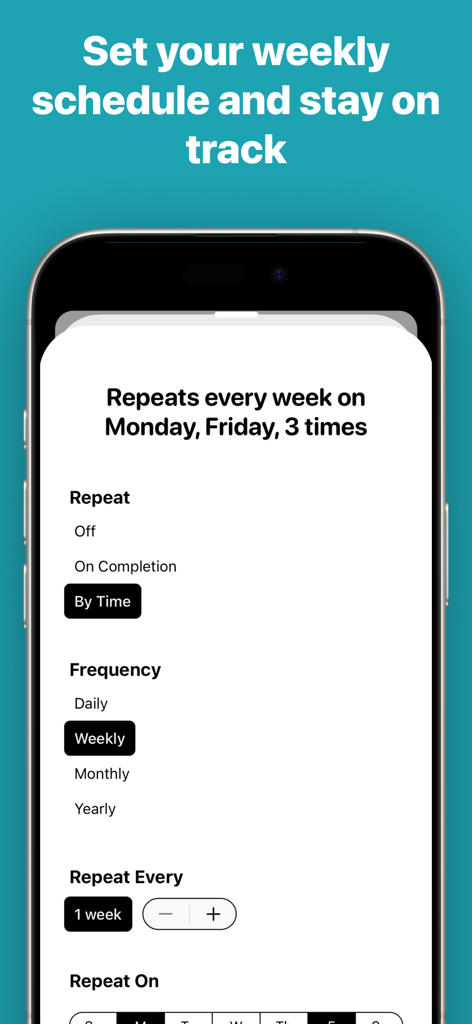
Interface of the Actions app showing settings for recurring weekly tasks and schedule management.

Interface of the Actions app showing settings for recurring weekly tasks and schedule management.

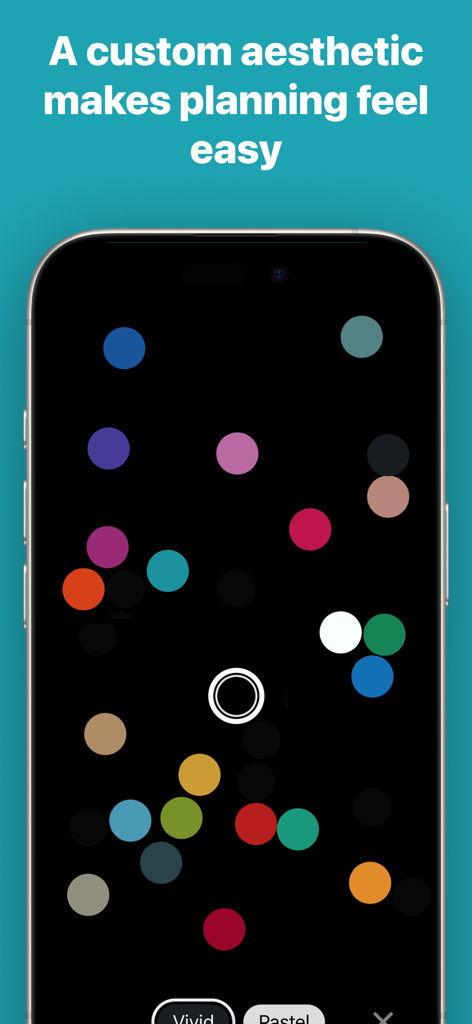
Actions app color customization screen featuring vivid colored dots on a dark minimalist interface

Actions app color customization screen featuring vivid colored dots on a dark minimalist interface

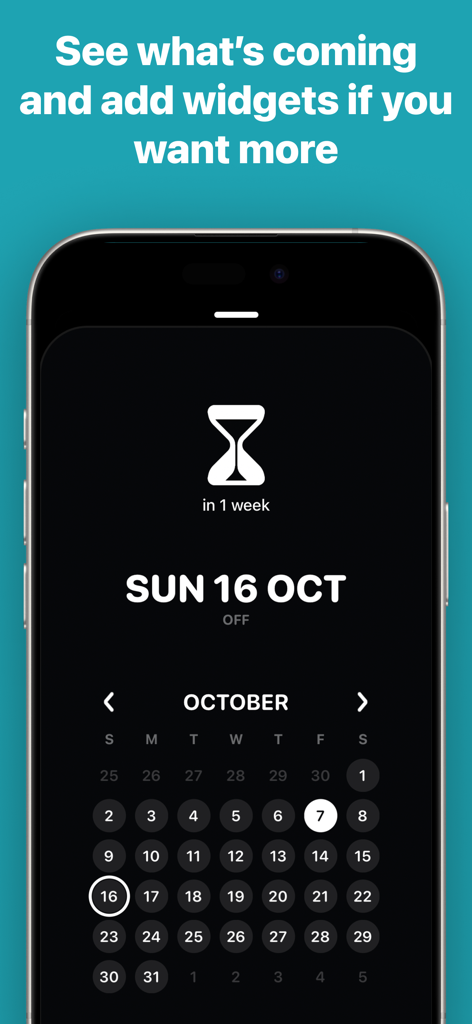
Aesthetic minimalist calendar view in the Actions To Do List app with a dark mode interface.

Aesthetic minimalist calendar view in the Actions To Do List app with a dark mode interface.

A smartphone screen displaying the minimalist schedule view of the Actions to do list app with color coded task cards

A smartphone screen displaying the minimalist schedule view of the Actions to do list app with color coded task cards

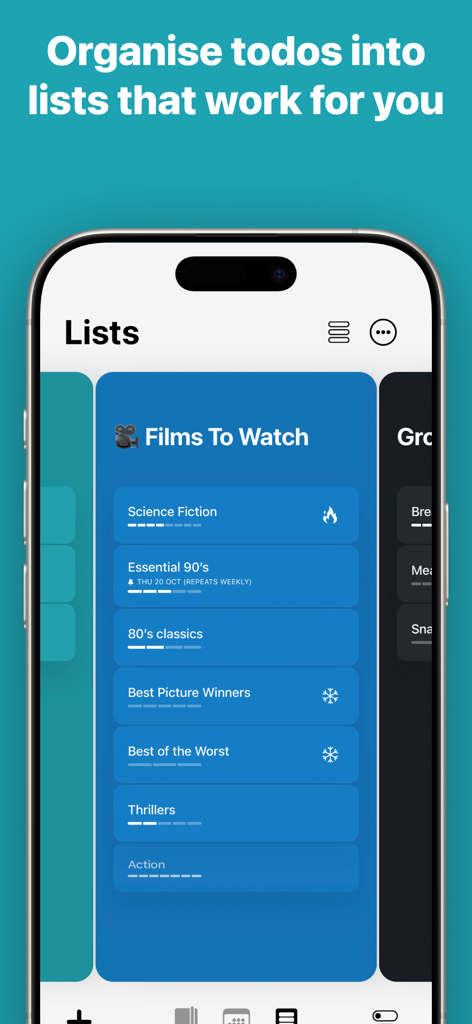
Actions app interface showing a blue card-based list titled Films To Watch with various movie categories

Actions app interface showing a blue card-based list titled Films To Watch with various movie categories

Master Your Day with Elegant Simplicity

The tools that make this app stand out, trusted by 1M+ users.

✍️

Effortless Natural Input

Simply type like you speak. Write "Dinner with the team next Friday at 7pm" and let our smart engine handle the scheduling and reminders automatically.

🎨

Aesthetic Visual Organization

Transform your tasks into beautiful Action Cards. Use custom color-coding and an intuitive card-based layout to turn a messy list into a clear, inspiring roadmap.

Intelligent Digital Wellness

Keep your focus sharp with smart suggestions that prompt you to reschedule or prune outdated tasks, ensuring your interface remains a calm space for productivity.

Loved by users worldwide

Trusted by 1M+ people who love this app.

"

"As a designer who has used physical Moleskine notebooks for years, I was skeptical about going digital. Actions changed everything. The interface is incredibly calm and the natural language input makes brain-dumping my project tasks feel effortless. It is the first to-do app that actually looks as good as it works."

Elena G., Creative Director
"

"Juggling a corporate career and family life means I am always on the move. I rely heavily on the Siri integration and the seamless sync across my Apple devices. Seeing my tasks alongside my calendar events via the Timepage integration has completely transformed how I visualize my day. It is productivity at its most elegant."

Mark S., Senior Tech Lead

About the app

Everything you need to know about Actions: To Do List Organizer.

Description

Keep on top of everything in your head, whether it’s movies to watch or the details of your next big project. Designed for busy people who live by making lists to stay on track at work and home, the digital card based design is a clutter-free way to visualise everything that needs doing. Collect your thoughts in a calm interface with simple natural language like “Water the plants every Saturday” then let Actions take care of reminding you automatically. –––FEATURES––– • Create Action Cards to note things you do not want to forget. • Type naturally like “Post status report every second Friday” and Actions takes care of the scheduling, reminders and notifications. • Drag and drop your Action Cards into custom Lists to organise them intuitively • Colour code each list to further personalise your productivity system • Use the Schedule to see all of the Actions coming up • Swipe on Action Cards to complete them, delete them and set reminders. • Add free-form notes to Action Cards for extra details like phone numbers • Get push notifications, you can quickly choose reminders for the Morning, Afternoon, Evening or custom times • Create repeating actions with advanced rules like “Call Sam every second Tuesday in June” • Automatically and securely sync all of your Actions to the cloud instantly • To keep your lists manageable, Actions will automatically suggest Action Cards that should be rescheduled or deleted • Use the iOS Share extension to bring lists from other apps into Actions easily • Use Siri to manage your actions for hands-free productivity! Actions is a sophisticated app for getting things done, but it’s even more powerful if you have Timepage. With Timepage installed, your calendar events will automatically appear in the Schedule screen in Actions so you can see everything in context. In Timepage, you can see scheduled actions alongside your events. Master your calendar events and your to-dos with the ultimate productivity app duo! –––MEMBERSHIP––– Actions is a membership service with a free trial. Download the app free to try it out without restriction or registration. After the trial period you can choose to purchase a membership which allows unlimited use across all of your devices. Without an active membership, you can still use the app in read-only mode. • Unlimited access on all your devices. • Both monthly and annual options available. Price may vary by location. Subscriptions will be charged to your iTunes Account at confirmation of purchase. Your subscription will automatically renew unless automatic renewal is turned off at least 24-hours before the end of the current period. Your account will be charged for renewal within 24-hours prior to the end of the current period. You can manage your subscriptions and automatic renewal status in Account Settings after purchase. Any unused portion of the free trial peri​od will be forfeited when you purchase a subscription. Privacy Policy: https://bonobolabs.com/privacy Terms of Service: https://bonobolabs.com/terms –––QUESTIONS?––– If you’ve got a question or something isn’t working quite right, you can contact us directly from the Menu > Help > Contact Support. Got a feature idea? Let us know at https://bonobo.canny.io/actions –––THANK YOU––– We have put thousands of hours into creating Actions. We read every single one of your reviews. If you enjoy using Actions please take a minute to leave us a nice review, thank you!

Latest Version

3.9.4

Size

239.6 MB

First Released

Feb 14, 2018

Master your day with refined clarity.

Join the Moleskine Studio community. Start your free trial today and transform your tasks into a beautifully organized, clutter-free schedule.

Download on App StoreDownload on Google Play