Freenotes: AI Notes Taking

Freenotes: AI Notes Taking

Download on App Store
Spark by MWM logo
Logo of Freenotes: AI Notes Taking
Freenotes: AI Notes Taking for the Next-Gen Digital Scholar

Master your exams and professional goals with AI-driven summaries, natural handwriting, and interactive PDF annotation—all in one aesthetic, paperless workspace.

Publisher

Hangzhou Free Notes Technology Co., Ltd

Category

Productivity

Downloads

8M+

User Rating

4.8/5

Total Ratings

553K+

Locales

27

Experience True Paperless Power

Discover the interface used by 8M+ users.
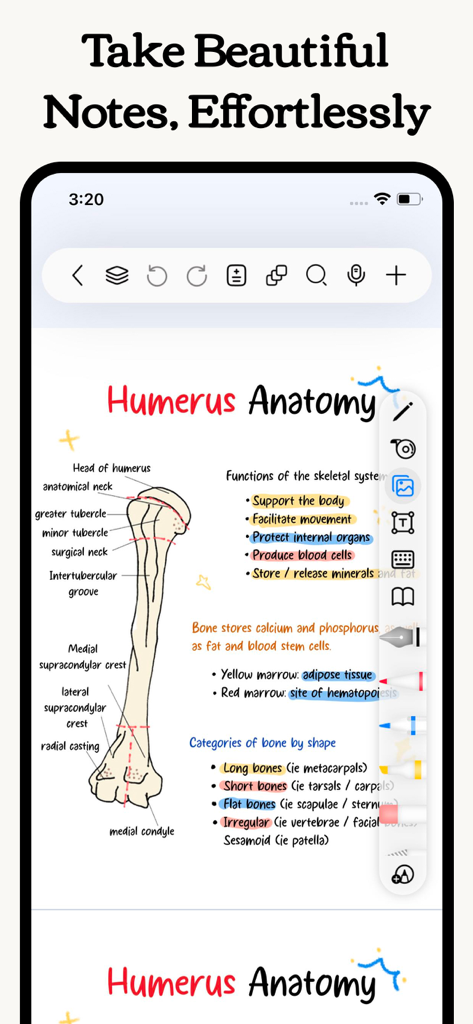
Aesthetic handwritten medical anatomy notes of a humerus bone with colorful highlights and diagrams

Aesthetic handwritten medical anatomy notes of a humerus bone with colorful highlights and diagrams

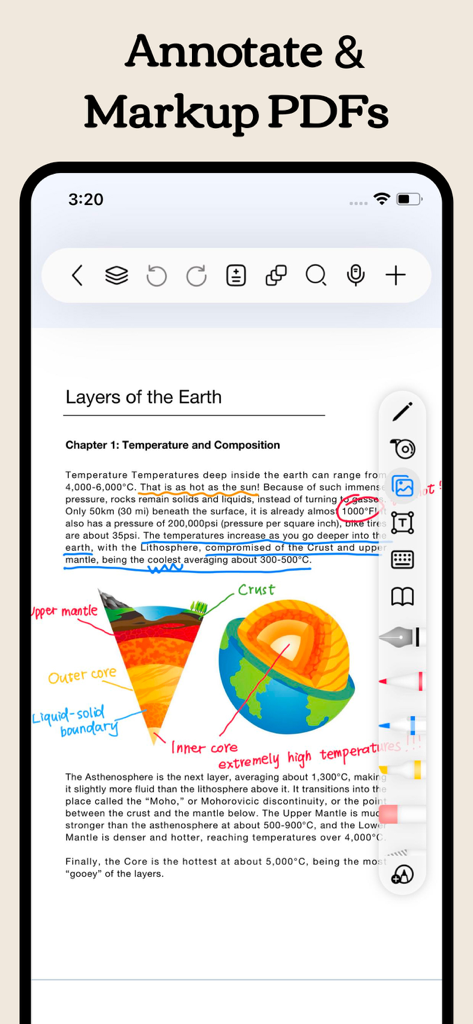
A screenshot of the Freenotes app showing a science PDF being annotated with handwritten notes and highlights

A screenshot of the Freenotes app showing a science PDF being annotated with handwritten notes and highlights

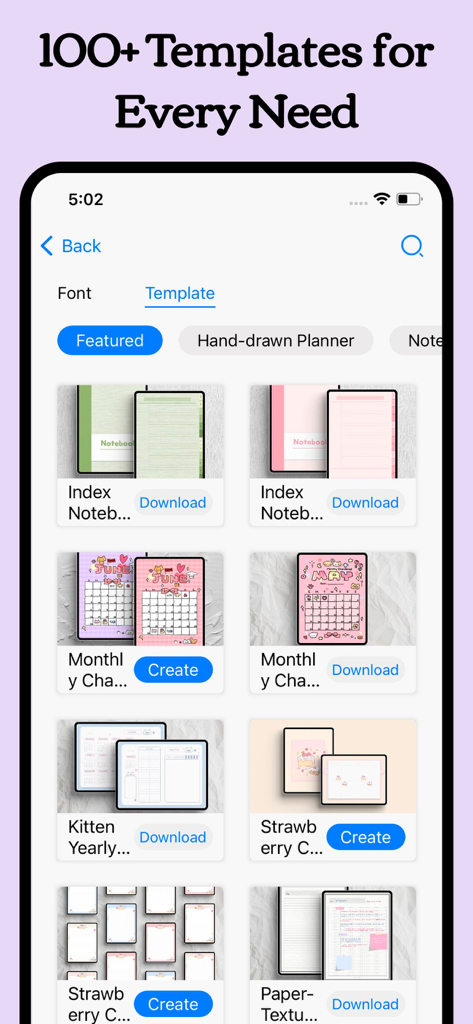
A library showing various aesthetic digital planner and notebook templates within the Freenotes app interface.

A library showing various aesthetic digital planner and notebook templates within the Freenotes app interface.

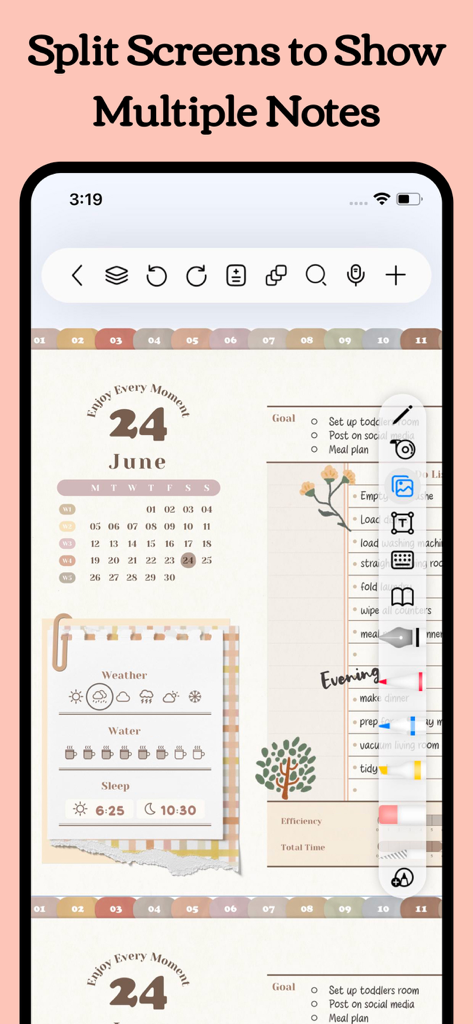
Freenotes app interface displaying split screen functionality with a digital planner and task list

Freenotes app interface displaying split screen functionality with a digital planner and task list

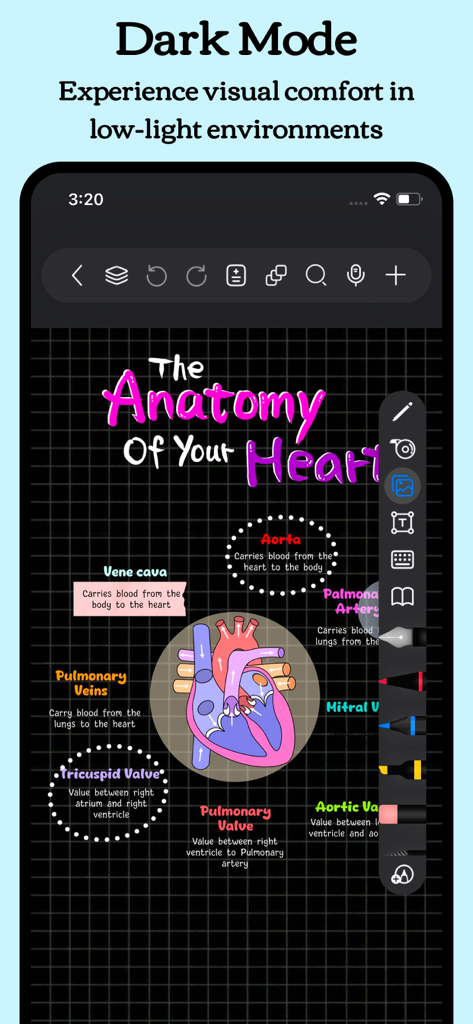
Freenotes app in Dark Mode showing a colorful handwritten heart anatomy diagram on a dark grid background

Freenotes app in Dark Mode showing a colorful handwritten heart anatomy diagram on a dark grid background

Supercharge Your Productivity with AI

The tools that make this app stand out, trusted by 8M+ users.

🪄

AI-Powered Intelligence

Transform long documents into instant summaries and get real-time answers to your questions using our advanced AI assistant.

📺

Integrated Video Learning

Watch lectures in Picture-in-Picture mode while taking notes. Capture screenshots and build your knowledge base without switching apps.

🧠

Built for Active Recall

Ace your exams with the Tape Tool and specialized study modes designed to help you memorize faster and retain more information.

Loved by users worldwide

Trusted by 8M+ people who love this app.

"

"As a nursing student, Freenotes has completely changed how I study. The AI summary feature is a lifesaver for long research papers, and the active recall tape tool makes memorizing anatomy so much faster. I love watching lectures in Picture-in-Picture while taking notes simultaneously—it is the ultimate study setup!"

Sarah J., Medical Student
"

"Finally, a note-taking app that feels professional and smart. The OCR search is incredibly accurate; I can find specific meeting points from months ago in seconds. Plus, using hyperlinked digital planners for my project tracking has streamlined my workflow like never before. It is the most sophisticated tool for my iPad Pro."

David L., Senior Project Manager

About the app

Everything you need to know about Freenotes: AI Notes Taking.

Description

Freenotes: The Ultimate Digital Note-Taking Solution for Study and Work Freenotes lets you experience true paperless learning, combining the pleasure of realistic handwriting with features that boost your study and work efficiency. Whether you're a college student needing PDF annotation or a professional seeking a high-efficiency meeting note tool, Freenotes is the best GoodNotes alternative for a seamless, productive experience across all your devices. AI Integration: Your Smart Study Assistant A handwriting app with built-in AI to summarize long notes or check grammar/spelling in handwritten text? Freenotes is equipped with a powerful AI Assistant designed to optimize your learning and reviewing process: Instant Summaries & Answers: Take a screenshot or upload a document (PDF or photo) to instantly get answers to questions and AI-generated summaries of content. Perfect for quickly understanding long documents or creating study outlines for exams. AI Study Companion: Use the assistant to clarify concepts, define terms, and check your handwritten notes for accuracy, turning passive review into active recall. High-Efficiency Note-Taking & Organization What's a high-quality app to handwrite meeting notes and convert them into searchable text? We focus on helping you solve the pain point of messy, unsearchable notes: Organized and Neat: The folder feature allows you to categorize and organize your notes by projects, courses, or topics, automating the organization of your note library. Quick Search via OCR: No more wasting time searching! Our advanced handwriting OCR (Optical Character Recognition) means you can easily find the specific note or keyword you need, even if it was handwritten. Academic Powerhouse: PDF Annotation & Learning Tools Best iPad note-taking app for college students? Recommend an aesthetic digital planner app for tablets that works with hyperlinked PDFs? Freenotes offers features essential for college students and professionals working with documents: Interactive PDF Annotation: Annotate, mark up, and highlight large PDF files. Select text to translate and look up words directly for more convenient and engaging learning. Hyperlink Support: Create hyperlinked digital planners or study guides that jump to different pages within your notes or to external web pages for easy access to related information. Multitasking & Focus: Master Video Learning "Take notes while watching videos," "Split-screen for courses." Maximize productivity by taking notes while consuming content: Seamless Video Learning: Use Picture-in-Picture (PiP) to take notes while watching online videos (YouTube, lecture recordings), and instantly capture relevant screenshots directly into your notes. Dedicated Course Learning View: Display your handwritten notes or mind maps alongside course content in a specialized split-screen setup for deeper understanding and quick review. Review & Memorization for Active Recall "Helps with active recall," "Exam preparation tool." We provide specific tools proven to aid memory: Active Recall Tape Tool: Use the tape tool to mark key information for memorization and quickly test yourself by toggling visibility—a powerful technique for active recall and exam preparation. Exam Prep Center: Access built-in exam materials, timers, and use in-app layers and split-screen to practice and simulate exams without re-importing files. A True Paper Feel: Natural & Customizable Writing What app has the most natural and lowest-latency writing feel on a tablet? Realistic Pen Strokes: Experience lifelike, low-latency pen strokes on electronic devices by combining handwriting pens, providing the most natural feel for writing on digital platforms. Customization: Create and save custom brushes for quick access. Freenotes now supports the latest features of Apple Pencil Pro. Privacy Policy: https://www.freenotetech.com/policy/ Terms of Service: https://www.freenotetech.com/terms/

Latest Version

3.18.0

Size

481.5 MB

First Released

Sep 5, 2023

Ready to Master Your Productivity with AI?

Join 8 million+ digital scholars and professionals transforming the way they study and work. Download Freenotes today for a smarter, paperless handwriting experience.

Download on App Store
FAQ

Frequently Asked Questions

Everything you need to know about Freenotes: AI Notes Taking

What is Freenotes®: AI Notes Taking?

Freenotes®: AI Notes Taking is a digital note-taking solution combining realistic handwriting with AI features for study and work. It offers PDF annotation, organization, and efficient learning tools across devices.

Can Freenotes AI summarize notes?

Yes, Freenotes AI provides instant summaries of content. Users can take a screenshot or upload documents like PDFs or photos to receive AI-generated summaries and answers to questions.

Does Freenotes convert handwritten notes to searchable text?

Yes, Freenotes converts handwritten notes into searchable text. Its advanced handwriting OCR (Optical Character Recognition) allows users to quickly find specific notes or keywords within their handwritten content.

Can I annotate PDFs in Freenotes?

Yes, Freenotes supports annotating PDF files. Users can annotate, mark up, and highlight large PDF files, and select text for translation or word look-up directly within the app.

Can I take notes while watching videos with Freenotes?

Yes, Freenotes allows users to take notes while watching videos. It utilizes Picture-in-Picture (PiP) for online videos like YouTube, enabling users to capture relevant screenshots directly into their notes.

Does Freenotes have a Dark Mode?

Yes, Freenotes offers a Dark Mode feature. This mode provides visual comfort for users by optimizing the interface for low-light environments.

How does Freenotes help with active recall?

Freenotes assists with active recall using its tape tool. This tool allows users to mark key information for memorization and then test themselves by toggling the visibility of the marked content.