Todoist: To Do List & Calendar

Todoist: To Do List & Calendar

Download on App StoreDownload on Google Play
Spark by MWM logo
Logo of Todoist: To Do List & Calendar

Todoist: Your Second Brain for Work and Life

Turn chaos into clarity with the minimalist task manager designed for high-achievers. Capture thoughts naturally, organize projects visually, and sync everything seamlessly across your Apple ecosystem.

Download on App Store

Publisher

Doist Inc.

Category

Productivity

Downloads

16M+

User Rating

4.8/5

Total Ratings

375K+

Locales

19

Productivity, Simplified

Discover the interface used by 16M+ users.

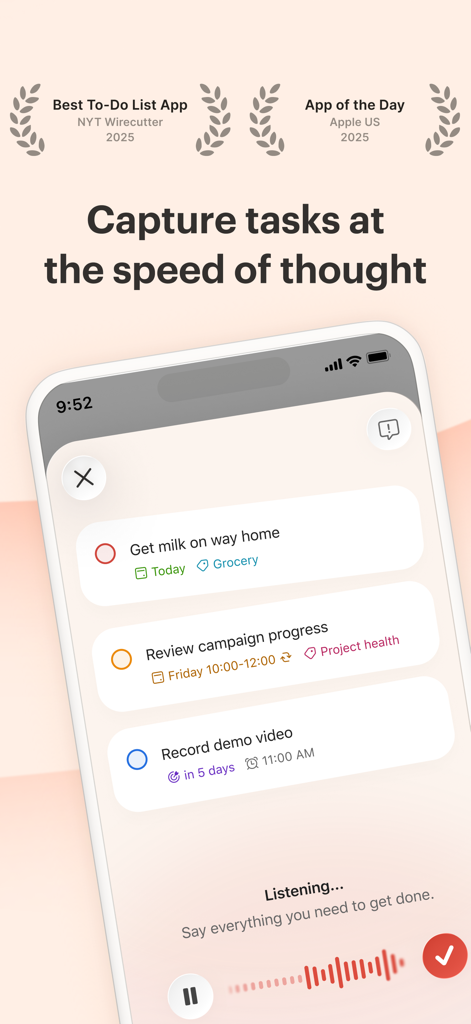
Todoist iPhone app showing voice command task entry and upcoming to-do list items

Todoist iPhone app showing voice command task entry and upcoming to-do list items

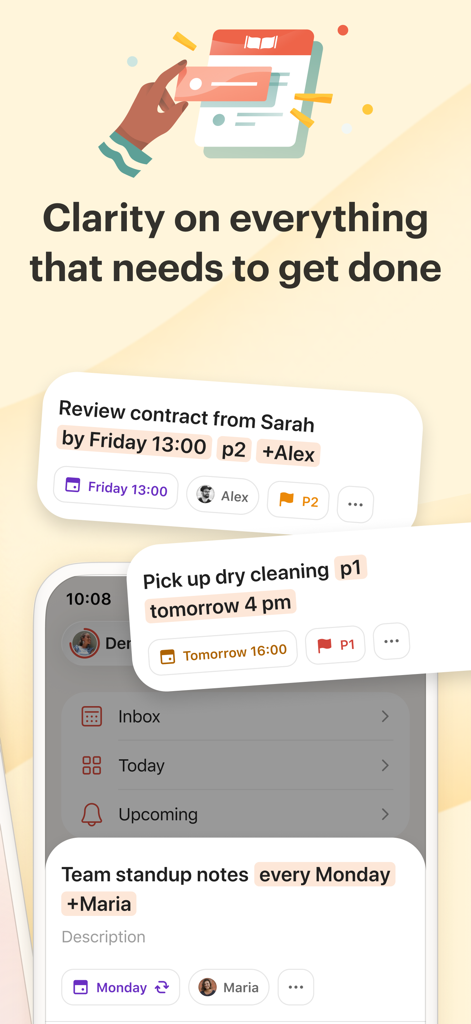
Todoist mobile interface displaying organized tasks for work and personal life with priority labels and due dates

Todoist mobile interface displaying organized tasks for work and personal life with priority labels and due dates

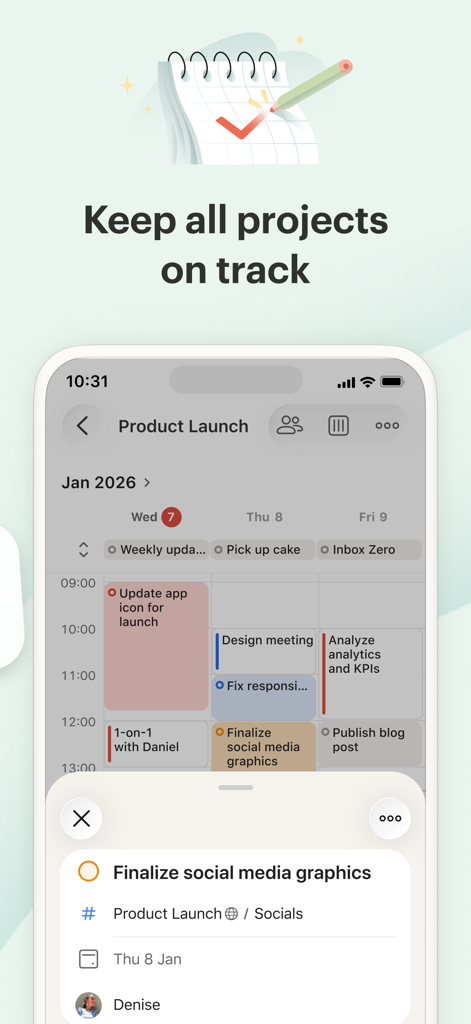
Todoist mobile app calendar view showing scheduled tasks for a product launch project

Todoist mobile app calendar view showing scheduled tasks for a product launch project

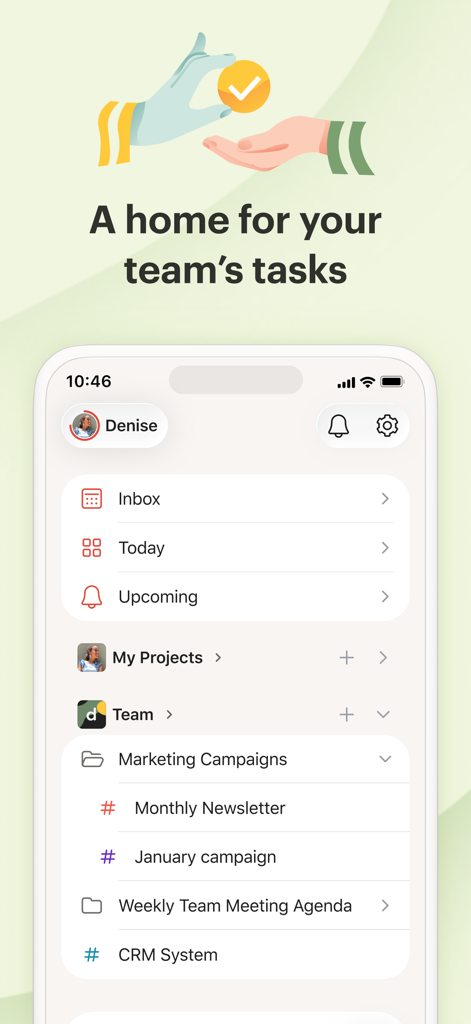
Todoist mobile app interface showing team projects and task lists

Todoist mobile app interface showing team projects and task lists

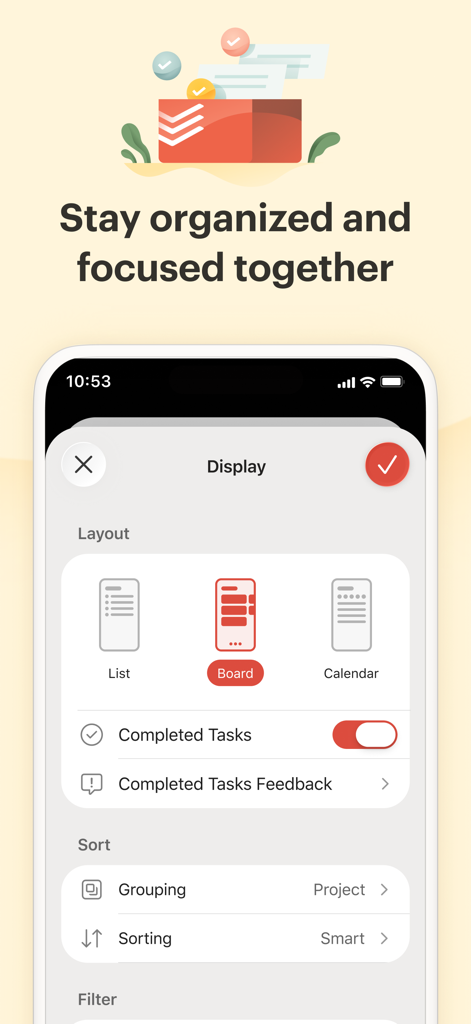
Todoist app interface showing layout customization options for list board and calendar views

Todoist app interface showing layout customization options for list board and calendar views

User testimonial from Sarah Carr about using Todoist for task delegation and leadership

User testimonial from Sarah Carr about using Todoist for task delegation and leadership

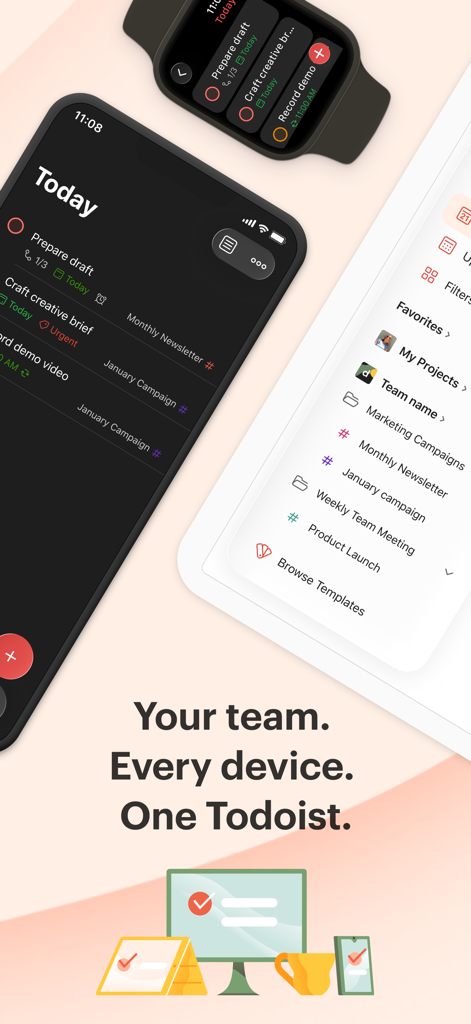
Todoist interface displayed on iPhone Apple Watch and tablet showing cross device task synchronization and team projects

Todoist interface displayed on iPhone Apple Watch and tablet showing cross device task synchronization and team projects

Master Your Day, Stress-Free

The tools that make this app stand out, trusted by 16M+ users.

Lightning-Fast Capture

Offload your brain instantly using natural language. Just type 'Review marketing plan every Friday at 9am' and let Todoist handle the scheduling.

🎯

Work-Life Integration

Manage high-stakes projects and household logistics in one place. Switch between boards for strategy and lists for daily habits without the 'complexity tax'.

Deep Apple Ecosystem Sync

Stay productive on the move. Use Siri, home screen widgets, and your Apple Watch to capture ideas and track progress across all your devices.

Loved by users worldwide

Trusted by 16M+ people who love this app.

"

"Todoist has completely offloaded my mental load. I can just type 'Pick up dry cleaning every Tuesday' or 'Submit quarterly report next Friday at 2pm' and it handles the rest. It is the only tool that keeps my chaotic life as a marketing director and a mom of two in perfect sync across my iPhone and Mac."

Sarah Jenkins
"

"As a freelance designer, I need power without the bloat. Todoist is my second brain. I use the board view for project workflows and Quick Add on my Apple Watch to capture ideas mid-run. It is the perfect bridge between my professional projects and personal goals without feeling like a heavy enterprise tool."

David Chen

About the app

Everything you need to know about Todoist: To Do List & Calendar.

Description

You have enough on your plate without fighting your productivity tools. Todoist is the task manager that bridges personal and professional productivity, without the complexity tax. Join 50 million+ people and teams who trust Todoist as their second brain to organize work, life, and everything in between. → Turn chaos into clarity. Clarity doesn’t come from bloated software with a bunch of bells and whistles; it comes from getting everything out of your head and into a tool that’s easy to set up and easy to use. Todoist helps you organize what matters so you can focus on doing, not configuring. → Capture naturally. Your brain is for having ideas, not holding them. › Ramble to record: Don’t type, talk! Describe your task in natural language, and watch Todoist instantly structure it in the right projects with the right due dates. › Quick Add: The fastest way to add a new task, complete with dates, labels, reminders, and more. Just type "Submit report every Friday at 4pm #Work" and Todoist handles the rest. → Professional power, no overhead. Get the professional tools you need without the "enterprise" learning curve. ▪ Flexible views: View any project as a list for quick scanning, as a board for visual workflow, or as a calendar to plan your week. Switch between views instantly to match how you think and work. ▪ Recurring tasks: Build powerful habits. From "Pay rent on the 1st" to "Team Sync every Monday," never let a commitment slip. ▪ Project clarity: Organize anything from a home renovation to a product launch with sub-tasks and sections. Use labels to filter across projects, and set priorities to focus on what matters. → Lightweight teamwork. Most project tools require an education to use. Todoist is intuitive from day one. + Delegate with Ease: Share projects with anyone, assign tasks, and set deadlines. Everyone sees what to do and when. + Stay in Sync: Real-time comments and file uploads keep communication all in one place, not scattered across emails, text messages, docs, and DMs. → Built For iOS. Add tasks via Siri, check your tasks from your home screen, save links as you browse, and capture ideas from your Apple Watch. Location-based reminders make sure nothing slips through the cracks. → Works Where You Work. Todoist syncs instantly across iPhone, iPad, Apple Watch, Mac, and every other device, browser or email add-on you use. Capture ideas on your phone, plan on your tablet, and execute on your desktop with everything always in sync. – Questions? Visit our extensive help center at todoist.com/help

Latest Version

26.1.11

Size

285.8 MB

First Released

Nov 18, 2012

Ready to Reclaim Your Mental Space?

Join 50 million+ professionals who trust Todoist as their second brain. Download now to offload your mental load and turn daily chaos into absolute clarity.

Download on App StoreDownload on Google Play
FAQ

Frequently Asked Questions

Everything you need to know about Todoist: To Do List & Calendar
What is Todoist?

Todoist is a task manager designed to bridge personal and professional productivity. It helps users organize work, life, and everything in between without unnecessary complexity, serving as a second brain.

Can I use natural language to add tasks in Todoist?

Yes, Todoist supports adding tasks using natural language. Users can speak to record tasks, and the app instantly structures them with correct projects and due dates. Quick Add also uses natural language parsing.

Does Todoist support recurring tasks?

Yes, Todoist allows users to create recurring tasks. This feature is useful for building habits and managing commitments like 'Pay rent on the 1st' or 'Team Sync every Monday,' ensuring nothing is missed.

Can I collaborate on projects with Todoist?

Yes, Todoist facilitates lightweight teamwork by allowing users to share projects, assign tasks, and set deadlines. It also supports real-time comments and file uploads to keep communication centralized.

What devices and platforms does Todoist sync with?

Todoist syncs instantly across various devices, including iPhone, iPad, Apple Watch, Mac, and other platforms. It also integrates with different browsers and email add-ons for comprehensive access.

Does Todoist offer different project views?

Yes, Todoist offers flexible views for projects, including List, Board, and Calendar. Users can switch between these views instantly to match their preferred workflow and thinking style.

How does Todoist help with project management?

Todoist enhances project management with features like sub-tasks, sections, labels for cross-project filtering, and priorities. It allows organizing anything from home renovations to product launches, ensuring clarity.

Does Todoist have specific features for iOS users?

Todoist integrates with iOS features such as Siri for adding tasks, displaying tasks on the home screen, saving links while browsing, and capturing ideas from Apple Watch. It also offers location-based reminders.

How many users rely on Todoist?

Over 50 million people and teams trust Todoist as their task manager. This large user base leverages Todoist as a second brain to organize their work, life, and various commitments.