Noteful: Notes & PDF Markup

Noteful: Notes & PDF Markup

Download on App Store
Spark by MWM logo
Logo of Noteful: Notes & PDF Markup

Noteful: Experience the Fluid Paperless Revolution on iPad

Master your studies and professional projects with natural handwriting, powerful PDF markup, and organized nested tagging—all in one minimalist workspace without subscription fatigue.

Download on App Store

Publisher

Noteful Technologies Ltd

Category

Productivity

Downloads

4M+

User Rating

4.8/5

Total Ratings

140K+

Locales

11

Experience the Flow

Discover the interface used by 4M+ users.
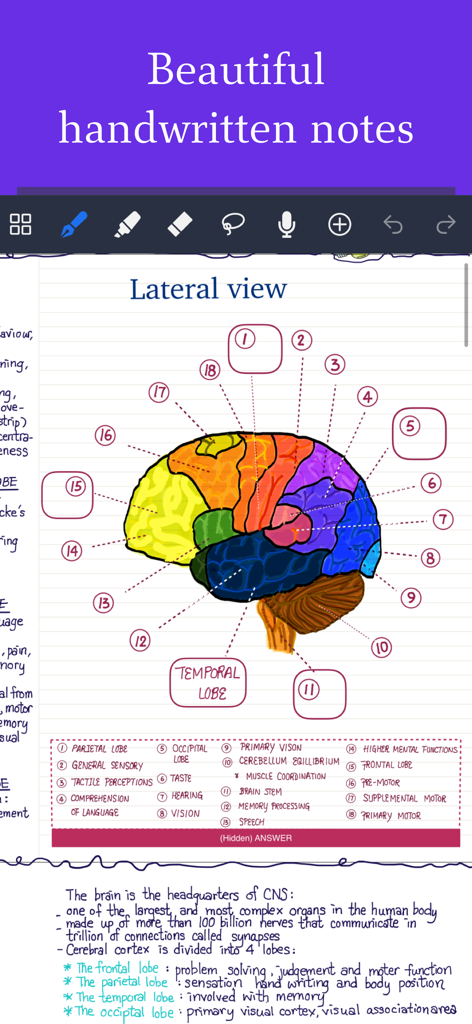
Handwritten study notes featuring a brain diagram on Noteful app

Handwritten study notes featuring a brain diagram on Noteful app

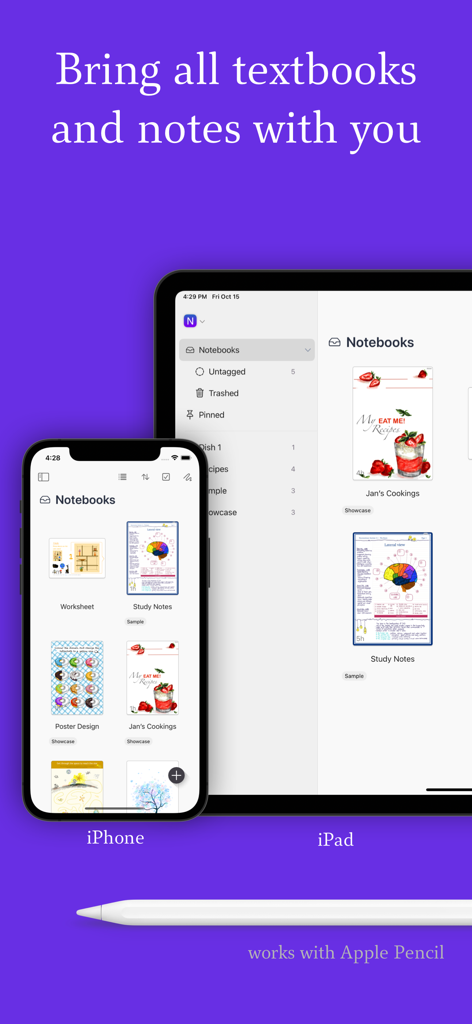
Noteful app library synced across iPhone and iPad with Apple Pencil support

Noteful app library synced across iPhone and iPad with Apple Pencil support

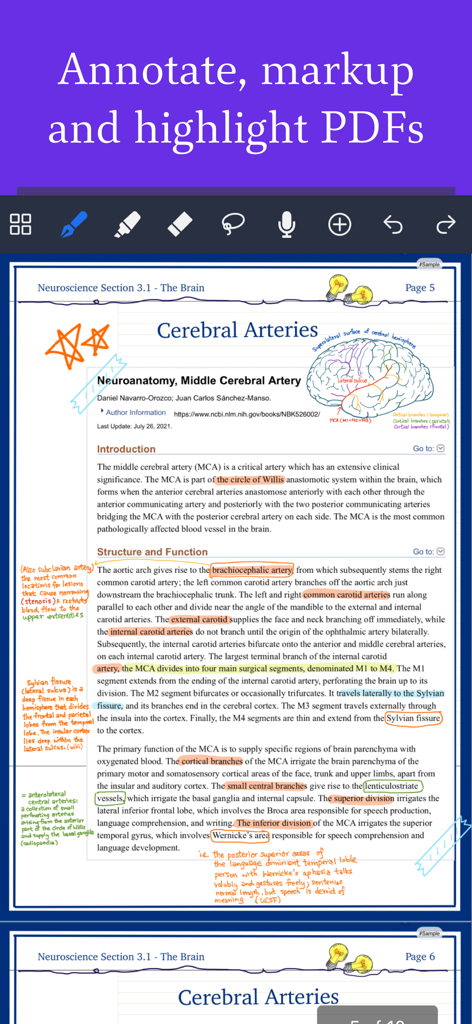
Handwritten notes and highlights on a medical PDF using Noteful on iPad

Handwritten notes and highlights on a medical PDF using Noteful on iPad

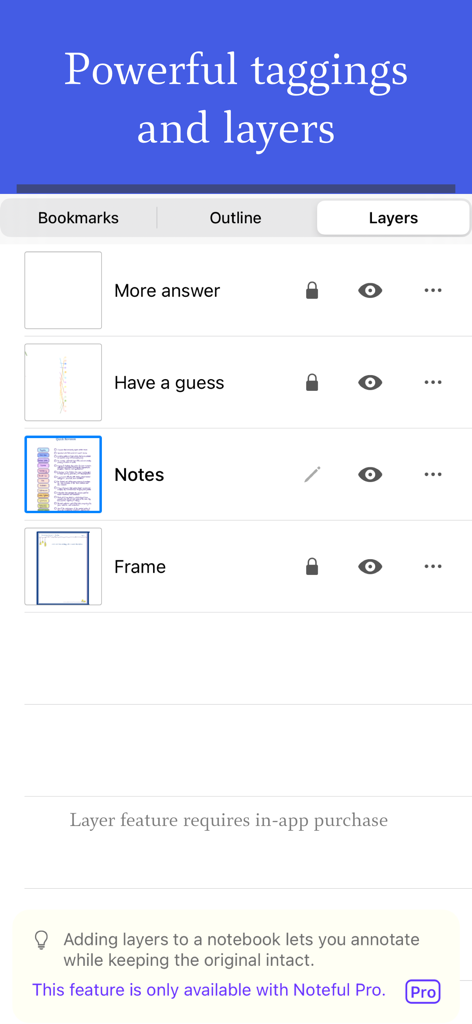
Interface of the Noteful app showing the layers management panel for organizing digital annotations and notes

Interface of the Noteful app showing the layers management panel for organizing digital annotations and notes

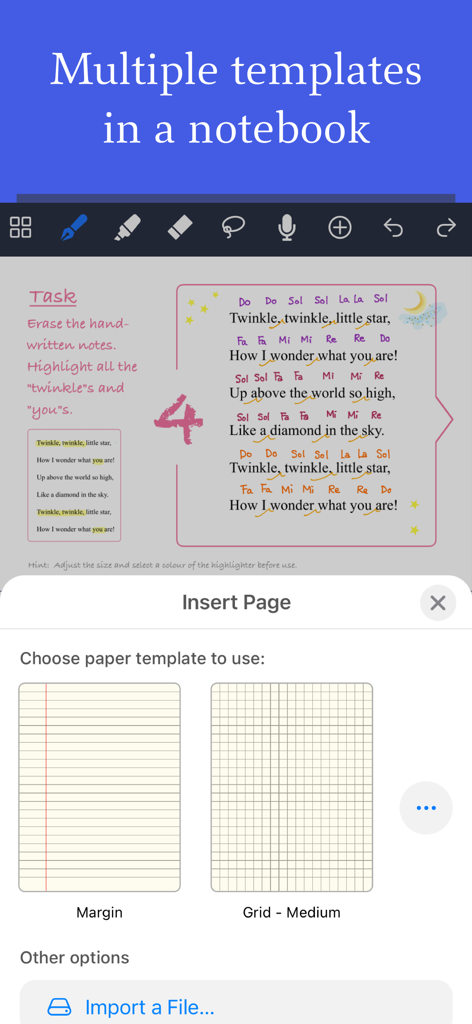
Selecting margin and grid paper templates within the Noteful note taking app on iPad

Selecting margin and grid paper templates within the Noteful note taking app on iPad

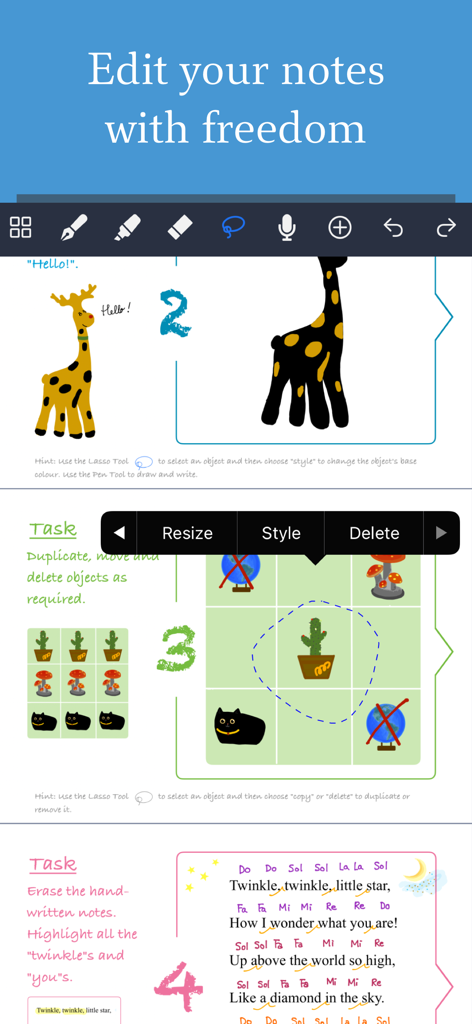
Noteful app interface demonstrating handwriting editing with lasso tool, resizing, and annotation features on iPad.

Noteful app interface demonstrating handwriting editing with lasso tool, resizing, and annotation features on iPad.

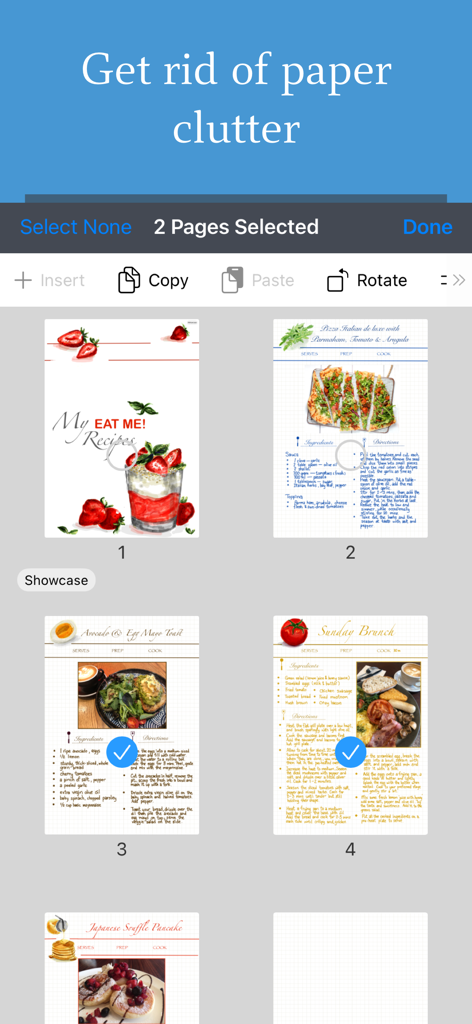
Digital recipe pages being selected and organized within the Noteful app interface

Digital recipe pages being selected and organized within the Noteful app interface

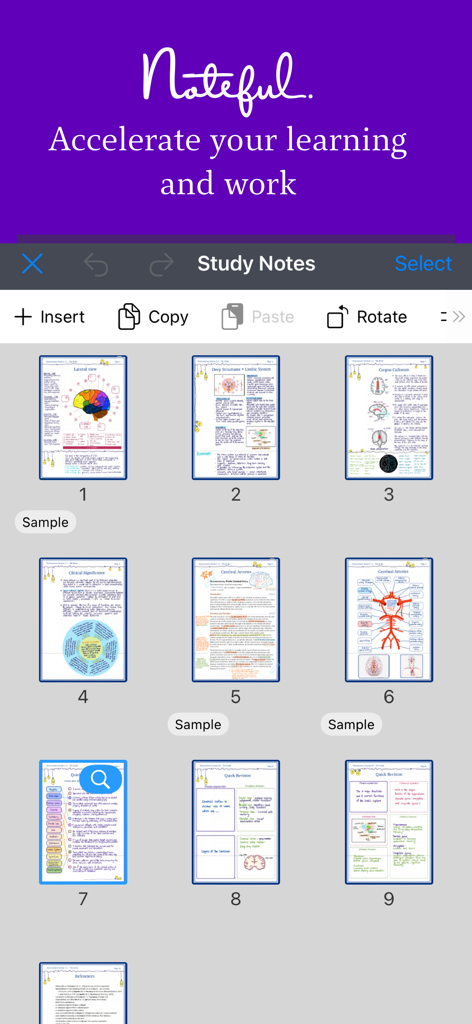
Grid view of digital anatomical study notes in the Noteful app interface

Grid view of digital anatomical study notes in the Noteful app interface

Master Your Knowledge Workflow

The tools that make this app stand out, trusted by 4M+ users.

🖋️

Precision Vector Handwriting

Experience zero-lag, high-resolution strokes with our InfiniteStroke engine. Perfectly optimized for Apple Pencil to make digital writing feel as natural as paper.

📑

Smart Layers for Active Recall

Separate annotations from original PDFs or hide specific layers to quiz yourself. A game-changer for medical, law, and high-stakes academic study.

🏷️

Seamless Nested Tagging

Break free from rigid folders. Use #nested/tags to organize your library by subject, priority, or project, ensuring your personal knowledge system is always searchable.

Loved by users worldwide

Trusted by 4M+ people who love this app.

"

"The layers feature is a game-changer for my med school prep. I use separate layers to create active recall diagrams, hiding my labels while I study and toggling them back to check my work. It is the most fluid handwriting experience I have found on iPad, and the one-time Pro purchase is so much better than being trapped in another monthly subscription."

Elena Rossi, Medical Student
"

"I have tried every note-taking app available, and Noteful’s nested tagging system is the only one that truly keeps my projects organized across multiple clients. Being able to record audio while annotating PDFs has made my meetings twice as productive. It is minimalist, incredibly fast, and exactly what I needed for a professional paperless workflow."

Liam Thompson, Creative Project Manager

About the app

Everything you need to know about Noteful: Notes & PDF Markup.

Description

Noteful is your one-stop note-taking app to experience the new paperless revolution on iPad. Perfect for annotating documents, taking class notes or even building your personal knowledge system. It is time to put aside the paper clutter, as Noteful is a versatile tool that helps you to accelerate your learning and knowledge work. Take Beautiful Handwritten Notes • Natural, fluid and precise handwriting experience • Precise handwriting on iPad with Apple Pencil native support • Custom-built ink engine InfiniteStroke that captures and converts your strokes into high-resolution vector ink • 3 brushes available: ballpoint pen, fountain pen and highlighter • Switch between pen sizes and colours • Recognise geometrical shapes Markup, Highlight, Annotate • Import PDFs, MS Office documents to a notebook • Add images, shapes and typed text to notes • Use multiple paper templates in a single notebook • Export and share handwritten annotations as PDF • Use Quick Create to create a new notebook for quick sketching Powerful Tagging • Organise quickly by tagging with #tag or even #nested/tag anywhere in notebooks • More flexible than folders; Notes can be organised by subjects, by topics or by priorities • Browse notebooks or pages by tags • Rename, delete or re-assign tags to easily re-organise your library Layers in Notebook • Add annotation on separate layers without changing original content* • Hide or show layers independently • Rearrange layers • Make it possible to composite complex layout* All Your Notes, All the Time • Sync to all your iPhone and iPad devices* • Take textbooks, slides, handwritten notes and PDF documents with you wherever you go • Notebooks synced with iCloud are encrypted via account-based keys Powerful Editing • Erase strokes with eraser • Double tap on Apple Pencil to switch to eraser tool • Move and resize annotations with lasso tool • Unlimited undo, redo • Support Split View for multitasking Audio Record Notes • Record audio while you take notes • Audio playback position synced with the notes Modern App Design • A minimalist UI that maximizes content space • Streamlined design that requires fewer taps for common functions • Different orientations are available for the main toolbar • A clean UI that lets you focus on note-taking and the content We will be adding new features so please stay tuned for future updates. — Noteful is free to use without time limit but with certain features (marked with*) only available to users who upgrade to Noteful Pro via In-app purchase. Noteful Pro is available for one-time purchase and the features will be unlocked forever. — If you have support questions or product suggestions, please contact us by support. Wishing you happy note-taking! Customer Support: support@getnoteful.com Privacy Policy: https://www.getnoteful.com/privacy

Latest Version

1.4.32

Size

156.8 MB

First Released

Oct 18, 2021

Ready to Master Your Paperless Workflow?

Join over 4 million students and professionals who have ditched the subscriptions for a smarter way to take notes. Experience fluid handwriting, powerful tagging, and professional layers on your iPad today—for a one-time purchase.

Download on App Store
FAQ

Frequently Asked Questions

Everything you need to know about Noteful: Notes & PDF Markup

What is Noteful?

Noteful is a note-taking app for iPad users. It supports annotating documents, taking class notes, and building personal knowledge systems, aiming to reduce paper clutter and accelerate learning.

Is Noteful free to use?

Yes, Noteful is free to use without a time limit. Certain advanced features, marked with an asterisk (*), require an upgrade to Noteful Pro via an in-app one-time purchase.

How is Noteful Pro purchased?

Noteful Pro is available as a one-time in-app purchase. This unlocks all Pro features permanently, offering a complete set of advanced functionalities for Noteful users.

Does Noteful support Apple Pencil?

Yes, Noteful provides precise handwriting on iPad with native Apple Pencil support. It features a custom-built InfiniteStroke ink engine for high-resolution vector ink.

Can users annotate PDFs in Noteful?

Yes, Noteful allows users to import PDFs and MS Office documents into notebooks for markup, highlighting, and annotation. Users can also export handwritten annotations as PDFs.

How does Noteful organize notes?

Noteful uses powerful tagging for organization. Users can organize notes with #tag or #nested/tag anywhere. This system allows browsing notebooks or pages by tags and offers flexible re-organization.

Does Noteful offer a layers feature for notes?

Yes, Noteful offers a layers feature allowing annotations on separate layers without altering original content. Layers can be hidden, shown, and rearranged. This feature requires Noteful Pro.

Can Noteful sync notes across devices?

Yes, Noteful syncs to all iPhone and iPad devices. Notebooks synced with iCloud are encrypted via account-based keys, ensuring security and accessibility across devices.

Does Noteful support audio recording with notes?

Yes, Noteful allows users to record audio while taking notes. The audio playback position is synced with the notes, providing a comprehensive review experience.

Where can I find Noteful's privacy policy?

Noteful's privacy policy is available on their website. The direct link to access the policy is https://www.getnoteful.com/privacy.