AirDroid Business

AirDroid Business

Download on App StoreDownload on Google Play
Spark by MWM logo
Logo of AirDroid Business

AirDroid Business: Solve Remote Technical Issues Instantly with AR Support

Empower your IT specialists to guide on-site personnel using real-time screen sharing, voice calls, and 3D augmented reality markers to eliminate downtime and travel costs.

Download on App Store

Publisher

SAND STUDIO CORPORATION LIMITED

Category

Utilities

Downloads

1K+

User Rating

1.0/5

Total Ratings

0

Locales

10

The Expert's View

Discover the interface used by 1K+ users.
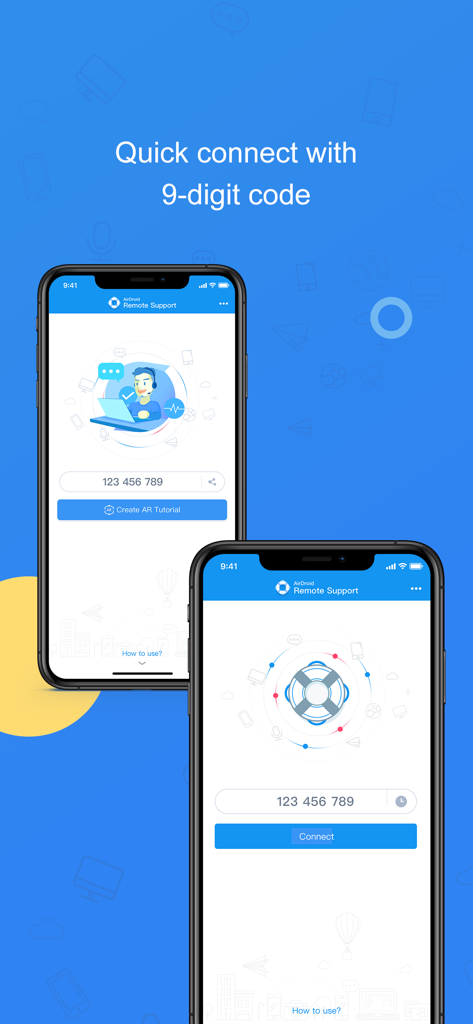
AirDroid Business app screenshot showing the quick connect interface with a 9-digit code.

AirDroid Business app screenshot showing the quick connect interface with a 9-digit code.

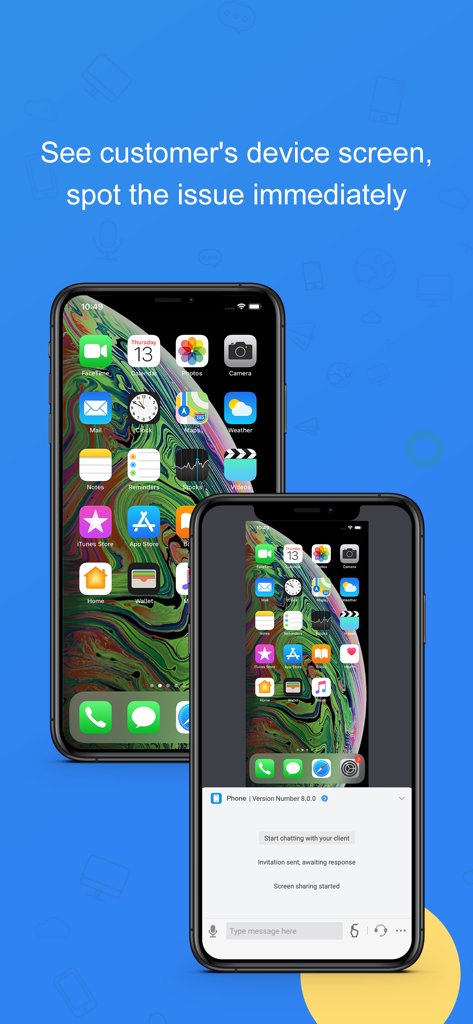
AirDroid Business remote screen sharing for IT support on iPhone

AirDroid Business remote screen sharing for IT support on iPhone

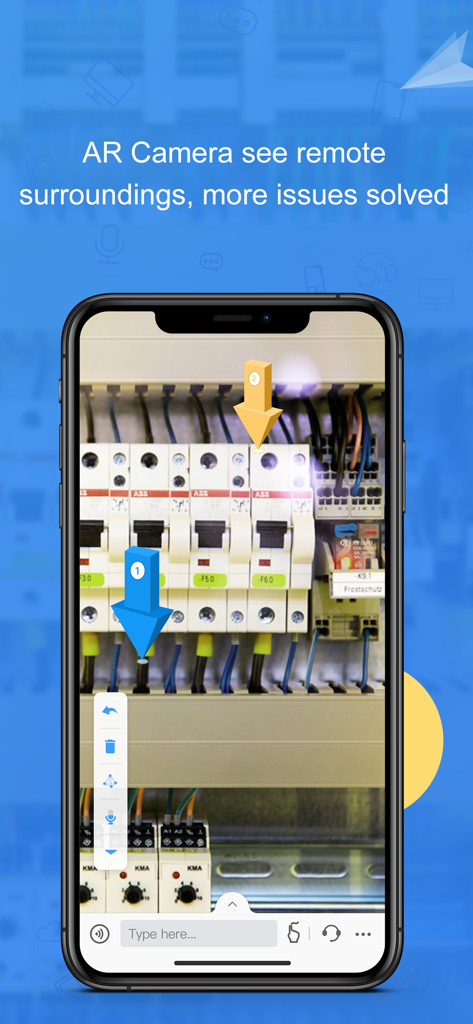
AirDroid Business AR camera view with 3D markers pointing to electrical panel components for remote support.

AirDroid Business AR camera view with 3D markers pointing to electrical panel components for remote support.

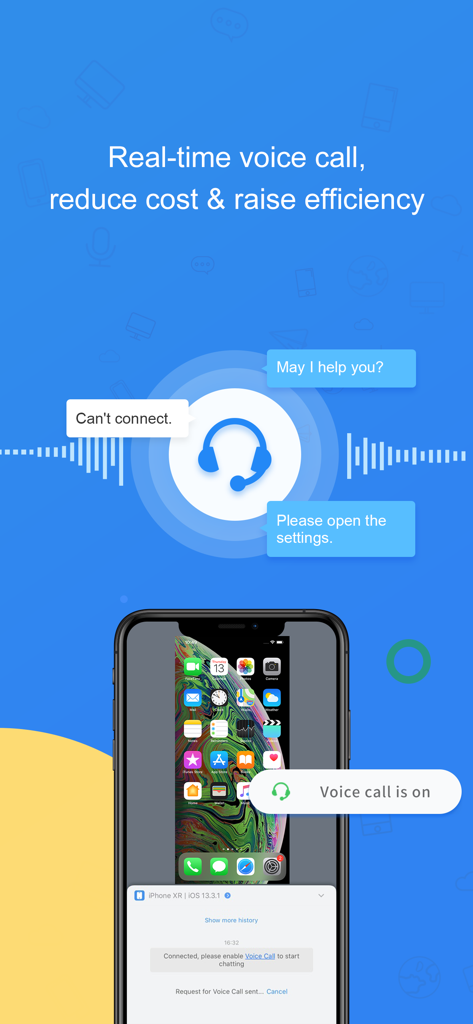
AirDroid Business app interface showing real-time voice call for remote IT support

AirDroid Business app interface showing real-time voice call for remote IT support

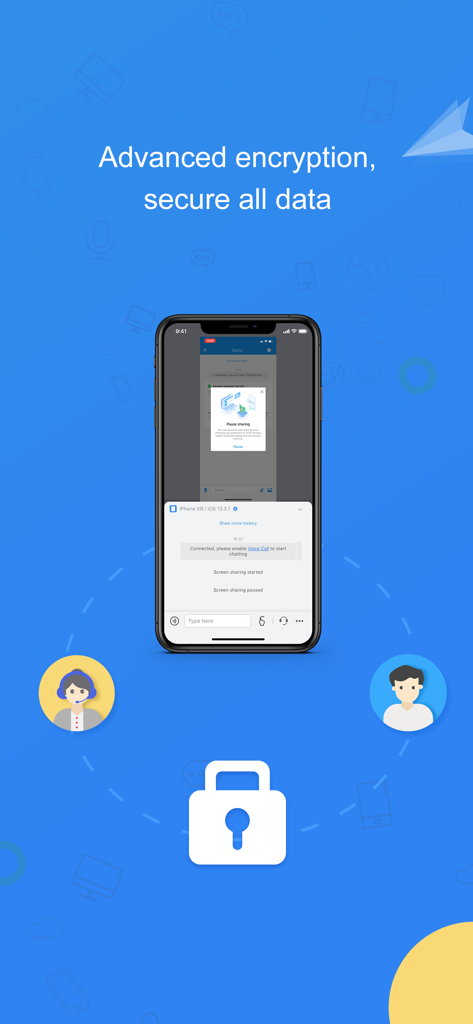
AirDroid Business app interface highlighting advanced encryption and secure data for remote support.

AirDroid Business app interface highlighting advanced encryption and secure data for remote support.

Precision Tools for Modern IT Support

The tools that make this app stand out, trusted by 1K+ users.

🛠️

AR-Powered Visual Guidance

Eliminate the 'visual gap' using the AR camera. See exactly what your on-site personnel see and place 3D markers on physical objects to guide them through hardware repairs in real-time.

👆

Interactive Tutorial Gestures

Bridge the technical divide by performing gestures on your screen that mirror on the remote device. Show customers exactly where to click, reducing cognitive load and accelerating resolution.

📞

Real-Time Voice & Screen Sync

Diagnose issues faster with seamless Screen Sharing and integrated VoIP. Discuss problems as you see them happen, ensuring a higher first-call fix rate and improved service efficiency.

Loved by users worldwide

Trusted by 1K+ people who love this app.

"

"AirDroid Business has been a game-changer for our IT helpdesk. The Tutorial Gesture feature alone has cut our average resolution time by 40%. Instead of spending twenty minutes trying to explain which setting to toggle over the phone, I can just show them on their screen. It is an essential tool for managing our remote team devices without the high travel costs."

Marcus Thompson, Senior IT Specialist
"

"The AR Camera is a lifesaver for our field technicians. When hardware fails at one of our remote kiosks, my lead engineers can place 3D markers in the real world to guide on-site staff through the repair. It has significantly reduced our downtime and saved us thousands in emergency site visits. Highly recommended for any operation with distributed hardware."

Sarah Jenkins, Operations Director

About the app

Everything you need to know about AirDroid Business.

Description

The wide-spreading growth of mobile device brings unprecedented productivity to the enterprise. Nevertheless, it also brings the risk of paralyzing the entire organization when these devices malfunction, system or apps crash. Moreover, the misuse of mobile devices, apps, services from enterprise staff or the customer is also challenging. Mobile devices bring industry niche, yet they put a heavy burden on managing and maintaining as well. On-site service becomes more time-consuming than before, with the entire cost increases. AirDroid Business empowers your technician to spot the problem and instruct the on-site personnel. The Screen Sharing feature lets you see the remote device screen. At the same time, the Voice Call allows you to discuss the problem, and Tutorial Gesture helps guide your customers untangle the mess step by step. The latest feature, AR Camera, presents the on-site issues, especially for hardware, and your technician can indicate the critical points by placing 3D arrows. Lots of communication time saved! Quick guide: 1. Visit our website, sign up to become an AirDroid Business user or free trial user. 2. Download and open AirDroid Business on your phone/tablet. 3. Have your customer download and open AirDroid Remote Support, and tell you the 9-digit Connection Code shown on his/her screen. 4. Enter the code in AirDroid Business, and you will be connected. Features: Screen Sharing See your customer's device screen and quickly spot the issue. AR Camera See what customer sees, guide your customers by placing 3D markers onto real-world objects. Voice Call(VOIP) Make a call to your customer and discuss the problem in real-time. Chat Multiple communication ways are available: texting, sending pictures and voice messages. Tutorial Gesture Your operation will show on the customers' device screen. Easy for your customer to follow and solve the problem.

Latest Version

1.2.1

Size

41.6 MB

First Released

Jun 14, 2020

Ready to Eliminate Costly On-Site Visits?

Join thousands of IT professionals scaling their support operations with AR-powered remote troubleshooting. Start your free trial and solve issues instantly from anywhere.

Download on App StoreDownload on Google Play