Blurrr-Music video editor

Blurrr-Music video editor

Download on App StoreDownload on Google Play
Spark by MWM logo
Logo of Blurrr-Music video editor

Blurrr: Create Viral Velocity Edits and Pro 3D Visuals

Master your flow with custom keyframes, AI matting, and 3D camera functions. The ultimate mobile editor for creators who demand professional-grade effects and perfect beat-sync on the go.

Publisher

TBPS INTERNATIONAL TECHNOLOGY PTE. LTD.

Category

Photo & Video

Downloads

4M+

User Rating

4.6/5

Total Ratings

18K+

Locales

15

VFX Power in Your Pocket

Discover the interface used by 4M+ users.

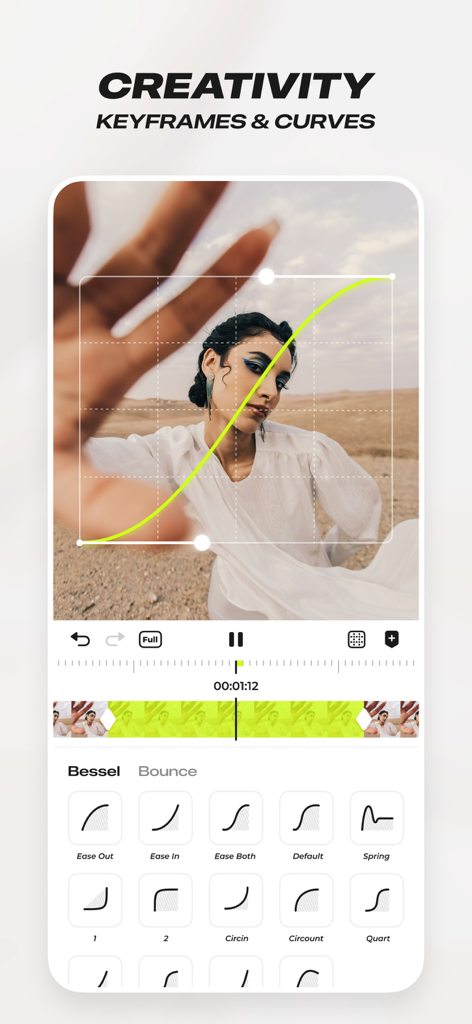
Blurrr app interface showing custom keyframes and animation curves for professional video editing

Blurrr app interface showing custom keyframes and animation curves for professional video editing

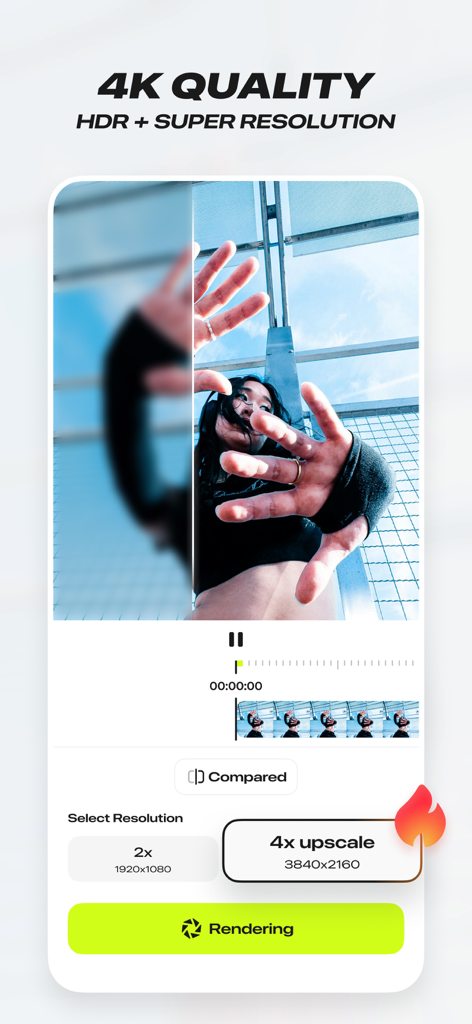
Blurrr app interface showing 4K HDR and super resolution video upscaling feature

Blurrr app interface showing 4K HDR and super resolution video upscaling feature

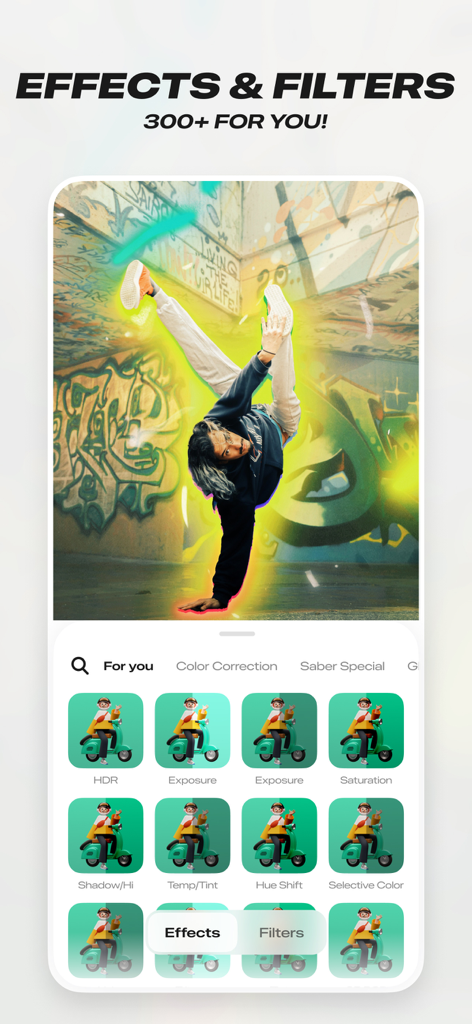
Interface of the Blurrr app showing over 300 effects and filters with a glowing aura effect on a breakdancer

Interface of the Blurrr app showing over 300 effects and filters with a glowing aura effect on a breakdancer

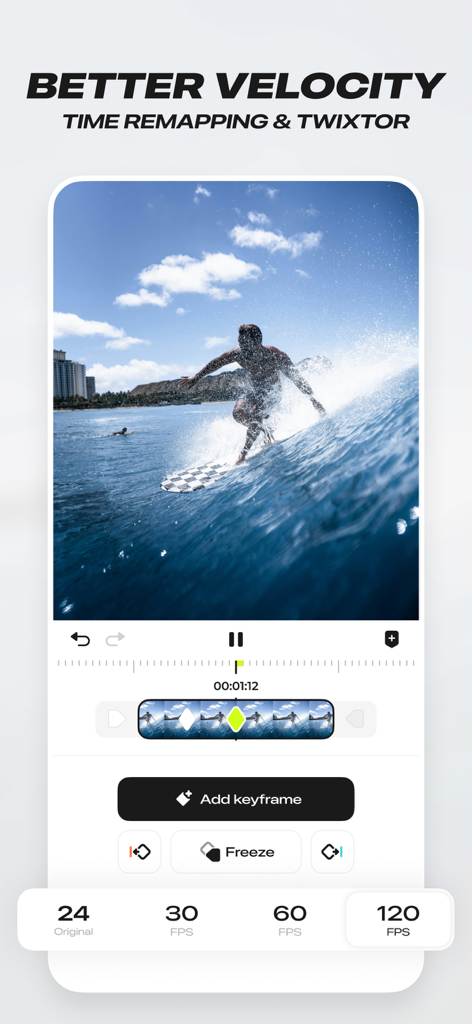
Blurrr app interface demonstrating time remapping and velocity features for video editing

Blurrr app interface demonstrating time remapping and velocity features for video editing

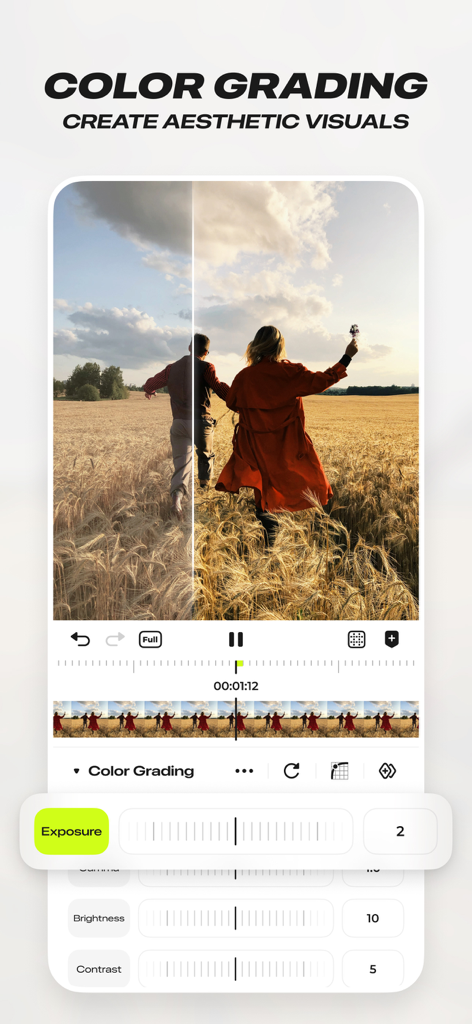
Professional color grading interface in Blurrr music video editor showing exposure and contrast controls

Professional color grading interface in Blurrr music video editor showing exposure and contrast controls

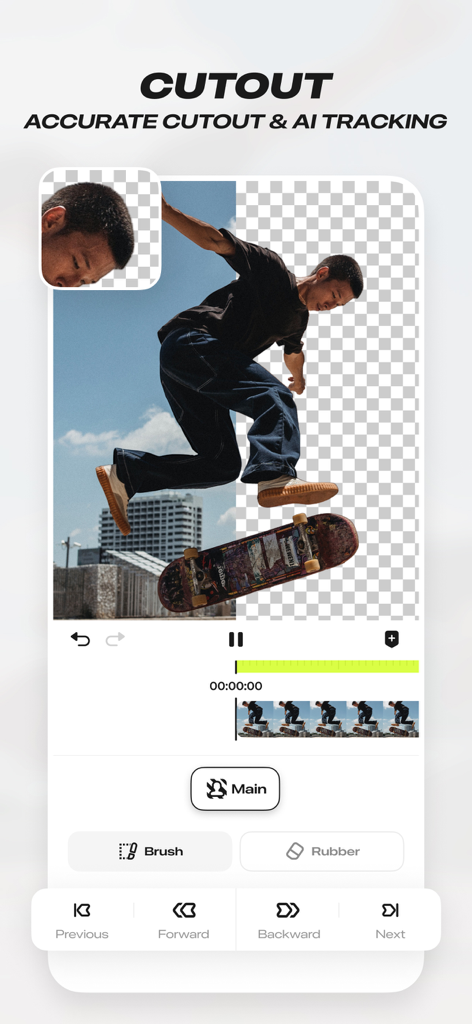
Mobile app interface of Blurrr-Music video editor showcasing the AI cutout and accurate tracking tool with a skateboarder being separated from the background.
Mobile app interface of Blurrr-Music video editor showcasing the AI cutout and accurate tracking tool with a skateboarder being separated from the background.

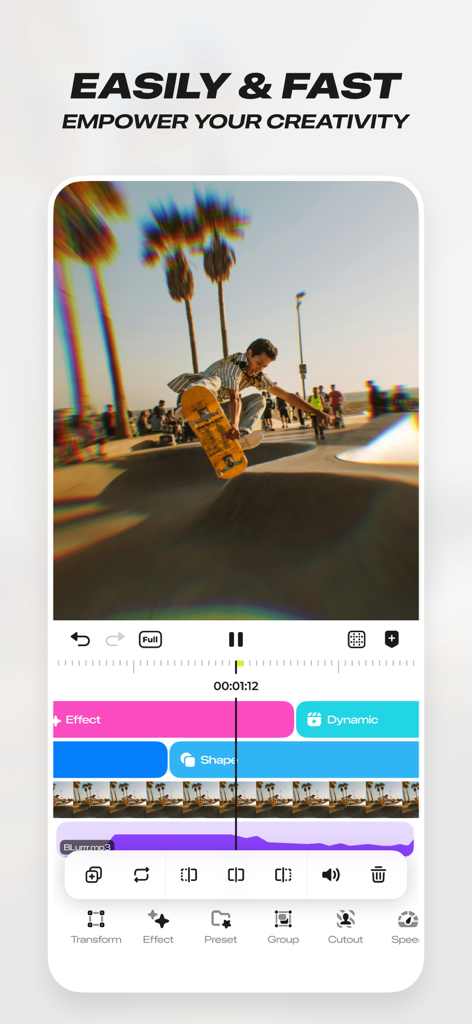
Interface of the Blurrr music video editor showing a skateboarding video clip with multiple editing layers and effects

Interface of the Blurrr music video editor showing a skateboarding video clip with multiple editing layers and effects

Level Up Your Content

The tools that make this app stand out, trusted by 4M+ users.

Master Viral Velocity

Sync your clips perfectly to the beat with advanced time-remapping and smooth curve presets for that perfect viral flow.

📈

Precision Keyframe Editing

Experience total creative freedom with custom curves and multi-layer mixing to create animations that rival desktop software.

Epic 3D & AI Effects

Go beyond 2D with immersive particles, 3D camera movements, and instant AI-powered background removal for stunning VFX.

Loved by users worldwide

Trusted by 4M+ people who love this app.

"

"I've tried every editing app out there for my anime fan edits, but nothing compares to Blurrr's velocity tools. The keyframe curves are so smooth, and being able to sync beats perfectly with one click is a total game changer. It literally looks like I used After Effects on my iPhone!"

Mia J., Digital Content Creator
"

"As someone who creates high-level gaming montages, the 3D camera and particle functions in Blurrr are insane. The AI matting is the best I've seen on mobile—it saves me hours of manual masking. If you're serious about your social media presence, this is the only app you need."

Alex VFX, Gaming Influencer

About the app

Everything you need to know about Blurrr-Music video editor.

Description

BLURRR, the new gen video editor, professional effect and animate video editor. It's easy to use and powerful, with not only great effects and rich presets, but also HD quality. Whether you are a professional video editor or a beginner, you can easily use it for video editing. ●Highly Enjoyable and Smooth & Simple Velocity Feature● Using Timeremap feature to help you edit viral velocity videos. Through automatically marking the beats and moving the keyframes, you can easily complete the synchronization of music and images and use graphs presets to achieve more time-saving video production. •[One-click Application of Massive Templates] Blurrr provides you with a vast array of templates, where you can freely choose from options like •[FREE TRACK LAYER MIX] Mix multiple video, audio, and image layers together to achieve a more diverse video effect. You can also mix multiple materials and effects together to create richer visual effects and make your video more vivid and interesting. •[CUSTOM KEYFRAMES and CURVES] With custom keyframes and curves, you can completely control the changes and animation effects in the video. Use keyframes and curve functions to make your video more vivid and interesting, and unleash your creativity. •[RICH and HIGH QUALUTY EFFECTS] Over 140 special effects and nearly 100 filters are carefully crafted by a team of visual effects experts to make your videos cooler and more interesting. Use the special effects and filter functions to make your video more outstanding and leave a deep impression on your audience or fans. Supports layer adjustment, creating multiple special effects and multiple filters within the same track, and freely arranging their layer order. •[AI INTELLIGENT MATTING] Use the intelligent matting function to get rid of background restrictions and make your creation more free. The intelligent matting function allows you to easily achieve matting and make your video more stunning. •[3D & CAMERA function] Supports 3D and camera functions, making your video more three-dimensional and interesting. No matter if you are making a 3D tunnel, 3D conveyor belt, 3D cube, or even building VFX, I, Blurrr, can handle it. Use 3D & camera functions to make your creation more realistic and immersive for your audience or fans. •[3D Particle] Whether it’s the brilliant blooming of dreamy fireworks or the overflowing passion of realistic flames; whether it’s the warmth and tranquility of fluttering snowflakes or the depth of the romantic starry sky, everything is possible and within reach. •[Text Animation Presets] Text Animation Presets In Blurrr, you can freely edit text layout, text styles, and text animations, and you’re provided with a wide range of presets to easily access with just one click. •[Shape Pen Tool Shape Pen Tool A true vector pen drawing tool, which allows you to create various shapes through path points, and supports high freedom editing with keyframes. It also comes with a large collection of shapes for one-click graphic animation creation. ●Follow us: Tiktok / YouTube / Instagram: Search Blurrr App Discord invite: JVWdwaTa If you have any questions or suggestions, please feel free to contact my creators! ●Subscription Service Statement● 1. Service name: Yearly VIP, Yearly SVIP 2. Payment will be charged to AppleID at confirmation of purchase. Subscription automatically renews unless auto-renew is turned off at least 24-hours before the end of the current period. To cancel renewal, manually turn off automatic renewals in AppleID setup 24 hours before the current subscription period expires. 3. You can suspend or terminate this service by: Goto iPhone Settings -> Apple ID -> Subscribe to cancel the subscription. 4. Service Statement Privacy policy: https://blurrr.saladvideo.com/privacy.html?lang=en User agreement: https://blurrr.saladvideo.com/user.html?lang=en Subscription Notice: https://blurrr.saladvideo.com/vip.html?lang=en

Latest Version

2.3.56

Size

423.2 MB

First Released

Dec 22, 2021

Ready to Lead the Next Trend?

Join 4M+ creators using professional keyframes, 3D particles, and viral velocity to dominate every feed. Bring After Effects power to your pocket and start creating today.

Download on App StoreDownload on Google Play
FAQ

Frequently Asked Questions

Everything you need to know about Blurrr-Music video editor

What is Blurrr-Music video editor?

Blurrr is a professional video editor designed for both beginners and experts, offering advanced effects, rich presets, and HD quality for video editing. It includes features like keyframes, curves, and velocity editing.

Does Blurrr app support 4K video editing?

Yes, Blurrr-Music video editor supports 4K quality with HDR and Super Resolution. Users can upscale videos to 4x (3840x2160) during rendering.

How can I create velocity edits in the Blurrr app?

The Blurrr app features a Timeremap function for velocity videos. It automatically marks beats and moves keyframes, allowing users to synchronize music and images with graph presets.

Can I use custom keyframes in Blurrr-Music video editor?

Yes, Blurrr provides custom keyframes and curves, giving users complete control over animation effects and changes within their videos. This allows for dynamic and creative editing.

How many effects and filters does the Blurrr app offer?

The Blurrr app offers over 140 special effects and nearly 100 filters. These are crafted by visual effects experts to enhance videos and leave a strong impression.

Does Blurrr offer AI background removal?

Yes, Blurrr-Music video editor includes an AI Intelligent Matting function. This feature allows users to remove backgrounds easily, providing freedom in creative video production.

How can I apply 3D effects in the Blurrr app?

The Blurrr app supports 3D and camera functions to create three-dimensional videos. It can handle various 3D constructions like tunnels, conveyor belts, cubes, and VFX to enhance realism.

What are the subscription options for Blurrr-Music video editor?

Blurrr offers subscription services named Yearly VIP and Yearly SVIP. Payment is charged to the AppleID, and subscriptions auto-renew unless turned off 24 hours prior to the current period's end.

Is it possible to mix multiple layers in Blurrr for video editing?

Yes, Blurrr features a FREE TRACK LAYER MIX function. This allows users to combine multiple video, audio, and image layers, creating diverse and rich visual effects.

How do I cancel my Blurrr app subscription?

To cancel a Blurrr subscription, users must manually turn off automatic renewals in Apple ID settings 24 hours before the current period expires. Navigate to iPhone Settings > Apple ID > Subscribe.

Does Blurrr provide text animation presets?

Yes, Blurrr offers Text Animation Presets. Users can edit text layout, styles, and animations freely, with a wide range of presets available for one-click application.