Node Video

Node Video

Download on App StoreDownload on Google Play
Spark by MWM logo
Logo of Node Video

Node Video: Professional Motion Graphics & VFX in Your Pocket

Experience the power of desktop-grade editing with limitless layers, precise keyframe animation, and AI-driven tools designed for creators who refuse to settle for basic.

Publisher

小为 罗

Category

Photo & Video

Downloads

5M+

User Rating

4.7/5

Total Ratings

64K+

Locales

2

The Pro Editor’s Canvas

Discover the interface used by 5M+ users.
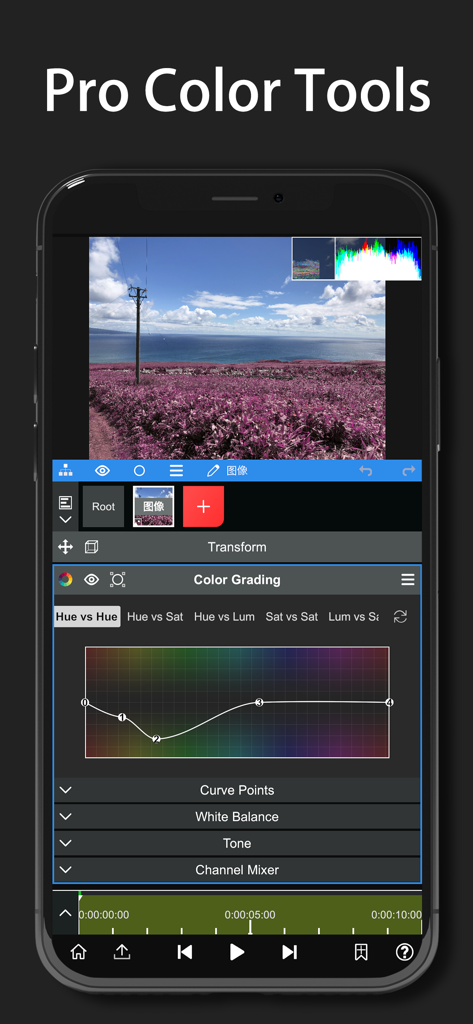
Node Video app interface showing professional color grading tools and curves on a smartphone

Node Video app interface showing professional color grading tools and curves on a smartphone

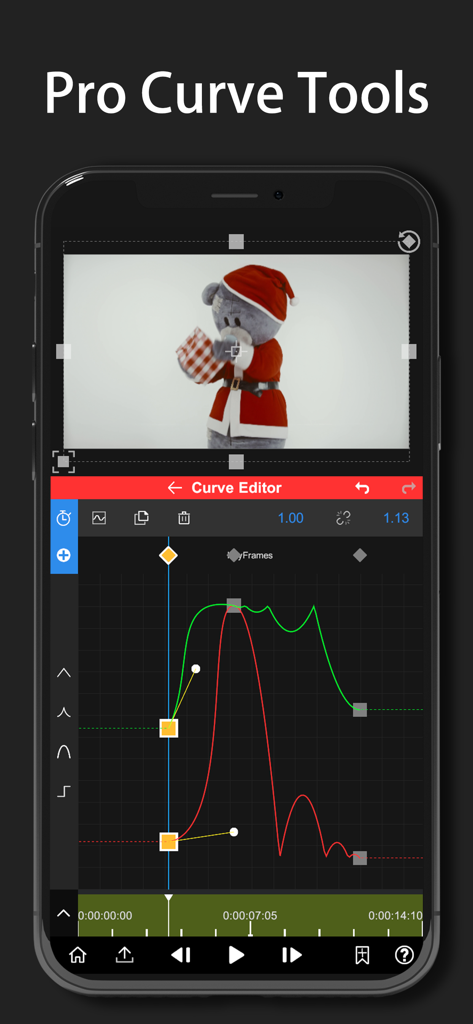
Node Video app interface showing professional curve tools for precise motion graphics and keyframe editing on a smartphone

Node Video app interface showing professional curve tools for precise motion graphics and keyframe editing on a smartphone

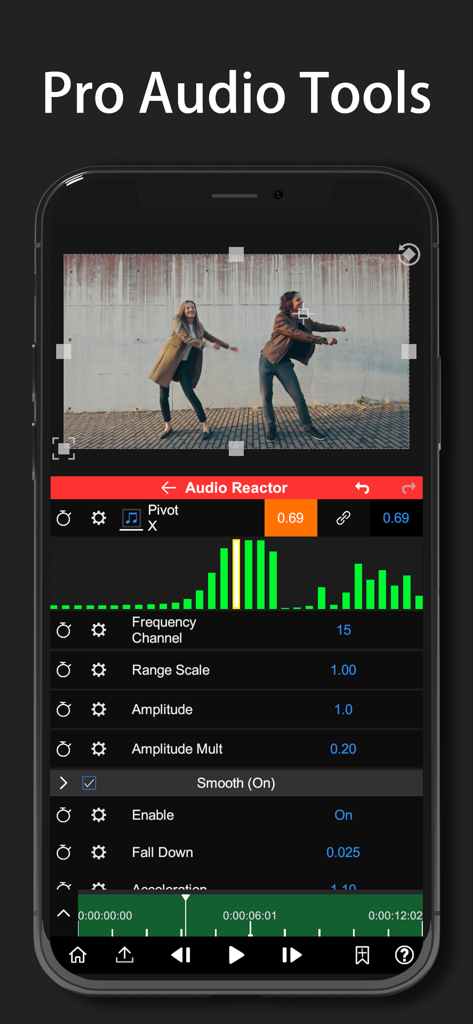
Node Video app interface showing the Audio Reactor tool with a music spectrum visualizer

Node Video app interface showing the Audio Reactor tool with a music spectrum visualizer

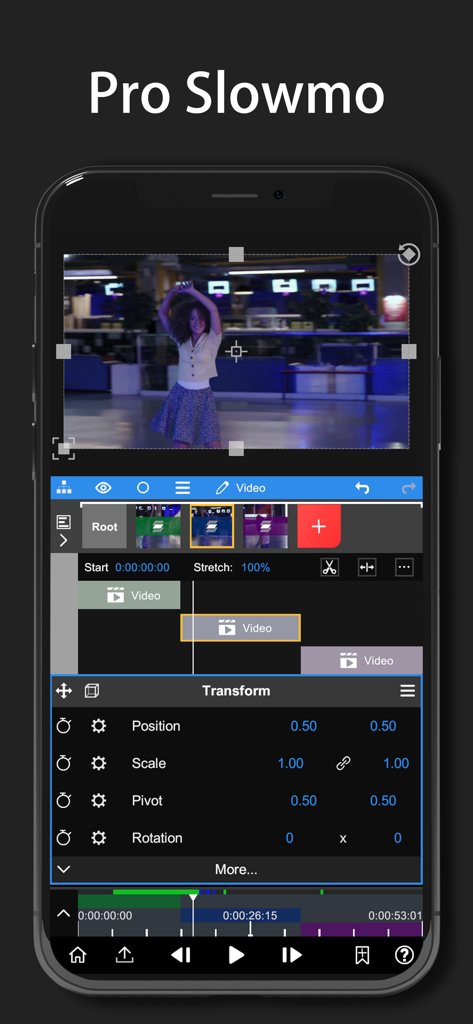
Node Video app interface showing Pro Slowmo editing with timeline layers and transform properties for professional video effects

Node Video app interface showing Pro Slowmo editing with timeline layers and transform properties for professional video effects

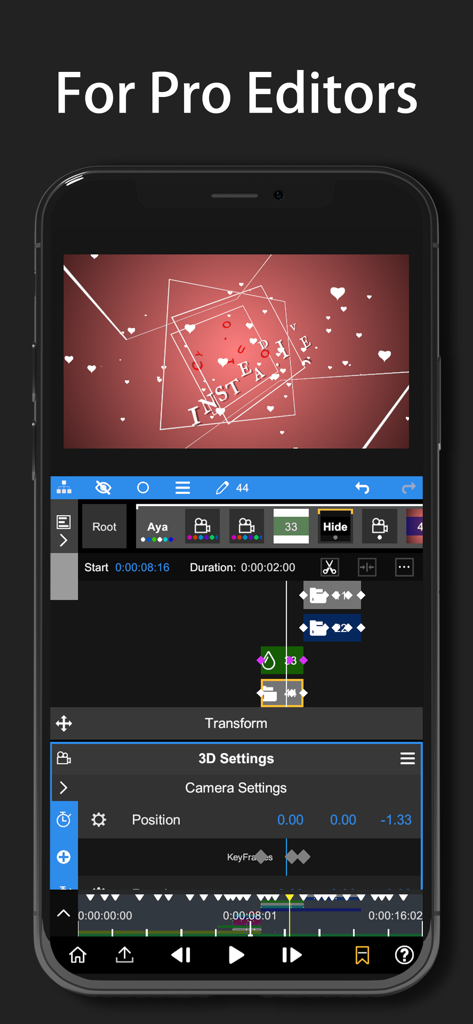
A professional video editing interface on a smartphone screen showing 3D camera settings and keyframe animation for creators.

A professional video editing interface on a smartphone screen showing 3D camera settings and keyframe animation for creators.

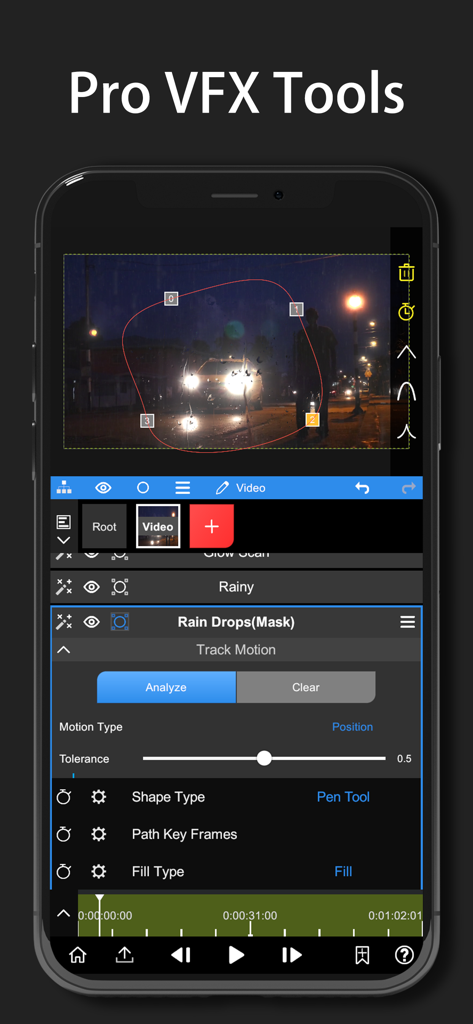
Node Video mobile interface for motion tracking and pen tool masking

Node Video mobile interface for motion tracking and pen tool masking

Pro Tools for the Next Gen Creator

The tools that make this app stand out, trusted by 5M+ users.

🖋️

Professional Motion Design

Unlock limitless creativity with a full Pen Tool, curve editor, and frame-accurate keyframing for elite-level smoothness and custom transitions.

🌊

Dynamic Audio Reaction

Automate your edits with music. Use the audio spectrum to control any parameter—from lens flares to scale—for perfect rhythm-sync every time.

🧠

AI-Driven VFX & 3D

Save hours with real-time human matting. Isolate subjects with a tap and map your content onto 3D models for high-end, immersive compositions.

Loved by users worldwide

Trusted by 5M+ people who love this app.

"

"I've been searching for a mobile editor that actually gives me the control of After Effects, and Node Video is finally it. The curve editor and pen tool are absolute game-changers for my AMVs. I can do high-level masking and keyframing right on my iPad without needing a $2,000 PC setup. It’s the only app that doesn’t feel like a toy."

Skyler J., Motion Graphic Artist
"

"If you're serious about your TikTok or Reels growth, you need this. The Audio Reactor is insane—I can sync every effect to the beat automatically. Plus, the AI human matting saves me hours of rotoscoping. It's the ultimate tool for creators who want to stay ahead of the curve and produce content that actually looks professional."

Marcus K., Gaming Content Creator

About the app

Everything you need to know about Node Video.

Description

Must-Have video editing app for Pro Editors. Please stay tuned for updates and more powerful features! •Extremely powerful and flexible. Limitless Layers & Groups. Precise Video Editing & Rich Possibilities. Super Fast Rendering. Various Editing Tools are available: Motion Tracker, Pen Tool, Timeline, Keyframe animation, Curve Editor, Masking, Color Correction, Frame Blend, Puppet Pin, etc. •Revolutionary Audio Reactor. Visualize your audio to anything. Every parameter of every effect&property is controllable by the audio spectrum. •AI Powered Features. Automatically separating Human&Background in real time! More Features Coming Soon! •3D Renderers. Mapping your videos & images to 3D models. •Professional Effects and Presets. Get new effects and presets regularly. •Currently included Effects/Properties -Blend Mode -Layer Styles -Motion Blur -Luma Fade -Lens Flare -Perspective Transform -Fractal Noise -Time Remap -Basic Color Correction(Exposure, Contrast, White Balance, etc.) -Emboss -4 Color Gradient -Shift Channels -Invert -Camera Lens Blur -Gaussian Blur -Cross Blur -Directional Blur -Radial Blur -Glow -Motion Tile -Mosaic -Find Edges -Vignette -Displacement Map -Mirror -Lens Distortion -Polar Coordinates -Clipping Mask -Human Matting -Shape Mask -RGB Curve -HSL Curve -Color Wheel -Sketch -Old Movie -Manga -Cartoon -Chroma Key -Particles: Snow, Rain,Embers --------- Pro Subscription - You can subscribe for unlimited access to all features and content offered for purchase within Node Video. - Subscriptions are billed monthly or annually at the rate selected depending on the subscription plan. - Subscriptions auto-renew at the cost of the chosen package, unless cancelled 24-hours in advance prior to the end of the current period. The subscription fee is charged to your iTunes account at confirmation of purchase. You may manage your subscription and turn off auto-renewal by going to your Account Settings after purchase. Per Apple policy, no cancellation of the current subscription is allowed during active subscription period. Once purchased, refunds will not be provided for any unused portion of the term. - Any unused portion of the free trial period will be forfeited when you purchase a subscription. - Price may vary by location. - Terms of use: http://www.nodevideo.com/terms_of_use.html - Privacy Policy: http://www.nodevideo.com/privacy_policy.html * Don't hesitate to contact us on - contact@nodevideo.com

Latest Version

8.4.0

Size

220.1 MB

First Released

Feb 8, 2020

Ready to Out-Edit the Competition?

Stop settling for basic templates. Download Node Video and master the desktop-grade VFX, 3D rendering, and AI-powered tools used by the world's elite mobile creators.

Download on App StoreDownload on Google Play
FAQ

Frequently Asked Questions

Everything you need to know about Node Video

Who is the Node Video app designed for?

Node Video is a powerful video editing app specifically designed for professional editors, offering advanced features and precise controls.

Does Node Video support multiple layers in editing?

Yes, Node Video supports limitless layers and groups, enabling complex video projects with extensive organization.

What core editing features does Node Video provide?

Node Video offers precise video editing capabilities, including a Timeline, Keyframe animation, Curve Editor, and various masking tools.

Does Node Video offer fast rendering speeds?

Yes, Node Video features super fast rendering, optimizing the workflow for professional video editors.

What is the Audio Reactor feature in Node Video?

Node Video's Audio Reactor visualizes audio, allowing users to control every effect and property parameter via the audio spectrum.

Does Node Video utilize AI technology?

Yes, Node Video includes AI-powered features, such as automatically separating humans from backgrounds in real-time.

Can Node Video map videos to 3D models?

Yes, Node Video provides 3D renderers that enable mapping videos and images to 3D models, alongside 3D camera settings.

What color correction features are available in Node Video?

Node Video includes extensive color correction tools like Basic Color Correction (Exposure, Contrast), RGB Curve, HSL Curve, and Color Wheel.

How do I get unlimited access to Node Video features?

To access all features and content in Node Video, users must purchase a Pro Subscription.

What are the billing options for Node Video Pro Subscription?

Node Video Pro Subscriptions are billed monthly or annually, based on the selected plan.

Do Node Video Pro Subscriptions auto-renew?

Yes, Node Video subscriptions auto-renew unless cancelled at least 24 hours before the current period ends.

How do I manage my Node Video subscription settings?

Users can manage their Node Video subscription and turn off auto-renewal through their Account Settings after purchase.

Can I cancel my Node Video subscription at any time?

No, cancellation during an active Node Video subscription is not permitted per Apple policy, and refunds are not issued for unused terms.

What happens to my Node Video free trial if I subscribe?

Any unused portion of a Node Video free trial is forfeited immediately upon purchasing a subscription.

Does the Node Video subscription price change by region?

Yes, the price for a Node Video Pro Subscription can vary depending on the user's geographical location.

Where can I find the Node Video terms of use?

Node Video's terms of use are available at http://www.nodevideo.com/terms_of_use.html.

Where can I find Node Video's privacy policy?

Node Video's privacy policy is available at http://www.nodevideo.com/privacy_policy.html.

How can I contact Node Video customer support?

Users can contact Node Video support by emailing contact@nodevideo.com for assistance.

Does Node Video feature a curve editor?

Yes, Node Video includes a Pro Curve Editor, allowing precise control over keyframe animation and motion path adjustments.

Can Node Video create slow-motion effects?

Yes, Node Video includes "Pro Slowmo" capabilities and various transform options like Position, Scale, and Rotation for detailed adjustments.

What VFX tools are available in Node Video?

Node Video provides Pro VFX Tools including a Pen Tool for shape creation and masking, alongside motion tracking functionalities.