LumaFusion

LumaFusion

Download on App StoreDownload on Google Play
Spark by MWM logo
Logo of LumaFusion

LumaFusion: The Award-Winning Pro Video Editor for Mobile

Harness desktop-class power with a touch-first interface. From 4K ProRes multi-track editing to advanced color grading, transform your iPad and iPhone into a professional storytelling studio.

Publisher

Luma Touch LLC

Category

Photo & Video

Downloads

1M+

User Rating

4.7/5

Total Ratings

36K+

Locales

13

Desktop Power, Mobile Freedom

Discover the interface used by 1M+ users.

LumaFusion app awards including Apple App of the Year and Editors Choice recognition.

LumaFusion app awards including Apple App of the Year and Editors Choice recognition.

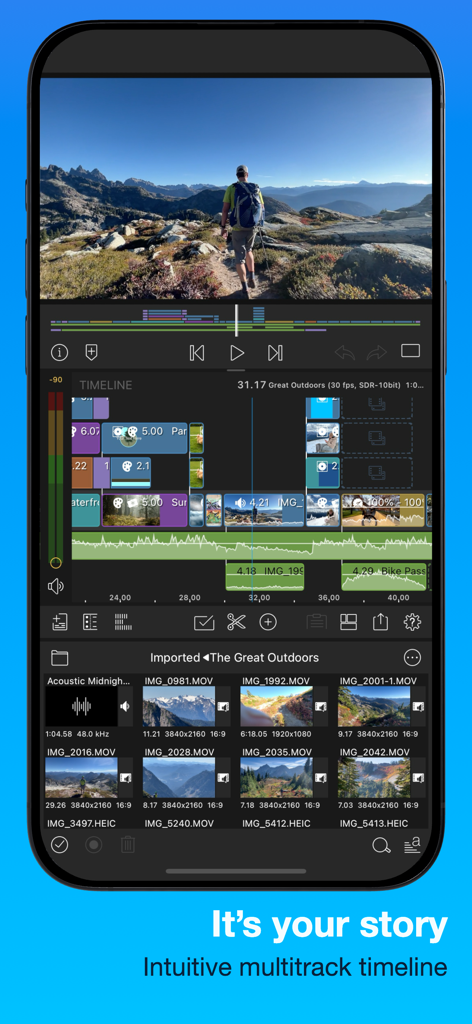
LumaFusion mobile app interface showing a professional multitrack video editing timeline on an iPhone.

LumaFusion mobile app interface showing a professional multitrack video editing timeline on an iPhone.

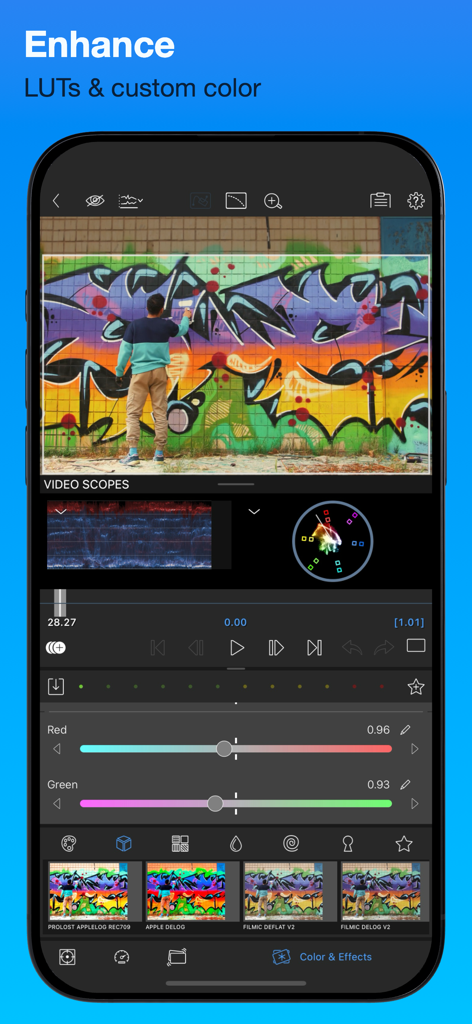
Professional color correction and LUT tools in LumaFusion app

Professional color correction and LUT tools in LumaFusion app

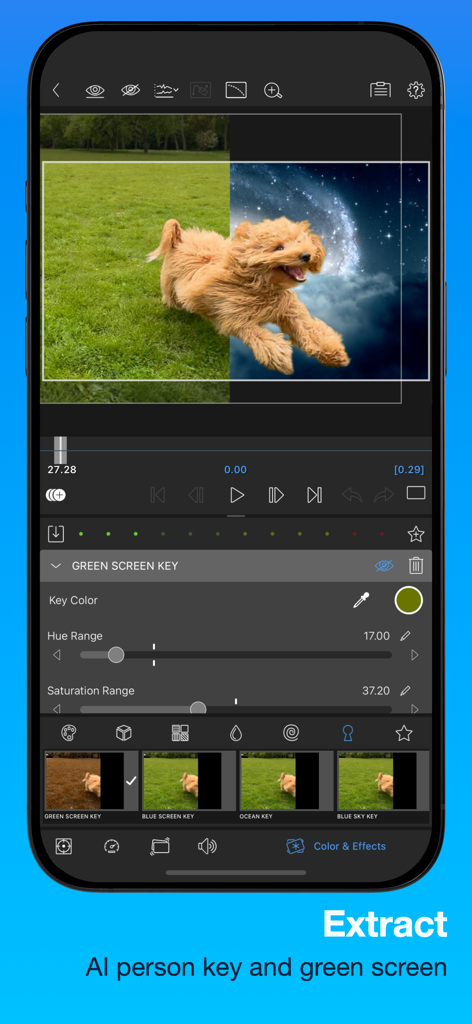
LumaFusion app interface demonstrating green screen removal and background replacement on a video of a running dog

LumaFusion app interface demonstrating green screen removal and background replacement on a video of a running dog

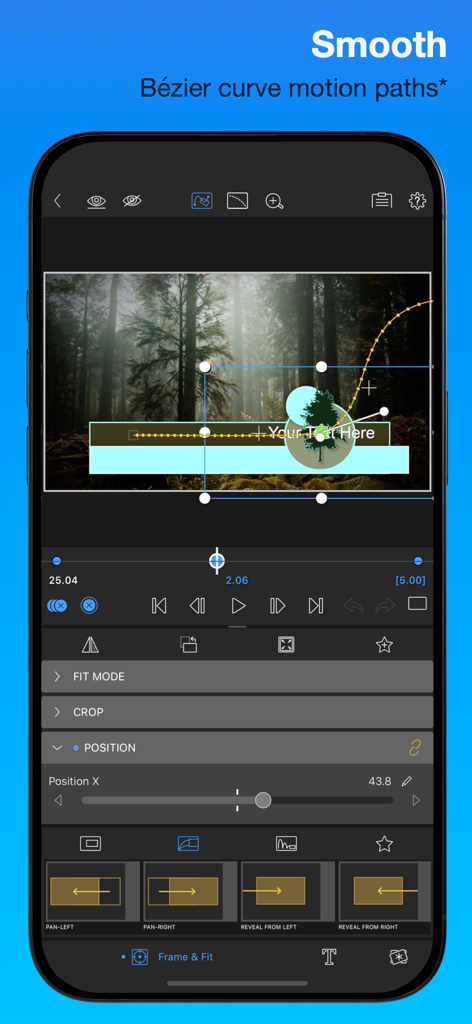
LumaFusion mobile video editor interface showing smooth Bezier curve motion paths for professional editing

LumaFusion mobile video editor interface showing smooth Bezier curve motion paths for professional editing

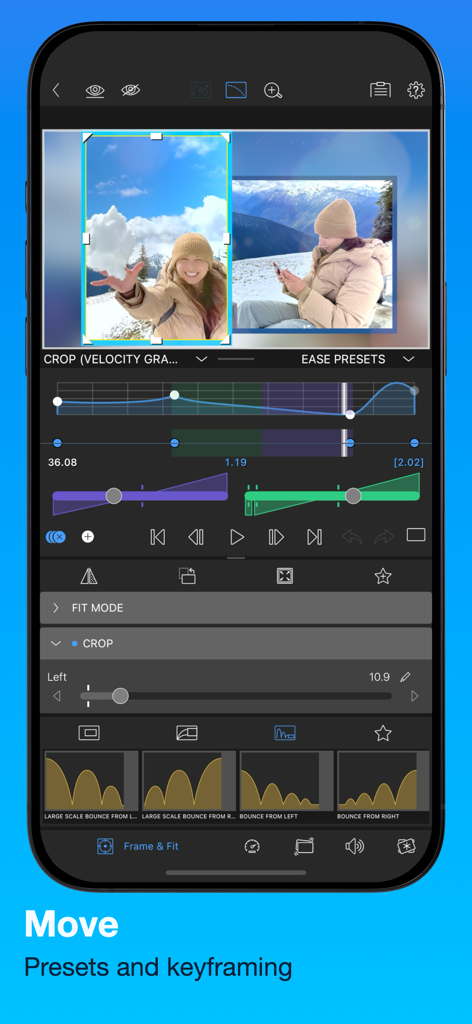
Professional keyframing and motion presets interface in the LumaFusion video editing app

Professional keyframing and motion presets interface in the LumaFusion video editing app

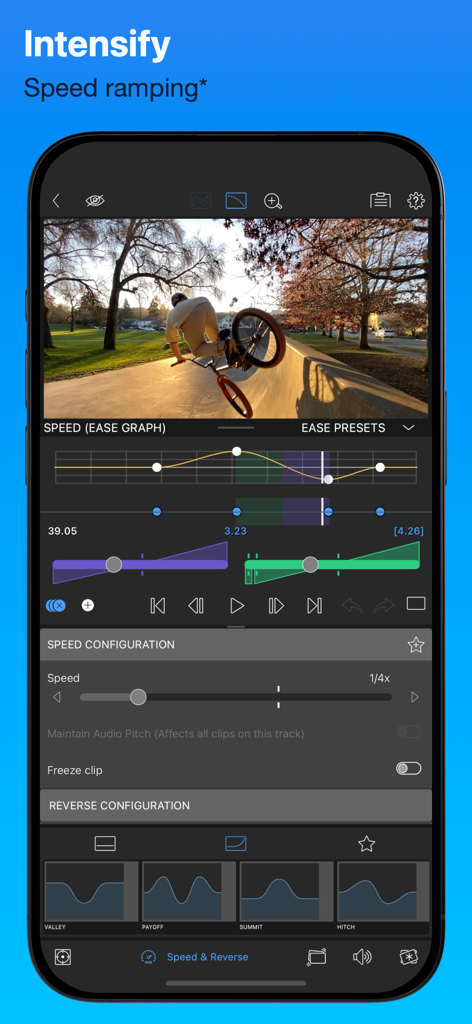
LumaFusion app showing advanced speed ramping controls and speed ease graph on a mobile device

LumaFusion app showing advanced speed ramping controls and speed ease graph on a mobile device

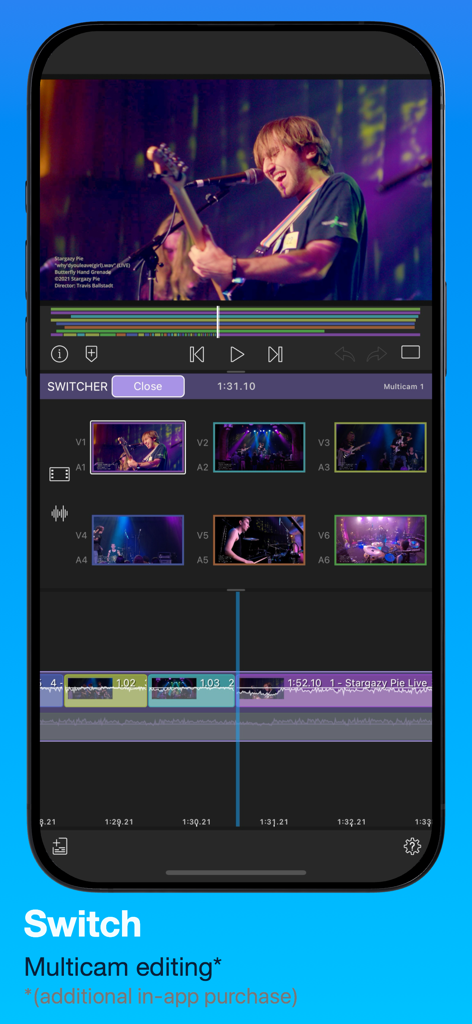
LumaFusion app multicam editing interface showing six synchronized video angles for a live music performance on a smartphone screen.

LumaFusion app multicam editing interface showing six synchronized video angles for a live music performance on a smartphone screen.

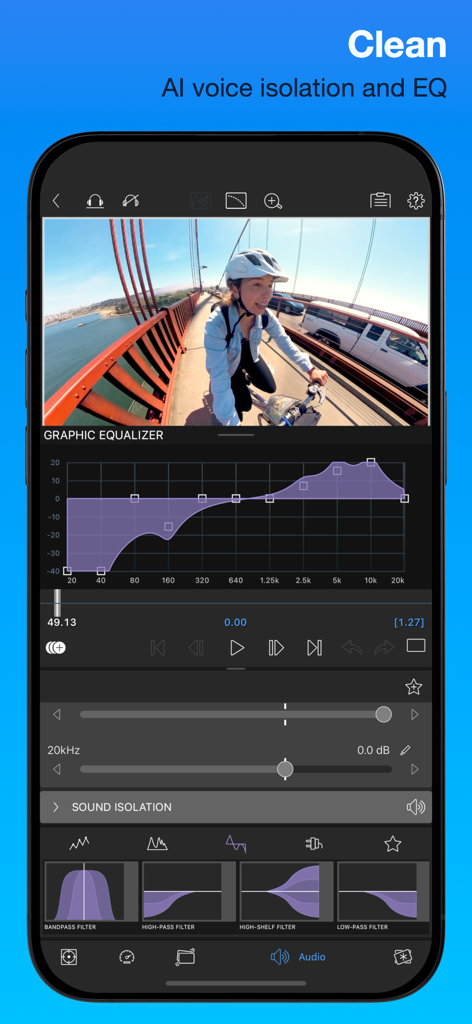
LumaFusion professional audio editing interface featuring graphic equalizer and AI voice isolation

LumaFusion professional audio editing interface featuring graphic equalizer and AI voice isolation

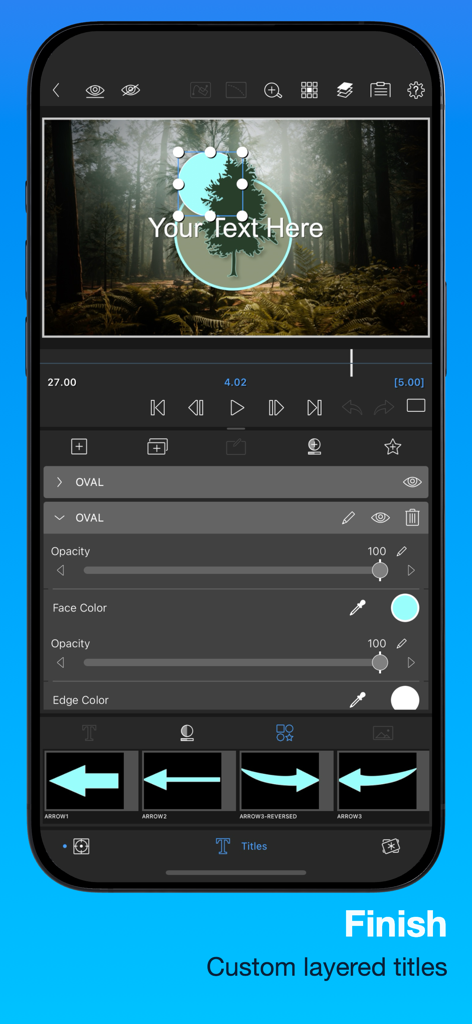
iPhone interface of LumaFusion showing custom layered titles with shape overlays and color correction settings over a video clip

iPhone interface of LumaFusion showing custom layered titles with shape overlays and color correction settings over a video clip

Desktop-Class Editing in the Palm of Your Hand

The tools that make this app stand out, trusted by 1M+ users.

🎬

Pro Multi-Track Timeline

Layer up to six video and audio tracks with a flexible magnetic timeline that handles 4K ProRes and HDR with ease.

🎨

Cinematic Color & FX

Professional LUT support, keyframe animation, and video scopes let you dial in the perfect look for every project.

📱

Built for Every Platform

Instantly switch aspect ratios for YouTube, TikTok, or Cinema, and export directly to your favorite social channels.

Loved by users worldwide

Trusted by 1M+ people who love this app.

"

"LumaFusion has completely transformed my workflow. Being able to edit multi-track 4K projects on my iPad with the same precision as a desktop suite is a game-changer for my travel vlogs. It is hands-down the most powerful tool in my creative kit."

Marcus T., Professional Videographer
"

"Finally, a mobile editor that doesn't feel like a toy. I love the flexibility of the magnetic timeline and the professional color correction tools. It is perfect for creating high-quality Reels and YouTube videos on the fly without ever needing to touch a PC."

Sarah J., Content Strategist

About the app

Everything you need to know about LumaFusion.

Description

LumaFusion: The Ultimate Storytelling Experience for Video Editing Welcome to the App Store’s “App of the Year” for 2021 and the recipient of the Editors’ Choice Award! The gold standard for storytellers worldwide. Offering a fluid, intuitive, touch-screen editing experience. PROFESSIONAL EDITING MADE EASY • Six video/audio or graphic tracks: Create multiple layer edits with smooth handling of 4K ProRes and HDR media. • Six Additional audio tracks: Build your soundscape. • The ultimate Timeline: Fluent editing using the world’s most flexible track-based AND magnetic timeline. • Loads of transitions: Keep your story moving. • External Monitor Preview: View on a big screen. • Markers, tags and notes: Stay organized. • Voiceover: Record VO while playing your movie. LAYERED EFFECTS AND COLOR CORRECTION • Green screen, luma, and chroma keys: For creative compositing. • Lock & Load Video Stabilizer: Steady your footage. • Powerful color correction: Create your own look. • Video Waveform, vector and histogram scopes. • LUTs: Import and apply multiple .cube or .3dl LUTs. • Unlimited keyframes: Animate effects with precision. • Customizable text and effect presets: Save and share your favorite animations and looks. • Grids and Guides: Precisely align elements with Title-Safe, Action-Safe and horizon line. ADVANCED AUDIO CONTROL • Graphic EQ, Parametric EQ and Voice Isolation: Fine-tune audio. • Keyframe audio levels, panning, and EQ: Craft seamless mixes. • Stereo and Dual-mono audio support: For interviews with multiple mics on one clip. • Audio Ducking: Balance your music and dialogue. • Third-party audio plugins: Enhance your sound. CREATIVE TITLES AND MULTILAYER TEXT • Multilayer titles: Combine shapes, images, and text into your graphic. • Customizable fonts, colors, borders, and shadows: Design eye-catching titles. • Import custom fonts: Strengthen your brand. • Save and share title presets: Perfect for collaboration. PROJECT FLEXIBILITY AND MEDIA LIBRARY • Aspect ratios for all uses: From widescreen cinema to social media. • Frame rates from 18fps to 240fps: Flexibility for any workflow. • Edit from Photos, Frame.io, and directly from USB-C drives: Access your content anywhere. • Import media from cloud storage: Wherever you store it. SHARE YOUR MASTERPIECES • Control resolution, quality, and format: • Share movies to social media, local storage or cloud storage. • Edit on multiple devices: Seamlessly transfer projects. ENHANCED FEATURES (purchase individually, or get them ALL as part of the Creator Pass subscription - see below) • Speed Ramping and Enhanced Keyframing - Create speed ramps, Bézier curves, and easing with this one-of-a-kind, easy to use feature. • XML Export: Send your project to Final Cut Pro for Mac • Multicam Studio: Synchronize 6 cameras or audio and tap to switch angles CREATOR PASS SUBSCRIPTION • Get full access to Storyblocks for LumaFusion: Millions of High-quality royalty-free music, SFX, and videos, PLUS get ALL the Enhanced Features above. EXCEPTIONAL FREE SUPPORT • Online tutorials: www.youtube.com/@LumaTouch • Reference Guide: luma-touch.com/lumafusion-reference-guide • Support: luma-touch.com/support

Latest Version

5.4.1

Size

234.1 MB

First Released

Dec 22, 2016

Start Your Professional Editing Journey Today

Join over a million creators using the gold standard for mobile storytelling. Download LumaFusion and bring desktop-class power to your iPad and iPhone.

Download on App StoreDownload on Google Play
FAQ

Frequently Asked Questions

Everything you need to know about LumaFusion

What awards has LumaFusion received?

LumaFusion received the App Store’s “App of the Year” for 2021 and the Editors’ Choice Award. It is also the gold standard for storytellers worldwide.

How many tracks does LumaFusion support for video editing?

LumaFusion supports six video/audio or graphic tracks for multi-layer edits. It also provides six additional audio tracks to build complex soundscapes.

Does LumaFusion include green screen editing capabilities?

Yes, LumaFusion includes green screen, luma, and chroma keys for creative compositing. It supports AI person keying for advanced extractions.

Can I control audio levels and quality in LumaFusion?

Yes, LumaFusion offers graphic EQ, parametric EQ, and voice isolation to fine-tune audio. Users can also keyframe audio levels, panning, and EQ for seamless mixes.

Does LumaFusion support multicam editing?

Yes, LumaFusion offers a Multicam Studio as an enhanced feature. It synchronizes up to 6 cameras or audio tracks, allowing users to tap and switch angles.

How can I create speed ramps in LumaFusion?

LumaFusion provides Speed Ramping and Enhanced Keyframing as an enhanced feature. This allows users to create speed ramps, Bézier curves, and easing with precision.

What does the LumaFusion Creator Pass subscription include?

The Creator Pass subscription provides full access to Storyblocks for LumaFusion, which offers millions of royalty-free music, SFX, and videos. It also includes all enhanced features.

Where can I import media from into LumaFusion?

LumaFusion allows users to import media from Photos, Frame.io, and directly from USB-C drives. It also supports importing media from various cloud storage services.

Does LumaFusion support external monitor preview?

Yes, LumaFusion features an External Monitor Preview. This allows users to view their project on a larger screen for better review and editing.

What frame rates does LumaFusion support for editing?

LumaFusion supports a wide range of frame rates, from 18fps up to 240fps. This flexibility accommodates various workflows and project requirements.

Can users customize titles and text in LumaFusion?

Yes, LumaFusion offers multilayer titles and extensive customization. Users can modify fonts, colors, borders, and shadows, and also import custom fonts.