Time Cut: Smooth Slow Motion

Time Cut: Smooth Slow Motion

Download on App Store
Spark by MWM logo
Logo of Time Cut: Smooth Slow Motion

Time Cut: Smooth Slow Motion - Pro AI Velocity & RSMB Editor

Transform your clips into buttery-smooth cinematic masterpieces. Master the viral velocity look with deep-learning frame interpolation, professional motion blur, and AI-driven quality enhancement.

Publisher

立亚 林

Category

Photo & Video

Downloads

2M+

User Rating

4.7/5

Total Ratings

40K+

Locales

9

Master the Flow

Discover the interface used by 2M+ users.
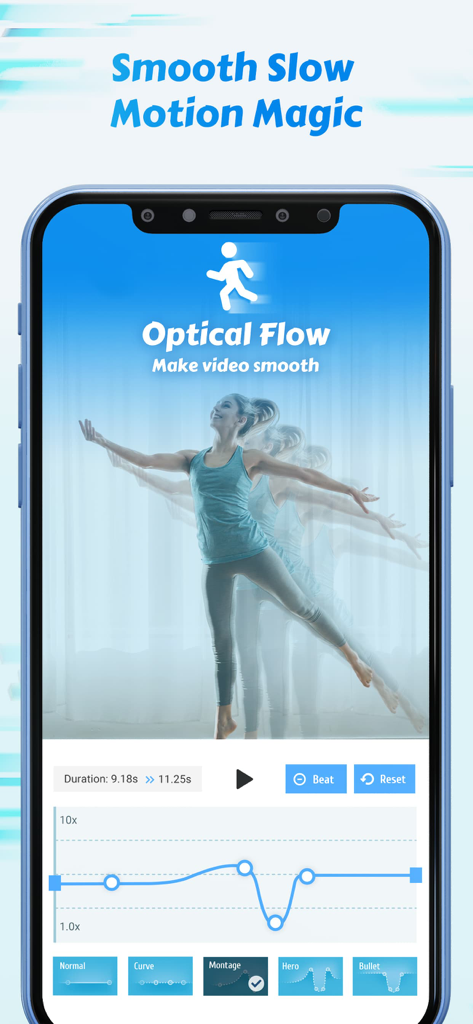
A mobile interface of the Time Cut app showing the optical flow feature and a velocity speed curve for creating smooth slow motion video effects.

A mobile interface of the Time Cut app showing the optical flow feature and a velocity speed curve for creating smooth slow motion video effects.

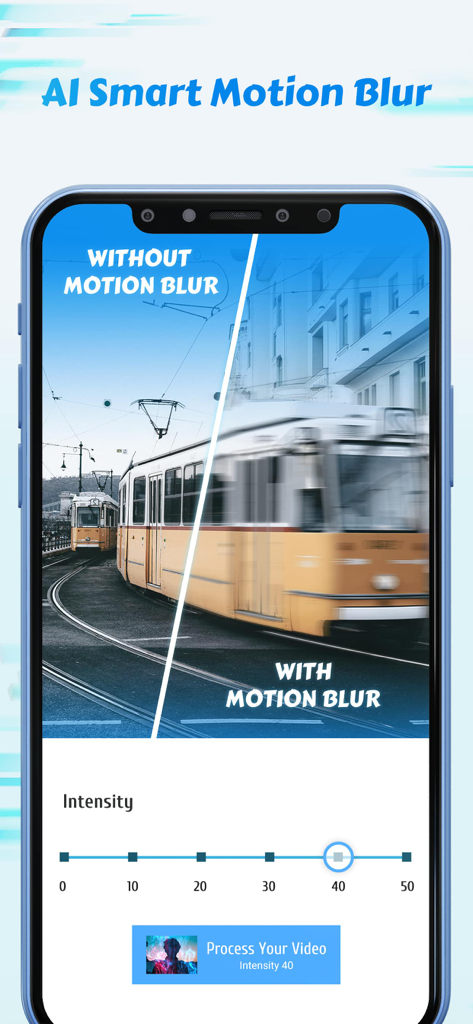
A split screen comparison showing a tram with and without AI smart motion blur in the Time Cut app

A split screen comparison showing a tram with and without AI smart motion blur in the Time Cut app

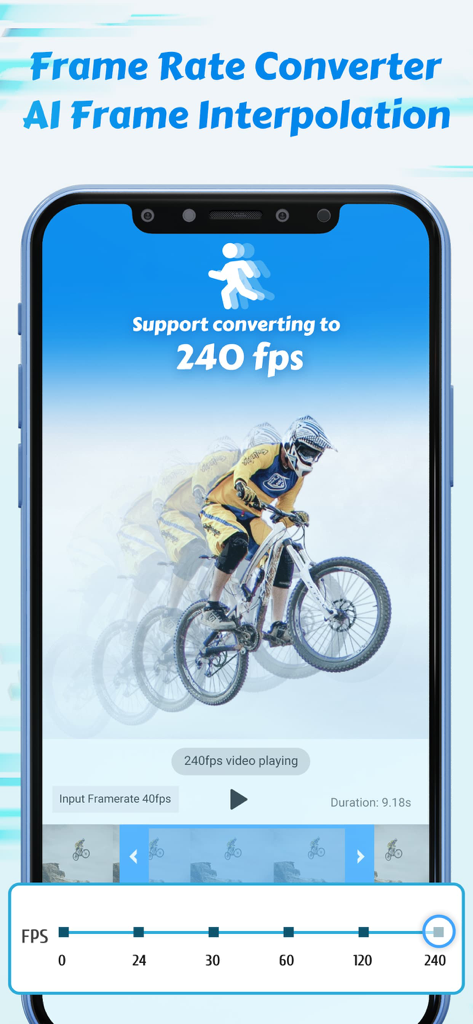
Time Cut app screen showing AI frame interpolation for converting video to 240 fps with a mountain biker visual example

Time Cut app screen showing AI frame interpolation for converting video to 240 fps with a mountain biker visual example

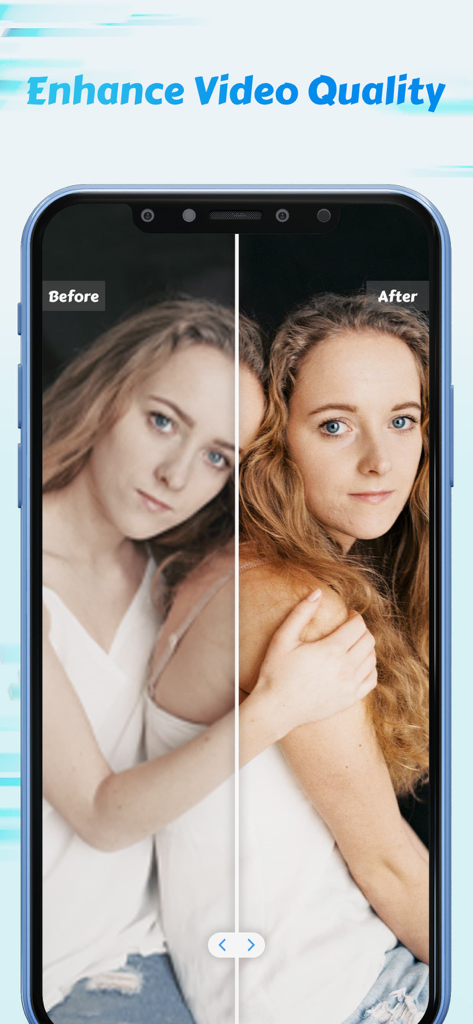
Before and after demonstration of the AI video quality enhancement feature in the Time Cut app

Before and after demonstration of the AI video quality enhancement feature in the Time Cut app

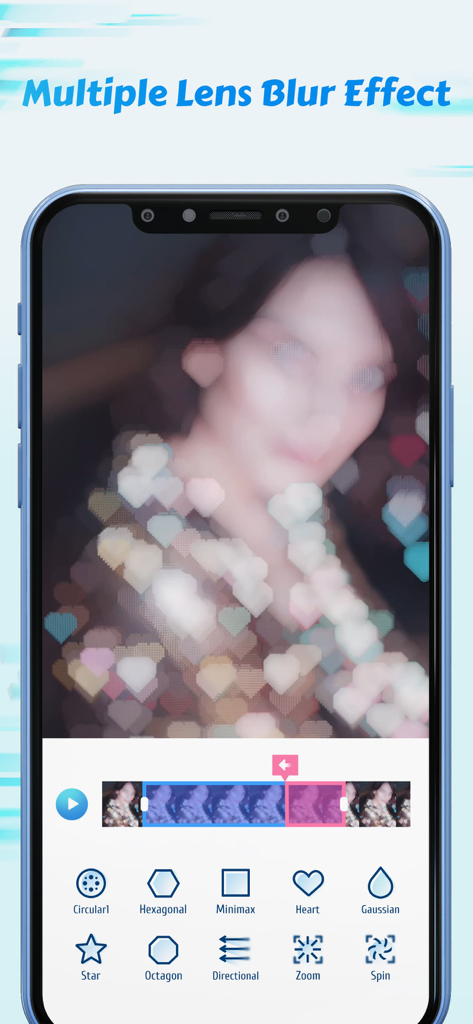
Time Cut app interface showing various lens blur options including heart shaped bokeh and other creative filters

Time Cut app interface showing various lens blur options including heart shaped bokeh and other creative filters

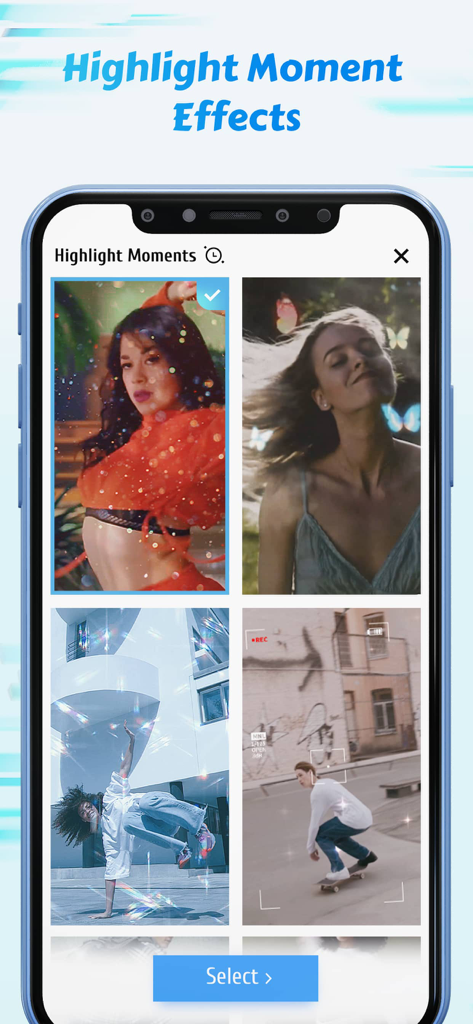
A collection of aesthetic video highlight effects and filters including butterflies and sparkles in the Time Cut app interface.

A collection of aesthetic video highlight effects and filters including butterflies and sparkles in the Time Cut app interface.

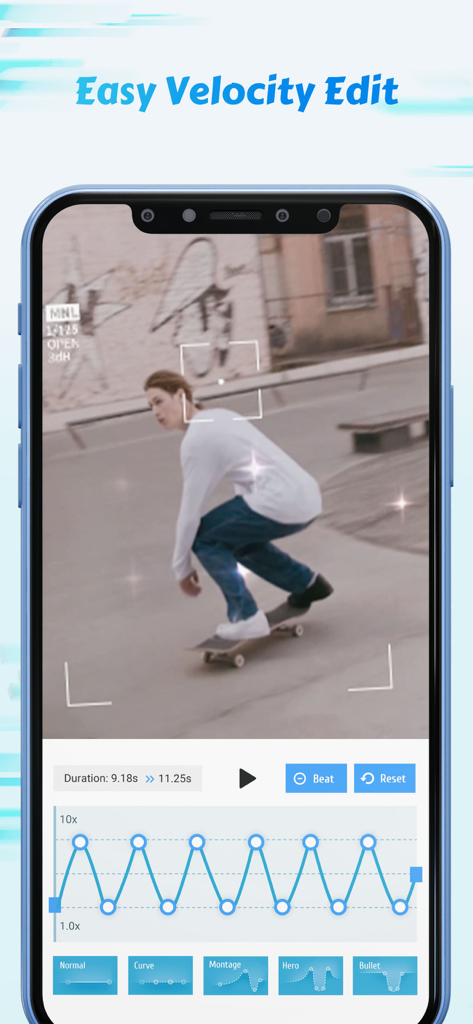
Smartphone screen displaying the Time Cut app with a velocity speed curve editor and a video of a skateboarder.

Smartphone screen displaying the Time Cut app with a velocity speed curve editor and a video of a skateboarder.

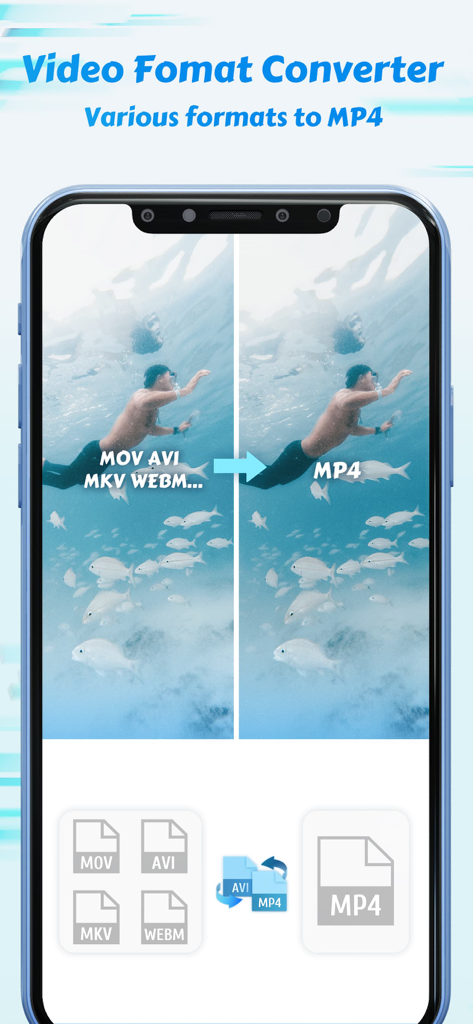
Mobile app interface showing video format conversion from multiple formats to MP4

Mobile app interface showing video format conversion from multiple formats to MP4

Level Up Your Aesthetic with AI-Powered Edits

The tools that make this app stand out, trusted by 2M+ users.

🌊

Ultra-Smooth Slow Motion

Our RIFE deep-learning model generates new frames to turn standard footage into fluid, cinematic slow-mo without the lag or stutter.

💨

Pro Motion Blur (RSMB)

Achieve the coveted 'clean' edit look. Add realistic motion blur to your movements and transitions for a high-end, professional feel.

💎

AI Quality Enhancer

Instantly upscale and sharpen your videos. Turn low-res clips into crisp, high-definition masterpieces perfect for the For You Page.

Loved by users worldwide

Trusted by 2M+ people who love this app.

"

"I've been looking for a mobile app that actually does decent velocity edits for my TikToks. Time Cut is a game changer! The AI frame interpolation makes my 30fps clips look like they were shot on a pro camera. No more choppy slo-mo, just butter-smooth motion every time. The RSMB effect is just the cherry on top!"

@vibe_editor_sophie
"

"Literally the only app that gets motion blur and frame interpolation right on iPhone. I use it for all my skate highlights to get that cinematic 60fps look. The Quality Enhancer also saved some of my older low-res clips. If you're serious about your video quality, the Forever VIP is a steal."

Marcus J., Content Creator

About the app

Everything you need to know about Time Cut: Smooth Slow Motion.

Description

Make smooth slow motion video with deep-learning frame interpolation model. Add motion blur to make rsmb effect or simply make videos smoother. Use AI-driven quality enhancer to enhance the quality of both pictures and videos. Using advanced image processing algorithm, Time Cut is a powerful and professional video editor that is dedicated to change the frame rate or the speed of a video. Unique de-duplication technique for ultimate smooth slomo video. We also offer a wide range of carefully designed slowmo effects that make fast and easy velocity edits. #Smooth Slow Motion Including three frame interpolation approaches - Optical Flow, RIFE deep-learning model, frame blending, our video speed adjustment feature allows you to make any flexible velocity edits to your video, including customized speed curve and a variety of common speed change presets. For example, you can speed it up and then slow it down, and the video will always stay smooth even after being slowed down like trending tiktok velomingo edits. #Motion Blur and More Lens Blur FX Two modes of motion blur to make rsmb/vsmb edits, and many more other blur option like BCC lens blur and directional blur etc. #Frame Rate Converter Convert videos to any frame rate you need. In addition to increasing the frame rate of normal videos to 60/120/240 fps, it can also convert high frame rate videos into cinematic 24fps videos and the most commonly used 30fps videos of smaller size to share. #Quality Enhancer Wanna good-quality video to take the edits to the next level? We offer AI-driven quality enhancer to enhance the quality of both pictures and videos. #Highlight Moments and More Fx There're all kinds of slow motion effects available in our app to help you make the most creative and stunning edits in an easy way regardless of your editing skills. Trending high quality coloring preset (unsharp masking) to help your videos look super professional. Download Time Cut and play with time! ---------------------------------------------- Subscription option: $1.99 per week, $5.99 per year, $7.99 for forever VIP. Subscribe for unlimited access to all features and content offered for purchase within the app. Payment will be charged to iTunes Account at confirmation of purchase. Subscription automatically renews unless auto-renew is turned off at least 24-hours before the end of the current period. Account will be charged for renewal within 24-hours prior to the end of the current period, and identify the cost of the renewal. Subscriptions may be managed by the user and auto-renewal may be turned off by going to the user's Account Settings after purchase. Any unused portion of a free trial period, if offered, will be forfeited when the user purchases a subscription to that publication, where applicable. Pricing in other countries may vary and actual charges may be converted to your local currency depending on the country of residence. Privacy policy: https://www.floatcamellia.com/privacy.html Terms of use: https://www.floatcamellia.com/agreement.html

Latest Version

2.6.4

Size

174.5 MB

First Released

Nov 4, 2021

Make Your Edits Smooth as Silk

Join millions of creators using AI to master velocity edits, motion blur, and cinematic slow motion. Download Time Cut now and play with time.

Download on App Store
FAQ

Frequently Asked Questions

Everything you need to know about Time Cut: Smooth Slow Motion

What is Time Cut?

Time Cut is a powerful video editor designed for smooth slow-motion video creation. It utilizes deep-learning frame interpolation and offers features like motion blur, AI-driven quality enhancement, and frame rate conversion.

How does Time Cut create smooth slow motion videos?

Time Cut uses advanced image processing algorithms, including Optical Flow, RIFE deep-learning models, and frame blending. This unique de-duplication technique ensures smooth velocity edits, even when slowing down videos significantly.

Can Time Cut add motion blur effects to videos?

Yes, Time Cut supports motion blur effects. It offers two modes for RSMB/VSMB edits and various other blur options, including BCC lens blur and directional blur, to enhance video aesthetics.

Does Time Cut enhance video quality?

Yes, Time Cut includes an AI-driven quality enhancer. This feature enhances the quality of both pictures and videos, taking edits to a professional level with improved clarity and detail.

What are the subscription options for Time Cut?

Time Cut offers several subscription options: $1.99 per week, $5.99 per year, or a $7.99 one-time payment for forever VIP access. Subscribing grants unlimited access to all app features.

Can Time Cut change the frame rate of a video?

Yes, Time Cut functions as a Frame Rate Converter. It can increase video frame rates to 60, 120, or 240 fps and also convert high frame rate videos to cinematic 24fps or common 30fps.

Does Time Cut provide different types of lens blur effects?

Yes, Time Cut offers multiple lens blur effects. These include Circular, Hexagonal, Minimax, Heart, Gaussian, Star, Octagon, Directional, Zoom, and Spin, providing diverse creative options for users.

Can Time Cut convert video formats?

Yes, Time Cut includes a Video Format Converter. It can convert various formats like MOV, AVI, MKV, and WEBM into the MP4 format for broader compatibility and sharing.

What types of AI technology does Time Cut use?

Time Cut uses deep-learning frame interpolation models like RIFE and AI-driven quality enhancement. It also employs AI Frame Interpolation for its Frame Rate Converter to ensure smooth video processing.

Where can I find the privacy policy for Time Cut?

The privacy policy for Time Cut is available at the following URL: https://www.floatcamellia.com/privacy.html. This link provides details on how user data is handled by the app.