
Desktop




Skip the call center and handle your fiber plan with total autonomy. Access invoices, update details, and restore service instantly from the palm of your hand.
Publisher
Category
UtilitiesDownloads
244K+User Rating
Total Ratings
11K+Locales
1Discover the interface used by 244K+ users.
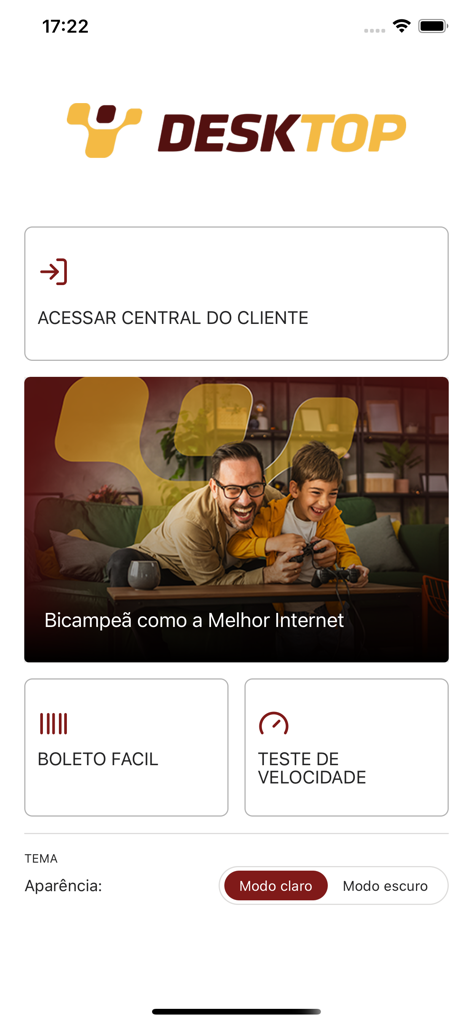
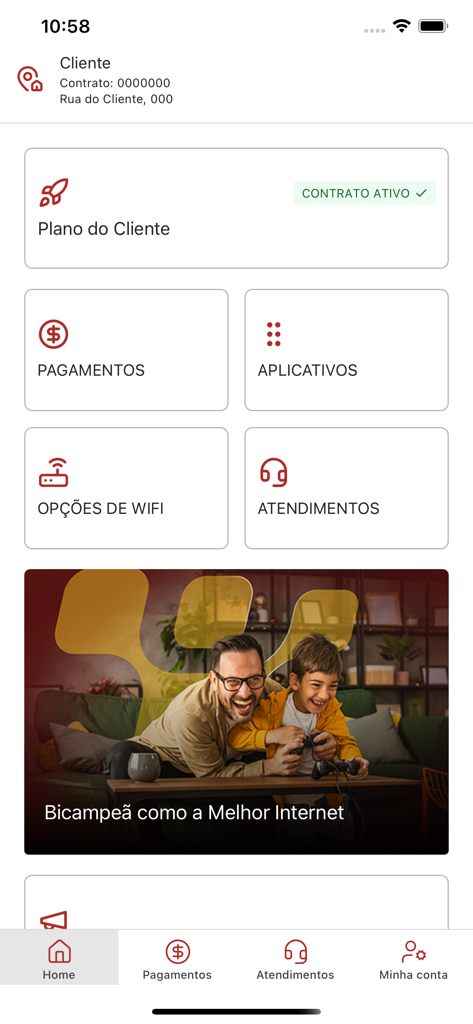
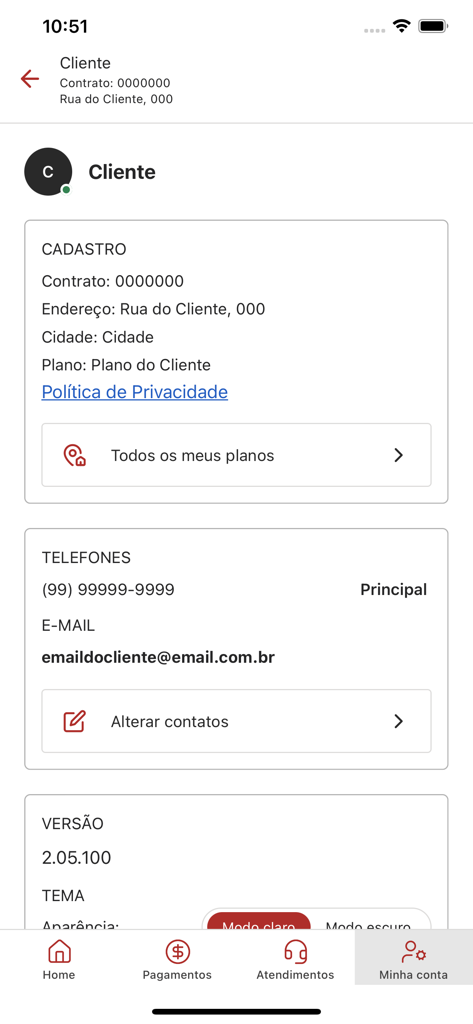
The tools that make this app stand out, trusted by 244K+ users.
Restore your connection immediately with the 'Trust Unlock' feature, getting you back online without waiting for payment processing.
Access invoice history, generate duplicate bills, and maintain a digital paper trail for all your utility expenses in one tap.
Update your registration data and manage your plan details anywhere, anytime, eliminating the need for time-consuming call center queues.
Trusted by 244K+ people who love this app.
"This app is a lifesaver! I completely forgot to pay my bill last month, and the 'Trust Unlock' feature got my internet back online instantly without having to wait on hold for a representative. It is so fast and easy to use."
"Managing my home internet has never been this simple. I can grab my invoices and check my history in seconds. It is clean, reliable, and does exactly what it needs to do without any fuss. Truly the best way to handle my subscription."
Everything you need to know about Desktop.
Description
Latest Version
2.07.100
Size
46.1 MB
First Released
Feb 24, 2023
Join over 244,000 customers who skip the call center. Download the Desktop app today to pay bills, view statements, and restore your connection instantly—all in the palm of your hand.
Everything you need to know about Desktop
The Desktop app provides quick access to your plan information, allows you to issue bills, consult invoice statements, update personal data, and perform confidence unlocks for your services.
Yes, the Desktop app allows you to issue the second copy of your bill directly. This functionality is highlighted by the 'BOLETO FACIL' feature within the app.
Yes, the Desktop app enables you to consult the statement of your last invoices. You can find this information under the 'PAGAMENTOS' section of the application.
Yes, the Desktop app allows you to update your personal data. You can modify contact information like phones and emails in the 'Minha conta' section under 'Alterar contatos'.
Yes, the Desktop app includes a 'TESTE DE VELOCIDADE' feature. This allows users to check their internet connection speed directly within the application's main screen.
Yes, the Desktop app supports both light and dark modes. Users can change the appearance theme through the 'TEMA: Aparência' setting available in the app interface.
Yes, you can access customer support within the Desktop app via the 'ATENDIMENTOS' section. This provides direct access to assistance and service information.
Yes, the Desktop app supports 'desbloqueio em confiança'. This feature allows for a temporary service unlock if your payment is overdue, as mentioned in the app's core functionalities.
Yes, the Desktop app provides 'OPÇÕES DE WIFI'. This functionality allows users to manage and configure their Wi-Fi settings directly through the application.
The privacy policy for the Desktop app is located within the 'Minha conta' section. It is specifically listed as 'Política de Privacidade' under your registration details.
Apps with similar features and user experience

Uniti Group Inc.

TNL PCS S/A.
Google LLC

Telenet

CenturyTel Service Group, LLC
Telecom Italia spa

TurkNet Iletisim Hizmetleri A.S.

Atria Convergence Technologies Private Limited

EXCITEL BROADBAND PRIVATE LIMITED
